

dsh-sqy-rewind
Manifest valid★ 1Rewind a DSH session to before a turn you already sent.
dsh-sqy-rewind
Rewind a DSH session to before a turn you already sent. The model-visible surface is replaced in place — as far as the model is concerned that turn never happened — and the interface hides the rewound turns. DSH's own source is untouched and the original session log is never deleted.
把当前会话退回某一轮对话发起之前。模型历史用 surface replace 就地遮蔽(那一轮等于没发生过), 界面同步把被回退的轮次藏起来。不改 DSH 本体源码,原始日志一条不删。
长什么样
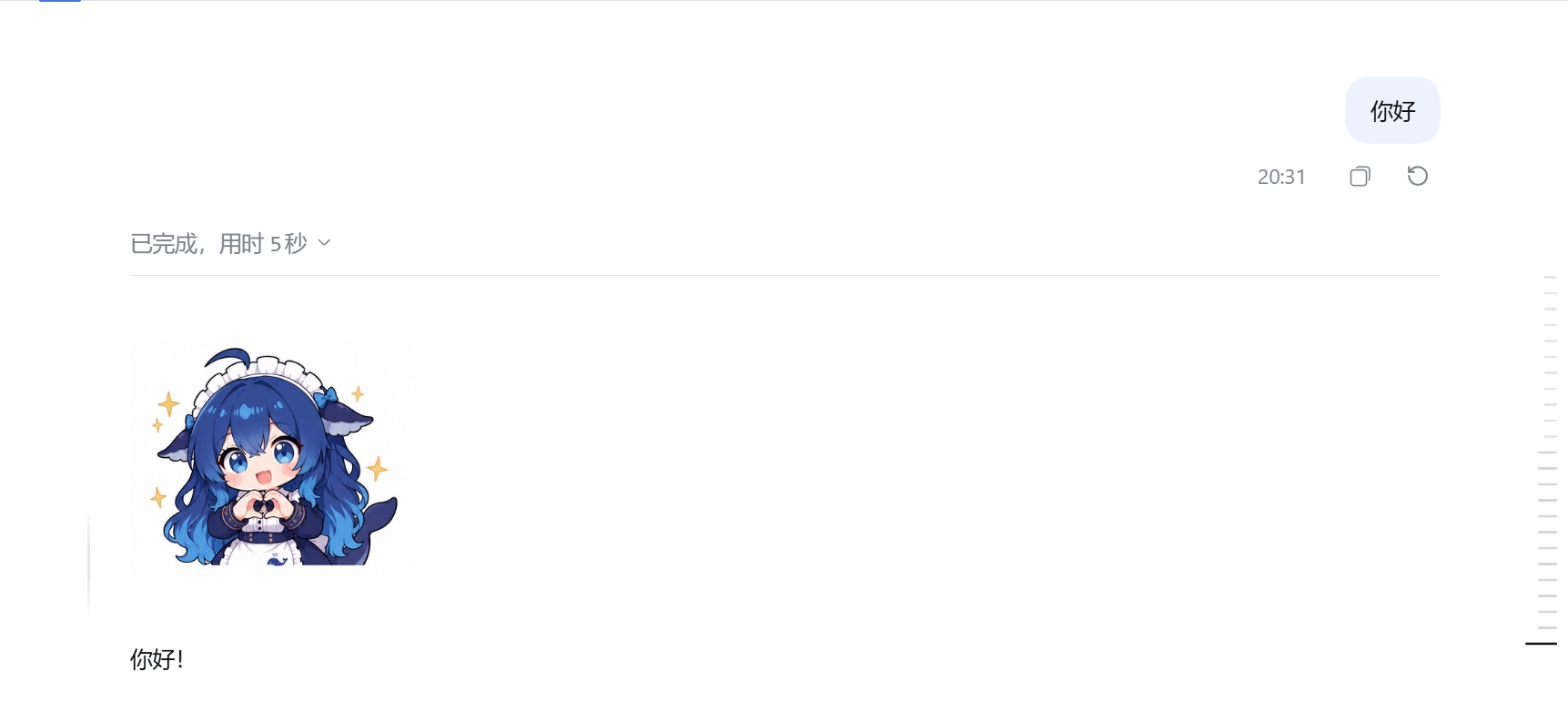
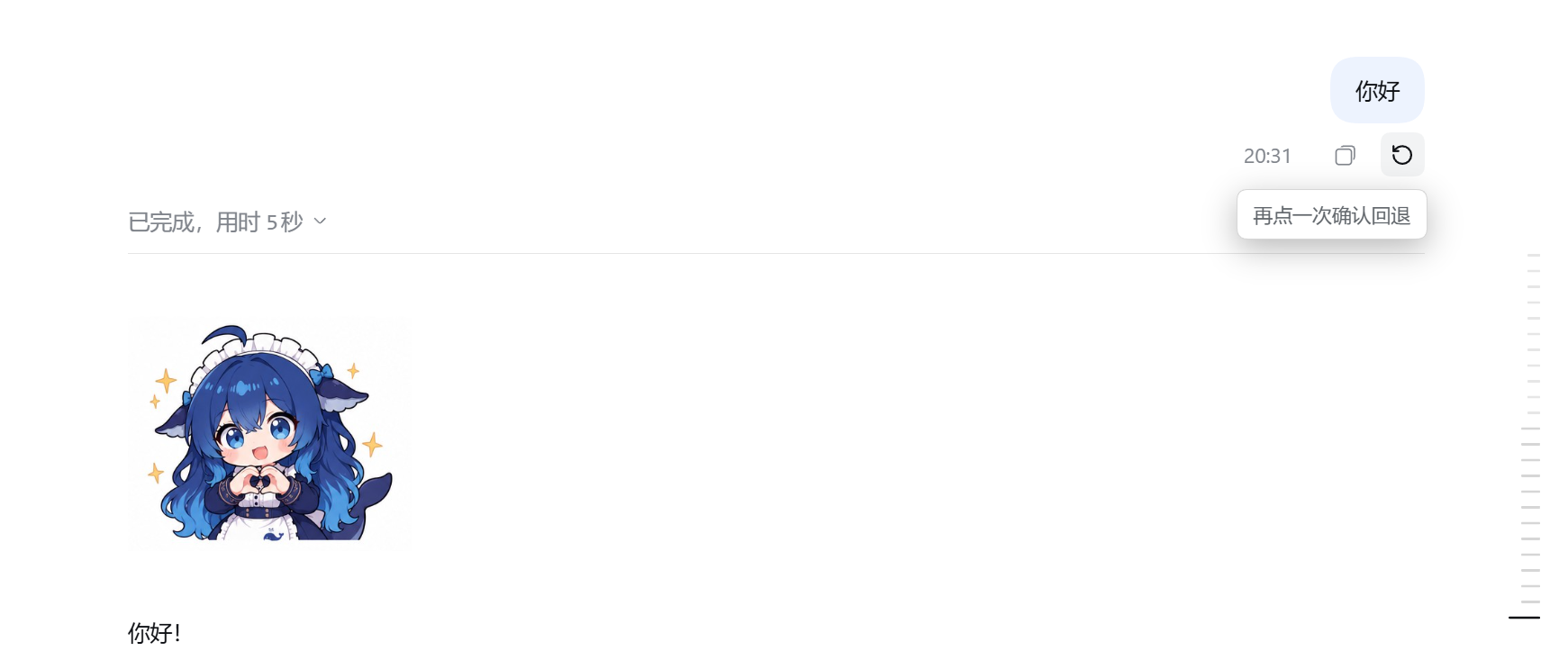
每条用户消息下面,和「复制」并排多一个回退图标:
- 第一次点:弹出「再点一次确认回退」提示;点页面任意空白处立刻收起。提示不会自己超时消失,也不带按钮——再点一下这个回退图标就是确认
- 第二次点:执行回退
- 之后:从那一轮起(含它自己)全部从界面上消失,模型也不再记得
按钮挂在用户消息上是有意的:点哪条提问,就退回到那条提问之前。
ui-chat 把用户消息的操作行硬编码成
MessageIconActions,没有开 slot, 所以这一半只能 DOM 注入,不能像助手消息那样注册 slot。见下文。
它到底做了什么
| 层 | 动作 |
|---|---|
| 模型历史 | 追加一条 user/message,带 surfaceOp: { op: 'replace', startSeq, endSeq };surface 折叠把 [startSeq, endSeq] 区间内所有模型可见节点丢掉,只留这条标记 |
| 界面 | 插件自己按 turn 号把被回退的轮次 display: none(DSH 不会替你隐藏,见下) |
| 日志 | 原样保留。被遮蔽的事件仍在 session.v4.jsonl.zstd 里,只是不再进模型上下文 |
为什么载体必须是 user/message
第一版用空 content 的 developer/message,理由是 deriveEventMessage 把空 developer
消息映射成 null,标记就不会进模型上下文。这条路是死的,装上就报:
developer/message turn must be a non-negative safe integer
两条硬约束挡在这里(都在 dsh-session-format 的 V4 接受检查里):
- developer 消息必须带正数
turn/step,而关系检查要求这两个坐标匹配一个开放的 turn 和 step。回退发生在轮次结束之后,根本没有开放的 turn/step 可以匹配。 - 同一条检查明确拒绝
source.kind === "plugin"的 developer 消息——第一版正好用的就是这个。
user/message 是唯一不被轮次状态绑住的 surface 类型,所以改用它。
代价:user 消息必须带 content,于是标记是一行中文
(用户已回退这一轮对话)
这行字是回退在模型上下文里留下的唯一痕迹,模型看到它会知道这一轮被撤销了。
好在它不会在界面上出现:ui-chat 的 messageDefinition.match 要求
isAppendSurfaceEvent(event),也就是 event.surfaceOp === "append";我们的标记带的是对象形式的
surfaceOp,所以它根本装配不出消息节点,客户端不需要为它做任何隐藏。
为什么界面要插件自己藏
DSH 的 transcript 是故意用 append 来源的事件拼的。官方在
dsh-session/lib/types/surface.js 里写得很直白:
The model-visible surface deliberately shadows replaced ranges, so it is the wrong source for a human transcript — a landed replacement would erase conversation the user already saw. Append-origin events are that transcript's durable source material; replacement copies stay model-only.
也就是说 surface replace 只让模型失忆,用户看过的消息不会消失。 而且客户端的事件流要求 seq 连续,所以「Host 端把被遮蔽的事件从分页窗口里过滤掉」这条路走不通—— 会造成 seq 空洞,触发 gap repair,最后把整条流搞失败。
所以这个插件在 DOM 层按 turn 号隐藏。范围由 Host 从已落地的标记事件里读回来, 因此刷新页面后依然有效,不需要客户端存任何状态。
限制(重要)
- 回退不可逆。 surface 折叠是单向的:被遮蔽的节点从 surface 里永久移除,DSH 没有「取消 replace」 的 API。日志还在,但没有任何官方手段能把它们放回模型上下文。这就是按钮要确认两次的原因。
- 模型上下文里会留一行中文说明(见上)。做不到「完全没发生过」——载体类型决定的,绕不过去。
- 如果目标轮次的起点已经被压缩(compaction)吸收,回退会被拒绝。 压缩摘要遮蔽掉的那些节点
已经不在 surface 上了。想「回到那一轮之前」就得连摘要一起遮蔽,而那会让模型只剩系统提示 ——
等于把上下文清空。插件选择拒绝,而不是悄悄做这件事。
实测:一个 720 事件的会话里,第 3 轮的
turn/start(seq 76)落在压缩摘要遮蔽的[15, 547]区间内,这一轮就无法精确回退;同一台机器上另外两个会话(10 轮 / 23 轮)回退正常。 - 边界是按「模型可见顺序」找的,不是按 seq 比的。 这点反直觉但很关键:压缩标记带着它被写入时的
seq,却坐在它所替换的历史位置上,所以 surface 上一个 seq 更大的节点可以排在一个 seq 更小的
节点前面。实测的节点序列长这样:
[0, 550, 470, 473, ...]。按 seq 找边界会把压缩摘要一起遮蔽, 模型会瞬间失忆。tools/verify-entry.mjs里有这两个场景的回归测试。 - 按钮是 DOM 注入的,不是官方 slot。 ui-chat 没给用户消息的操作行留 slot,所以插件用
MutationObserver 往
div[data-clock="start"]里插按钮,React 重渲染冲掉后会自动补回来。 这是这一半唯一「非官方」的地方。 - 只影响模型历史和本插件隐藏的那些轮次。 被隐藏的 DOM 节点还在页面里(只是
display:none)。 - 依赖
turnOutline投影(dsh-session-turn-outline)。没有它就算不出轮次边界,插件会拒绝回退 而不是猜一个位置切下去。 - 回退会先停掉正在跑的一轮。 用
agent.cancel({ kind: 'user' }, { keepInbox: true })+whenIdle(), 和界面上的停止按钮是同一条链路。否则 agent 会在标记之后继续追加节点,回退就不成立。 - 用的是非弃用 API:
ctx.sessionQuery.readSurface()、ctx.sessionProjections.stateOf()、session.surface.nodes、session.append()。没有用eventAt/snapshotEvents/ownEvents(这三个已弃用)。
安装
方式一:DSH 插件市场(推荐)
被 awesome-dsh-plugin 收录后,在 DSH 里打开插件市场搜 dsh-sqy-rewind
即可一键安装。市场的安装源被限制在注册表内,所以"被收录"是别人能一键装的前提。
方式二:dsh CLI
dsh plugin --profile desktop add github:LUDIWUSI12138/dsh-sqy-rewind
方式三:从源码装(开发用)
git clone https://github.com/LUDIWUSI12138/dsh-sqy-rewind.git
cd dsh-sqy-rewind

node tools/install.mjs --profile desktop --dry-run   # 先看它要做什么
node tools/install.mjs --profile desktop             # 真装
--profile 默认取 $DSH_PROFILE,没有就用 desktop;DSH_HOME 默认 ~/.dsh。
前置条件
| 项 | 要求 |
|---|---|
| DSH | 桌面版,实测 0.2.0-rc.2 |
| Node | 22.19+ 或 24+(与 package.json 的 engines 一致) |
| 平台 | Windows 实测通过。安装器用 junction,POSIX 上 Node 会退化成普通符号链接,未实测 |
它改三处(改之前全部备份到 ~/.dsh/.dsh-rollback-dsh-sqy-rewind-<时间戳>/):
| 位置 | 改动 | 少了会怎样 |
|---|---|---|
<profile>/node_modules/dsh-sqy-rewind | 指向本包的 junction | Host 半根本加载不到 |
<profile>/cordis.patch.yml | 追加一行 - insert: | 插件不被注册(bundle 自带的 patch 一般已覆盖它,这行是保险) |
<profile>/package.json | 写入 dependencies 和 dsh.profile.bundles | 浏览器半不会进前端 bundle:按钮缺失,或只在个别会话里出现 |
第三项最容易漏,也是「按钮时有时无」的根因:只加 cordis.patch.yml 的 insert 行能加载 Host 半,
但浏览器半不会被打进前端 bundle,于是界面这一半根本没运行。
cordis.patch.yml 是无 BOM 的 UTF-8 且别行带中文,所以安装器用 Node 读写而不是 PowerShell。
装完必须重启 DSH:Host 半(entry.js)靠热加载换不掉,运行中的进程持有旧模块。
只改了浏览器半(lib/client.js)的话,刷新页面就够。
验证装好了
重启后随便打开一个会话,每条你发出的消息下面应该和「复制」并排多一个回退图标。 没有的话跑一次干跑,看最后两行:
node tools/install.mjs --profile desktop --dry-run
dep 和 bundle 都应该是 already registered。
卸载
node tools/install.mjs --profile desktop --uninstall
三处改动都会撤销,package.json 的其它字段原样保留。
改代码之后
node --check entry.js
node --check src/client.js
node build-client.mjs        # src/client.js -> lib/client.js(没有打包器,包装即构建)
node tools/verify-entry.mjs  # Host 半:stub context 跑 apply(),再用假请求打一遍接口
tools/verify-entry.mjs 是改 entry.js 之后最该跑的东西:它不起 DSH、不占端口,
以 stub context 调 apply(),检查路由只认领 /api 前缀(认领整个 /plugins/dsh-sqy-rewind
会挡住 shell 自己的 client.js),然后走一遍非回环 403、缺参数 400、坏 JSON 400、未知路径 404、
非活动会话 404,最后真的跑几次回退,断言落地事件的类型、user/message 载体(以及它不是
developer 消息)、replace 的三个键、sourceEventSeqs 对被遮蔽节点的完整覆盖、要隐藏的 turn 区间,
以及「我们的标记」和「compaction 摘要」不会被认混(两者都是带 replace 的 user/message)。
entry.js 不能靠刷新验证,所以这是重启之前唯一便宜的关卡。
结构
| 文件 | 作用 |
|---|---|
entry.js | Host 半:回退逻辑 + /plugins/dsh-sqy-rewind/api/* |
src/client.js | 浏览器半源码:DOM 注入按钮 + DOM 隐藏 |
lib/client.js | 构建产物(window.__ModuleLoader__.load 包装,勿手改) |
build-client.mjs | 上面那个包装 |
tools/install.mjs | 安装/卸载/干跑 |
tools/verify-entry.mjs | Host 半桩测试 |
接口
GET  /plugins/dsh-sqy-rewind/api/state?sessionId=<id>
  -> { ok: true, marks: [{ startSeq, endSeq, fromTurn, toTurn }] }

POST /plugins/dsh-sqy-rewind/api/rewind
  body: { sessionId, turn }
  -> { ok: true, startSeq, endSeq, turn, fromTurn, toTurn }
turn 就是 DOM 上 [data-chat-turn] 的值,浏览器半不用反查 messageId。
只监听回环来源;非回环一律 403。
房子规则
代码注释与文档用英文,插件里面向用户的文案用中文。
Comments
Loading…
From the same category
DeepSeek Harness plugin for Reactive Resume: bridges your resumes and job applications into a Harness session over MCP.
★ 41.7k
↓ 156/wk
MIT
Aug 24, 2026
dsh plugin --profile web add dsh-plugin-reactive-resumeby Tencent
Let AI agents use your real, logged-in browser without interrupting your work. CLI + extension for browser automation across any shell-capable AI agent.
★ 8.6k
↓ 6.1k/wk
MIT
TypeScript
Oct 10, 2026
dsh plugin --profile terminal add @wxg-prc-cpg/browser-skill-dsh-pluginby yjh051108
dsh-routing-suite — injector + router-standard kit: install the runtime injector first, then the task-aware reasoning-mode router preset (measured P1-P23).
★ 7k
MIT
JavaScript
Sep 18, 2026
dsh plugin --profile web add @dsh-external/dsh-super-injectorby Q00
Agent OS: the agent gets smarter on its own. We just hold the line: Interview-gated, staged evaluation, budgeted evolution loop. MCP server, 14 runtimes: Claude Code, Codex CLI, Gemini CLI, OpenCode,
★ 6.2k
MIT
Python
Oct 7, 2026
by dsh-market
The plugin market inside DeepSeek Harness — browse, search, one-click install · DSH 可视化插件市场
★ 6.1k
↓ 112.4k/wk
MIT
TypeScript
Oct 10, 2026
dsh plugin --profile web add dshmarketby superdesigndev
OpenRouter for agent tools. Join community here: https://discord.gg/6mQYYfFMAn
★ 5k
NOASSERTION
Python
Oct 11, 2026
dsh plugin --profile web add treg-dsh