

dsh-skin-market
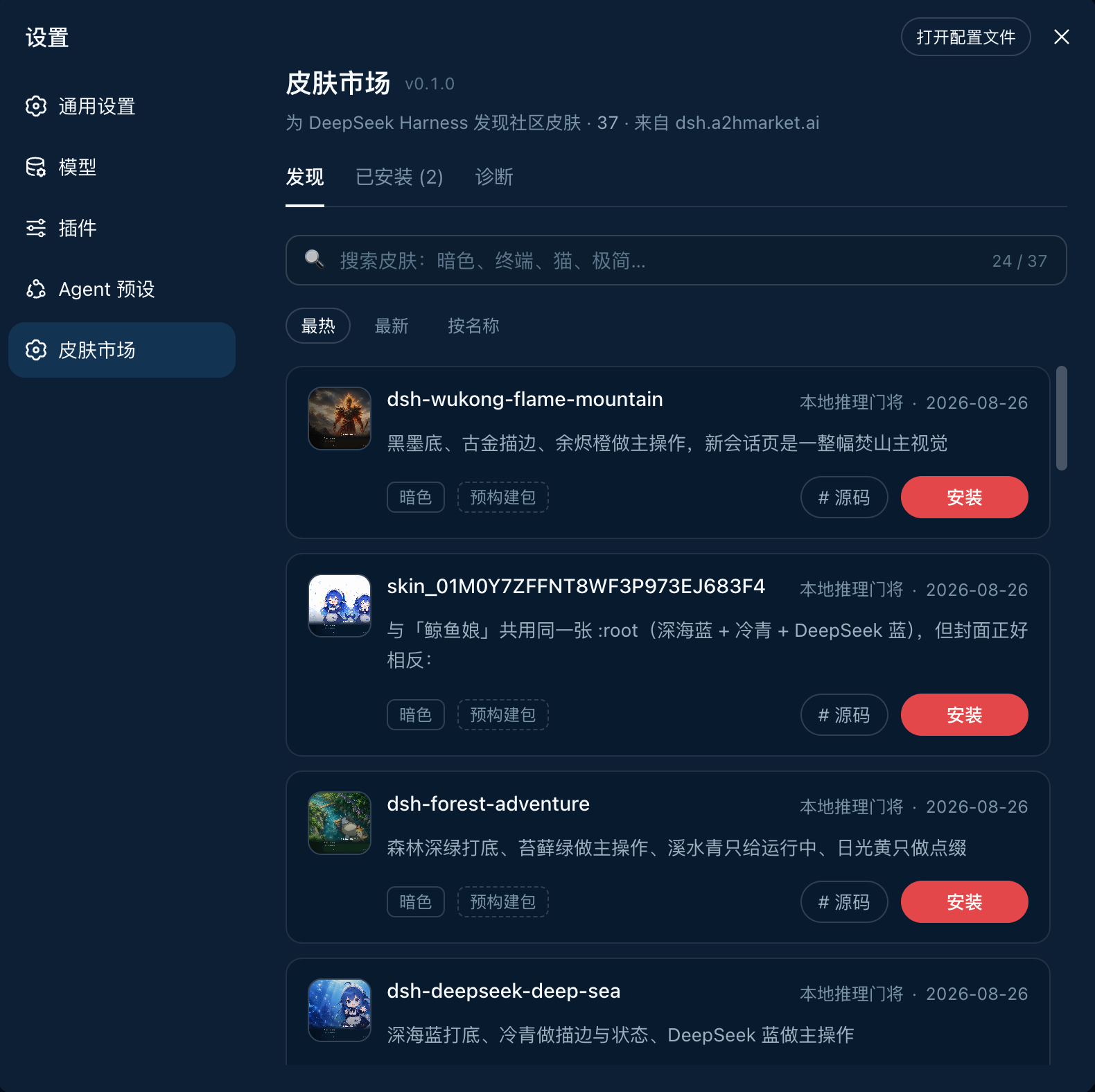
Manifest valid★ 276DeepSeek Harness Skin Market 皮肤市场 — has collected 200+ DSH skins, with an improved rating system plus manual review, and a convenient community submission entry; offers online pages for easy browsing, and also plugins for convenient management of local skins.
DSH Skin Market
A skin market embedded in DSH settings; browse, install, use, disable, update, and uninstall community skins.


Online Preview
Click to view the online skin market
Recent Additions
- 2026-09-08: Added 73 theme and appearance extensions
- For more, see the inclusion log
Installation
Method 1: Install via command
Close other skin plugins first to avoid conflicts
dsh plugin --profile web add "dsh-skin-market@latest"
Method 2: Install via prompt
点击展开提示词
Copy to DSH; it checks for conflicts, then installs the skin market
请把 dsh-skin-market 插件安装到 DSH 的 web profile。不能先安装再检查,必须严格按以下顺序执行:

1. 安装前只读检查 web profile 的 package.json(dependencies 与 dsh.profile.bundles)、profile 的 cordis.patch.yml 和 $DSH_HOME/cordis.patch.yml(如有)。
2. 从当前启用的 bundles 中识别皮肤、主题或外观插件:排除 @deepseek-ai/dsh-base、@deepseek-ai/dsh-web-app 和 dsh-skin-market;读取候选 package.json 的名称、描述、dsh.client/dsh.bundle 声明,必要时再读 README。无法确定的候选先列出包名和描述。
3. 如果发现已启用的皮肤插件,列出它们并停在安装前,提醒我先停用以避免冲突;未经我确认不得修改任何 profile 文件,也不得执行安装。
4. 如果没有冲突,明确说“未检测到已启用的皮肤插件”,然后直接执行:

dsh plugin --profile web add "dsh-skin-market@latest"

5. 安装后读取 web profile 的 package.json,确认 dependencies 和 dsh.profile.bundles 中都有 dsh-skin-market;缺失则报告安装或注册失败。
6. 告诉我如何重启 DSH Web,并确认重启后可从“设置 → 皮肤市场”打开。不要替我安装任何皮肤。

如果安装命令报错(例如 pnpm 不在 PATH、allowBuilds 构建审批、manifest 缺失),再读 https://github.com/kingOfSoySauce/dsh-skin-market 的 README「安装失败时,可以让 DSH 自己排查」一节处理,或把完整报错贴给我。
If installation fails, let DSH troubleshoot it itself
The skin market's install, update, and uninstall operations invoke DSH's profile plugin manager; DSH currently uses
pnpmto manage profile dependencies. If you encounter errors such aspnpm is not recognized,package manifest missing, or anything related toallowBuilds, you don't need to manually guess the profile state.For GitHub targets that include a subdirectory path (
github:…#commit&path:/…), prefer the one-click install from the market page. After a market install completes, the package name innode_modulesis verified against the directory to avoid falsely reporting success when&path:gets truncated. On Windows, do not pass this spec todsh plugin add: cmd.exe truncates at&. For a manual install, use:pnpm add "github:owner/repo#<commit>&path:/subdir" --dir $env:USERPROFILE\.dsh\profiles\webIf the error contains
ERR_PNPM_UNEXPECTED_STORE, the profile'snode_modulesis out of sync with the current pnpm store generation (common when pnpm 10 / store v10 and pnpm 11 / store v11 are both installed on the machine). Inside the profile directory, check thepackageManagerandstoreDirinnode_modules/.modules.yaml, then compare them withpnpm --versionandpnpm store pathin the same directory; do not use the results from the DSH source repository directory. Retry with the same pnpm version recorded in.modules.yaml, or rebuild that profile'snode_moduleswith the current pnpm. On Windows,dsh plugin adduses the pnpm on PATH and will not automatically switch just because the source repository declares"packageManager": "pnpm@11".
点击展开排查提示词
After filling in the complete original error, copy it to your DSH Agent:
请帮我排查 DSH Web 皮肤市场的安装失败。下面是完整原始报错:

<把完整报错粘贴到这里>

请严格按以下 3 步处理,并报告每一步的结果:

1. 确认当前使用的 profile 名称和实际目录,并检查 DSH 进程自身是否能找到 pnpm(Windows 同时检查 pnpm.cmd)。如果 pnpm 不在 PATH,先说明如何安装或修复 pnpm,并停止把问题误判为 allowBuilds 配置问题。如果报错含 ERR_PNPM_UNEXPECTED_STORE,再比较 profile 的 node_modules/.modules.yaml(packageManager、storeDir)与「在 profile 目录内」执行的 pnpm --version / pnpm store path;不要用 DSH 源码仓库目录里的 pnpm 版本来判断。用同一版 pnpm 重试,或用当前 pnpm 重建该 profile 的 node_modules。
2. 只有确认 pnpm 可用且 store 一致后,才检查 profile 的 pnpm-workspace.yaml。若 pnpm 输出了构建审批 key,只把报错中完整、精确的 key 合并到 allowBuilds,对应值设为 true;不要启用 dangerouslyAllowAllBuilds,也不要放宽其他包。不要读取 .env、凭据或聊天记录。
3. 重新执行原来的皮肤安装命令。完成后验证 profile package.json 依赖、node_modules 中目标包的 package.json、dsh.client/dsh.bundle 声明和 loader 注册项;如果仍失败,请指出具体失败阶段和完整错误,不要把 package manifest missing 当作根因。
Install sources and long waits
The web market prefers the exact npm version already verified in the catalog; when no qualifying npm source exists, it continues to use the original GitHub pinned commit. npm sources must match the catalog's package name, version, repository, and full commit, and must pass the install-package integrity and built client entry checks. Existing GitHub installs remain valid and will not be required to reinstall just because the catalog added an npm source.
The banner shows step, attempts, and pnpm phase; after 30s of silence it warns, and logs can be copied mid-run. Web install/update prep, download, and retries share a 15-minute budget; the current task ends at the limit. Failed operations on modified profiles get one independent 60s dependency recovery. The market waits for the running process before allowing the next operation, and flags unfinished recovery. Desktop failure recovery is handled by the host plugin service.
On long waits, provide skin name, DSH/market version, OS, and the banner's "Copy log". Browser access to GitHub does not prove the DSH process and pnpm use the same proxy; the hang may be in dependency resolution or the build step.
Updating this plugin
Method 1: Update from the page (recommended)
Click "Update" right of the "Settings → Skin Market" title; a restart prompt appears after it completes.
Method 2: Update via command
dsh plugin --profile web add "dsh-skin-market@latest"
Manually restart DSH when done
Method 3: Update via prompt
点击展开提示词
Copy the following to your DSH Agent:
请把已安装在 DSH Web profile 的 dsh-skin-market 更新到 npm 最新版本。

请严格按以下顺序执行:
1. 确认当前使用的是 web profile,并读取其 package.json,确认已安装 dsh-skin-market;不要先卸载,也不要修改其他皮肤。
2. 执行:

dsh plugin --profile web add "dsh-skin-market@latest"

3. 更新后重新读取 web profile 的 package.json,确认 dsh-skin-market 依赖和 bundle 注册仍然存在。
4. 告诉我更新前后版本,并提醒我确认没有 Agent 正在运行后重启 DSH Web。不要替我更新或卸载任何社区皮肤。
Submit your skin
If you developed a DSH skin, prepare a public GitHub repository, then submit one registry/skins/<owner>__<repo>.yml to this repository. YAML only allows url, subpath, name, author, description, and screenshots; do not add fields like package, rowId, or install. CI will fill in the package, commit, loader id, and preview images:
url: https://github.com/<owner>/<repo>
Add subpath: for monorepo subpackages. You can also let an Agent open the PR for you: copy the prompt below, replacing <你的皮肤仓库地址> with the real URL.
This is not a terminal command but a task instruction for the Agent:
点击展开提示词
Copy the entire prompt below to your Agent:
请把我的 DSH 皮肤提交到 DSH 皮肤市场。

皮肤仓库:<你的皮肤仓库地址>
目标目录仓库:https://github.com/kingOfSoySauce/dsh-skin-market
目录路径:registry/skins

请自主完成以下工作:
1. 只用只读方式确认皮肤仓库是公开的 GitHub 仓库(或 monorepo 子目录),且确实是可安装的 DSH Web 皮肤。不要读取 .env、凭据或聊天记录。
2. fork 或 clone 目标目录仓库并新建分支。在 registry/skins 下只新增一个 YAML,不要覆盖已有条目,不要修改 data/catalog.json。
3. YAML 必须写成薄条目。只允许 url、subpath、name、author、description、screenshots。多写 package、rowId、category、tags、modes、compatibility、install 等字段会失败;CI 会从皮肤仓库补全其余字段:

url: https://github.com/<owner>/<repo>
# subpath: packages/my-skin   # 仅 monorepo 子包需要

4. 预览图放在皮肤仓库的 screenshots.json 或 README 内;不要使用 SVG、data URI 或第三方图床。
5. 不要写完整 schema。若 registry:check 报缺少 id/install,删掉多余字段再跑,不要补全 schema。
6. 在目标目录仓库根目录运行 npm run registry:check。不得安装到我的真实 DSH profile。
7. git diff --name-only 应只有 registry/skins/<条目文件>.yml。提交并向目标目录仓库创建 PR,标题 feat(registry): add <皮肤名>。
8. 返回 PR 链接;没有 GitHub 权限时只准备好分支和可复制的 PR 内容。

收录不等于安全认证。不要声称该皮肤已被 DSH 官方、安全团队或市场背书。
The market's "Submit Skin" can generate this prompt from a repo URL.
registry/skins/ is the single source of truth for community submissions, with one YAML file per skin. data/catalog.json is a generated file and does not need to be maintained in community PRs; after a PR merges into main, the repository regenerates it automatically. This prevents new skins from repeatedly conflicting over editing a single catalog file.
Inclusion
The skin market supports both full plugins with dsh.bundle and pure front-end skins with only dsh.client. For the latter, the market automatically and idempotently writes the skin's audited rowId and package registration after install; both are removed on uninstall. Maintainers do not need to copy a separate cordis.patch.yml to join the market, but must still provide a clear row ID and DSH compatibility range in the package or README.
- Must be a public, installable DSH Web skin repository or monorepo subpackage
- Install source must be pinned to a full 40-character commit SHA
- Must provide a clear package name, row ID, license, and compatibility range
- Preview images must be real UI screenshots from the repository
- Topic, repo name, and Stars are only used for discovery and ranking; they do not imply security review or official endorsement
Repo health tips
When syncing included repos, the market checks three install-related basics and shows the results on the skin detail page:
- Whether the README shows real UI screenshots from the repository that can be pinned to a version
- Whether the README or package metadata clearly declares the supported DSH Web version range
- Whether the package name,
dsh.clientWeb declaration, row ID, and built client entry meet the market's one-click install requirements
Results advise maintainers on improvements; they are not a security certification. Unmet criteria prompt the page to explain how to improve, not to label the repo "unavailable".
"Compat unverified" vs "market installable" are two separate axes:
- Compatibility indicates whether the maintainer has declared and verified supported DSH Web versions; a missing declaration triggers a risk notice but does not block market installation on its own.
- Market installability indicates whether the catalog has a pinned install target, package,
dsh.clientWeb declaration, row ID, and a resolvable built client entry. When these conditions are met, the market invokes DSH'splugin addcommand to complete installation; it does not require the plugin repository to implement its ownaddcommand.
Compatibility checks
Currently targets DSH Web 0.1.0-rc.6. Catalog install targets are pinned to the full commit at inclusion time.
As of 2026-08-17, both latest and next on npm point to DSH 0.1.0-rc.6. This project completed the following verification using a freshly installed copy of that version:
- Skin Market
0.1.15: all 132 catalog validations, 70 automated tests, type checking, Host/Client builds, site build, and package preflight passed - DSH Web live startup: market Host routes, client settings entry, online catalog, and 5-minute silent updates all load correctly
- Liang Intensity
0.1.4combined smoke test: 8 tests and client bundle build passed, and it stays active in the same DSH Web profile
这组结果证明上述版本组合可以启动和运行,不代表市场内所有第三方皮肤都已完成同等级别的人工兼容或安全审核。
Online catalog updates
Installed skin market users can see new or updated skins without upgrading the plugin:
- When the marketplace is opened, DSH Host fetches the latest
catalog.jsonfrom GitHub Pages - While the page stays open, it silently checks every 5 minutes; it also silently checks immediately when the window regains focus
- When a newer marketplace plugin version appears on npm, a download button shows on the right side of the title; hovering shows "Update", and a restart prompt appears after installation completes
- The browser retains the last valid catalog in IndexedDB; on reopening, the cache is shown first and the online catalog is validated in the background
- The list initially renders 20 skins, silently appending 20 more each time you approach the bottom; search and sorting still cover the full catalog
- On first load without a cache, a structured skeleton screen is shown; preview images are lazy-loaded with fixed dimensions to avoid page shifts
- Remote catalogs are only entered into the installable lifecycle after passing validation of schema, unique ID/package/rowId, GitHub repository URL, and fixed-commit install targets
- Successfully validated catalogs are cached for the current profile; on offline, timeout, or invalid remote data, the system automatically falls back to the cache, then to the plugin's built-in catalog
- The daily scraping job deploys the online catalog directly after full test passes, while continuing to create a registry PR for an auditable record
Local Development
Node.js 22 or higher is required.
git clone https://github.com/kingOfSoySauce/dsh-skin-market.git
cd dsh-skin-market
npm install
npm run dev
npm run dev only starts a preview page using Mock Host data; it does not modify any DSH profile.
Local Catalog Debugging
When developing DSH skins locally, the marketplace still defaults to requesting the remote catalog.json from GitHub Pages, so entries just written to local registry/skins may be overridden by the remote catalog. Set the following development environment variables before starting DSH Web; the marketplace will then use the data/catalog.json bundled in the current build and will not make remote catalog requests:
DSH_SKIN_MARKET_LOCAL_CATALOG=1 dsh web
该开关只影响当前进程的目录读取;安装、激活、停用、更新和卸载仍然经过本地市场的完整生命周期。未设置时保持线上行为:优先读取远程目录,并在失败时回退到缓存和内置目录。
After local entry validation, remove the env variable and run DSH to confirm remote directory behavior is unchanged.
Local Validation of Generated WebP
WebP is a standalone marketplace static asset; the media field in the catalog makes the plugin and online page request preview/full files from GitHub Pages by default. When the corresponding WebP is missing or the request fails, the original PNG/JPG is used instead. To regenerate assets, first install cwebp (on macOS use brew install webp), then run:
npm run registry
npm run media:build
Local debugging requests online WebP by default. To compare with the original image (disable WebP), append to the URL:
?dsh-media=0
When the repo images update, the media script re-downloads and updates the same content key; image assets go to ops and public market first, and the plugin code can be published separately.
Check commands:
npm run registry
npm test
npm run typecheck
npm run build
npm run release -- 0.1.31 --dry-run
For a formal release, remove --dry-run; the script will validate the workspace, sync the npm version, commit and push the Git tag, then publish to npm. To also create a GitHub Release, append --github-release.
For complete local installation and rollback verification steps, see TESTING.md.
Catalog
The catalog continues to use the original data/catalog.json URL and schemaVersion: 1. The install.npm field from the registry YAML is moved to top-level npmSources[skinId] at generation time. Older marketplace versions ignore this field and continue using GitHub; newer versions read the npm source after verifying package name, version, repository, commit/gitHead, and integrity information, and the Host cache also stores the same compatible format.
The new web market's first install prefers a verified npm package; with no match it still uses the GitHub source at a fixed commit. A regular "update" keeps the existing source; GitHub-installed skins matching the catalog version and commit show a "Use npm" option, then switch to the same-version npm package while preserving enabled/pinned state. In-use skins get a restart prompt on completion; migration failures follow the existing recovery flow. Old versions, branches, custom local sources, and manual installs are not auto-migrated.
The public repository retains the registry schema, catalog generation, and community submission validation. Candidate discovery, full inclusion, on-device screenshot backfilling, and operations reports are internal maintainer processes and are not shipped with the marketplace runtime; formal catalog entries remain in registry/skins/, and data/catalog.json is a generated file.
Market screenshots are merged with upstream screenshots as marketScreenshots; public builds only handle validation and merging, not screenshot collection or promotion tooling.
Security Notes
- The browser can only submit
skinIdvalues from the registry; arbitrary commands or install URLs cannot be submitted - On install, update, or activation failure, the profile manifest snapshot is restored and any half-installed state is cleaned up
- GitHub Stars are written into the catalog snapshot with update timestamps by the periodic inclusion job; neither the page nor the Host requests the GitHub API at browse time
- The marketplace does not log in to GitHub on behalf of developers and does not silently create PRs
Reset Skins
If a skin conflict makes the DSH page unresponsive, first stop the current DSH process, then run:
~/.dsh/profiles/web/node_modules/.bin/dsh-skin-market-reset --profile web
This command disables all skins in the skin market manager and restores the default appearance, but keeps installed skin packages and the skin market. Restart DSH afterward. The command uses atomic writes; if any step fails, the pre-run profile file is restored.
License
Compatibility
Versions
| Latest version | Published | Size |
|---|---|---|
| 0.1.29 | — | — |
| 0.1.31 | — | — |
| 0.1.34 | — | — |
| 0.1.36 | — | — |
| 0.1.38 | — | — |
| 0.1.39 | — | — |
| 0.1.41 | — | — |
| 0.1.44 | — | — |
| 0.1.48 | — | — |
| 0.1.50 | — | — |
| 0.1.51 | — | — |
| 0.1.30 | — | — |
| 0.1.40 | — | — |
| 0.1.32 | — | — |
| 0.1.43 | — | — |
| 0.1.42 | — | — |
| 0.1.47 | — | — |
| 0.1.54 | — | — |
| 0.1.52 | — | — |
| 0.1.53 | — | — |
Comments
Loading…
Similar plugins
 3
3No screenshots
by keman-ai
Skin marketplace for DeepSeek Harness — search and install community skins from dsh.a2hmarket.ai right in the settings page
★ 9
MIT
JavaScript
Aug 31, 2026
dsh plugin --profile web add dsh-skin-marketby zhu1090093659
Skin center plugin and built-in skins for the DSH Web GUI: skins are pure asset directories, loaded and rendered by the skin center, and installed on demand from dsh-market.com.
★ 29
↓ 11.4k/wk
BSD-3-Clause
CSS
Oct 28, 2026
dsh plugin --profile web add @linxin666/dsh-client-ui-skin-centerby 123twtd
DeepSeek Harness (dsh) 可切换皮肤包管理器:皮肤包发现/激活/ZIP 导入,适配 0.1.x,含爱弥斯示例皮肤
★ 0
JavaScript
Sep 3, 2026
dsh plugin --profile web add dsh-skin-manager 8
8No screenshots
by iasiv5
DeepSeek Harness Web 界面主题/皮肤管理插件,可切换多种视觉风格。
★ 3
MIT
JavaScript
Oct 26, 2026
dsh plugin --profile web add @iasiv5/dsh-skinsby iasiv5
DeepSeek Harness Web 界面主题/皮肤管理插件,可切换多种视觉风格。(本仓库后续更新提交至:https://github.com/iasiv5/dsh-skins)
★ 0
↓ 48/wk
MIT
JavaScript
Sep 6, 2026
dsh plugin --profile web add dsh-skins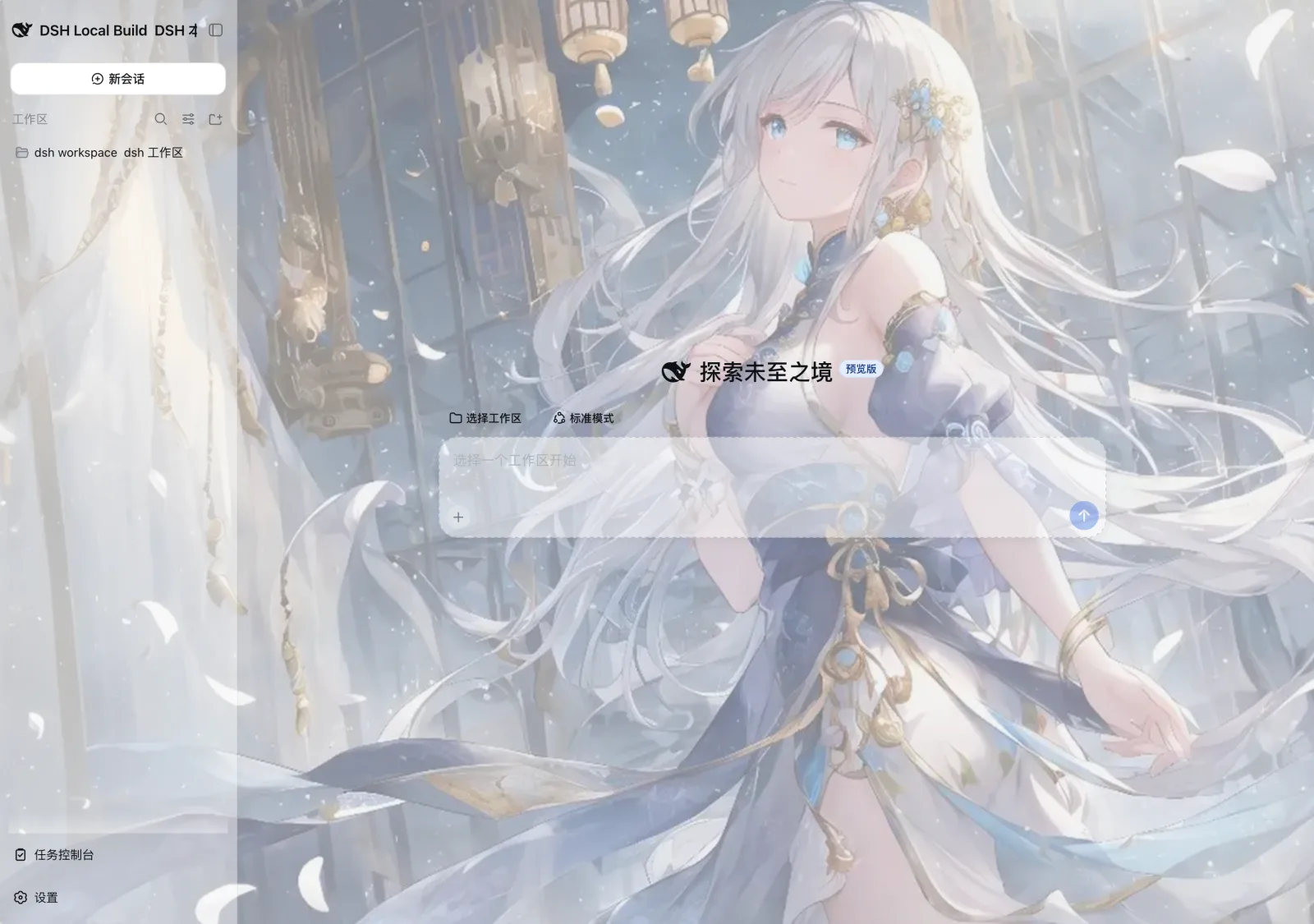 3
3No screenshots
by SLin-code
DSH自定义壁纸/皮肤插件——Custom wallpapers and translucent skins for DeepSeek Harness Web
★ 91
MIT
TypeScript
Sep 17, 2026
dsh plugin --profile web add dsh-custom-skin