
dsh-windows-screenshot
Manifest validAdds a Windows-native screenshot button to the DSH composer with area, window and full-screen modes, an optional delay, and automatic import into the current chat draft. Its HTTP routes have no DSH ac
English | 中文
dsh-windows-screenshot





Windows-native area, window, and full-screen screenshots with an optional delay — attached directly to the DeepSeek Harness composer.
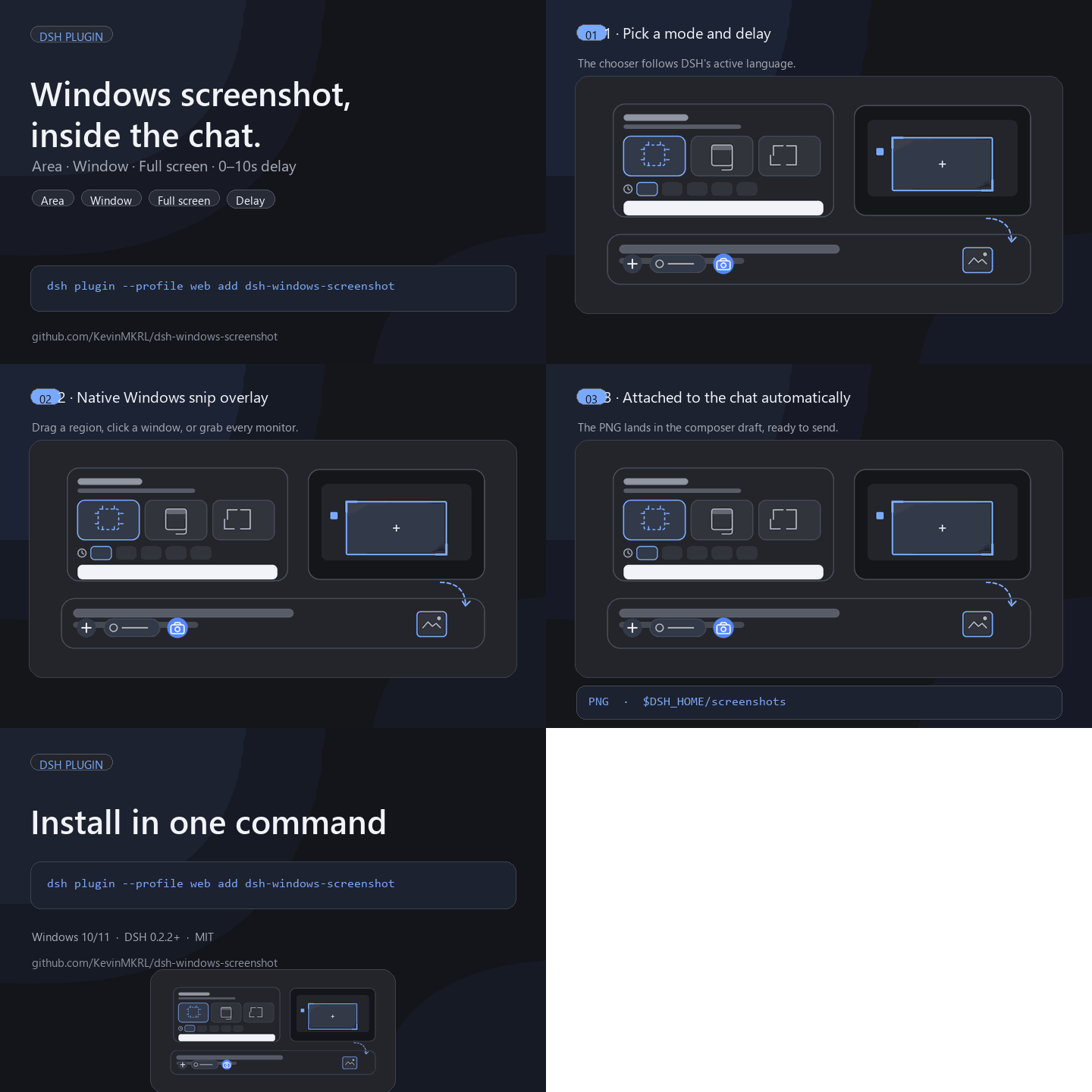
A camera button appears in the composer's left tool row. Pick a mode and delay, then capture; the PNG lands in the current chat draft as a normal image attachment, ready to send.
Install
From npm (recommended):
dsh plugin --profile web add dsh-windows-screenshot
From GitHub source:
dsh plugin --profile web add github:KevinMKRL/dsh-windows-screenshot
Use your actual profile name instead of web when it differs (for example
desktop). Enable the bundle in Plugins if it is not enabled automatically,
then restart DSH if the host half was just installed.
Features
- Area — drag a rectangle over a frozen desktop snapshot.
- Window — hover/click any top-level window; the full window is captured
with
PrintWindow(PW_RENDERFULLCONTENT)even when covered. Falls back to the frozen desktop crop when a window returns a blank frame. - Full screen — captures the complete Windows virtual desktop, including all monitors.
- Delay — off, 1, 3, 5, or 10 seconds; the countdown pill offers an
Esccancel. - Native WinForms overlay: dark scrim, crosshair, window highlight, selection
size readout,
Esc/ right-click cancel. - The DSH window is brought back to the foreground after capture.
- Screenshots are saved under
$DSH_HOME/screenshotsand attached to the current draft automatically. - The last mode and delay are remembered per browser.
Requirements
- Windows 10 or 11.
- Windows PowerShell 5.1 (built in) and .NET Framework 4.x.
- DSH
0.2.2-rc.1through0.2.x. Tested on DSH0.2.2-rc.3at 150% DPI with a multi-monitor virtual desktop.
Use
- Open a chat and click the camera button in the composer's left tool row.
- Choose Area, Window, or Full screen.
- Choose a delay. With a delay, switch to the target window during the countdown. With Off, the frozen desktop is captured immediately.
- Press Start capture and finish the native selection.
- The screenshot appears in the composer as an image attachment.
With delay Off, the DSH window stays where it is, so a full-screen capture includes DSH itself. Use a delay to capture another application first.
The chooser, tooltips, errors, and the native overlay follow DSH's active language. English and Simplified Chinese are included; other DSH languages fall back to English.
Permissions and privacy
- The plugin captures the screen only after you press Start capture.
- It spawns a local Windows PowerShell process to draw the overlay and save the PNG; no screenshot data is sent over the network.
- The Host registers a token-protected loopback HTTP route used by the same DSH page to start a capture and fetch the resulting image.
- The finished PNG is stored under
$DSH_HOME/screenshotsand enters the ordinary DSH attachment upload path of the current session. - No credentials, telemetry, or external endpoints are used.
See SECURITY.md for the full local trust model.
Why not SnippingTool.exe?
The built-in Snipping Tool cannot be commanded to a selected mode and delay, and it has no supported way to return the finished image to a caller. This plugin therefore draws the same kind of native Windows overlay with WinForms/GDI, so the mode/delay chooser and automatic composer import are possible. It uses only Windows APIs and the system PowerShell.
Notes and limitations
- Full screen captures the complete virtual desktop, including every monitor.
- Hardware-accelerated windows can occasionally return a blank
PrintWindowimage; the plugin then falls back to cropping the frozen desktop snapshot. - The camera button is placed in the public
conversation.input.leftslot. DSH renders that slot after the permission/plan chips, so the camera sits at the right edge of that left control group rather than immediately touching the+. - The plugin is Windows-only; other platforms get a clear error if the host is selected.
Compatibility reports
Tried it on a DSH version not listed above? Open an issue with your DSH version, Windows version, and whether each mode works. Reports help mark this plugin as verified in the community markets.
Uninstall
Disable or remove the bundle in Plugins. The plugin writes no configuration
outside its package; screenshots already saved under $DSH_HOME/screenshots
remain yours to delete.
License
MIT. See LICENSE.
Comments
Loading…
Similar plugins
by loftspire
Windows-only screenshot button for the DSH composer: freezes the desktop and dims it, selects a whole window by hovering or a region by dragging, marks it up with rectangles, ellipses, arrows and pen
★ 0
MIT
JavaScript
Nov 17, 2026
dsh plugin --profile web add @loftspire/dsh-shotby deepseekbluefish
WeChat-style in-app screenshot button: drag a region, fine-tune with 8 resize handles, Enter to capture and Esc to cancel; auto-numbered PNGs plus a [Shot N HH:mm] marker written into the composer. Wi
★ 0
MIT
PowerShell
Aug 24, 2026
dsh plugin --profile web add dsh-screenshot-plugin在 DSH 输入面板下方添加截图按钮:点击调用系统自带截图工具(Windows/macOS/Linux),截图后 Ctrl+V 粘贴进输入框
★ 0
MIT
JavaScript
dsh plugin --profile web add dsh-screenshot-buttonby wz1184197761
Mirrors a single Windows desktop window into a DSH side panel over a bundled local capture service, with click, drag, scroll and keyboard passthrough, and six agent tools for status, screenshot, click
★ 0
MIT
JavaScript
Nov 14, 2026
dsh plugin --profile web add @local/dsh-wremoteby joythatway
Composer screenshot menu with three modes: region capture that hides the harness window, a window list with live hover previews, and full screen; captures land in the draft, and multi-image drafts ope
★ 0
MIT
JavaScript
Nov 17, 2026
dsh plugin --profile web add @joythatway/dsh-screenshotby chguo-3
DSH 插件:聊天框截图按钮。点击后整屏冻结,在真实屏幕上框选、调选区、涂鸦圈重点,完成后作为图片附件进入对话草稿(Windows 原生编辑器,物理像素 1:1)。
★ 0
MIT
JavaScript
Nov 17, 2026
dsh plugin --profile web add dsh-screenshot