

dsh-client-ui-cyberpunk
Manifest validCyberpunk neon skin for the DeepSeek Harness web GUI — dark & light themes, in-app control page, pure CSS token overrides. | DSH Cyberpunk Theme
dsh-client-ui-cyberpunk



A cyberpunk neon skin for the DeepSeek Harness web GUI. Dark navy surfaces, cyan hairlines, a deep-red text
selection, plus a warm-paper light theme with violet borders. Everything is CSS: the skin overrides the host's
design tokens (--dsw-*), adds a few structural rules and two settings slots. It ships no runtime dependency,
imports no React module of its own, and keeps the host half an empty apply().
中文说明在下半部分(跳到中文)。
What it looks like
| Layer | Dark theme | Light theme |
|---|---|---|
| Base / rail | #05070f / #070d19 | #faf6ef / #efe7d9 |
| Overlay, bubble, composer | #0a1222 → #142540 | #fffdf8 → #f4ece0 |
| Hairline | cyan #00e5ff at 12–42 % | violet #6d3bd1 at 16–55 % |
| Accent / focus ring | neon cyan | violet |
| Text selection | #8c0f28 at 50 % | #8c0f28 at 50 % |
| Code syntax | cyan / magenta / lilac / olive | teal / violet / amber on paper |
Both themes keep the same geometry: the three column frame, the sidebar glass blocks and the composer card sit in
exactly the same place, so switching light / dark / system only swaps colours.
Screenshots
| Dark | Light | |
|---|---|---|
| Conversation | 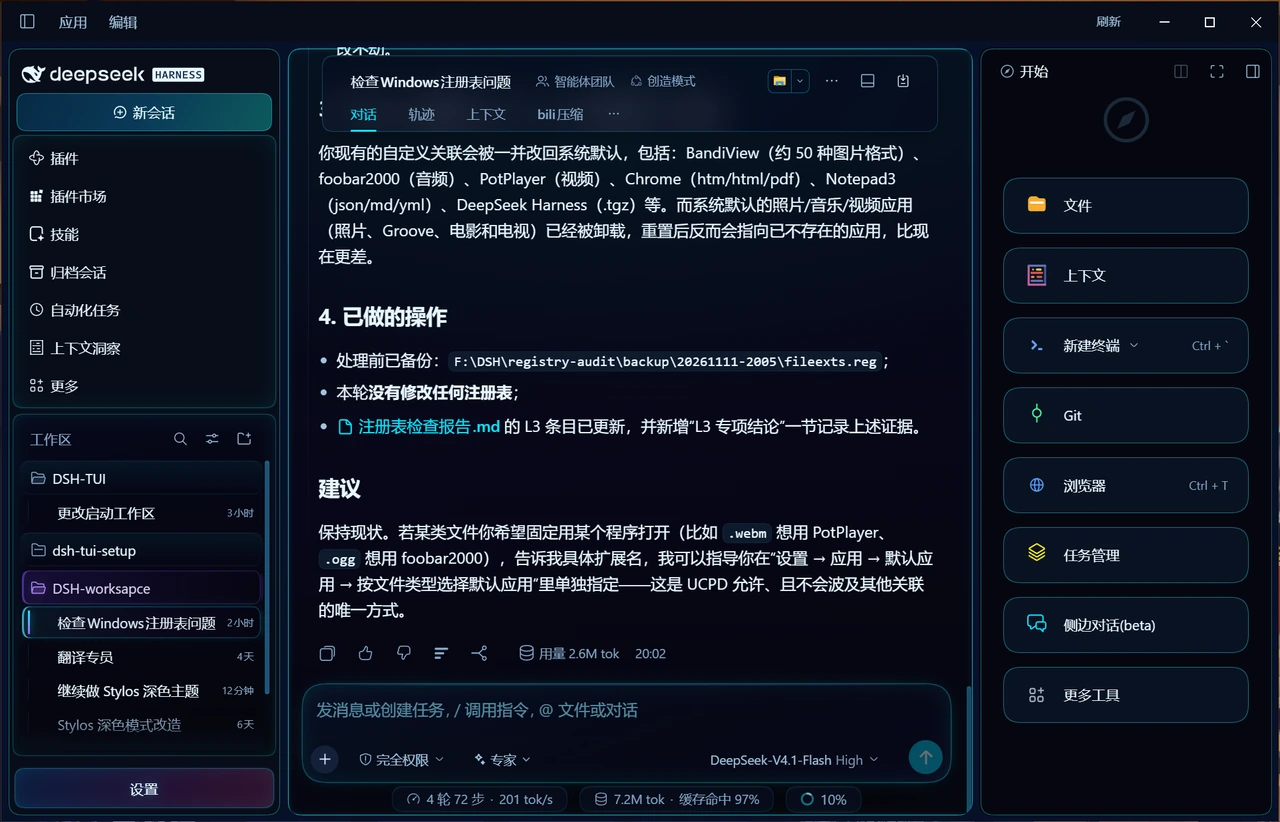 | 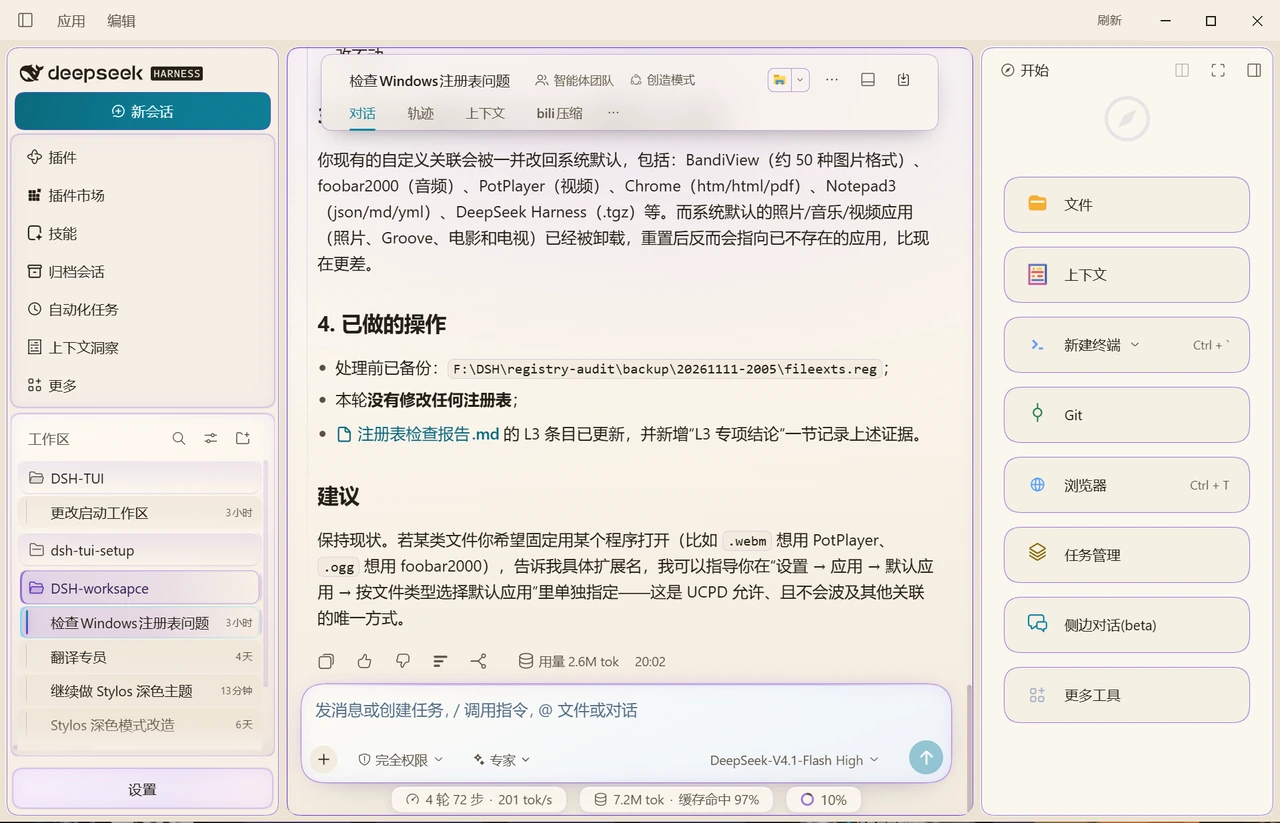 |
| New session | 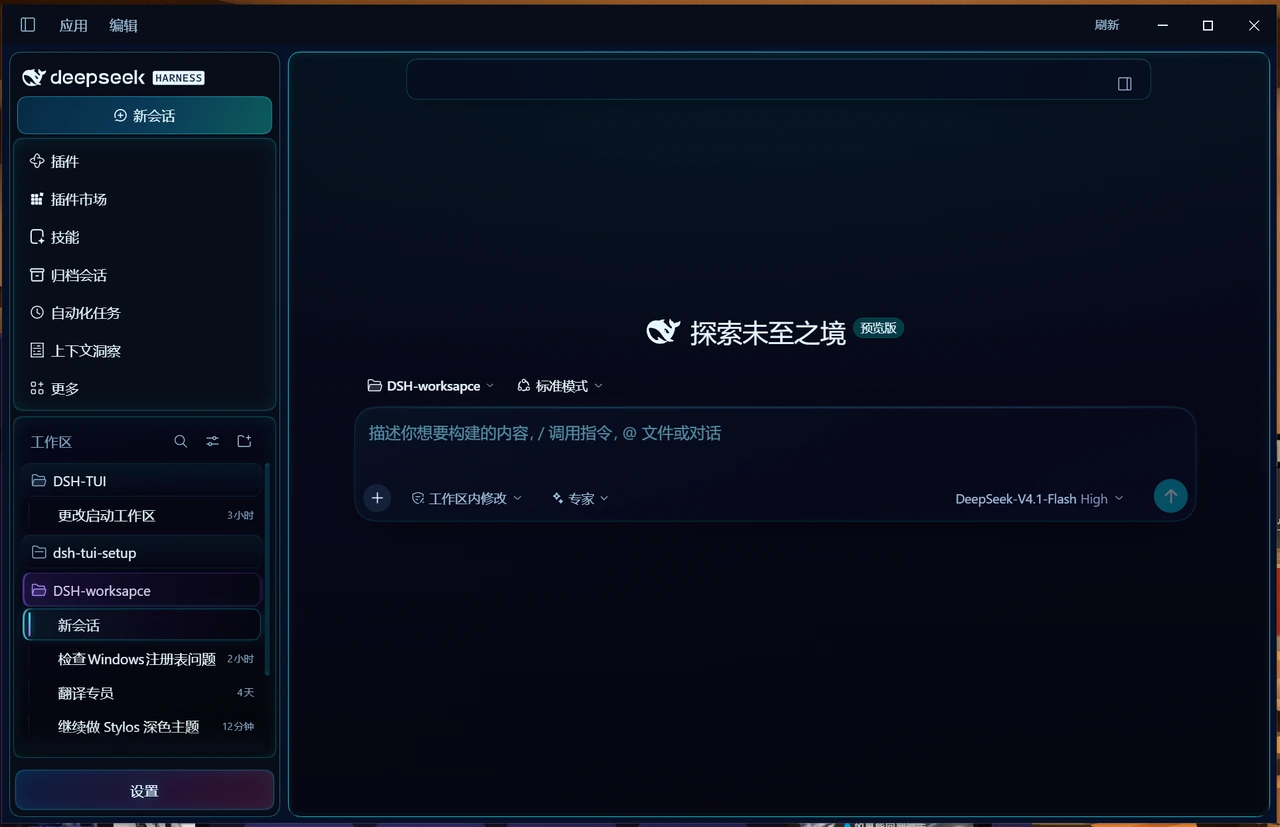 | 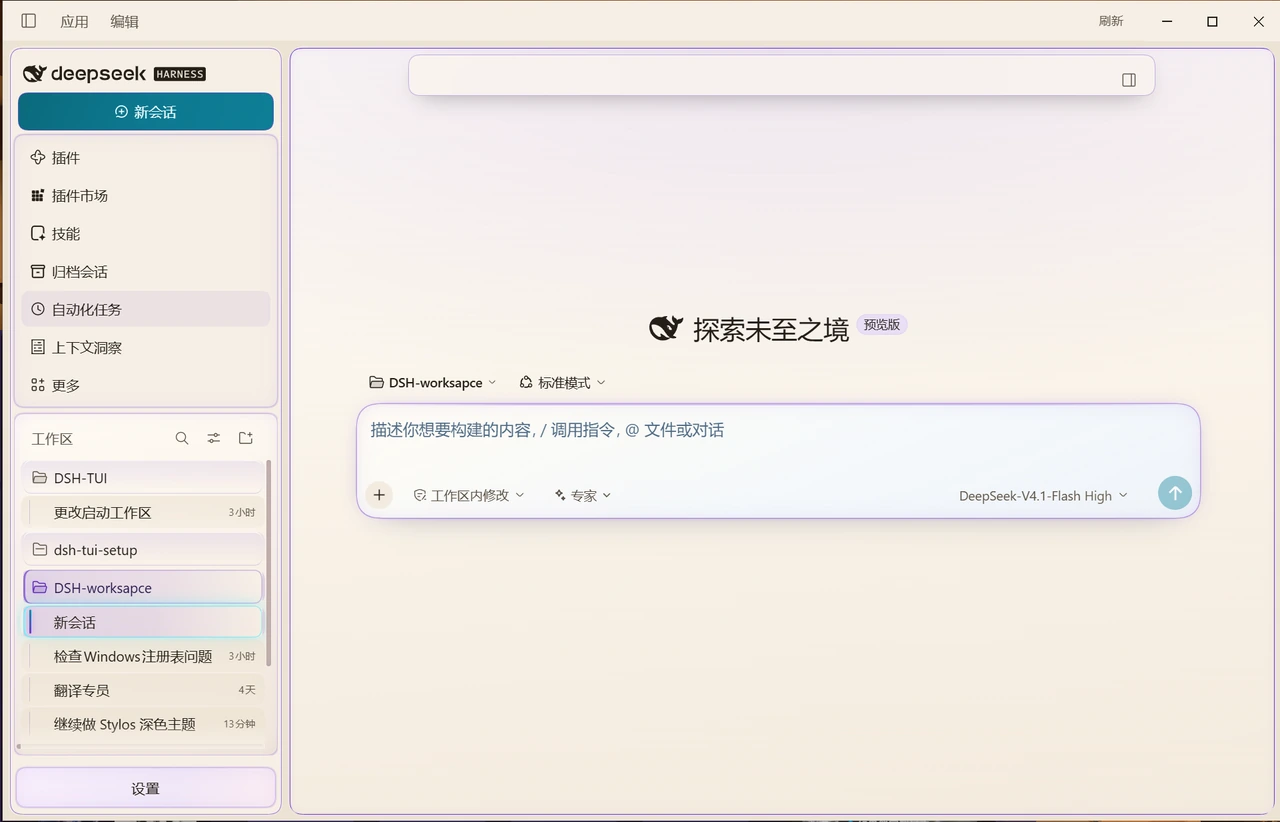 |
Taken on Windows 11 against DSH desktop 0.2.1-rc.5.
Install
Requires DSH 0.2.x (desktop or web profile).
# from npm, once published
dsh plugin --profile desktop add dsh-client-ui-cyberpunk

# from the GitHub release asset (no build step)
#   1. download dsh-client-ui-cyberpunk-0.1.282.tgz
#      https://github.com/kemone/dsh-client-ui-cyberpunk/releases/latest
#   2. install the downloaded file
dsh plugin --profile desktop add F:\path\to\dsh-client-ui-cyberpunk-0.1.282.tgz

# or from a checkout: build the same tarball yourself, then install it
npm pack
dsh plugin --profile desktop add .\dsh-client-ui-cyberpunk-0.1.282.tgz

# or link a checkout while editing the skin
dsh plugin --profile desktop add link:F:\path\to\dsh-client-ui-cyberpunk
Every release carries the packaged tarball as an asset, so the repository itself stays source-only; the tarball is not committed to git.
Installing registers the package in the profile's dsh.profile.bundles, so it also shows up in
Settings → Plugins.
Enable / disable
- GUI: Settings → Plugins →
dsh-client-ui-cyberpunktoggle; - CLI: add an override to the profile's
cordis.patch.yml:
- id: ui-cyberpunk
  disabled: true
Uninstall:
dsh plugin --profile desktop remove dsh-client-ui-cyberpunk
Settings (two entry points)
- Settings → General → “Cyberpunk skin” row — five feature switches (frame breathing light, selected-row sweep, session status marks, settings-page HUD, code-block chrome). One row, applied instantly.
- Settings → Cyberpunk skin — the full control page: main accent colour (drives 55 rules), colour and
intensity for the three border groups (columns / sidebar glass blocks / composer card), breathing speed,
per-group reset, and a confirmed “reset everything”. The accent's bright variant is derived with
color-mix(accent 78%, base), so it stays readable on both themes.
Compatibility
- Pure CSS custom properties, no React version constraint.
- Host half (
lib/index.js) is an emptyapply(); nothing runs in Node. - Client half registers one factory: a
<style>element, two settings slots (settings.sectioncontrol page andsettings.general.itemsummary row) and a few read-only DOM injectors; all of it is removed on dispose. - Layout rules target the host's CSS-Modules class names (
.mP3x-q_frame,.wnFoaW_sessionRow,.acoR2W_panel,.wtg9ga_*). A DSH upgrade that renames them makes those rules silently stop matching — check visually after major host upgrades. - Verified against DSH desktop
0.2.1-rc.5. The control page lives in thesettings.sectionslot (id: cyberpunk-theme,order: 5); status marks read the host'sdata-stateattribute only, so they work in every UI language. - No
peerDependencieson@deepseek-ai/cordis: the desktop profile does not install it separately, so a peer range would only produce warnings. The real compatibility surface is the class names and slot contracts above.
Known limits
!importantis limited to the switch layer (body[data-dsh-off~='<id>']) and a few structural rules needed to win against the host's inline styles.- The session-row status outline uses
outline, so it does not shift layout; Windows high-contrast mode overrides it. - Animations respect
prefers-reduced-motion: reduce.
Development
npm test      # node --check + manifest/package-shape checks
npm pack      # builds the installable tarball
See docs/DEVELOPING.md for the style-file layout, the token layers and the host-contract
notes (including the inject gotcha that silently removes the settings page).
License
MIT. The visuals borrow from the broad “cyberpunk / neon HUD” design vocabulary. This project is not affiliated with CD PROJEKT RED; no assets, trademarks, fonts or layouts from Cyberpunk 2077 are used.
赛博朋克皮肤(中文说明)
DeepSeek Harness Web GUI 的赛博朋克配色皮肤。以覆盖官方设计 token(--dsw-*)为主,另加少量布局属性与边框规则
(三栏圆角边框、侧栏分区框、输入框毛玻璃),不注入 React、不依赖宿主服务,因此不会影响会话本身。
效果
| 层 | 深色 | 浅色 |
|---|---|---|
| 底色 / 侧栏 | #05070f / #070d19 近黑冷蓝 | #faf6ef / #efe7d9 暖白象牙 |
| 浮层、气泡、输入框 | #0a1222 → #142540 蓝紫阶梯 | #fffdf8 → #f4ece0 |
| 描边 | 青色发丝线 #00e5ff 12%–42% | 紫罗兰 #6d3bd1 16%–55% |
| 强调 / 链接 / 焦点环 | 霓虹青 | 紫罗兰 |
| 文字选中 / 文档选区 | 暗红 #8c0f28 50% | 暗红 #8c0f28 50% |
| 代码语法 | 青 / 品红 / 紫 / 橄榄,注释冷灰蓝 | 纸面青 / 紫 / 琥珀 |
两套主题共用同一份结构规则,只替换 token,所以三栏边框、侧栏玻璃块、输入卡在两种模式下位置完全一致。
切换在 设置 → 通用 → 外观(或 preference: light | dark | system)。
截图见 docs/screenshots:深色 / 浅色 各两张(会话页、新建会话页)。
安装
需求:DSH 0.2.x(desktop 或 web profile 均可)。
# 已发布到 npm 后
dsh plugin --profile desktop add dsh-client-ui-cyberpunk

# 从 GitHub Release 附件安装(无需自己打包)
#   1. 下载 dsh-client-ui-cyberpunk-0.1.282.tgz
#      https://github.com/kemone/dsh-client-ui-cyberpunk/releases/latest
#   2. 安装下载到的文件
dsh plugin --profile desktop add F:\path\to\dsh-client-ui-cyberpunk-0.1.282.tgz

# 或在仓库里自己打同一个包再装
npm pack
dsh plugin --profile desktop add .\dsh-client-ui-cyberpunk-0.1.282.tgz

# 或直接链接本地目录(改样式时免打包)
dsh plugin --profile desktop add link:F:\path\to\dsh-client-ui-cyberpunk
每个 Release 都附带打包好的 tgz,仓库只放源码,不再把 tgz 提交进 git。
安装会把它登记进 profile 的 dsh.profile.bundles,所以会出现在「设置 → 插件」里。
启用 / 停用
- 界面:设置 → 插件 →
dsh-client-ui-cyberpunk的开关; - 命令行:在 profile 的
cordis.patch.yml里加一条覆盖即可停用:
- id: ui-cyberpunk
  disabled: true
设置入口(两处)
- 设置 → 通用 → 赛博皮肤行:五个功能开关(中栏边框呼吸灯、选中行扫光、会话状态标记、设置页 HUD、代码块装饰), 点一下立即生效,只占一行。
- 设置 → 赛博皮肤:完整控制页——主色(驱动会话行脊线、输入卡角标与回扫线、气泡刻线、设置页 HUD、代码块按钮、
焦点环等 55 条规则)、三组边框(三栏 / 侧栏玻璃块 / 输入卡)各自的颜色与强度、呼吸灯速度、每个分组单独的「复位」,
以及带二次确认的「全部恢复默认」。主色的亮色变体由
color-mix(主色 78%, 底色)推导,切换主题时自动跟随。
兼容性
- 只写 CSS 自定义属性,不依赖 React 版本;
- 宿主半侧
lib/index.js是空的apply(),不会在 Node 侧注册任何逻辑; - 浏览器半侧
lib/client.js注册一个 factory:注入一个<style>、两个设置槽位(settings.section控制页与settings.general.item摘要行)和若干只读 DOM 注入器,卸载时全部移除; - 布局类规则依赖宿主 CSS Modules 的哈希类名(
.mP3x-q_frame、.wnFoaW_sessionRow、.acoR2W_panel、.wtg9ga_*等), 宿主大版本升级后若类名变化,这些规则会静默失效,升级后请目视核对。
在 DSH 桌面端 0.2.1-rc.5 上验证:控制页挂在 settings.section 槽位(id: cyberpunk-theme, order: 5),
状态标记只读会话行状态点的 data-state(warning / ongoing / done),不依赖界面语言。
已知限制
!important只用在开关层(body[data-dsh-off~='<id>'])与少量结构规则上——前者是关闭功能时强行复位的唯一办法, 后者是为了压过宿主的内联样式;- 会话行状态框用
outline绘制,不占布局,但 Windows 高对比度模式下会被系统主题覆盖; - 呼吸灯、扫光遵守
prefers-reduced-motion: reduce。
开发
npm test      # node --check + manifest/包结构校验
npm pack      # 生成可安装的 tarball
样式文件结构、token 分层与宿主契约(包括那个会“静默删掉设置页”的 inject 坑)见
docs/DEVELOPING.md。
许可
MIT。视觉上取材于广义的「赛博朋克 / 霓虹 HUD」设计语汇;与《Cyberpunk 2077》及其发行方 CD PROJEKT RED 没有任何关联,未使用其素材、商标、字体或界面布局。
Comments
Loading…
Similar plugins
by mwilljx-web
DeepSeek Harness web plugin: a cyberpunk skin for the sidebar and icon buttons, plus a custom background image - managed from the Settings panel.
★ 0
MIT
JavaScript
Sep 11, 2026
dsh plugin --profile web add dsh-plugin-wallpaperby john-walks-slow
DeepSeek Harness OS: turn the DSH Web home page into a cyberpunk terminal desktop — ASCII backgrounds, boot POST sequence, live system/Harness telemetry HUD.
★ 0
MIT
TypeScript
Oct 31, 2026
dsh plugin --profile web add dsh-os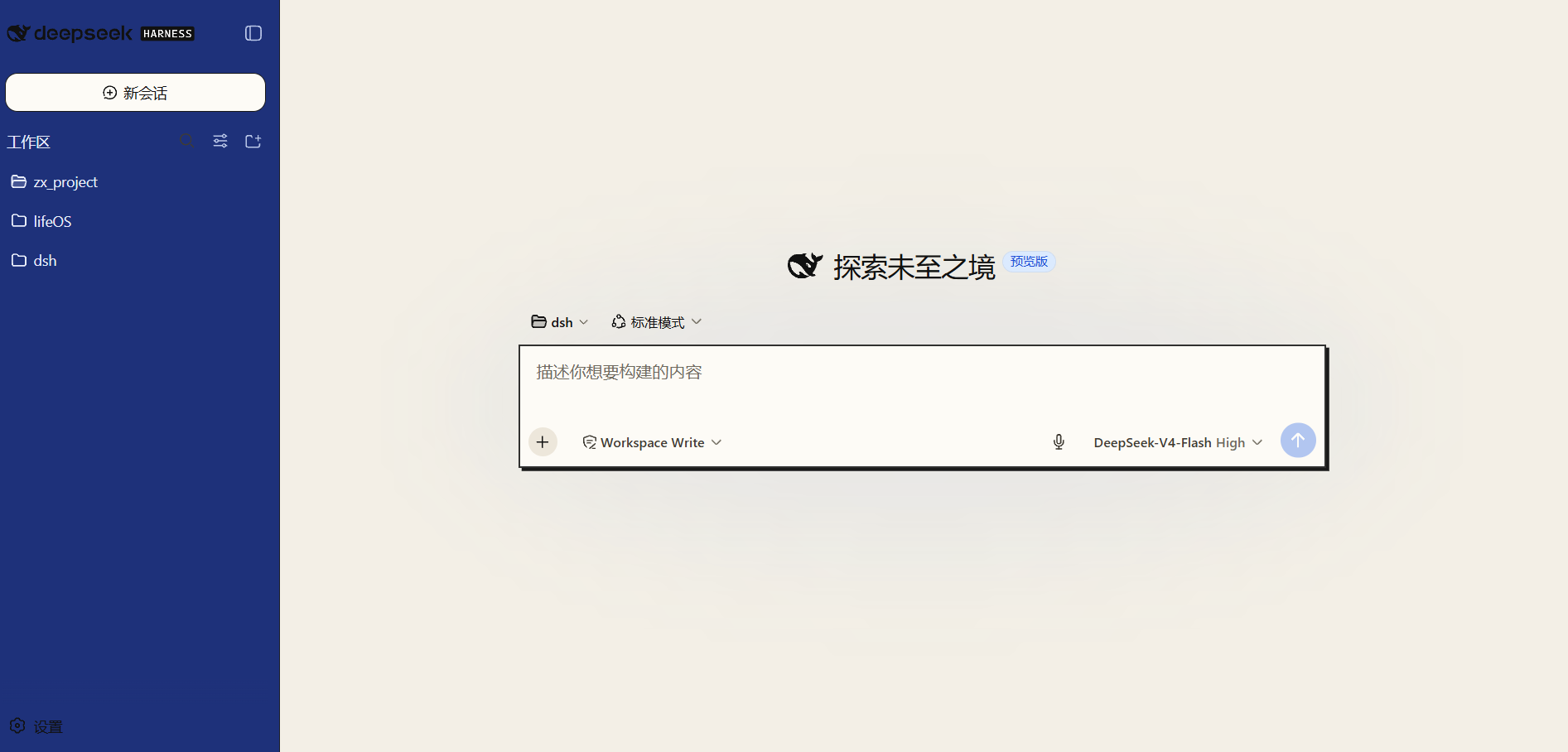 3
No screenshots
by 0nt-one
Neo-brutalism skin for the DeepSeek Harness Web UI — hard borders, high contrast, two switchable schemes (Blue Command / Aged Newspaper), works in light and dark themes.
★ 4
↓ 20/wk
MIT
JavaScript
Aug 16, 2026
dsh plugin --profile web add dsh-neo-skin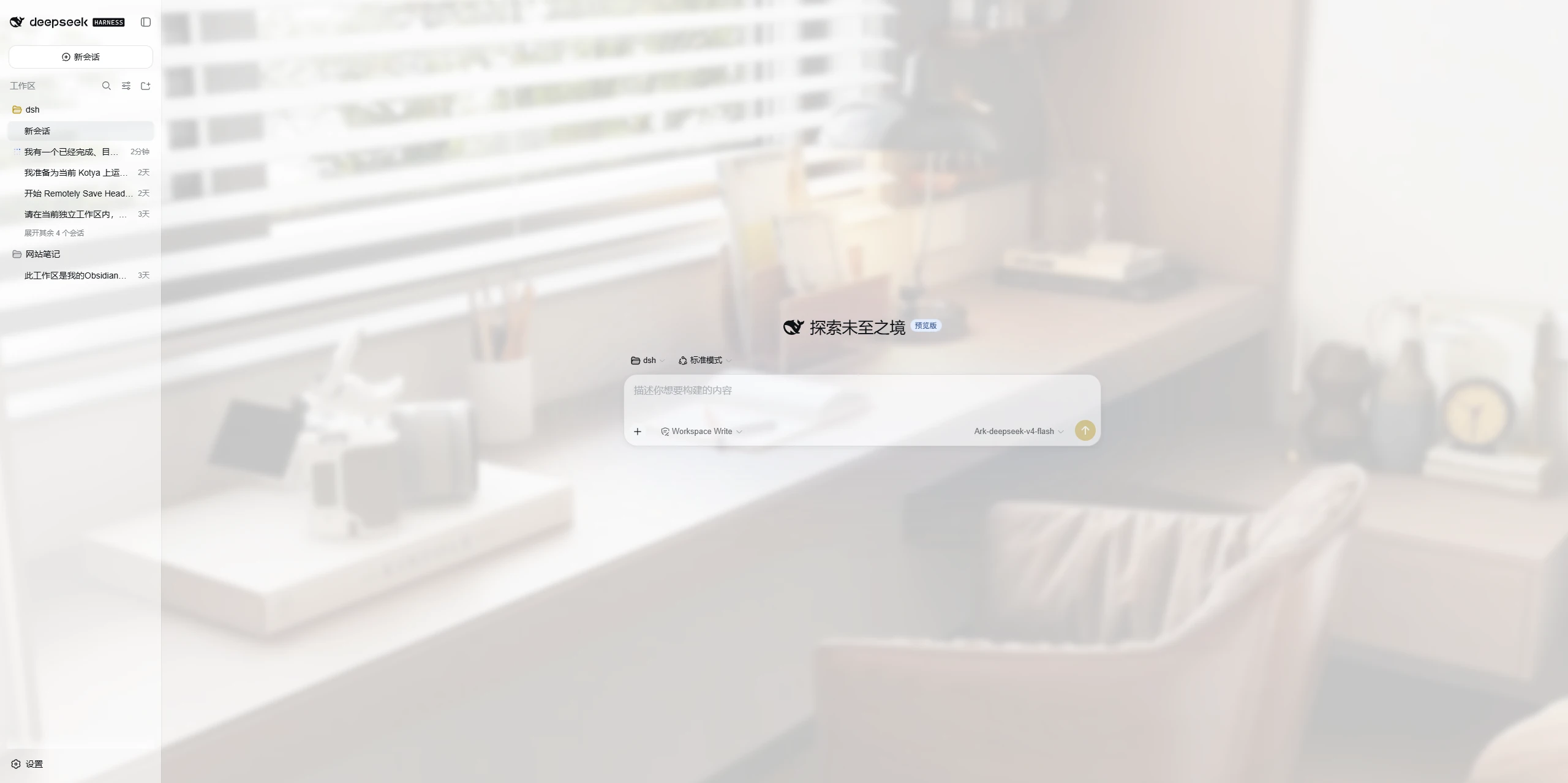 3
No screenshots
by mumuer1024
A lightweight appearance skin for DeepSeek Harness: custom wallpaper, glass-like panel transparency, and an accent color; server-side settings shared across devices, native light/dark mode left untouc
★ 1
↓ 74/wk
MIT
JavaScript
Nov 3, 2026
dsh plugin --profile web add dsh-ui-liteglass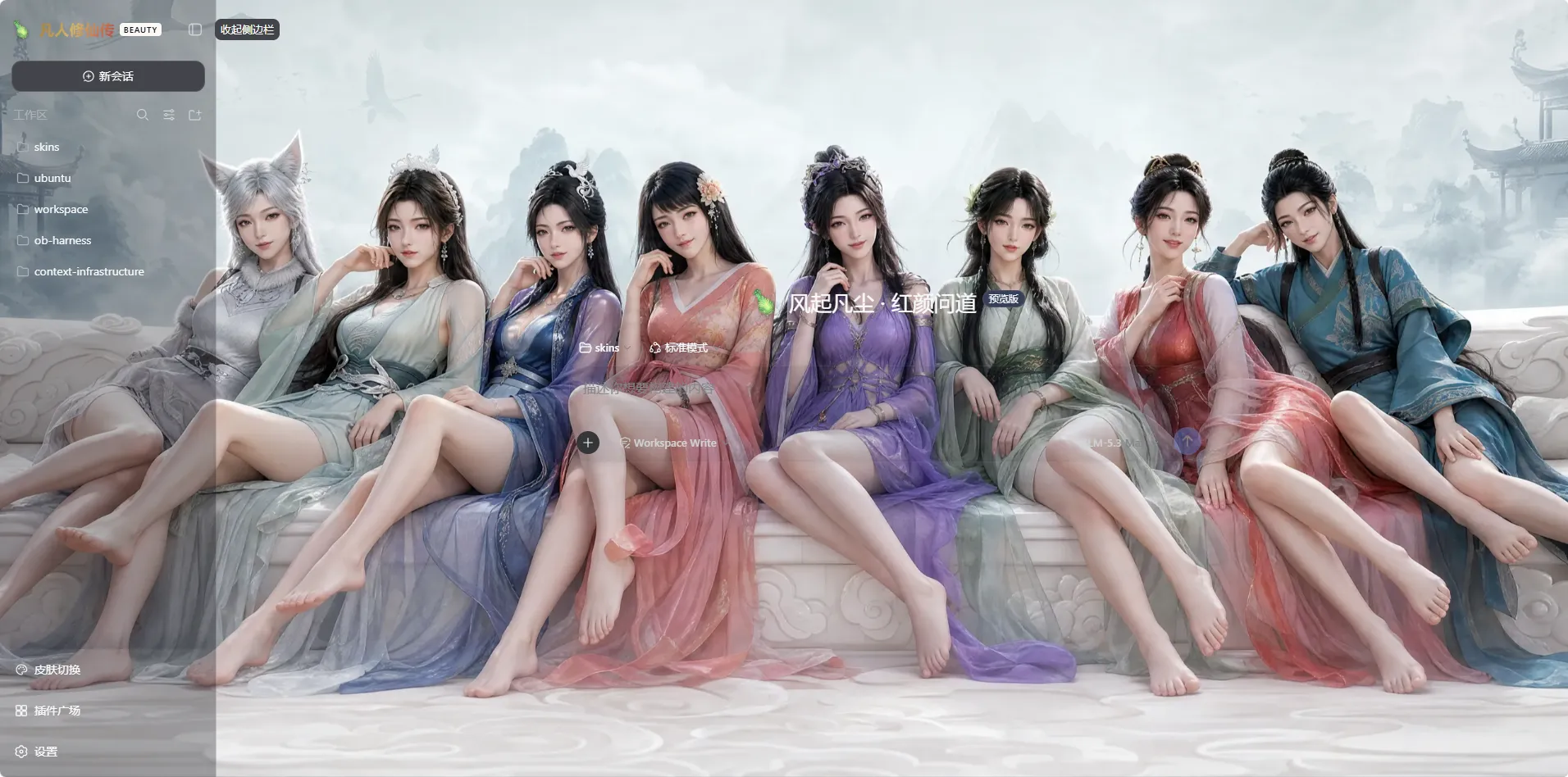 8
No screenshots
by iasiv5
DeepSeek Harness Web 界面主题/皮肤管理插件,可切换多种视觉风格。
★ 5
↓ 2.4k/wk
MIT
JavaScript
Nov 9, 2026
dsh plugin --profile web add @iasiv5/dsh-skins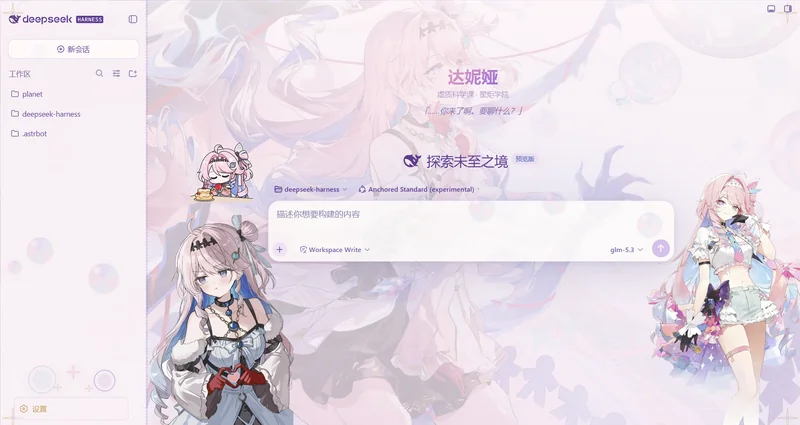 2
No screenshots
by Ewnscat-ya
DeepSeek Harness Web GUI 皮肤 · 鸣潮·达妮娅(Denia)主题「虚无之泡」。双形态亮/暗、侧边立绘、可修改的玻璃卡片、浮动泡泡粒子、锁链边框。
★ 57
NOASSERTION
JavaScript
Oct 8, 2026
dsh plugin --profile web add @dsh-external/dsh-client-ui-skin-denia