

justskill-design
Discovered★ 3Design with your coding agent — A skill, not a product: no MCP server, no app to install, no account, no build step, no npm install.
JustSkill Design


Let an AI agent design your screens
You review and approve them on the canvas.
Design, just a skill.
No MCP server. No app to install. No account. No build step. No
npm install.A skill is a directory your agent reads, so the only setup is handing it over.
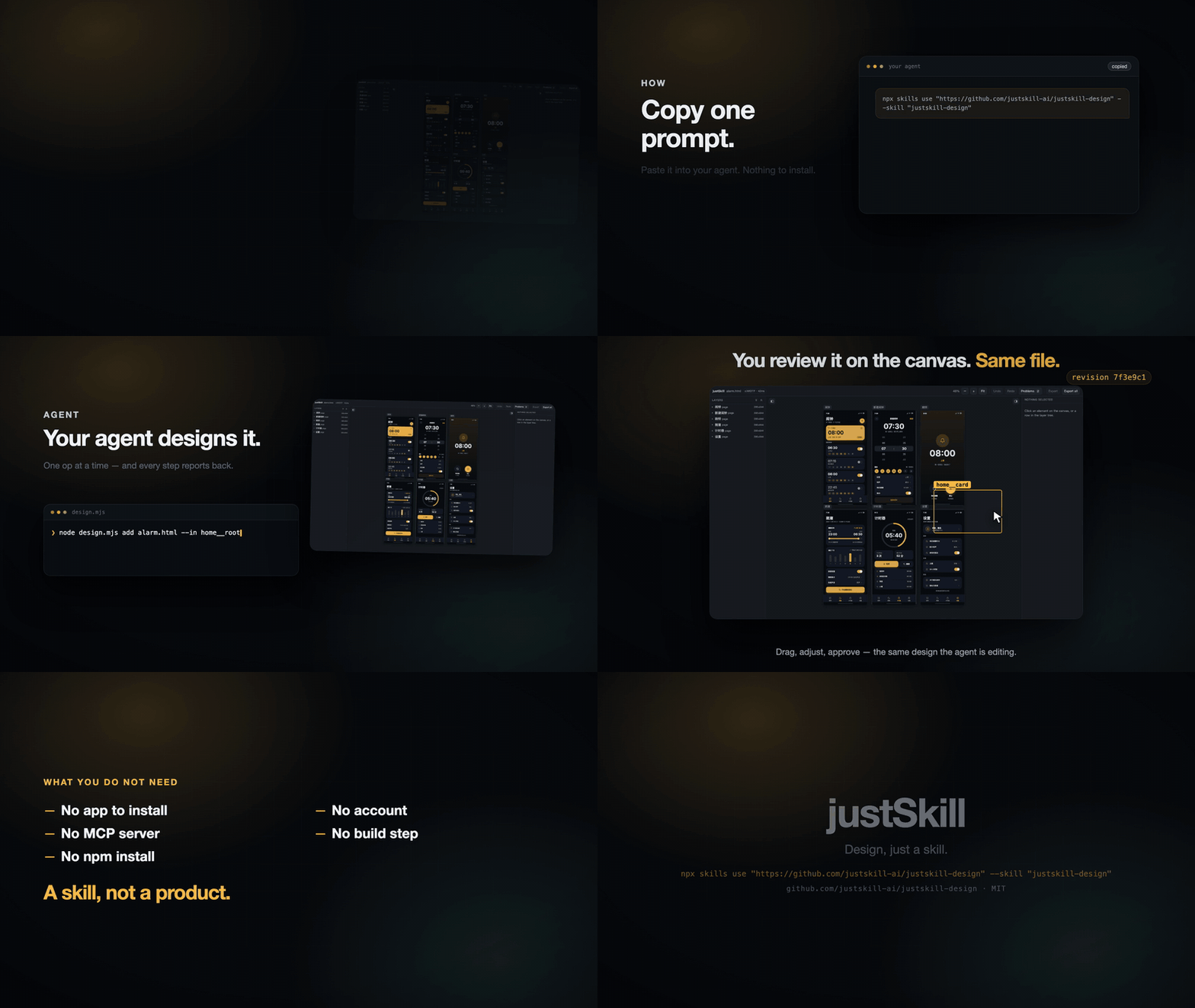
Watch the full 24-second demo (MP4)
Use it now. Copy this into your agent:
Run `npx skills use "https://github.com/justskill-ai/justskill-design" --skill "justskill-design"` and follow the generated skill instructions now.
Read its complete output, redirecting it to a temporary file first if necessary.
Resolve relative paths from the supporting-files directory it provides.
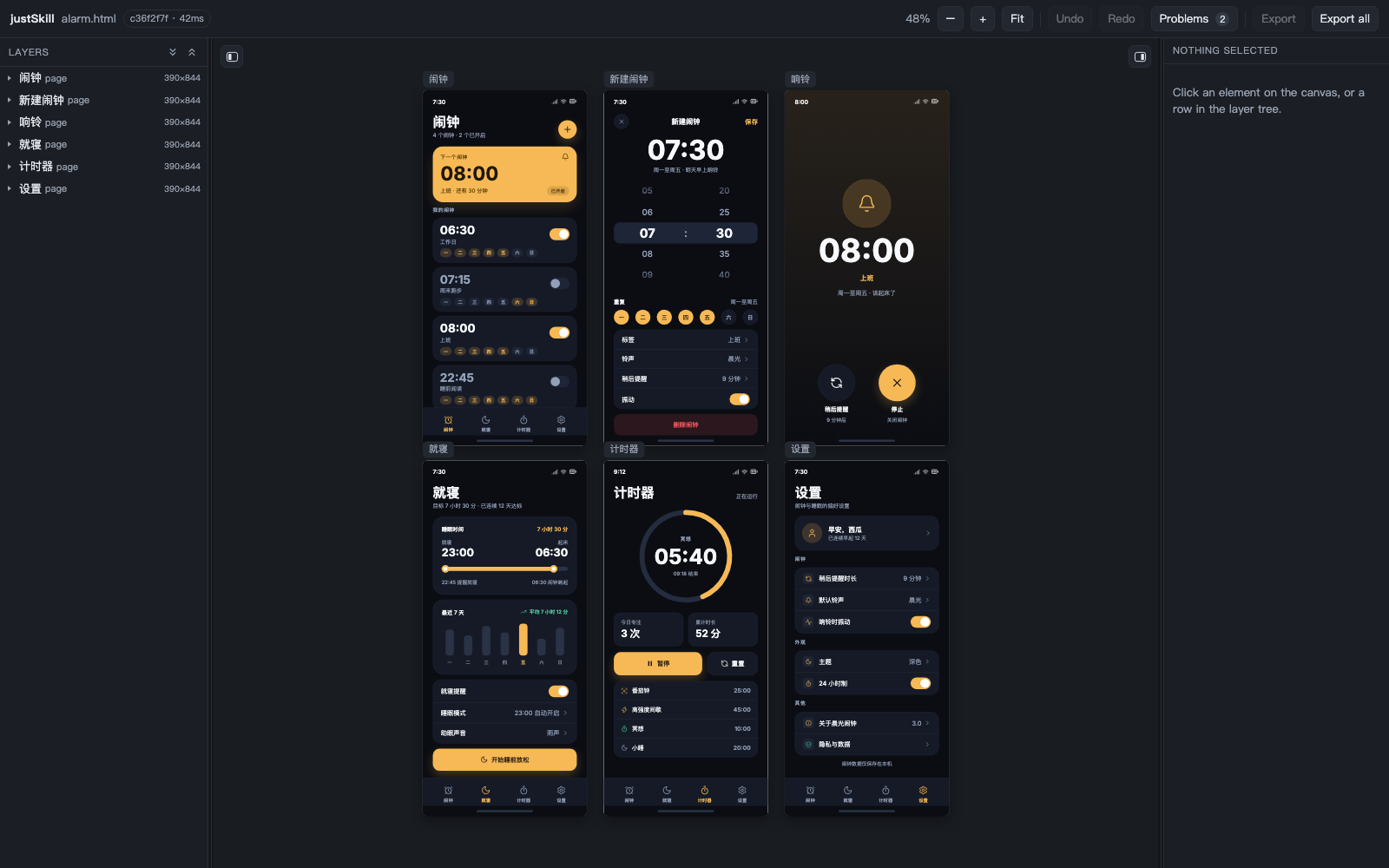
A skill, not a product
A product asks you to install it, update it and sign into it. A skill is a directory an agent reads, and this one is the whole tool: the instructions, the CLI, and the format the CLI checks.
| Not | What it means |
|---|---|
| No MCP server | No process to start, no client config to edit, no protocol between the model and the file. The model runs node design.mjs, the same command a person types, and every edit goes through the same write funnel. |
| No app to install | No application to download, update or keep running. The skill is this repository, linked into your skills directory, and the canvas is a local page the CLI serves on demand and closes when you are done. |
| No account | No sign-in, no plan, no cloud copy, no usage report. The design file is the only state, and it lives in your checkout. |
| No build step | The source is what runs — no bundler, no transpiler, no compiled artifact that can fall behind its source. Edit the checkout and the installed skill follows. |
No npm install | No dependencies and no lockfile: nothing to install, audit or update. Node 18 or newer, built-in modules only. |
Each absence removes a way to fail before the design exists — a process that did not start, a session that expired, a package that resolved to something else, a build older than its source. What is left is an HTML file you can open, diff and commit, and a command set that will not let it be wrong in silence.
design.html  ──validate──▶  diagnostics       (what is wrong, and what to write instead)
     ▲          format   ──▶  canonical text    (one intent, one spelling)
     │          export   ──▶  a deliverable      (one page, or a whole site)
     │
     └──── canvas ◀── add / set / remove / move / rename
Why the design file is HTML
A model already writes HTML and CSS well. Asking it to write a private JSON document instead spends its attention on a format it must first learn, and every one of those files needs a renderer before anyone can look at it.
So the design file is the markup. It is a valid, self-contained HTML file: open it in a browser and the design is there. What this tool adds is not a format but four guarantees:
| Guarantee | What it means |
|---|---|
| It is checked | Every element and every declaration is either accepted or reported. Nothing is dropped in silence. |
| It is editable | Every element has a data-id, so an edit is one byte range, not a rewrite. |
| It is canonical | One intent has one spelling. Diffs stay readable, round trips stay exact. |
| It is honest | A file that nobody edited comes back byte for byte. Your own formatting, your comments and your hand-written <svg> stay where you put them. |
The format, in one screen
<!doctype html>
<html lang="en">
<head>
  <meta charset="utf-8">
  <title>Landing</title>
  <meta name="design-schema" content="3.0">
  <style>:root{ --color-ink:#111827; --space-md:16px }</style>
  <style>section[data-type="page"]{ margin:0 0 24px }</style>
</head>
<body>
  <section data-id="home" data-type="page" data-canvas="0,0" style="width:390px;height:844px">
    <div data-id="home__root" data-type="frame" style="display:flex;flex-direction:column;gap:16px;padding:24px">
      <p data-id="home__title" data-type="text" style="font-size:32px;font-weight:700;color:var(--color-ink)">你好</p>
    </div>
  </section>
</body>
</html>
Two style blocks are allowed in <head>, and both are read: the token block
(:root) and the page-frame block. Every element otherwise carries an inline
style. Every element carries data-id and data-type.
docs/format-v3.md— the frozen contract: the element model, the canonical form, the diagnostic codes, the module boundaries.references/styling.md— the 45 allowed properties and their value grammars.references/schema.md— the element contract, generated from the format table.references/images.md— the verified Unsplash photos a page may use when the user has not supplied one, with what each photo shows and who took it.
Examples
Three files in examples/. Each validates, each is already in canonical form,
and test/purity.test.mjs reads the directory and holds every examples/*.html
to that — so a fourth file is checked the moment it lands.
| File | Scale | What it answers |
|---|---|---|
examples/design.html | 1 page, 22 elements | What the smallest file that is still a design looks like: a header, a hero, two stat cards, a list, three lucide glyphs, one token block. |
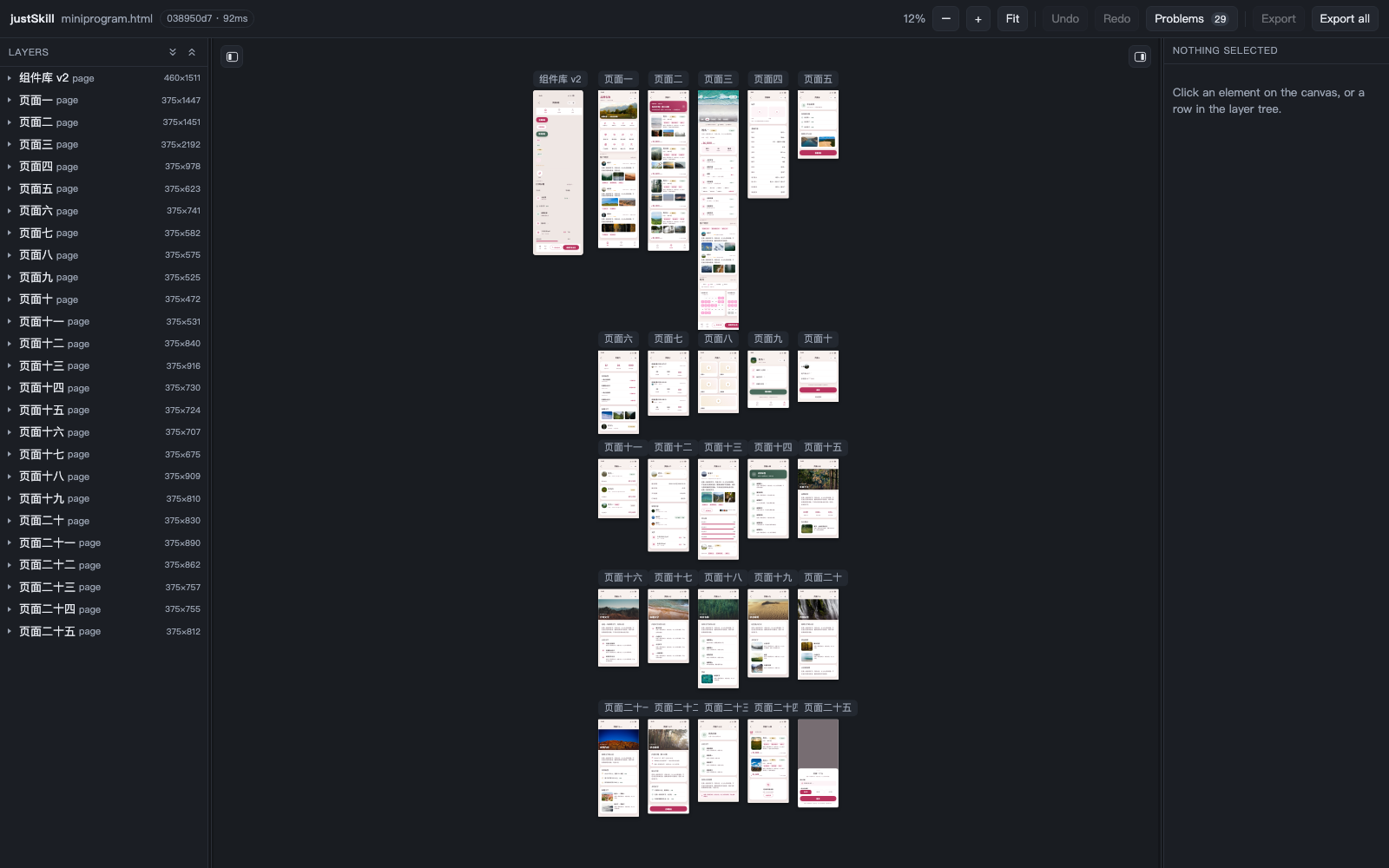
examples/alarm.html | 6 pages, 447 elements | What a hand-written app looks like: the alarm list, the editor with a wheel picker, the ringing screen, bedtime, timer, settings. Its colour is 14 tokens, so the theme is one op — node design.mjs tokens examples/alarm.html set color.accent '#7c3aed'. It was also authored the way the skill asks for: page by page through add, the spacing through set, with the canvas open, and no whole-file rewrite. |
examples/miniprogram.html | 26 pages, 2197 elements | What a .pen file becomes: a real 705 KB file with 26 artboards, 239 references inlined, 140 of them carrying overrides, and one named loss (perCornerRadius). Regenerate it with node design.mjs import pen <the .pen> -o examples/miniprogram.html --title miniprogram; test/pen-reader.test.mjs fails when the committed copy goes stale. |
Open one the way a person looks at a design. The canvas writes back to the same file, so a drag and a command are the same edit:
node design.mjs serve examples/alarm.html
Commands
node design.mjs new      design.html --name home --title Landing
node design.mjs validate design.html --json
node design.mjs format   design.html --check
node design.mjs ls       design.html --pages
node design.mjs show     design.html home__title
node design.mjs add      design.html --html-file card.html --in home__root
node design.mjs set      design.html home__title --style 'font-size:40px'
node design.mjs move     design.html home__card --index 0
node design.mjs rename   design.html home__card product
node design.mjs migrate  design.html
node design.mjs remove   design.html home__note
node design.mjs export   design.html --all -o dist
node design.mjs import   pen some.pen -o design.html
node design.mjs serve    design.html
serve prints a tokenised URL and opens the canvas. The canvas and the CLI
write through the same funnel, so a drag and a set cannot disagree.
The canvas is three columns: the layer tree on the left — every page with its
elements nested under it, opening closed, with expand-all and collapse-all in the
header and picking an element on the canvas opening the path down to it — the
design in the middle, and the selected element's own properties on the right,
grouped into sections and edited with the control its grammar asks for.
Hovering shows the container the pointer is standing on, solid, and that
container's direct children, dashed — a click takes the dashed box under the
pointer, and Escape walks back up one rung. Every page carries its name in a pill
above its top-left corner, and that name is chrome rather than part of the
drawing: it keeps its own size and its own few pixels of air at every zoom, so it
reads the same at 10% as at 100%. Either side folds away with the
button on the canvas edge or ⌘\ (the tree) and ⇧⌘\ (the inspector), and
either edge drags to resize. None of that is document state: the panels remember
themselves in the browser and never write a byte to the design file.
Exit codes: 0 success, 1 refused or invalid, 2 unreadable or bad arguments.
The write funnel
Every write goes through the same path, whether it comes from a command or from the canvas:
- read the file again — another writer may have changed it
- validate it, so a pre-existing error is not blamed on this edit
- compile the change into ops
- apply the ops
- validate again, and refuse unless the edit introduces no new error
- normalize only the changed nodes, then write atomically
- print a receipt
Step 5 is what makes a broken file repairable. A file may already have errors; an edit may fix them; an edit may not add another one.
The receipt
The model cannot see the file, so the receipt is what it has. Every declaration is either consumed or reported:
$ node design.mjs add design.html --html-file card.html --in home__root
added:      home__cta, home__cta-label  (2 elements)
normalized: #fff → #ffffff
normalized: 12px 12px 12px 12px → 12px
normalized: rgba(0,0,0,0.6) → #00000099
dropped:    cursor:pointer — The format describes appearance, not interaction. A cursor is behavior.
applied 1 op, revision a161db2c (0 errors, 0 warnings)
A refusal is a result, not a failure, and it says what to write instead:
REFUSED  display: grid is not a value of display.
  Accepted: flex | block | none
design.html was not changed.
Tests
npm test                # node --test
npm run images:check    # needs the network: every catalogue URL still resolves
What the suite pins, in order of what breaks first if it fails:
| Suite | Invariant |
|---|---|
byte-fidelity | Parse then serialize returns the same bytes, for hand-written files, real files, comments, unknown tags and <svg> geometry |
table | One table drives validation, normalization and hints; every property has a value grammar |
validate | Every element is either valid or gets a diagnostic that names a fix |
normalize | Normalization is idempotent and never touches a canonical file |
ops, fragment | Ops are invertible; a fragment is compiled, checked and refused with a named reason |
cli | Exit codes 0/1/2 are stable across success and refusal paths |
images | Every catalogue row is a unique, copyable URL with what the photo shows and who took it |
Measured today
| Metric | Threshold | Measured |
|---|---|---|
| First-response legibility (20 real snippets) | ≥ 80% | 20/20 = 100% |
| Silent drops | 0 | 0 |
| Serialization round trip | byte exact | byte exact, 11 fixtures including a 73 KB generated design |
| Normalization | idempotent | idempotent |
.pen import | 0 errors, empty unmapped | 0 errors, unmapped empty |
.pen import ledger | every loss named | 1 loss in 1541 source nodes (perCornerRadius) |
| pen's own export | the same picture | text line boxes and the arrow's four corners within 0.1px, viewBox and font identical |
| Tests | — | 684 pass, 0 fail |
The .pen acceptance case is a real 705 KB file with 26 artboards and 1541
source nodes. It imports to 2197 elements in about 100 ms: 239 references are
inlined, and 140 of them carried field-level patches that are applied during the
import. The ledger counts emitted elements, so the 26 artboards are not in that
number and the copies are. The result validates and is already canonical:
examples/miniprogram.html carries 2223 data-ids (the 2197 elements and the 26
pages) and 3066 tags in all, the rest being <svg> geometry and wrappers that
are not design nodes. One node in that file has four different corner radii,
which this format does not have a spelling for, and the ledger says so by name.
The import is measured against pen's own export, not against itself. The welcome
document pen ships — one 1000×1458 artboard, two text lines, one rotated arrow —
was exported from pen.dev as HTML and imported here, and the two renderings were
measured in the same browser: the text's two line boxes agree to 0.05px
(224.00/551 against 224.05/550.91, and 101.39/796.20 against 101.42/796.16), the
font is the same Noto Sans face pen's export links (measureText 599 against
598.9), and the arrow's four drawn corners land within 0.1px of where pen's
transform: rotate(45deg) puts them. That measurement is why the reader measures
a glyph's own box for its viewBox, draws a stroked outline as a stroke rather
than a border on its <svg>, bakes a rotation into the outline, keeps an
authored line break as white-space: pre-line, and asks for Noto Sans instead
of assuming the machine has it.
The legibility metric means: the first response is always usable, whether it
accepts the snippet or refuses it with a code, a target and a fix. The 20
snippets are the ones a model actually writes: display:grid, position:fixed,
rgba(), #fff, a one-sided margin, a missing alt, a wrong data-type for
the tag, a duplicate id, a font shorthand, a <svg> written by hand.
10 are refused by name. The other 10 compile, and 9 of those report what they
rewrote or dropped — #fff becoming #ffffff, a four-value padding
collapsing, a cursor or a transform landing in dropped. One is already
clean. A crash, a silent drop, or a refusal that names nothing fails the metric.
It does not claim that 100% of designs are accepted; it claims that no first
response is a dead end. evals/evals.json states per snippet what that response
has to contain, and test/evals.test.mjs checks it.
Install
The prompt above uses the skill for the current session. To have it in every session, either let the skills CLI install it for every agent it knows, or link the checkout in yourself.
With the skills CLI
npx skills add "https://github.com/justskill-ai/justskill-design" --skill "justskill-design" -g -y
That copies the skill into ~/.agents/skills/justskill-design and links it into
the agent directories the CLI manages; npx skills update moves it forward.
With one symlink
git clone https://github.com/justskill-ai/justskill-design.git ~/Developer/justskill-design
node ~/Developer/justskill-design/scripts/install.mjs
The repository is the skill, so this install is one symlink into the skills
directory your agent already reads: nothing is compiled and nothing keeps
running. It links the checkout into ~/.agents/skills/justskill-design and
~/.claude/skills/justskill-design, so any agent that reads those directories
(Claude Code included) picks it up. The link is a symlink: edit the checkout and
the installed skill follows. --uninstall removes both links, and --dry-run
prints what it would do.
Scope
Not a general HTML and CSS tool. It supports a closed set: flexbox layout,
absolute positioning, a fixed property whitelist, images, inline SVG glyphs, and
one run of text per text element. No grid, no position:fixed, no transforms, no
animation, no responsive breakpoints, no rich text. The reasons are in
docs/plan.md, and the value grammar for every allowed property is in
references/styling.md.
Credits
test/fixtures/real/open-design-components.html is a copy of a fixture from
OpenDesign (Apache-2.0), kept as a
real-world parse case.
The photographs in references/images.md and examples/miniprogram.pen come
from Unsplash and are used under the
Unsplash License.
License
MIT — see LICENSE. The OpenDesign fixture and the Unsplash photographs are third-party material under their own licenses, credited above.
Comments
Loading…
Similar plugins
by JohnXu22786
Code knowledge graph plugin for agent harnesses (dsh): indexes symbols, call sites and imports into SQLite, answers call/dependency questions via CLI or stdio MCP tool server
★ 3
↓ 20/wk
MIT
Python
Oct 23, 2026
dsh plugin --profile web add dsh-codegraphby tt-a1i
Agent skill for beautiful, verifiable architecture, workflow, sequence, data-flow, and lifecycle diagrams—self-contained HTML with motion and crisp export.
★ 89.5k
↓ 6.8k/wk
MIT
JavaScript
Oct 26, 2026
dsh plugin --profile agent add @tt-a1i/archify-dshby functy23
DeepSeek Harness 的 MCP 服务与 Skills 管理器:面板里增删改 MCP 行、扫描导入其他 Agent 配置、管理 Skills(DSH Web 插件)
★ 30
↓ 338/wk
MIT
TypeScript
Oct 6, 2026
dsh plugin --profile web add dsh-mcp-studioby MeowTnT3r
一个面向 Codex 的公开 skill:编排当前 Agent 已有的可信安装器,并为 skills、插件和市场能力维护一份有来源依据的中文说明目录
★ 4
MIT
Python
Sep 4, 2026
dsh plugin --profile web add catalog-capabilities-zhby xiamubumu
Composes tools, skills and MCP servers into switchable per-session sets, shrinking the resident tool surface and the system prompt on demand.
★ 0
MIT
JavaScript
Oct 15, 2026
dsh plugin --profile web add dsh-capability-composerby leechen298
Generate Function, MCP, Agent Skill, and offline test packages from existing code; installable as a DeepSeek Harness bundle.
★ 10
MIT
Python
Oct 7, 2026
dsh plugin --profile web add @leechen298/code2skill