
dsh-meeting-memo
Manifest validRight-sidebar meeting minutes for DeepSeek Harness — local capture, on-device transcription, speaker labels, and structured minutes; audio never leaves the machine.
dsh-meeting-memo · 会议纪要
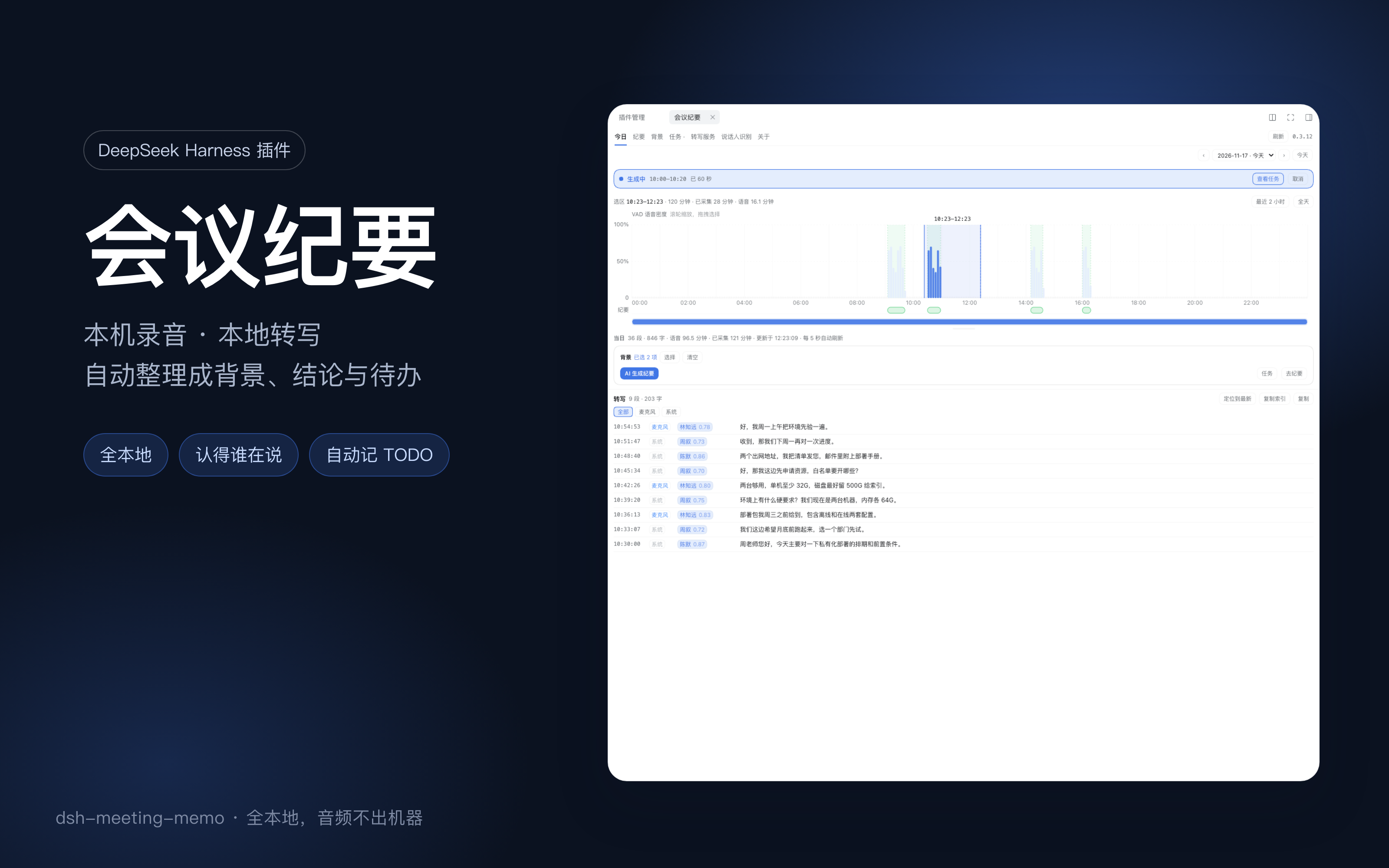
DeepSeek Harness 右侧栏的会议纪要插件。在本机录下会议、用本地语音模型转成文字,再把选中的一段整理成结构化纪要:背景、要点、决策、待办。音频和文字都不离开这台机器。
安装
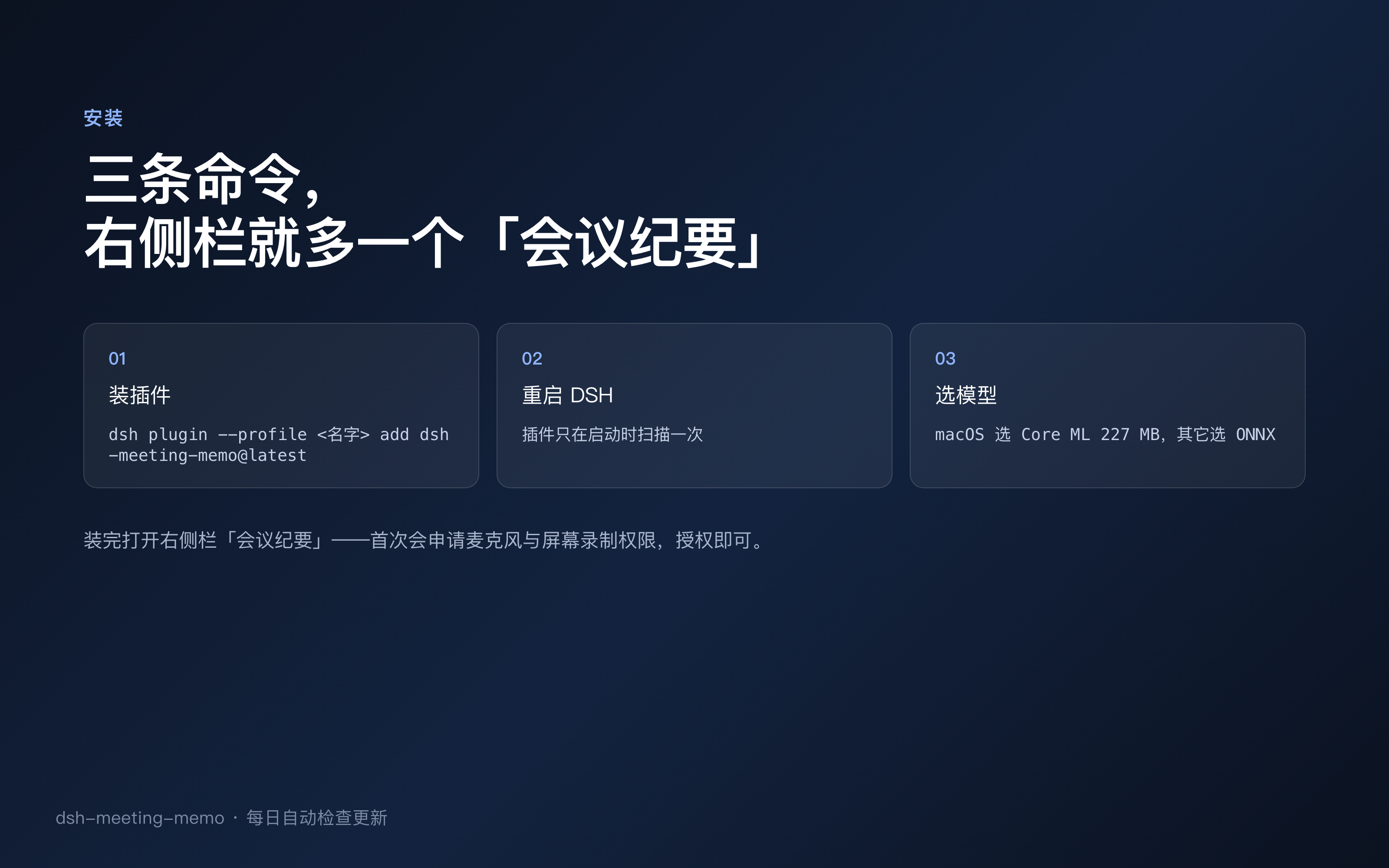
# 从 npm
dsh plugin --profile <你的 profile> add dsh-meeting-memo

# 或直接从 GitHub(首次会自动构建)
dsh plugin --profile <你的 profile> add github:jqlong17/dsh-meeting-memo
装完重启 DSH:插件只在启动时扫描一次。
首次使用会申请麦克风和屏幕录制权限——前者录你说的话,后者录会议另一端的声音。
语音模型在「转写服务」里下载,插件会按系统给出对应选项:
- macOS:SenseVoiceSmall_int8(苹果 Core ML,约 227 MB),走神经引擎,内存占用明显更小。
- 其它系统:sensevoice-small ONNX fp32(约 1 GB)。
面板里有什么
| 标签 | 用途 |
|---|---|
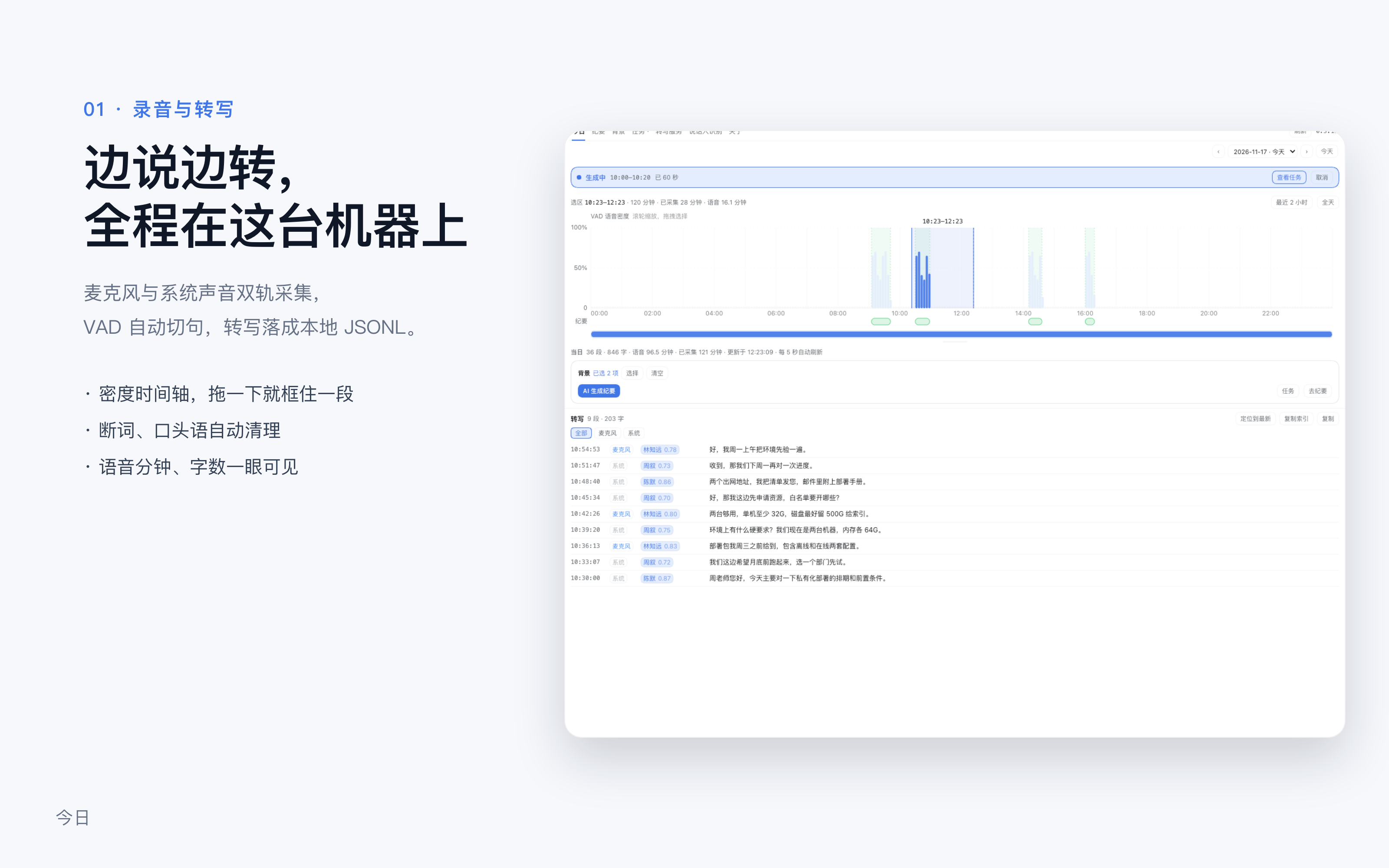
| 今日 | 06:00–24:00 的语音密度;拖选一段看转写,滚轮缩放,拖底部滑块平移 |
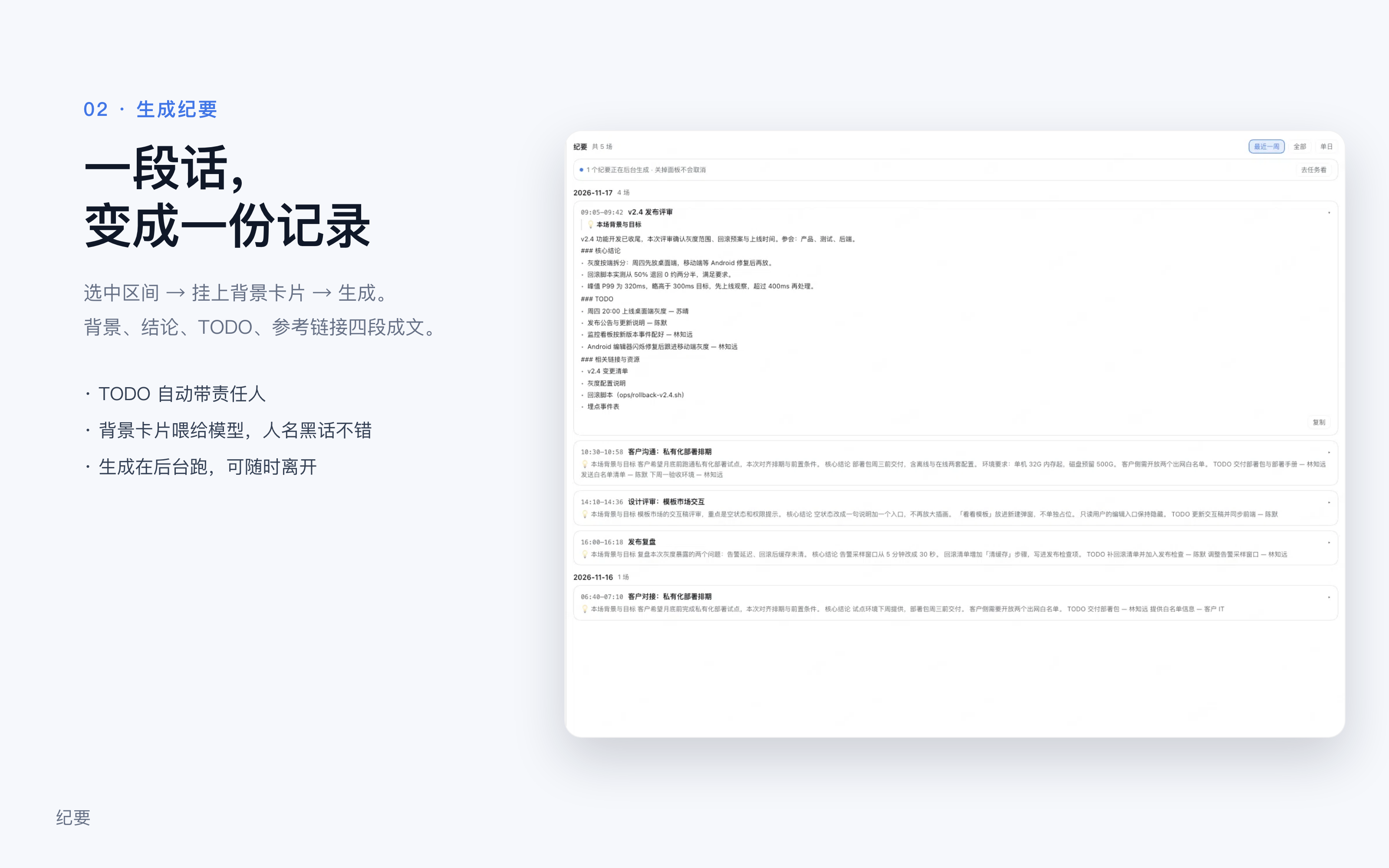
| 纪要 | 整理好的纪要,按场次列出背景、要点、决策、待办;写法可自己改 |
| 背景 | 项目、人名、术语卡片,生成时勾选带上 |
| 任务 | 生成任务的进度与历史 |
| 转写服务 | 模型、语言、分轨和录音设置 |
| 关于 | 产品说明,以及一段可直接转发的安装话术 |
关掉插件后不再录音、不再整理。已经写下的纪要和背景留在本机。
界面
| 边说边转,全程在本机 | 一段话变成一份记录 |
|---|---|
 |  |
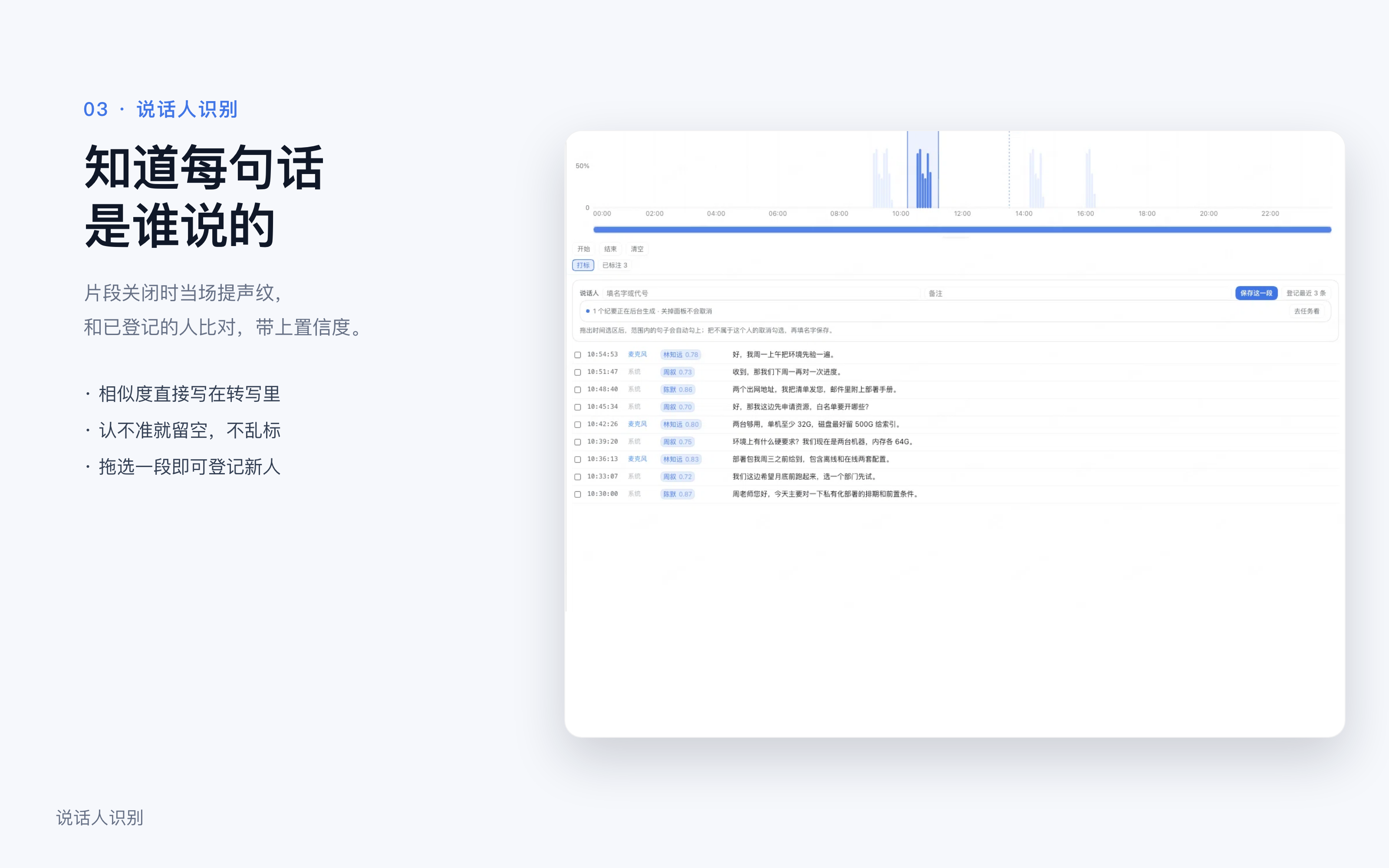
| 知道每句话是谁说的 | 音频不离开这台电脑 |
|---|---|
 | 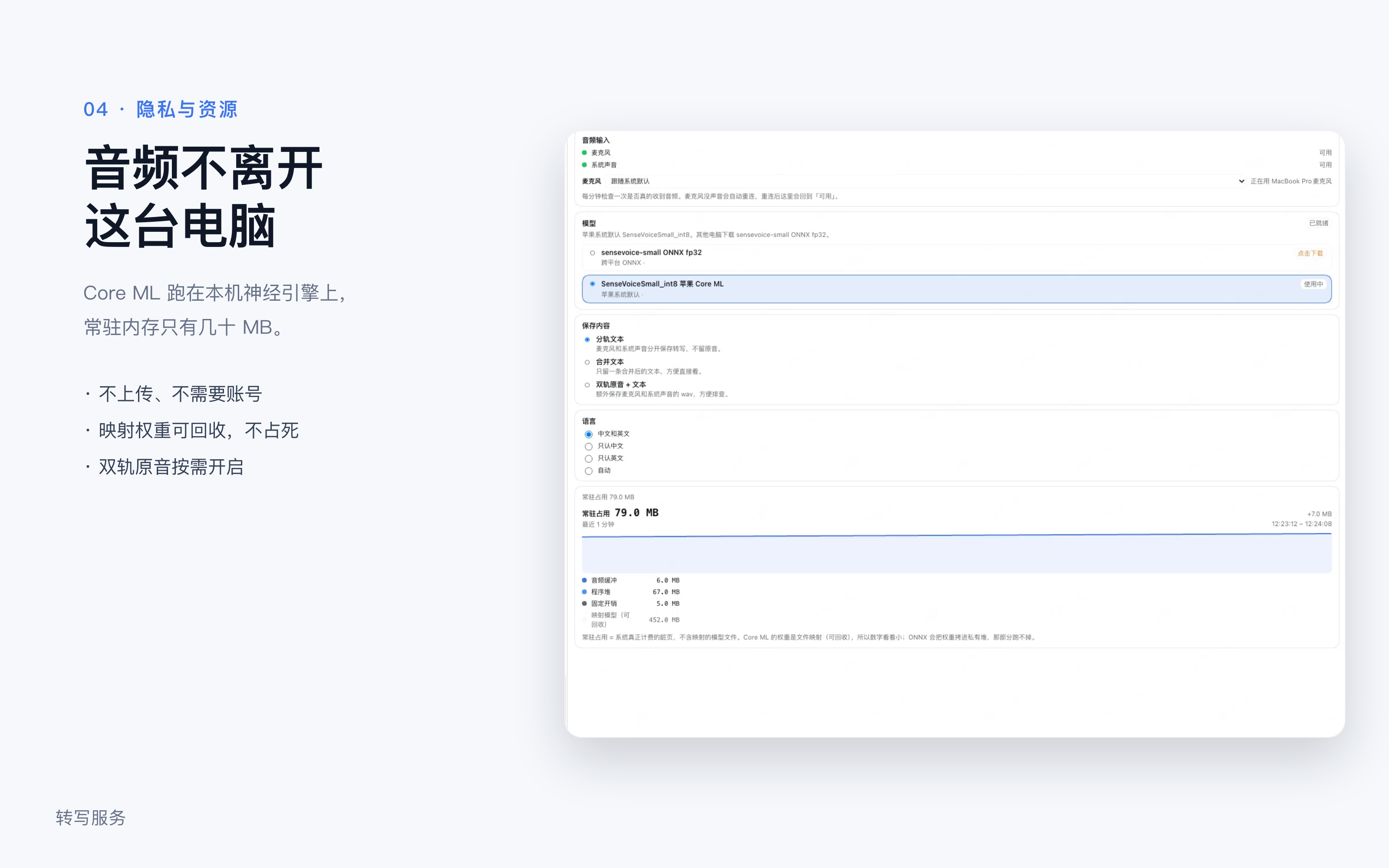 |
截图来自插件的演示模式(关于 → 演示模式),人物、公司、会议内容都是虚构的。
安装步骤一览
说话人识别的打标
「说话人识别」标签用来攒训练数据:开会时点「开始」,对方说完点「结束」,填一个名字保存。每条标签记录日期、起止时间和说话人,并自动对应那段时间落下的 wav。
要让它有音频可用,保存内容必须是双轨原音 + 文本(「转写服务」里可切)。切过去之后每个转写片段会额外写一个 wav 到 asr-log/<日期>/audio/<轨道>/<毫秒>.wav,转写本身不受影响。
标签存在 speaker-labels.json,和 wav 一起构成「时间区间 + 人工标签 + 原音」的素材,后面接音色分离/声纹聚类时直接可用。
声纹(说话人识别)
sherpa-onnx 的 CAM++ 声纹模型可以把一段音频压成 192 维向量,两条向量余弦相似度就是"像不像同一个人"。
验证脚本(需要先 npm run build:native,会顺带编译 bin/embed):
python3 scripts/speaker-eval.py 2026-11-16
用当天已标注片段做留一验证,再用这些人的质心给全天片段分配说话人。当前实测:
- 留一验证 22/22 正确
- 同人相似度均值 0.870、异人 0.195
- 全天 125 个片段,阈值 0.65 时 74% 能归到已登记的人,其余标为未识别
自动更新
每天自动查一次(状态记在 update-state.json,重启后不会重复查,也不会漏掉一整天):
- 装了 npm 版并且开了
autoUpdate(默认开)→ 发现新版本会自动升级,面板顶部提示「已自动更新到 x.y.z,重启后生效」 - 关掉自动升级(配置
autoUpdate: false,或环境变量MEETING_MINUTES_AUTO_UPDATE=0)→ 只提示,点「现在更新」才执行
升级命令是
dsh plugin --profile <你的profile> add dsh-meeting-memo@latest
然后提示重启 DeepSeek Harness 生效。不会自己重启——重启会打断正在进行的录音和会话。
开发模式(profile 里依赖写成 link:)不会做任何更新检查,避免把本地代码换成 npm 版。
手机上看
DSH Pocket iOS → 「插件」→ 会议纪要 → 打开,就能看到今天采集了多少、以及最近几天的纪要。
页面在 resources/mobile/(HTML + CSS),每次请求重读,改文案或样式不用重载插件;数据服务端直出,页面里不请求 RPC。
自测不用拿手机:
npm run check:mobile                       # 默认 http://127.0.0.1:56283
npm run check:mobile -- --base http://127.0.0.1:3091
它访问什么
这一节是为了让你在装之前就知道边界。
| 资源 | 用途 | 是否离开本机 |
|---|---|---|
| 麦克风 | 采集现场说话 | 否 |
| 屏幕录制(仅系统音频) | 采集会议另一端的声音 | 否 |
~/.dsh/meeting-memo/ | 存放纪要、转写、背景卡、模型与运行时 | 否 |
| 本机模型文件 | 你指定目录下的语音模型(如 SenseVoice) | 否 |
| 网络 | 下载你主动选择的语音模型;生成纪要时调用模型 | 录音与转写内容不上传 |
补充两点:
- 飞书链接:只有你把链接贴进「补充资料」时,才会调用本机的
lark-cli(用你自己的登录态)读取文档或表格。不贴就不读。 - 不碰别人的数据:不写入 notta 生活日志目录,不修改其他插件的配置。
English
A right-sidebar meeting-minutes plugin for DeepSeek Harness. It records the meeting on this machine, transcribes locally with an on-device speech model, and turns a selected span into structured minutes: background, key points, decisions, and to-dos. Audio and text never leave the machine.
dsh plugin --profile <profile> add dsh-meeting-memo
Restart DSH after installing; plugins are only scanned at startup. The first run asks for microphone and screen-recording permission. Model and recording settings live under Transcribe.
What it touches. Microphone audio and system audio for capture; ~/.dsh/meeting-memo/ for minutes, transcripts, background cards, models, and the ASR runtime; the network only to download a model you pick, or to call the model when drafting minutes. Nothing recorded or transcribed is uploaded. Feishu links are read through your local lark-cli only when you paste them into Extra notes. It does not write to the notta life-log folder or modify other plugins' config.
开发
npm install
npm run build        # lib/index.js + lib/client.js
npm test             # 21 项单测
npm run check:client # 校验打包产物:tab、locale、文案、组件渲染
MIT
Comments
Loading…
Similar plugins
by drliuhuan
DeepSeek Harness meeting assistant plugin: system audio capture, local SenseVoice transcription, domain-aware LLM correction, agenda and speaker turns, live minutes and Q&A.
★ 0
MIT
JavaScript
Nov 13, 2026
dsh plugin --profile web add dsh-plugin-live-meetingReal-time speech-to-text inside the DeepSeek Harness composer: a live transcript while you speak, inserted at the caret when you stop, with a microphone picker. Local sherpa-onnx inference, so audio n
★ 0
dsh plugin --profile web add dsh-voice-realtimeby moazzamak
Offline local speech-to-text for the DeepSeek Harness composer: a microphone button that records, transcribes with faster-whisper on your own machine, and inserts the text into the chat draft.
★ 0
MIT
JavaScript
Oct 6, 2026
dsh plugin --profile web add dsh-voice-inputby QDchuan
Voice input for DeepSeek Harness: a microphone seat in the composer and a Web settings page that transcribes through the browser or any OpenAI-compatible /audio/transcriptions endpoint, with a fully o
★ 0
MIT
JavaScript
Sep 12, 2026
dsh plugin --profile web add dsh-voice-inputby CharlesLiuZC
Voice-to-text plugin for DeepSeek Harness (desktop & web): composer mic button with cloud (SiliconFlow) or local offline (FunASR / faster-whisper) transcription.
★ 0
TypeScript
Oct 2, 2026
dsh plugin --profile web add dsh-voice-contextby Zhangbo-cn
Composer mic for DeepSeek Harness Web: tap-to-monitor live transcription and hold-to-talk, with host Edge TTS reply reading that streams while the model generates, echo-pause during reading, and tap-t
★ 6
↓ 188/wk
MIT
TypeScript
Aug 25, 2026
dsh plugin --profile web add @zhangbo-cn/dsh-client-ui-voice-input