

dsh-file-explorer
Manifest valid★ 21File explorer plugin for DeepSeek Harness: file tree, preview, markdown, syntax highlighting, in-panel editing, VS Code integration - DeepSeek Harness Global File Explorer Plugin
dsh-file-explorer
File Explorer for DeepSeek Harness — right-side resizable file tree with Markdown rendering, syntax highlighting, in-panel editing, and one-click VS Code / system file manager open. Install:
dsh plugin --profile web add dsh-file-explorer.
DeepSeek Harness 的全局文件资源管理器插件:在任何会话的标题栏右侧提供文件夹切换按钮,点击后在页面右侧打开可调宽度的文件树面板。
功能
- 右侧面板(
shell.overlay,可开关):文件树与文件预览独立收起——各自左边缘有「>」按钮,收起文件树时预览保留并自动靠到页面右边缘;预览面板收起时标签全部保留,点树中文件即恢复;左边缘拖拽调宽(260–900px) - 预览标签化:浏览器式多标签——每个文件一个标签,按打开顺序排列、点击后台标签不改变顺序,标签条溢出时横向滚动,点击切换不重新加载,标签带 × 可单独关闭,全部关完面板消失
- 双击聊天区:同时收起两个窗口,并按项目过滤——属于当前项目文件夹的预览标签保留,重新打开文件浏览器时自动恢复;不属于的关闭
- 标题栏:「文件」+ 六个图标 —— VS Code(在 VS Code 中打开整个工作区)、系统文件浏览器(在系统文件管理器中打开当前选中项:选中目录直接打开、选中文件在所在文件夹中定位高亮,未选中时打开项目根目录)、全部展开/折叠、刷新、编辑、收起文件树(预览保留)
- 搜索框「搜索文件」:递归扫描工作区(跳过
.git/node_modules,最多 300 条) - 文件树:根目录默认展开,目录点击展开/折叠(懒加载),文件单击/双击打开预览
- 预览:
.md渲染 Markdown(标题/列表/代码块/引用/链接),Markdown 代码块按围栏语言高亮;其他文本文件按扩展名自动语法高亮(JSON / YAML / JS / TS / Python / C / C++ / Java / Go / Rust / Shell / SQL / TOML / INI / CSS / HTML 等);「编辑」图标进入可编辑模式,保存写回磁盘;再次单击预览中的文件关闭该标签 - 超过 1 MB 的文件提示不支持预览
安装
dsh plugin --profile web add <本包路径或 npm 包名>
重启 harness 后生效:所有会话都会加载该插件(host 路由 /plugins/file-explorer/* + web client 面板)。
结构
src/index.ts— host 半部(构建到lib/index.js):fs/shell服务 +webServerHTTP 路由(list / search / read / write / open-vscode / open-folder)src/client/index.ts— web client 半部(tsc→lib/client/index.js→tsdown→lib/client.js):注册shell.overlay面板与conversation.session.header.actions切换按钮cordis.patch.yml— bundle 补丁,把file-explorer行插入 profile 的 host 组合
开发(重要)
pnpm run build        # clean && tsc && tsc -p tsconfig.client.json && tsdown
node --check lib/client.js
pnpm test             # host 半部单元测试(node --test)
永远不要直接改 lib/ 下的产物:它们由 src/ 构建生成。历史上直接手改 lib/client.js 曾把反引号写进 CSS 模板字符串,导致模板提前终止、整个 bundle SyntaxError、启动报 "loaded without registering";而且下次构建会覆盖掉落手改内容。样式/逻辑改动一律落 src/,构建后由 host 的 rev 内容哈希自动换新。
已有约定:[data-phase=active] 的右侧让位 padding 即时生效(无 transition/will-change)——动画化的聊天列宽在流式期间会让 transcript 重排竞争 scroll anchoring,造成消息上跳/内容空白。
Compatibility
Versions
| Latest version | Published | Size |
|---|---|---|
| 0.1.0 | — | — |
| 0.1.1 | — | — |
Comments
Loading…
Similar plugins
by devacc8
File Explorer for DeepSeek Harness: right-side resizable file tree (expand/collapse, search, syntax-highlighted preview, in-panel editing) with one-click VS Code / system file manager open
★ 0
MIT
TypeScript
Sep 18, 2026
dsh plugin --profile web add dsh-file-explorerby xusuyang030218
DSH (DeepSeek Harness) file preview & editor plugin: in-browser workspace file tree, multi-format preview, online editing, version history, search. DSH 文件预览插件。
★ 0
MIT
JavaScript
Aug 24, 2026
dsh plugin --profile web add dsh-preview-ui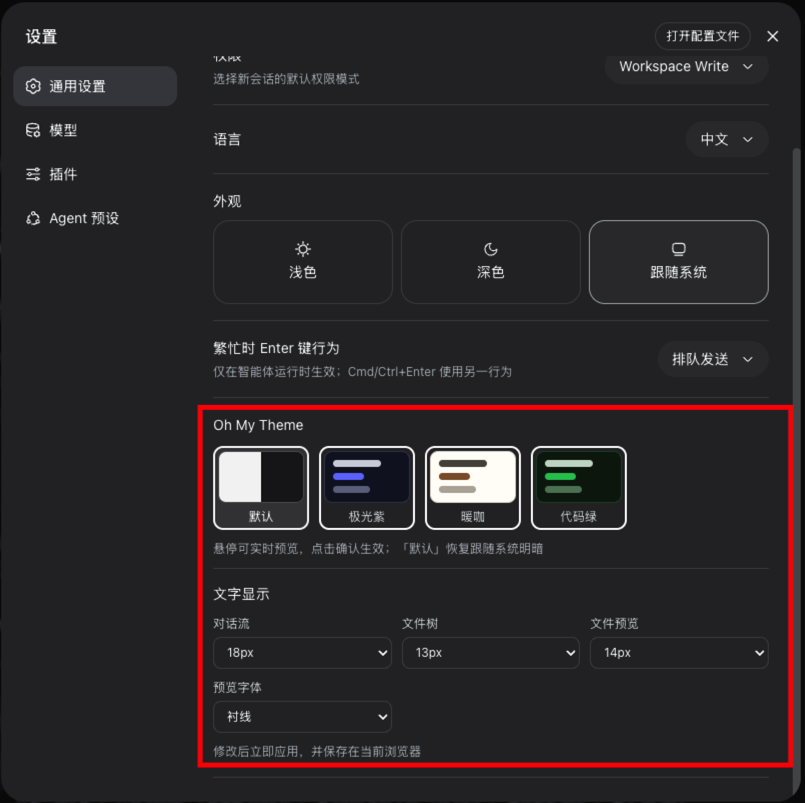 7
7No screenshots
by zhxqc
DeepSeek Harness (dsh) web plugin with themes, global typography, @file mentions, project file tree, and Markdown preview.
★ 7
↓ 180/wk
MIT
JavaScript
Aug 17, 2026
dsh plugin --profile web add dsh-oh-my-themeby chzisnull
DeepSeek Harness plugin: search files by name or content, customizable shortcuts, and in-app text editing
★ 2
↓ 603/wk
MIT
JavaScript
Oct 27, 2026
dsh plugin --profile web add dsh-file-finderby ice5kysl
dsh (DeepSeek Harness) file explorer: browse the active session's workspace and preview files (Markdown/image/PDF/text/binary) right inside the chat GUI — a standard Cordis bundle plugin (read-only /d
★ 1
↓ 1.2k/wk
MIT
JavaScript
Oct 19, 2026
dsh plugin --profile web add dsh-file-explorer-kitby mabaoguo9527
Workspace file explorer docked in the DeepSeek Harness sidebar — lazy file tree, Settings toggle, drag-to-resize. Also shipped as a single-session Cordis dynamic plugin.
★ 0
MIT
JavaScript
Sep 10, 2026
dsh plugin --profile web add dsh-plugin-file-explorer