
dsh-drawio
Manifest validA draw.io editor as a .drawio file viewer in the DSH sidebar: diagrams are ordinary workspace files (new ones default to docs/diagrams/), edits autosave, and a file changed outside the editor is refus
dsh-drawio
在 DSH Web GUI 的侧边栏里直接画 draw.io 图。


说明
- 侧边栏点开工作区里的
.drawio文件,就是一个真正的 draw.io 画布(形状面板、格式面板、连线都在)。 - 图纸就是工作区里的普通文件,能进 git、能被别的工具读写;新建默认落在
<工作区>/docs/diagrams/。 - 编辑器自托管:首次使用时下载并校验官方资源包到
~/.dsh(约 51 MB),之后完全离线。 - 改动自动保存;文件在编辑器之外被改过时会拒绝覆盖并让你选,不会静默吞掉别人的改动。
- 不给模型任何工具,这是给人用的编辑器。
安装
cd $env:USERPROFILE\.dsh
dsh plugin --profile desktop add "github:jaikensai888/dsh-drawio#v0.1.3"
然后完全退出并重启 DSH Desktop(关窗口不算),再在浏览器里 Ctrl+Shift+R。
卸载:
cd $env:USERPROFILE\.dsh
dsh plugin --profile desktop remove dsh-drawio
要求:DSH Desktop 2.0.4+、dsh-better-sidebar 0.17.1+;首次使用需要联网,之后离线可用。
想调图纸目录、编辑器地址等参数,写在 profile 的 cordis.patch.yml 里(键与默认值见 src/config.ts)。
使用
打开图纸 —— 在侧边栏文件树里点任意 .drawio,它就在编辑器标签页里打开:
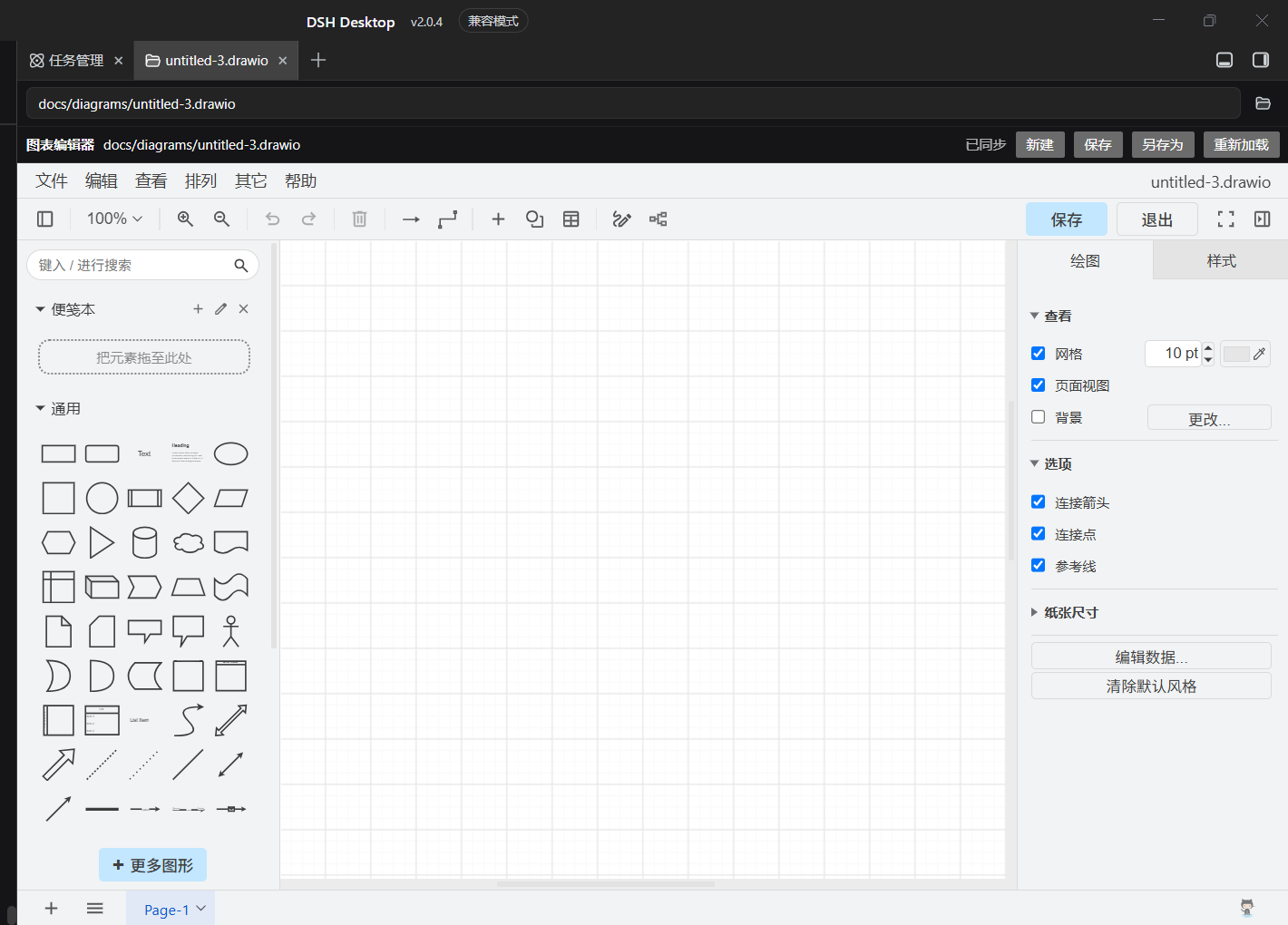
新建图纸 —— 三个入口任选:
- 左栏底部、设置上方的「画布」按钮(侧栏收起时和设置一样只剩图标; 一张图纸都没有的新工作区里,这是唯一入口);
- 编辑器工具栏的「新建」;
- 在编辑器里打开一个不存在的路径时,面板会问你要不要在该路径创建。
保存 —— 自动的。工具栏右侧显示 已同步 / 未保存 / 保存中… / 已保存 / 有冲突。
出现冲突条,说明文件被编辑器以外的东西改过;面板提供「放弃本地改动,读磁盘」和「用我的版本覆盖」,
由你决定,插件不会替你选:
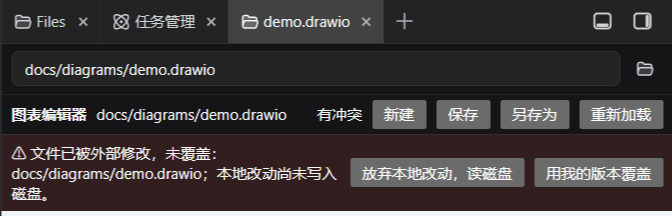
面板太窄 —— draw.io 会自己收起形状/格式面板。把编辑器标签页拖到主会话区域, 它会变成可移动、可缩放的悬浮窗口;拖回侧边栏即停靠。
许可 MIT。drawio 编辑器资源来自 jgraph/drawio(Apache-2.0),
由本插件在运行时下载到本机,不在本仓库分发。
实现细节与踩坑记录见 docs/PLAN.md 和 docs/GROUND-TRUTH.md。
Comments
Loading…
Similar plugins
DSH 右侧栏的可编辑画布 + AI 语义绘图工具(diagram_apply / diagram_read),直接读写原生 .drawio 文件
★ 0
dsh plugin --profile web add dsh-drawaiby jean3690
DSH drawio 插件:AI 驱动画图(validate/render/edit/template 工具)+ 侧栏实时 SVG 画板,内嵌 diagrams.net 官方编辑器
★ 6
↓ 272/wk
JavaScript
Sep 7, 2026
dsh plugin --profile web add dsh-drawioby SmileBuild
Publishes a project plan the agent writes: ordered steps in a panel docked to the right of the frame, and the framework graph as an auto-laid-out diagram in its own centre tab, downloadable as SVG or
★ 1
MIT
JavaScript
Aug 20, 2026
dsh plugin --profile web add dsh-planchartVS Code-style code editor: sidebar file tree over the workspace, Monaco editing, file read/write, Git status and diff, search, and Markdown preview.
★ 0
dsh plugin --profile web add dsh-editorby chendefine
DSH web plugin: open and edit .docx/.xlsx/.pptx in the better-sidebar editor through a self-hosted ONLYOFFICE Document Server (JWT-signed config, atomic save-back, live refresh on AI edits)
★ 0
MIT
TypeScript
Sep 2, 2026
dsh plugin --profile web add dsh-sidebar-onlyofficeby yishengjun8
允许显示工作区的文件树、浏览文件内容、并且允许对话中嵌入引用的文件内容、自由切换思维分支视图,目标是和VSCode相类似的开发体验
★ 3
MIT
JavaScript
Sep 11, 2026
dsh plugin --profile web add @yishengjun8/dsh-workspace-studio