
dsh-custom-fonts
Manifest validFonts and code-font settings for the UI with an English-only glyph scale (100-160%), a -4..+8 px content-size offset that actually applies, and settings kept across refreshes - a maintained fork of ls
dsh-custom-fonts
Customize the Chinese and English fonts, the code font, and the global font size of the DeepSeek Harness Web UI — right from a settings page, with a live preview.
What it does
A pure client-side plugin (no host half, no restart needed). Once installed it adds a Fonts (字体) page under Settings:
- UI font · English — used for Latin characters. (Segoe UI, Arial, Georgia, Consolas…)
- UI font · Chinese — used for Han characters. (微软雅黑 / 宋体 / 黑体 / 楷体 / 思源黑体 / 苹方…)
- English glyph scale — 100–160 % slider that enlarges Latin glyphs only (no layout change), to balance mono CJK faces that draw Han noticeably taller than Latin capitals (Maple Mono NL NF CN: ~23 %).
- Code font — a separate mono face for code blocks and inline code (
pre/code/kbd/samp). (Consolas, JetBrains Mono, Fira Code, Cascadia Code, Sarasa Mono SC…) - Content font-size offset — -4..+8 px, equivalent to temporarily shifting the app's own font-size setting; body text, headings, tables and code blocks all move together, no per-level cascade.
- Live preview — mixed Chinese/English UI sample plus a code-font sample render as you type (comma-separated font lists and free-form names are both supported).
- Persistence — fonts, scale and offset are stored in localStorage and replayed on load, so a refresh keeps them without opening the settings page.
- Reset — clears every control and removes all injected styles.
How it works
The plugin injects one global stylesheet:
:root { --dsh-custom-fonts-en: 'English'; --dsh-custom-fonts-zh: 'Chinese'; }
@font-face {                                  /* English glyph scale ≠ 100% */
  font-family: "dsh-latin-scaled";
  src: local('English'), local('English Regular');
  unicode-range: U+0000-024F, U+1E00-1EFF;    /* Latin blocks only */
  size-adjust: 120%;
}
body, body * { font-family: 'English font', 'Chinese font' !important; }
pre, code, kbd, samp { font-family: 'Code font' !important; }
body {                                        /* offset ≠ 0 only */
  --dsh-content-font-size: 17px !important;
  --dsh-content-font-delta: 3px !important;
  --dsh-content-font-size-secondary: 15px !important;
  --dsh-content-font-delta-secondary: 2px !important;
}
- The font-family fallback chain is the standard way to split fonts by script: Latin characters match the English font first, and Han characters — which the English font has no glyphs for — fall back to the Chinese font. No language detection, no DOM surgery.
- The code-font rule comes later and wins inside code regions only.
- The English glyph scale renders a Latin-only copy of the same local font through
@font-face+size-adjust; Han glyphs are untouched.unicode-rangedeliberately excludes U+2000-206F / 3000-303F / FF00-FFEF so Chinese punctuation is not enlarged, and iflocal()cannot resolve the face the @font-face simply never loads — the plain stack stays. - The size offset rewrites the app's own content-size tokens. The theme declares
--dsh-content-font-sizeand friends on<body>, and descendants only reference those variables, so overriding font-size on arbitrary elements cannot reach them; the plugin writes concrete px values on body instead. The new value is the body's original--dsh-content-font-sizeplus N, injected only while the offset is non-zero, and recomputed when the app changes the body style — so both settings can be combined.
Changes apply immediately and globally (message body, sidebar, inputs, everything).
Install
From the plugin market (Settings → Plugin Market) once the entry is published, or:
dsh plugin --profile web add dsh-custom-fonts
or directly from the repository:
dsh plugin --profile web add github:it-glen/dsh-custom-fonts
Client-only plugin: after a page refresh it is live — no restart required.
Uninstall
Remove it from Settings → Plugins → Plugin configuration (or dsh plugin --profile web remove dsh-custom-fonts), refresh the page; your fonts are reverted automatically.
License
MIT
Forked from lsh2002/dsh-custom-fonts v1.1.0; this fork adds the English glyph scale, settings persistence and the content font-size offset fix.
Versions
| Latest version | Published | Size |
|---|---|---|
| 1.1.1 | — | — |
Comments
Loading…
Similar plugins
Customize the UI's Chinese and English fonts, code font, and global font-size offset on a settings page, with a live preview and one-click reset.
★ 0
dsh plugin --profile web add dsh-custom-fonts✦
No screenshots
Customize the interface font, size, weight, color and layout from the settings page, Word-style and WYSIWYG, auto-saved. Ships two bundled open-source fonts (STIX2Text, Latin Modern Mono Light) plus a
★ 0
dsh plugin --profile web add dsh-custom-fontInterface scale setting (50% to 200%) for the DeepSeek Harness (dsh) Web UI and desktop app
★ 0
MIT
TypeScript
dsh plugin --profile web add dsh-ui-scaleby secyborg
DSH web plugin: a settings card to tune chat reading density — font size, line height, and block spacing of the conversation area (assistant markdown + user bubbles), applied live
★ 0
MIT
JavaScript
Aug 28, 2026
dsh plugin --profile web add dsh-compact-chat-ui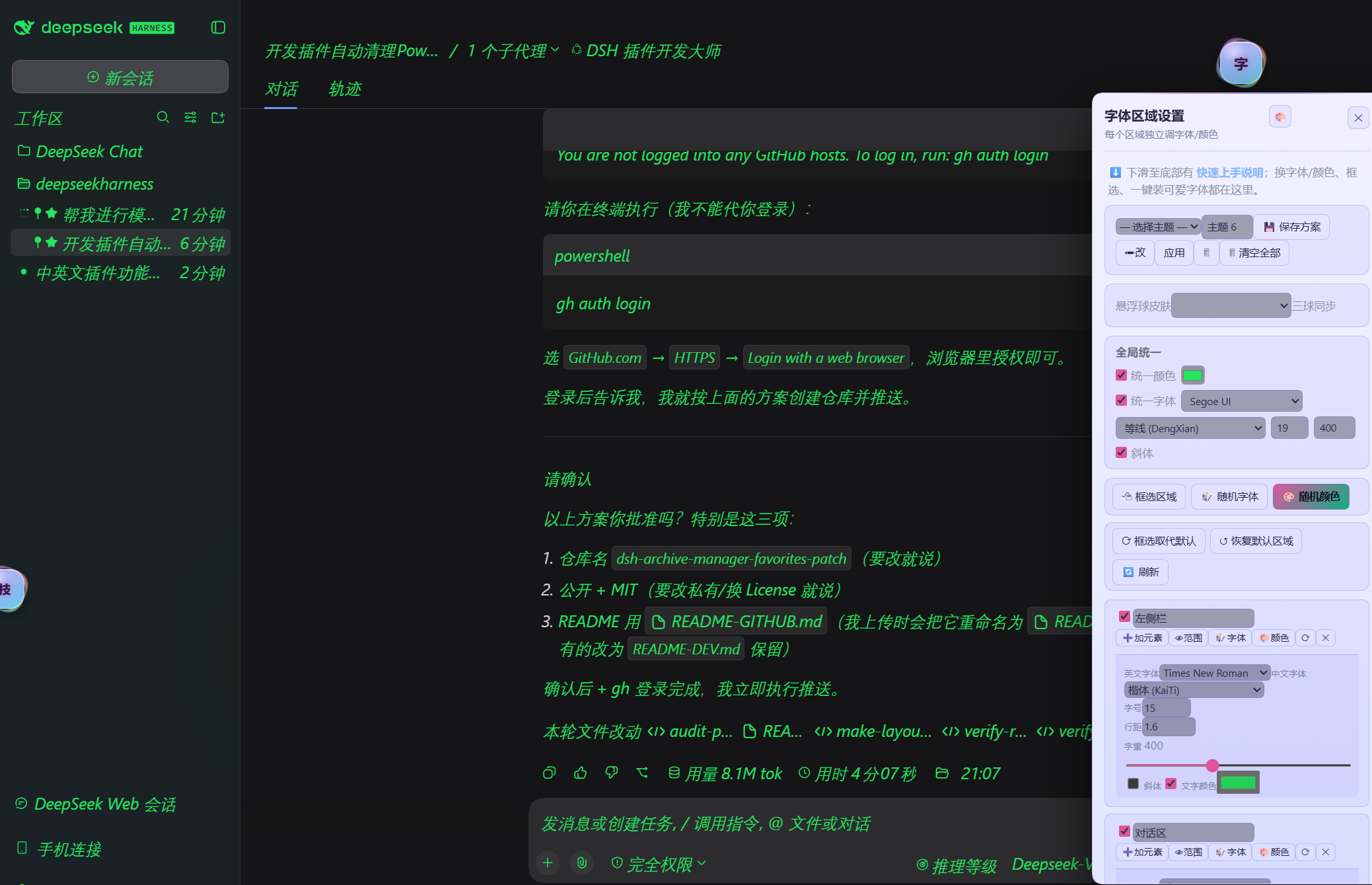
No screenshots
DIY your DSH UI fonts and colors: per-region styling, unified overrides, theme save and switch, random font and color.
★ 0
↓ 202/wk
dsh plugin --profile web add dsh-font-enhancerby AprilCrystal
Conversation font-size controls for the DeepSeek Harness Web UI: a composer-row stepper, keyboard shortcuts, and Ctrl+wheel zoom, all writing through the theme service's setFontSize
★ 0
MIT
JavaScript
Oct 11, 2026
dsh plugin --profile web add dsh-client-ui-font-scale