

dsh-split-chat
Manifest validDSH 插件:把任意会话作为完整对话开进右侧栏,主区 + 右栏可同时对话(最多 3 个)。DSH plugin: open any session as a full chat tab in the right sidebar.
dsh-split-chat
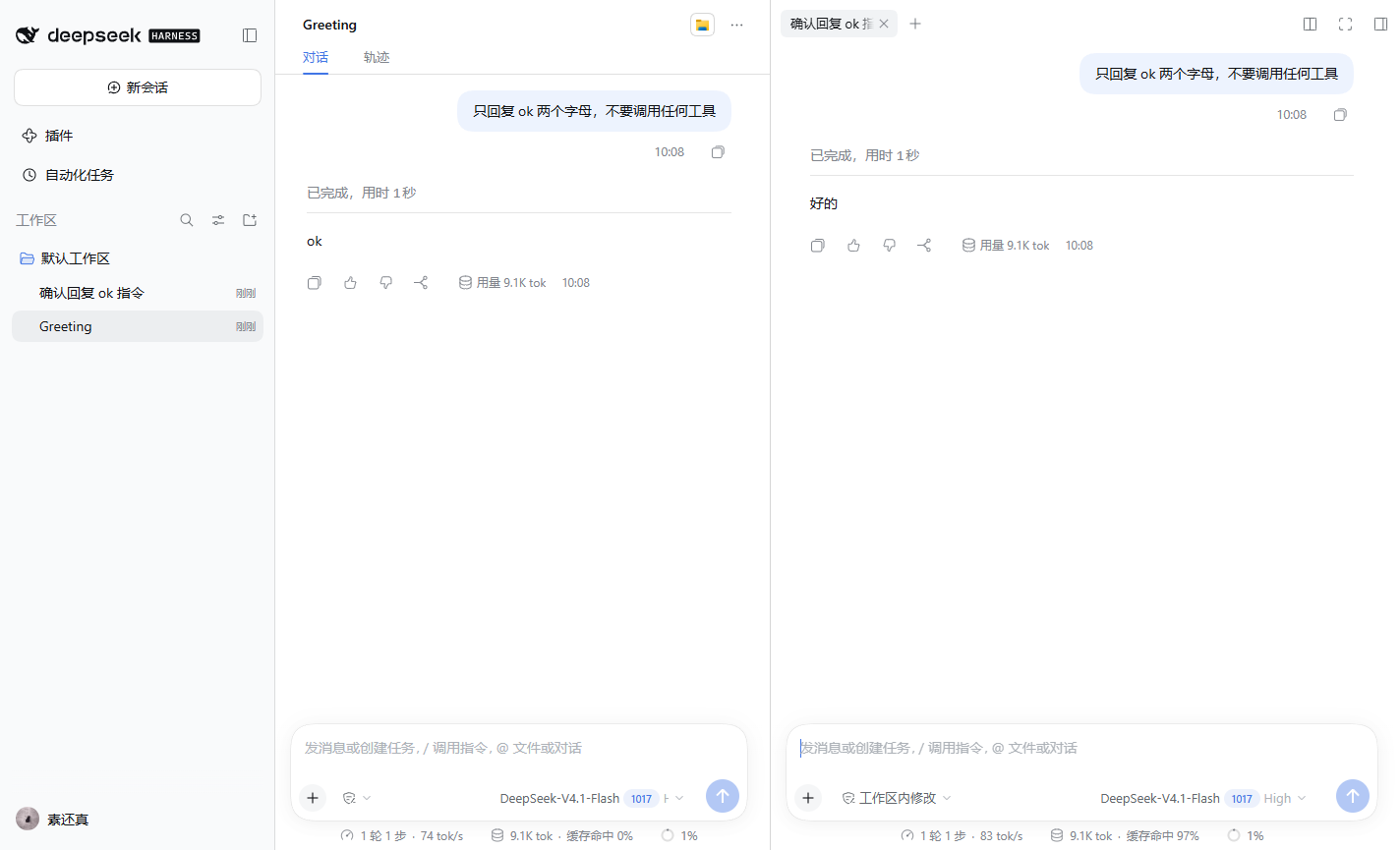
在 DeepSeek Harness(DSH)的右侧栏里打开第二个、第三个完整对话 —— 主区对话不动,两边都能输入、审批、停止。
Open any DSH session as a full chat tab in the right sidebar, while the main area keeps its own conversation. Both panes are fully interactive; a split right pane gives you up to three conversations side by side.
功能
| 场景 | 行为 |
|---|---|
会话行 ... 菜单 | 新增 「在右侧打开「会话名」」;点击后右栏自动展开,出现该会话的对话 tab |
| 会话行悬停按钮 | 同一个动作的图标按钮(⧉) |
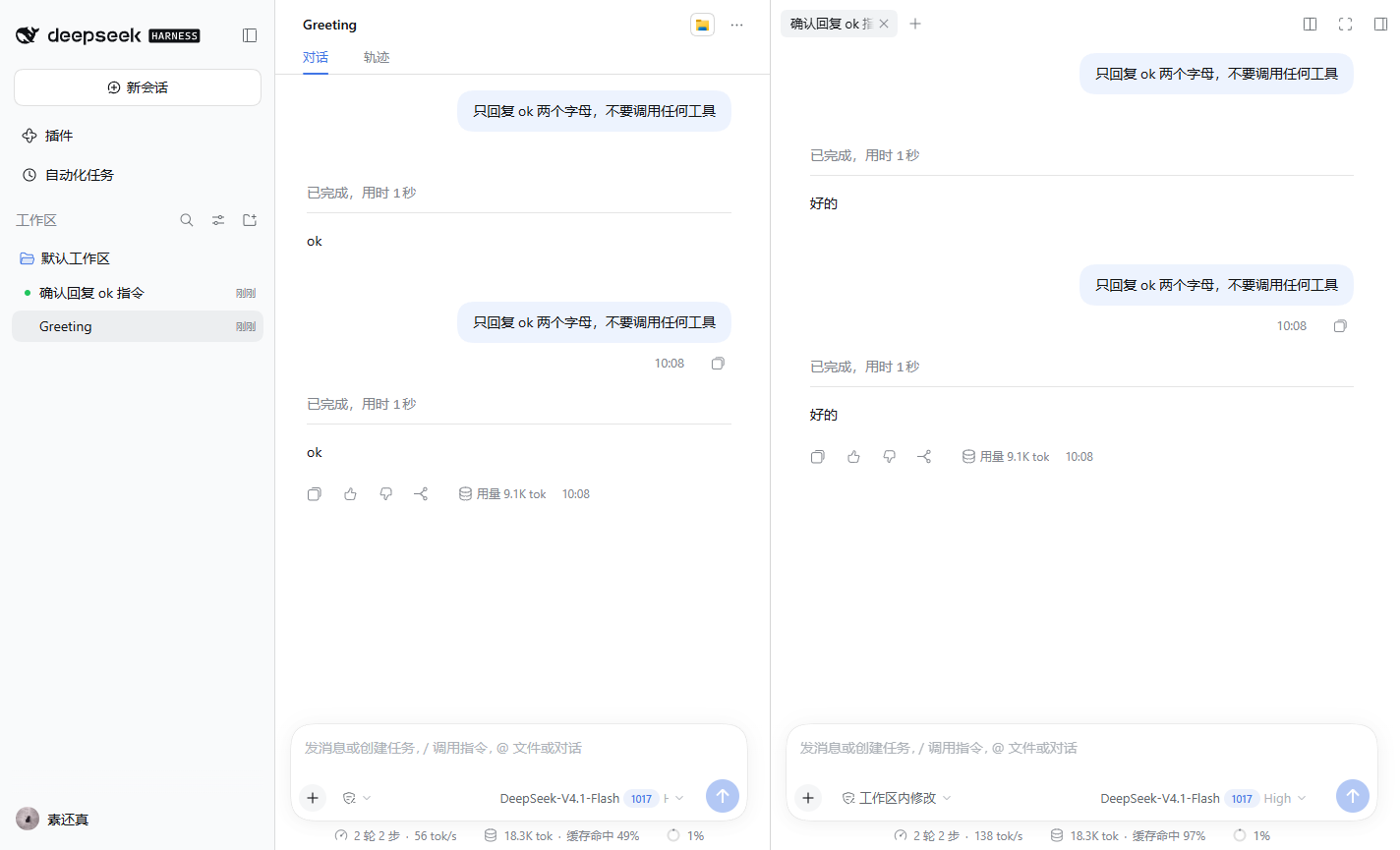
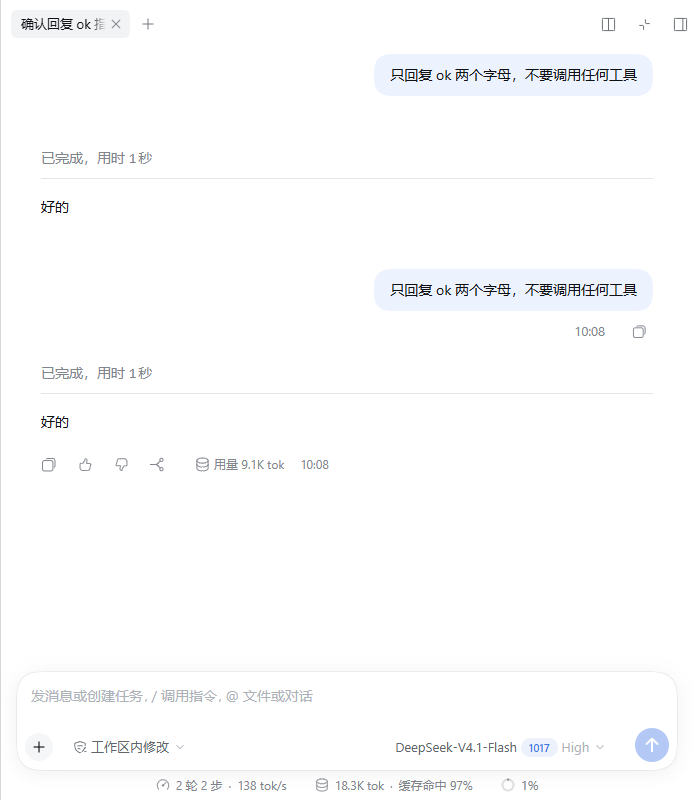
| 打开后 | 右侧 tab 里是完整对话 + 输入框,可正常发消息 / 审批 / 停止;主区对话保持不动 |
| 重复打开同一会话 | 聚焦已有 tab(框架按 contentId 去重),不会重复创建 |
| 关闭 tab / 收起右栏 | 释放该会话保留,不影响主区 |
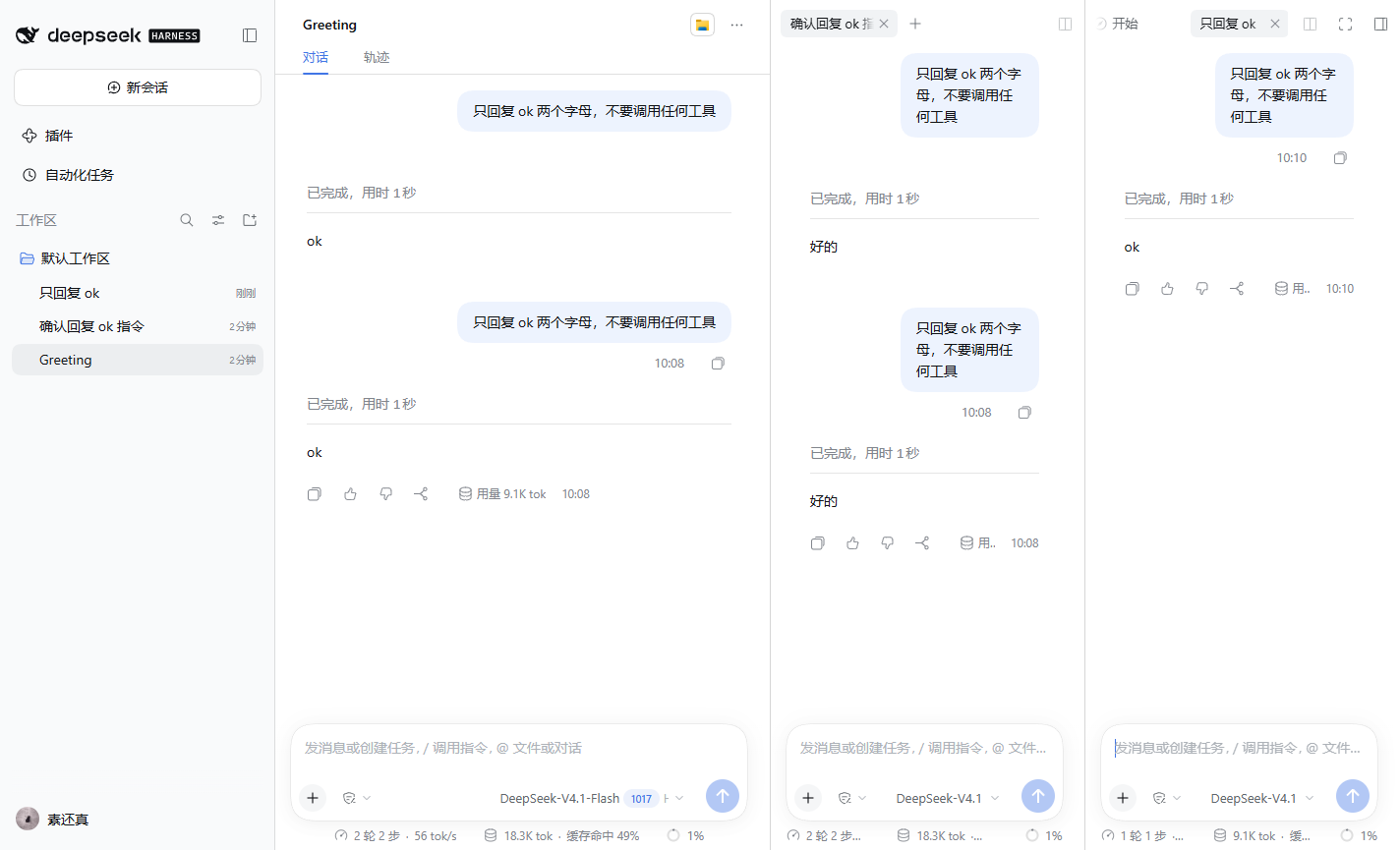
| 右栏分栏 | 右栏可再分一格 → 主区 + 右栏最多 3 个对话 |
| 主区切到别的会话 | 右栏布局按主会话保存,切回来时 tab 还在(框架现有行为) |
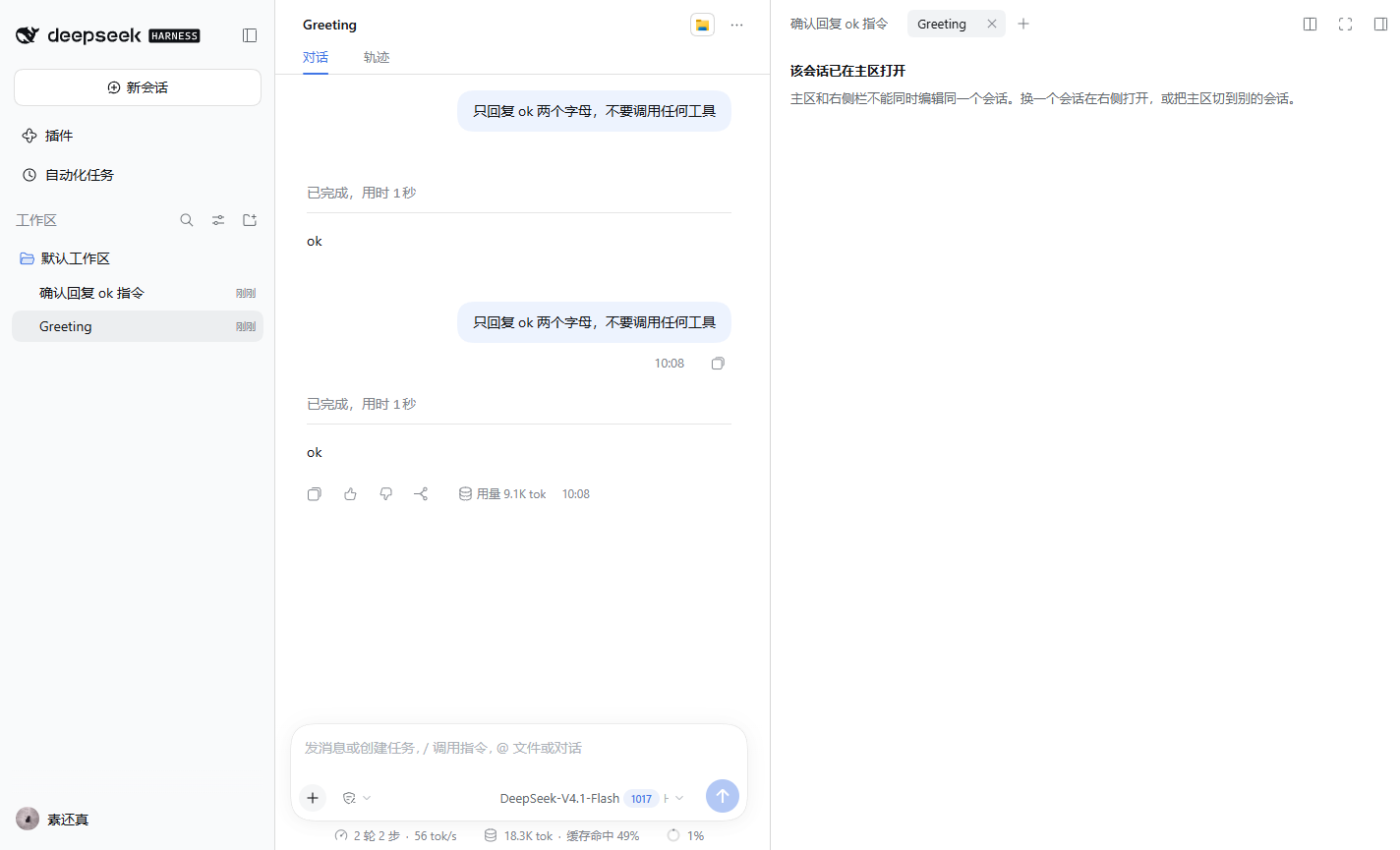
| 右侧打开的正是主区当前会话 | tab 内显示「该会话已在主区打开」,不重复挂载编辑器(会话编辑器是单 root 设计) |
截图
| 两边各自独立收发(主区 8 条 / 右栏 8 条) | 分栏 → 3 个对话 |
|---|---|
 |  |
| 同一会话已在主区 | 窄窗口自动全屏 |
|---|---|
 |  |
安装
要求:DSH 0.2.1-rc.2(desktop 与 Web 使用同一套 client 插件机制)。
方式 A:插件页 / plugin_manager
把本目录(或 clone 下来的目录)作为本地插件安装:
- GUI:设置 → 插件 → 添加插件 → 本地绝对路径
- CLI:
dsh plugin --profile <profile> add link:<本目录绝对路径>
安装器会同时写入 profile 的 dependencies 和 dsh.profile.bundles(本包声明了 dsh.bundle.patch)。
方式 B:手工
编辑 profile package.json:
{
  "dependencies": {
    "dsh-split-chat": "link:D:/path/to/dsh-split-chat"
  },
  "dsh": {
    "profile": {
      "bundles": [
        // ...末尾追加
        "dsh-split-chat"
      ]
    }
  }
}
然后在 profile 目录执行 pnpm add link:D:/path/to/dsh-split-chat,重启客户端。
实测 0.2.1-rc.2:新装的 client bundle 会经 client-modules 的 HMR 通道热生效,不重启也能用(菜单会直接出现)。若页面断线或没跟上,刷新页面;仍不行再重启。改
lib/client.js之后若页面没跟上,也刷新/重启一次。
使用
- 左侧会话行 →
...→ 「在右侧打开」(或悬停行点 ⧉)。 - 右栏出现该会话的对话 tab,正常发消息即可。
- 右栏标题栏的
+/ 分栏按钮可以再开一格;×关闭 tab。 - 想换一个会话?关掉 tab,或直接把主区切到别的会话(右栏布局随主会话保存)。
⚠️ 会话行必须有至少一条消息(非 blank)才会显示
...菜单和悬停按钮 —— 这是 DSH 本身对 blank 会话的规则,不是插件的问题。新会话先发一句话即可。
工作原理
会话行 ... / 悬停 ⧉
  → ctx.sidebarRight.openResource('dsh-resource://splitchat/session/<id>', { kind: 'splitchat' })
  → 右栏按 kind 找到本插件注册的 tab 类型
  → tab body(sidebar.right.pane.tab, key = 类型 id)读取资源地址
  → splitchat 资源 provider:ctx.sessions.retain(id, { source: 'splitChat', signal })
  → SessionProvider(reference) 渲染 splitchat.conversation
  → renderFactorySlot('conversation.content', { variant: 'embedded', phase, hero },
                       { slots: { views: FixedChatView } })
  → 共享对话正文 + Composer(走该会话自己的 Session Controller)
注册清单(全部在 lib/client.js 的 apply()):
| 注册点 | 内容 |
|---|---|
ctx.resources.register | splitchat 资源协议(dsh-resource://splitchat/session/<id>) |
ctx.sidebarRightTabs.register | tab 类型:id dsh-split-chat、kind splitchat、patterns、priority: 'extension'、canOpen / title |
sidebar.right.pane.tab | tab 正文(key = 类型 id),声明子 slot splitchat.conversation |
sidebar.right.pane.tab.title | tab 标题(实时跟随会话标题) |
splitchat.conversation | 嵌入对话;主区同时保留该会话时显示「已在主区打开」提示 |
sidebar.workspaces.session.menu.item | ... 菜单行,order 250 |
sidebar.workspaces.session.row.action | 会话行悬停按钮,order 150 |
会话保留用 ctx.sessions.retain(id, { source: 'splitChat', signal }):tab 存活期间持有,关闭 tab(资源流 abort)时在 finally 里 release()。重复会话检测读 retainedBy.mainView(useSessionRetainInfo)。
目录结构
dsh-split-chat/
├── package.json          # dsh.bundle.patch + dsh.client(platform web, entry ./client)
├── cordis.patch.yml      # bundle patch:把自己作为插件行插入 Host
├── lib/
│   ├── index.js          # Host 半区:空插件(只为让 bundle 被加载、client 半区被服务)
│   └── client.js         # 浏览器半区:资源协议 / tab 类型 / tab body / 嵌入对话 / 入口 / 文案 / CSS
├── docs/                 # 截图
└── README.md
无构建链:lib/client.js 是手写 client-module bundle(window.__ModuleLoader__.load(...))。
兼容性 & 已知限制
- 依赖 DSH 内部公共接口(
sidebarRight/sidebarRightTabs/sessions.retain/ slot 体系)。已在0.2.1-rc.2上逐条核对并验收;0.2.2+ 升级后需要回归,改动点集中在lib/client.js的 5 处注册与 2 个 slot 组件。 - hero 页(没有选中会话)没有 dock 面:
openResource会抛错,本插件回退为在主区打开该会话(v1 接受该行为)。 - 同一会话不能同时主区 + 右栏编辑(显示提示);右栏布局按主会话保存。
- 右栏宽度上限:初始 45%、最大 70%、主区保底 400px;窗口 < 768px 时右栏自动全屏(覆盖而非并排)。
- 会话被归档/删除后资源打开失败:tab 显示「无法打开该会话」,关掉即可。
- 不做「在右栏新建会话」(v2)。
- 无 Host 逻辑、无数据库变更、无模型/token 成本。
License
Comments
Loading…
Similar plugins
by 2031814001yuyue-tech
DSH Side Chat — 并行侧边对话插件:真实并行 agent 会话、独立上下文、摘要带回主对话。
★ 3
↓ 46/wk
MIT
JavaScript
Aug 15, 2026
dsh plugin --profile web add dsh-side-chatby 123dbl
DSH side-chat (旁会话) plugin: launch a fresh continuable parallel session from the conversation header while the main session keeps running.
★ 0
MIT
TypeScript
Sep 3, 2026
dsh plugin --profile web add dsh-side-sessionby Starlight-bananice
DSH 侧边栏助手插件(dsh-zhushou):在侧边栏管理/选择助手,选中后在 DSH 会话内直接以助手人设对话;不选则保持原生会话。
★ 0
MIT
TypeScript
Aug 25, 2026
dsh plugin --profile web add @bananiceee/dsh-zhushouby SpookySandwich
DSH 免工作区插件:不选工作区也能直接开始对话,独立会话在侧边栏平铺显示,原生工作区界面保持不变。Start chatting without picking a workspace; standalone conversations list flat in the sidebar.
★ 5
↓ 245/wk
MIT
JavaScript
Oct 5, 2026
dsh plugin --profile web add dsh-plugin-no-workspaceby xiaozhiaixue
为DSH引入好用的侧边栏对话。但现在它似乎还无法有效读取主会话内容。
★ 0
MIT
TypeScript
Aug 31, 2026
dsh plugin --profile web add dsh-sidechatby hellodigua
DSH 对话分享插件,分享单轮或多轮对话,可导出为图片或 Markdown。Share DSH Q&As or selected conversation groups as PNG or Markdown.
★ 37
MIT
JavaScript
Oct 10, 2026
dsh plugin --profile web add dsh-share