

dsh-futuristic-themes
DiscoveredThree cinematic sci-fi themes for DeepSeek Harness Desktop — Nostromo Amber, Omni-tool and Renaissance Steel — as one installable plugin. Full token palettes, monospace UI, optional CRT/HUD/steel effe
Futuristic themes for DeepSeek Harness Desktop
Three cinematic sci-fi themes for DeepSeek Harness, built from the three original design
briefs and the concept rendering in docs/design-briefs/, and delivered
as one installable plugin for DeepSeek Harness Desktop.



| Nostromo Amber | Omni-tool | Renaissance Steel |
|---|---|---|
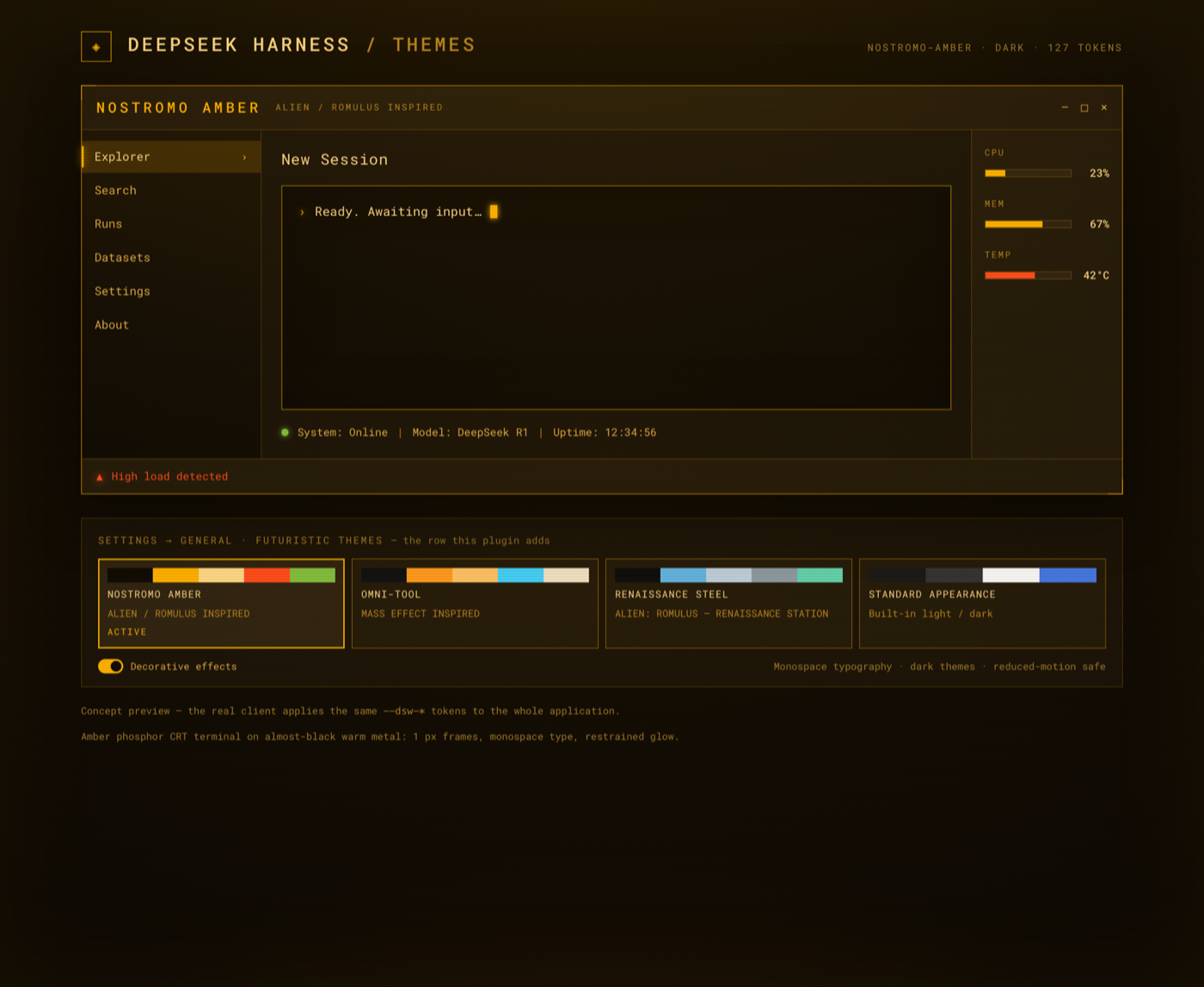 | 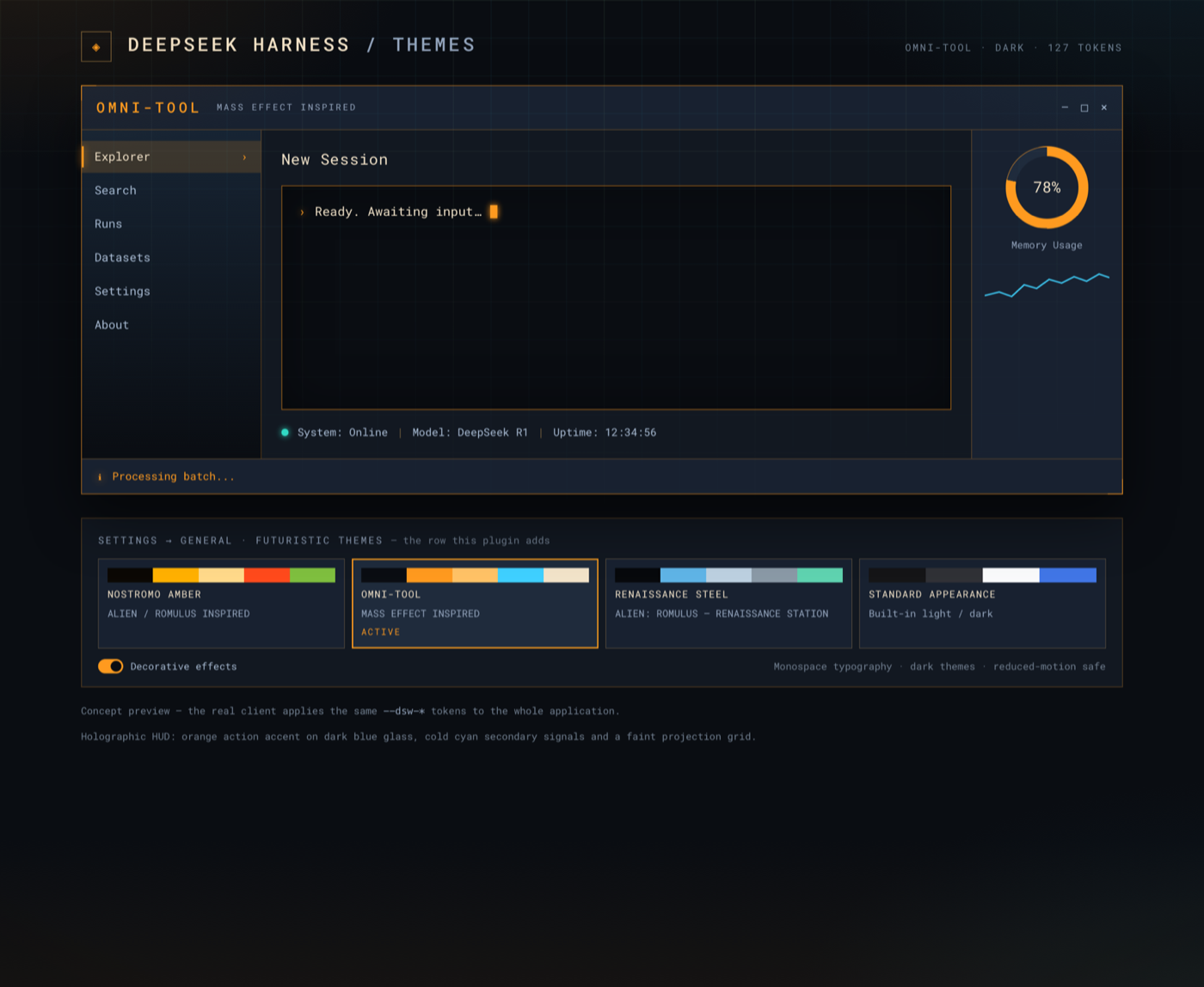 | 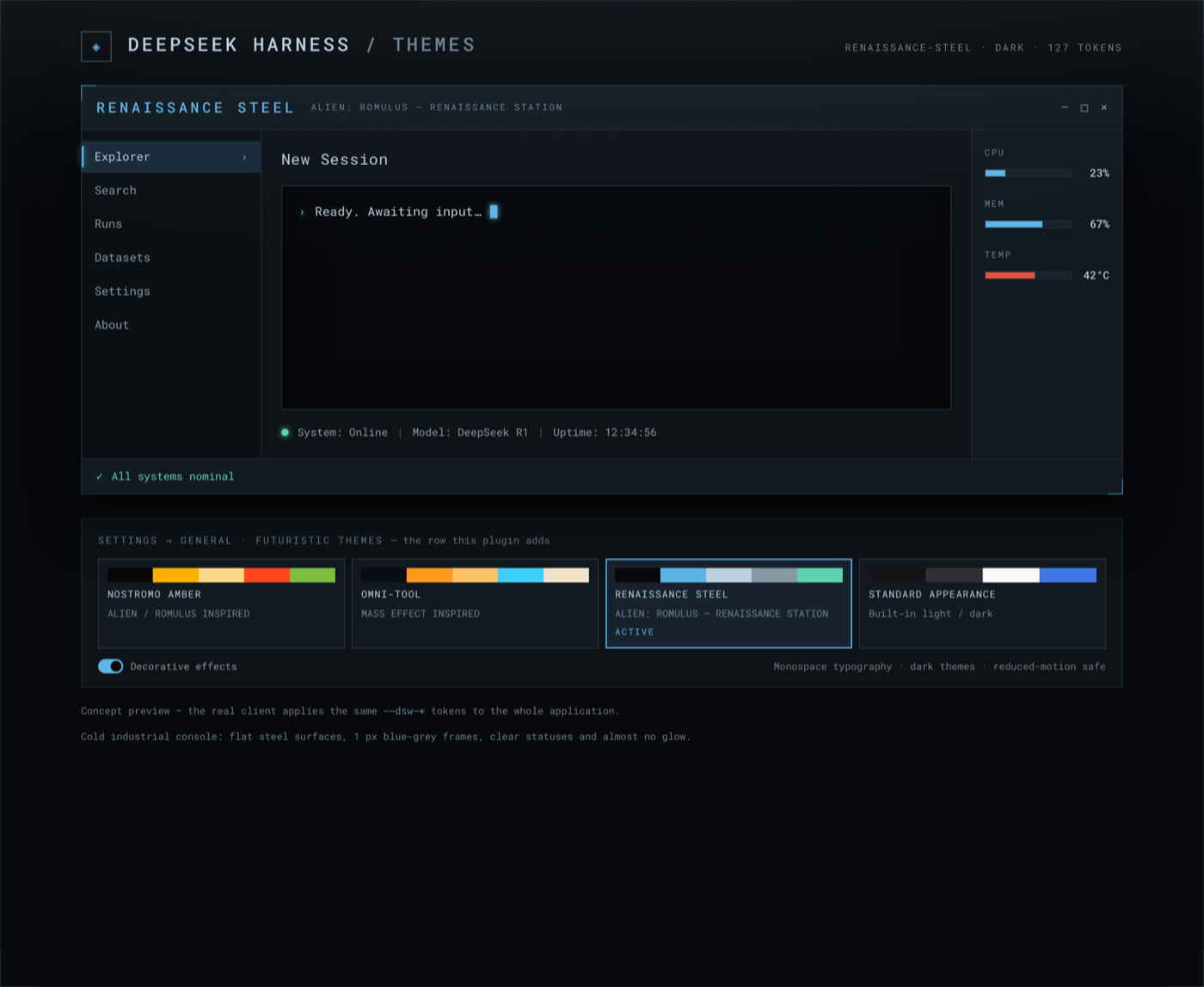 |
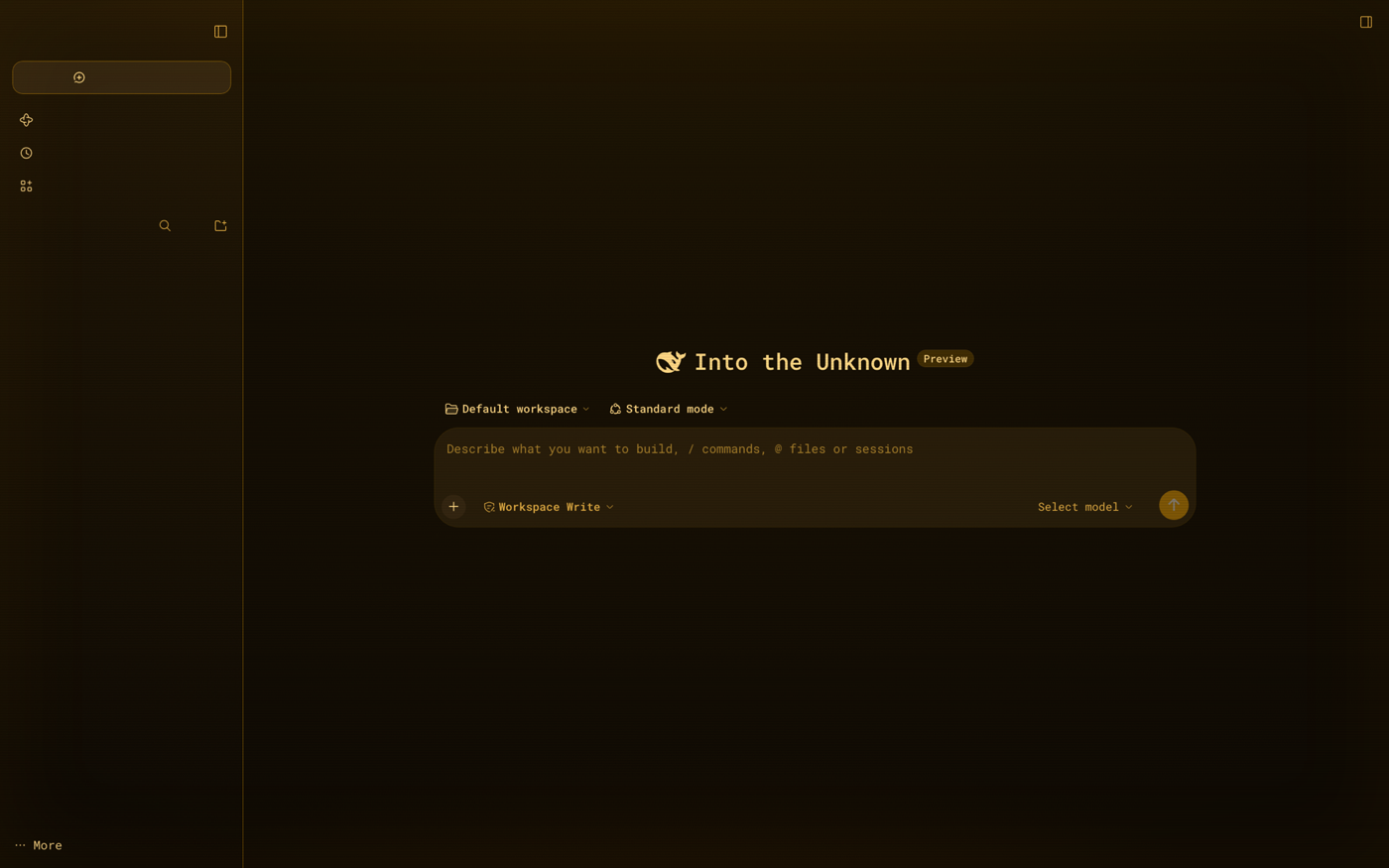
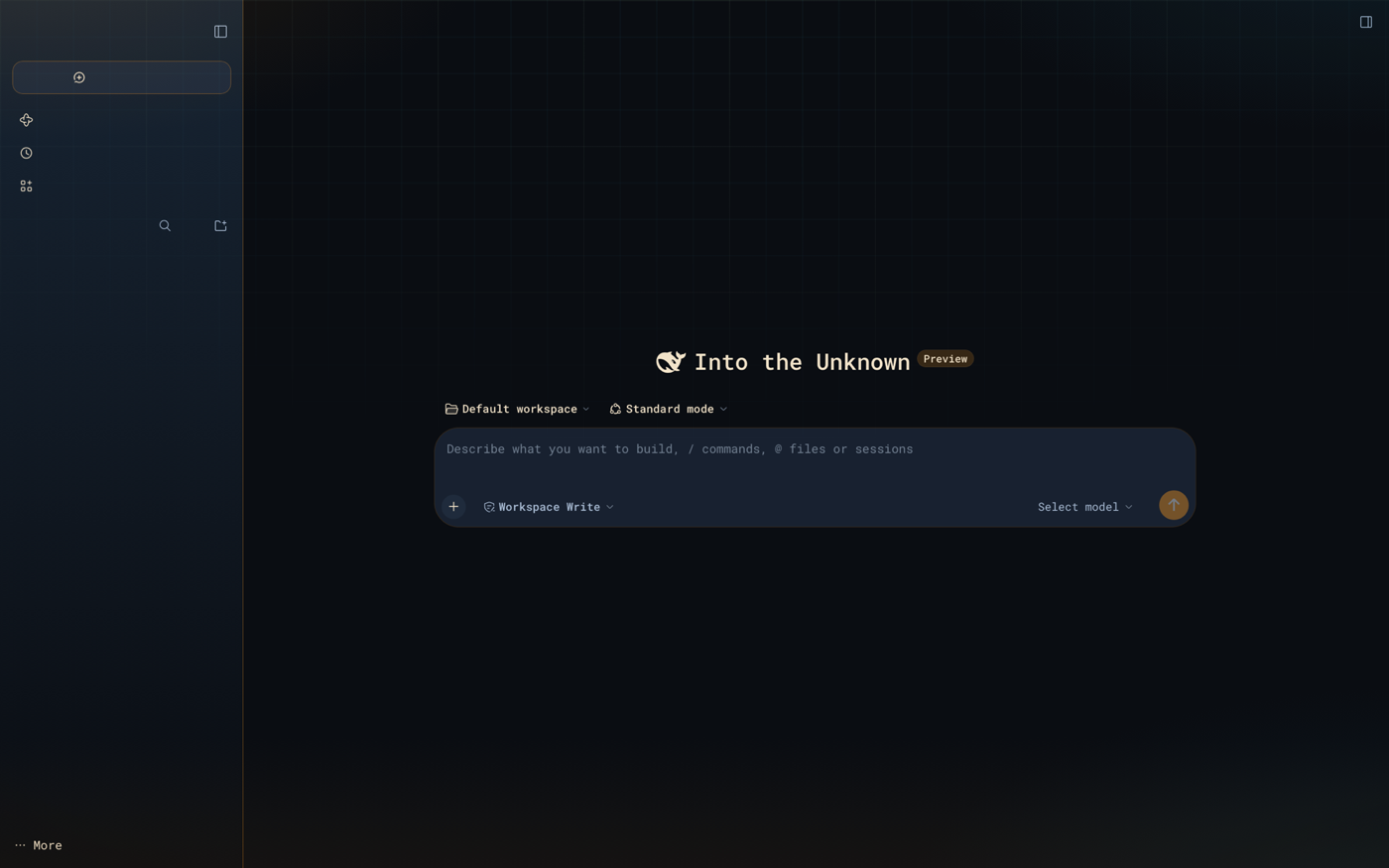
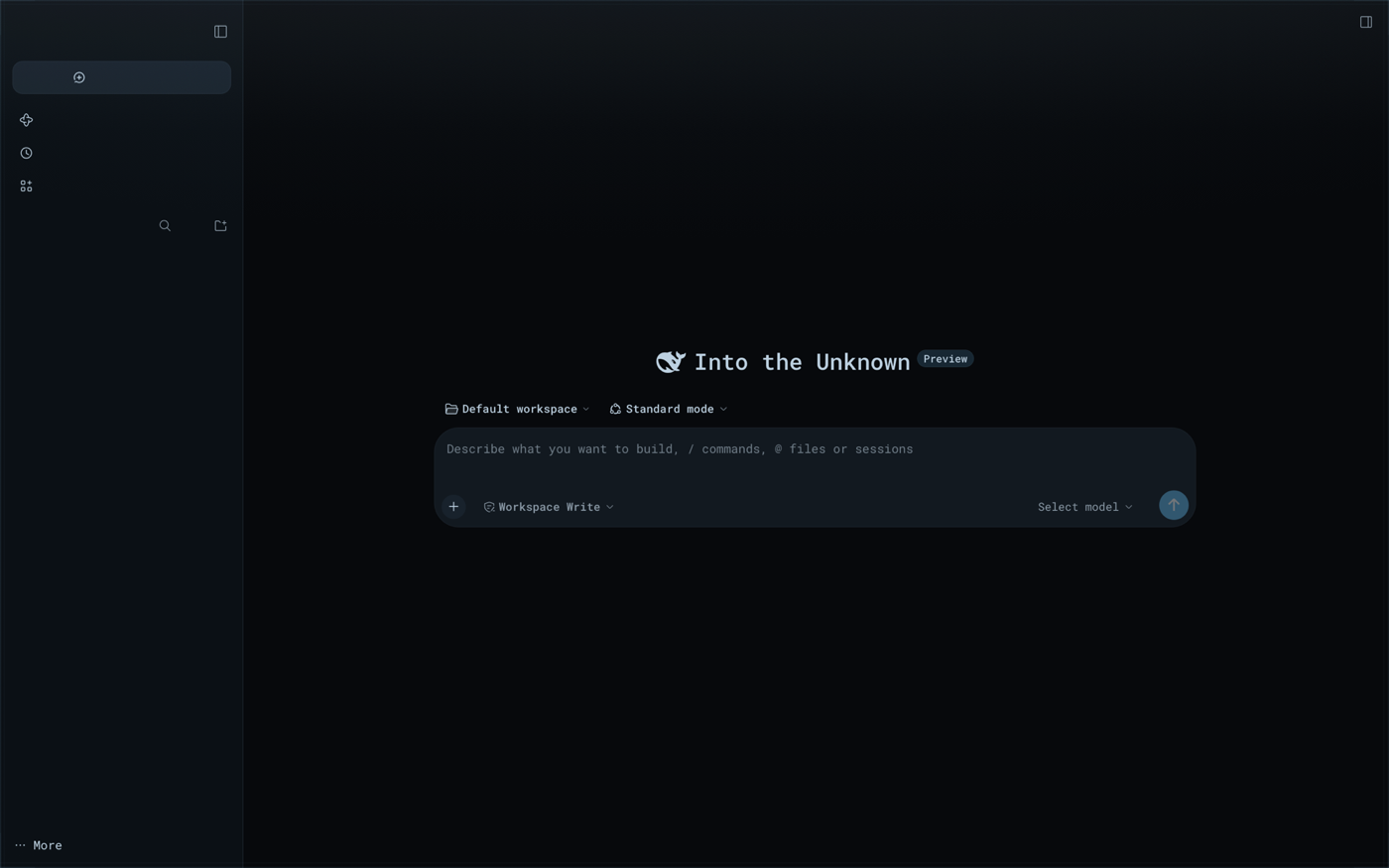
Settings → General → Futuristic themes — the row the plugin adds (shown with Nostromo Amber
active), and the same theme applied to the real app:
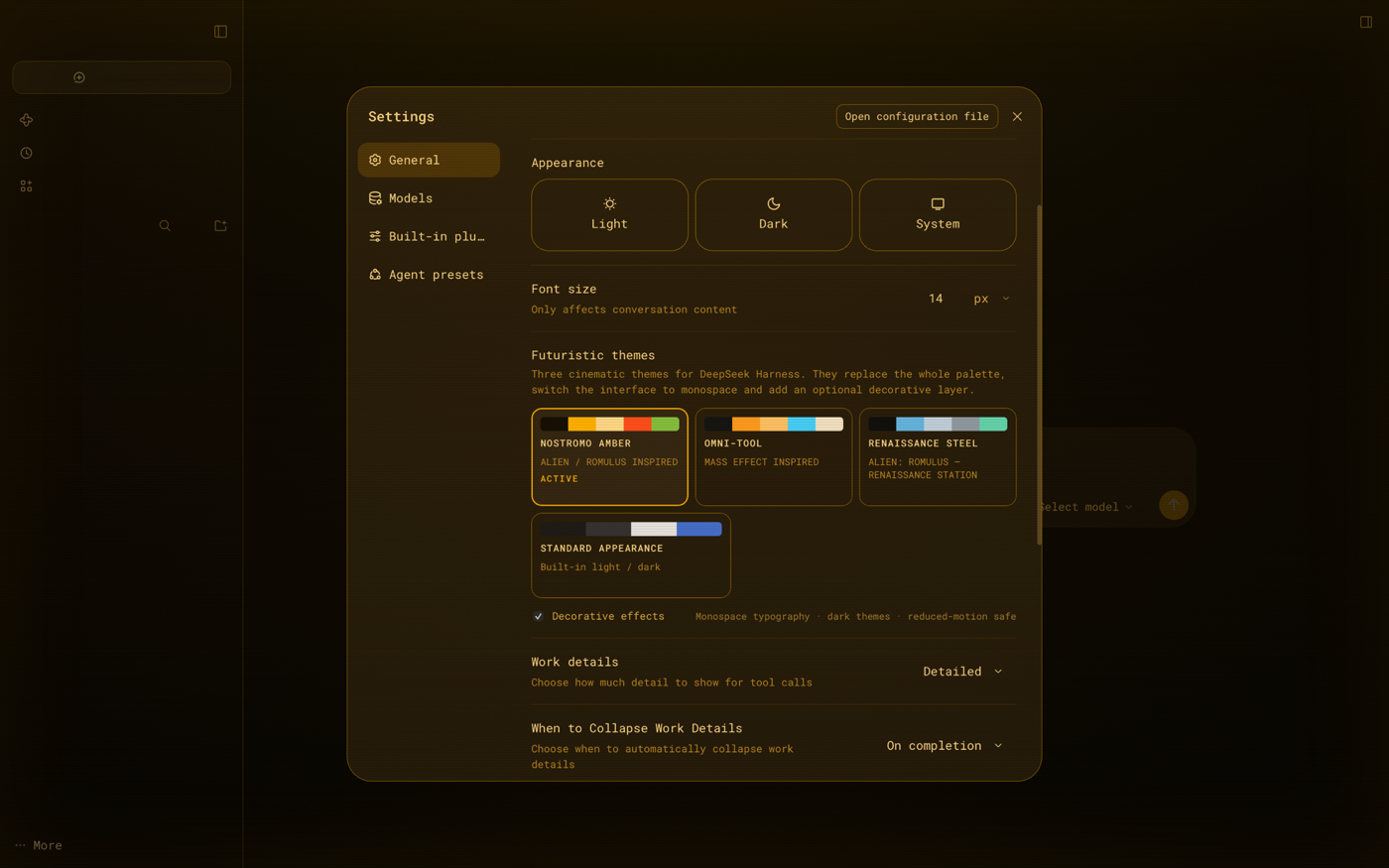
 |  |
 |
What is here
| Path | What it is |
|---|---|
dsh-futuristic-themes/ | the plugin: three registered themes, one Appearance row, optional decorative layer |
docs/THEME-CONTRACT.md | authoring contract: palette roles, token derivation, effects rules, preview loop |
docs/INSTALL.md | Desktop install (plugin manager or manual profile edit) and rollback |
docs/qa/ | independent audit harness output + end-to-end verification report and screenshots |
tools/ | WKWebView screenshot harness, independent theme audit, Desktop installer |
docs/design-briefs/ | the original design briefs for each theme (Russian, verbatim) + the concept rendering, with English digests |
The three themes
Nostromo Amber — retro CRT terminal
Original brief: docs/design-briefs/Nostromo-Amber.md
Almost-black warm metal (#0B0804), amber phosphor (#FFB000 accents, #FFD98A text),
1 px amber bezels, monospace type, restrained CRT layer (fine scanlines, phosphor halo, heavy
vignette). Hot #FF4A1C warnings and #7FBF3F OK states. No glow on long-form text; long
sessions stay readable.
Omni-tool — holographic HUD
Original brief: docs/design-briefs/Omni-tool.md
Dark blue glass (#0A0D12, four glass surface steps), orange action accent (#FF9A1F),
cold cyan secondary signals (#3FD0FF reserved for informational states), warm #F2E3C9
text, thin warm frames. Decorative layer: top-fading cyan/warm projection grid + corner glows.
Orange commands actions; cyan never competes with it.
Renaissance Steel — cold industrial console
Original brief: docs/design-briefs/Renaissance-Steel.md
Flat steel surfaces (#07090C / #0E1318), 1 px blue-grey frames (#26323D), #5FB4E6
accent, #BCD0E0 text, #5FD3B0 success, #E2553F warning. Almost no glow: a faint overhead
light, a hairline steel bezel and a soft corner vignette — the calmest theme of the three.
All three replace the complete semantic --dsw-* token set (127 tokens each) and switch the
interface to a monospace stack; the decorative layer can be disabled in one click and respects
prefers-reduced-motion. They are dark-only by design.
How it works
- The plugin registers three theme definitions through the host's official third-party theme
extension point (
ctx.theme.register) and contributes onesettings.general.itemrow. - A compact palette (15 roles + optional per-token overrides) is expanded by
scripts/lib/derive.mjsinto the full token set, so every theme is complete by construction; the build fails on missing required tokens and warns on contrast regressions. ui-theme.preferenceonly acceptslight|dark|system, so a theme id is never written there (that would crash the next boot withtheme registry lost). The selected theme lives inlocalStorageand is re-applied after the host settings document loads; the durable preference staysdark, which also makes the first paint already dark.- Choosing the host's built-in Light/Dark/System appearance exits the theme deliberately and does not resurrect it on reload.
- Nothing host-side is registered: no services, routes, tools or settings namespaces. The
browser half imports only
react+ the host services it declares. Decorations are a single pointer-events-transparent overlay.
Verification
- Static audit (
tools/audit-themes.mjs, independent of the build): 159/159 checks PASS, 0 failures, 0 warnings — package shape, theme completeness, 127-token derivation per theme, full WCAG contrast matrix, effects-CSS discipline, built-bundle truth. - End-to-end verification on a live
dsh webinstance (docs/qa/verification-report.md): 8/8 items PASS — all three themes via the row and via persisted reload, live body tokens byte-identical to the derived sets (127/127 × 3), persistence with no palette flash, clean exit path, effects switch (pixel-diff confined to the overlay), menus/composer/settings regressions clean, live contrast body 12.6–15.4:1 and composer 11.2–13.1:1. - Two LOW defects found by the verifier (boot-restore grace race when choosing a built-in
appearance within ~5 s of a reload; missing explicit
:focus-visiblering on the row controls) are fixed and re-verified; details and evidence (28 screenshots, 57 reproducible step scripts) are indocs/qa/.
Install / use
The canonical source is this GitHub repository — the installable package is the
dsh-futuristic-themes/ folder, and the Desktop profile installs it
straight from GitHub (pinned per commit):
git clone https://github.com/ihodorchenko/dsh-futuristic-themes.git
cd dsh-futuristic-themes
tools/install-desktop.sh              # install into the Desktop profile
tools/install-desktop.sh --update     # update to the latest GitHub commit
tools/install-desktop.sh --local      # development: link the working copy instead
Then open Settings → General → Futuristic themes. In-app plugin manager, dsh web
installs, the manual profile edit and rollback are documented in
docs/INSTALL.md.
Develop
NODE="$HOME/.dsh/dsh-runtimes/dsh-primary-runtime/dependencies/node/bin/node"
cd dsh-futuristic-themes
$NODE scripts/build.mjs          # derive tokens from src/themes/*.json → lib/client.js
$NODE scripts/build.mjs --check  # validate only
$NODE scripts/preview.mjs        # build/preview.html + one mock per theme
$NODE ../tools/audit-themes.mjs  # independent 159-check audit
lib/client.js is committed (no build step on the user's machine); the source template and
per-theme data are in src/.
Compatibility
DeepSeek Harness Desktop 0.2.1-rc.5 and the matching dsh web; requires the host theme
extension point (@deepseek-ai/dsh-client-ui-theme) and the settings.general.item slot.
Tested in this environment only.
License
MIT © 2026 Ihar Khadorchanka.
The original design briefs in docs/design-briefs/ and the concept
rendering are part of this repository and covered by the same license.
Comments
Loading…