

dsh-tianshu-tui
Manifest valid★ 295Official DeepSeek Harness interactive terminal UI plugin: custom-built ANSI minimalist interactive rendering, streaming Markdown/tool cards, 16+ themes, slash commands and selectors, input history and local preference persistence, LSP diagnostics, memory — an incredibly smooth development experience.
dsh-tianshu-tui — DeepSeek Harness coding terminal




Chinese | English
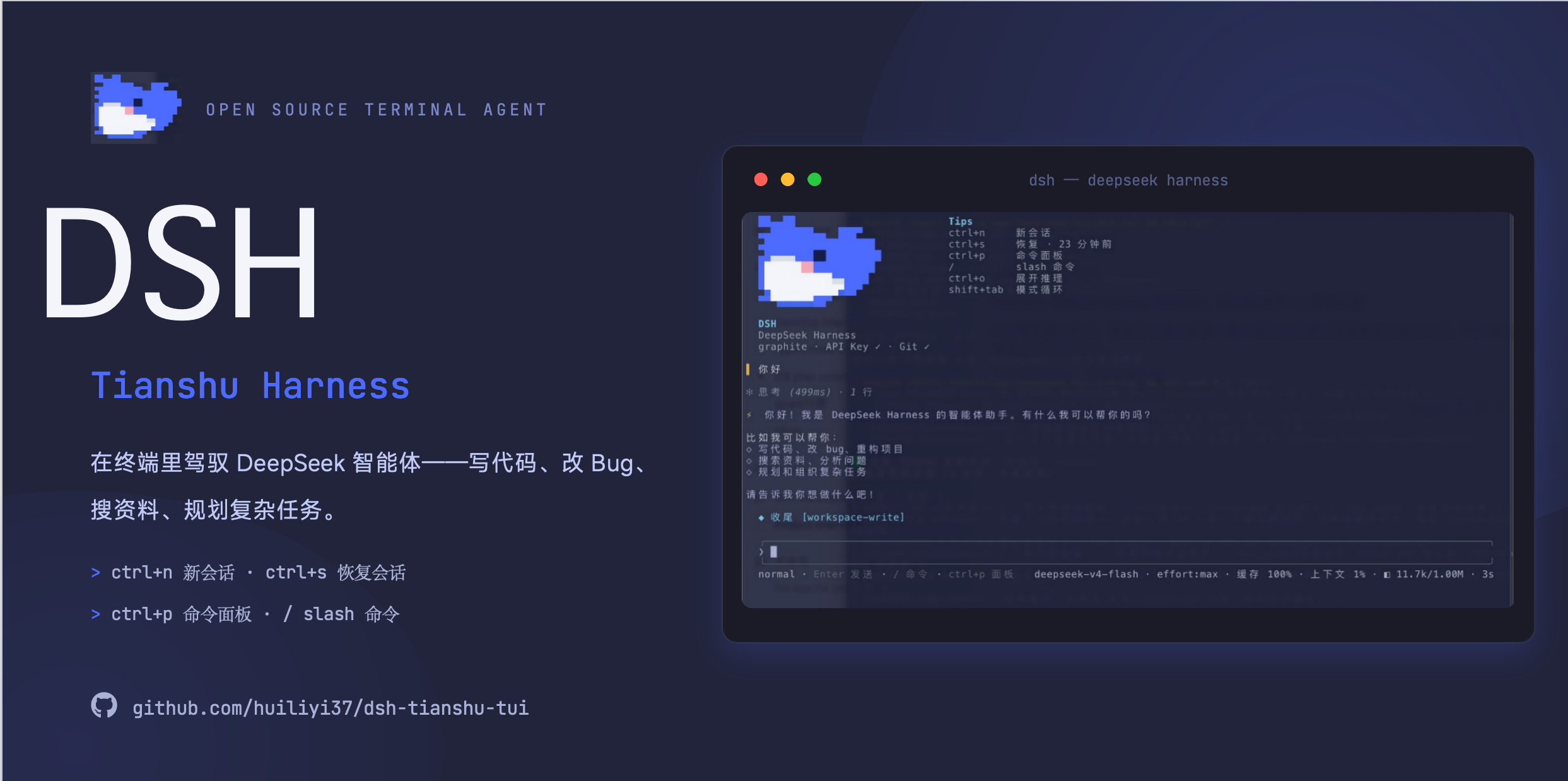
dsh-tianshu-tui is an interactive terminal TUI panel plugin for the official [DeepSeek Harness]. The rendering core is a self-developed, minimalist ANSI engine, delivering a lightweight, ultra-smooth rendering experience. (Evolved from the author's [Tianshu-harness] https://github.com/huiliyi37/Tianshu-harness. The UI is a pure presentation layer: all agent state comes from the session event stream — streaming Markdown / tool cards, 16+ themes, slash commands and pickers, input history with local preference persistence, and LSP diagnostics. On top of that, engineering-layer enhancements were made, such as image & vision bridging, intelligent code retrieval, memory & cross-session recall, etc.)
Docs
| Doc | Description |
|---|---|
| Getting started | Installation, launch and FAQ |
| Interaction manual | Full table of shortcuts and commands |
| Configuration | Assembly options, environment variables and runtime configuration |
| Architecture | Layering, data flow and design decisions |
| Themes | 16 built-in themes and customization |
| Plugin ecosystem | Companion plugins and extension points |
| VS Code | Using in VS Code |
| ADAPTER.md | TUI ↔ harness boundary contract |
| Contributing guide | PR conventions and validation matrix |
| Development notes | Structure, build and release |
Installation
This package is not a standalone program. You must first have the official CLI @deepseek-ai/dsh (npm latest, currently 0.1.5-rc.1; requires ≥ 0.1.5-rc.1, peer dependency aligned). Just npm i this package alone and it will not run.
One-click install (recommended): The repo ships a cross-platform script that auto-detects Node/pnpm and, via pnpm, installs the official CLI + assembles this plugin and launches it (for China networks, defaults to the npmmirror registry):
# macOS / Linux(bash)
bash <(curl -fsSL https://raw.githubusercontent.com/huiliyi37/dsh-tianshu-tui/main/scripts/install-tui.sh)
# 只安装不启动:
bash <(curl -fsSL https://raw.githubusercontent.com/huiliyi37/dsh-tianshu-tui/main/scripts/install-tui.sh) --no-launch

# Windows(PowerShell)
powershell -ExecutionPolicy Bypass -Command "irm https://raw.githubusercontent.com/huiliyi37/dsh-tianshu-tui/main/scripts/install-tui.ps1 | iex"
# 只安装不启动:
powershell -ExecutionPolicy Bypass -File scripts\install-tui.ps1 -NoLaunch   # 克隆仓库后本地跑
1. Prepare your environment
- Node.js
^22.19 || >=24 pnpm(dsh pluginforwards to it; if you don't have it,corepack enableis enough — Node ships with corepack)
⚠ npm 11 OOM gotcha: the official CLI
@deepseek-ai/dshhas a large dependency tree (60+ sub-packages); npm 11 (bundled with Node 24) will hit a JavaScript heap out of memory on install (hangs for several minutes then OOMs, reproducible in practice). Use pnpm instead (commands below). If you were usingnpx -y @deepseek-ai/dshand it hangs / reports a heap OOM, just switch to pnpm.
Do not type dsh directly. If an old dsh already exists on PATH (e.g. ~/.local/bin/dsh, where dsh --version is below 0.1.0-rc.8), it will fall back to the local staging dir and produce ERR_FS_EISDIR / Path is a directory .../@deepseek-ai/dsh. Always use the pnpm dlx command below.
2. Install this plugin into the tui profile
pnpm dlx @deepseek-ai/dsh plugin --profile tui add @huiliyi37/dsh-tianshu-tui
pnpm may warn about missing peers — you can ignore it: the peer is provided by the official dsh host, so there's no need to install it separately. Without pnpm, you can also run npx -y pnpm dlx @deepseek-ai/dsh plugin --profile tui add @huiliyi37/dsh-tianshu-tui.
After installing from npm, each launch checks against npm latest: if a new version exists, it's written into the profile and a restart is prompted to take effect. You can also run /update in the TUI to manually check (check-only, no install; it prints the update command). To skip the online check, set DSH_TUI_SKIP_UPDATE=1. github: / link: installs are not rewritten to npm packages.
You can also install from Git: pnpm dlx @deepseek-ai/dsh plugin --profile tui add github:huiliyi37/dsh-tianshu-tui (the repo already contains lib/index.js, no need to build).
3. Launch
pnpm dlx @deepseek-ai/dsh --profile tui
Seeing the welcome page with the dsh-tianshu-tui brand means success. Ctrl+Q or /exit to quit.
If the official CLI is installed globally (pnpm add -g @deepseek-ai/dsh) and dsh --version is not lower than 0.1.0-rc.8, you can simply replace the pnpm dlx @deepseek-ai/dsh above with dsh.
4. Agent presets (/preset)
The command is /preset (not /presets). This package's bundle targets the official web version: it turns off the host's agent faces and mounts @deepseek-ai/dsh-agent-presets (dependency pinned to 0.1.5-rc.1; npm latest is still stuck on the outdated 0.0.1-rc.1). Running plugin add for this package installs the roster in one shot; new sessions mount in setup, and /preset switches among the official shipped faces (standard / PTC / minimal / creative) — it does not stack on top of dsh-base tools.
Usage:
/preset— lists the capabilities and tool set of each preset,*marks the current one; the footer / welcome top bar also shows the current short name (standard / PTC / minimal / creative). After you've chatted, it also appends thewire:tool face of the most recent request./preset <id>— switches to the specified preset (only in a blank session: run/session newfirst, then switch;ptc/creativeare aliases ofcode/cordis).
If npx still reports ERR_FS_EISDIR, it's a conflict between the old install fallback in ~/.dsh/profiles/node_modules and the official CLI. Switch to a clean directory and launch again:
DSH_HOME=/tmp/dsh-tianshu pnpm dlx @deepseek-ai/dsh plugin --profile tui add @huiliyi37/dsh-tianshu-tui
DSH_HOME=/tmp/dsh-tianshu pnpm dlx @deepseek-ai/dsh --profile tui
Do not run tsdown on this package in the DeepSeek Harness workspace root: it would write the unpublished @deepseek-ai/dsh-root into the bundle, and loading will always fail.
For the re-ask image capability, also assemble the companion package vision-ask/ in the same repo. The LSP model tool face (lsp_goto_definition / lsp_find_references / lsp_diagnostics) is now bundled in this package (companion plugin @huiliyi37/dsh-lsp, auto-inserted via the bundle patch) — install one TUI package and you get both the display bridge and the model tool face, sharing the same LSP server set (no double spawn). The TUI bridge's diagnostics source detection order: built-in companion plugin lsp service (getDiagnostics shape) → official ctx.lsp seam (deepseek-harness's dsh-lsp, adapted via query(getDiagnostics)) → built-in bridge fallback. ⚠ Users who previously installed the old community version (github:omdsh-dev/dsh-lsp) should plugin remove the old version before upgrading — assembling both old and new simultaneously will register the same model tool name twice.
Update notes
Current npm latest: @huiliyi37/dsh-tianshu-tui@1.0.0-rc.1 (GitHub Release).
1.0.0-rc.1 (2026-09-14): First candidate release of 1.0.0; version number enters the 1.0 line. Collects four convergences since 0.1.2-rc.31 — retry path body loss fix (after a successful LLM retry, the body of that step was previously being dropped wholesale: each host attempt is an independent attempt, so step-level dedup was a systematic mistake); failed attempts now get a ⟳ 未完成的尝试 marker prepended before their body, so it isn't read as a continuous answer with the successful body; assistant stream semantics consolidated into a single maintenance point in adapter/assistant-stream (previously implemented in four places, requiring four-way coordination for the same host behavior change); removed two dead states with no consumers (SessionManager snapshot layer, TranscriptView.streaming aggregate). ⚠ Requires host ≥ 0.1.5-rc.1; node ≥ 24.4.
0.1.2-rc.31 (2026-09-14): Fixes #58 — on a 0.1.5 host, the assistant body in a normal turn was not being rendered (attempt events only appear on error/interrupt paths; normal-turn body arrives as an embedded stream with assistant/message; now falls back to rendering at the message boundary, with dedup guarded by the same-step streaming delta). ⚠ Requires host ≥ 0.1.5-rc.1; also ensure node ≥ 24.4 (the 0.1.5 host CLI entry depends on import.meta.main, so older node silently produces no output).
0.1.2-rc.30 (2026-09-12): Host upgraded to 0.1.5 (official latest switched to 0.1.5-rc.1) — batched rewrite of streaming events assistant/chunk → assistant/attempt, new sessionPersistence contract (snapshot list + open/read handles), legacy library time rendering hardening; real-device pty e2e all green. ⚠ Requires host ≥ 0.1.5-rc.1.
0.1.2-rc.29 (2026-09-09): Host upgraded to 0.1.2-rc.1 (official latest is now stable, fixing #56 startup crash) — Session.events removed, replaced with snapshotEvents(); userQuestions now uses a waterfall answerer (global registration); CallId→ToolCallId; preset code→ptc; fork lineage now uses isSeeded + inheritedEventCount; bundle patch adds subagent-model-selection-settings; legacy hosts (≤0.1.1-rc.2) fail loudly at startup with upgrade/rollback guidance. ⚠ This upgrade requires host ≥ 0.1.2-rc.1.
0.1.2-rc.28 (2026-08-29): Responds to #55 vim improvements — mode-aware cursor shape (NORMAL inverted block / insert bar), two-phase history search input (n/N allowed in the edit phase, Enter then jumps, search target explicitly annotated), search-hit substring highlighting (including /scroll); also auto-refill of the input line on delivery failure + a consistency guard for the README key table.
0.1.2-rc.27 (2026-08-29): Flows back two Tianshu items — actionable at error moments (beyond error-at-bottom + guidance, the most recently delivered message is auto-refilled into the input line, ↩ indicates "may not have been fully processed", just edit and resend; successful turns clear the bottom material, drafts not preemptively written); plan-review decision card visual layering (dim decision divider + approve ❯ / success primary-action highlight, rendering unchanged when no theme is passed).
0.1.2-rc.23 (2026-08-27): LSP trio aligned with the upstream 0.6.0 official seam line (single lsp tool with four operations + local provider defaulting to tsserver); diagnostics source capability-gated to prevent the /lsp panel from degrading; host peer aligned to ^0.1.1-rc.2.
0.1.2-rc.22 (2026-08-27): First bundled version of the LSP model tool face (companion plugin auto-mounted; install one TUI package to get display bridge + model tool face; please remove the old community version first).
0.1.2-rc.21 (2026-08-27): Three community feedback fixes — input box cursor inversion (#50), preset defaulting to standard (#48), root-causing and reporting malformed SSE payload to the official side (#49).
For the full version history see CHANGELOG.md; in the TUI, /changelog to view (/changelog all for everything).
Highlights
- A full session workspace in the terminal — real-time rendering, append-only scrolling transcript, session recovery on launch,
/forkto explore branches,/rewindto roll back (session truncate + optional file rollback),/exportto export the Markdown transcript, mid-turn steering (/steer/Ctrl+T). - End-to-end images — clipboard paste (
Ctrl+V/ terminal menu paste), inline rendering via terminal graphic protocol (kitty / iTerm2), delivery via the harness attachment service, letting vision-capable models actually see them — when the main model can't read images, it automatically turns them into descriptions via a separate vision model (vision bridge). - A complete input surface — grok-style slash dropdown (fuzzy prefix match, MRU ordering, ghost preview),
@-path Tab completion and@mentionexpansion, bracketed paste, optional vim key bindings, external editor (Ctrl+E), history search (Ctrl+F/Ctrl+R) —Ctrl+.brings up the full key table at any time. - In-terminal interaction surface — structured question panel (numeric-key selection, plan-review feedback mode), pending approval cards with inline
diffpreview, mode cycling (Shift+Tab: normal → plan → always-approve), command palette, plus real-time status / config / skills / tasks / delegation tree / workflow panels. - Reasoning visualization — the think channel flows as a live header line, collapses into compact lines in the scroll region (
✻ 思考 (3.2s) · 12 行),Ctrl+Oexpands in place (par with competitors: collapsed by default). - Personalized harness integration —
/doctorterminal diagnostics,/memoryproject memory browser,/btwside-questions to the background agent,/model+/efforthot switching (immediately effective in the current session). - Auditable by construction — the TUI itself registers no prompts, tools, or context faces; user input becomes ordinary log messages, and all rendered state is derived from session events.
- Evolves in lockstep with the harness — co-developed with the harness-side capabilities on top of the 2026-08-09 baseline snapshot (250+ commits): image/vision pipeline, DeepSeek Spark model engineering, session persistence and file snapshots, memory, verification gates and failure routing, code intelligence, git tools. See the next section.
Capabilities co-evolving with the harness (since the 2026-08-09 baseline)
The terminal UI evolved from Tianshu-Tui (Apache-2.0; per-file provenance in SOURCE-MAP.md). This bundle was then developed in sync with harness-side work on top of the DeepSeek Harness baseline snapshot snapshots/20260809T140917Z — 250+ commits from 2026-08-10 to 2026-08-13. The following capabilities live in the host harness (a separate package, not distributed with this bundle); the TUI is their primary interaction surface:
- Image pipeline & visual bridge —
imageContentBlock added to the merge-extensible content vocabulary;dsh-llm-deepseekserializes user image blocks into OpenAI-styleimage_urlcontent parts — user images are now end-to-end reachable on the wire (clipboard → input line → session → model request). Models declare vision capability viasupportsVision(LlmModelInfo+ llm-deepseek catalog).dsh-vision-bridgecovers text-only primaries: atagent/pre-stepit describes image attachments via a separate vision model (visionAutoBridgeautomatically picks the first vision-capable model when no provider/model is specified; fallback model + data URL validation; the prompt automatically selects between general-structure and OCR-level precise transcription based on UI/error keywords); the description is injected as a plugin-source user message — Model-visible ⟺ logged; bridge failures degrade to a visible hint, never failing the entire turn. - DeepSeek Spark aliases — The official API has no
sparkmodel, and this host does not register adeepseek-sparkprovider./model spark-flash/spark-promap to the registereddeepseek-officialroute, with wire modelsdeepseek-v4-flash/deepseek-v4-prorespectively. - Session persistence & file snapshots —
Session.truncaterolls back the event log and resets derived state; the persistence backend addsdeleteFromand a truncate coordinator, surviving rollback across reloads;dsh-fs-snapshotports FileHistory (trackEdit / rewindToBoundary), taking a snapshot before a write tool executes. TUI entry point:/rewind(session truncation + optional file rollback). - Memory —
dsh-memory(MemoryService + Markdown file backend, non-git fallback) andtool-memory(memory_save/memory_search+ memory summary injection) provide cross-session recall. TUI entry points:/memory,/remember. - Verification gates & failure routing —
dsh-evidence-gateenforces RED-first verification: obligation state machine, edit/verification counters, TDD gate (enforcemode), probe suggestions + cooldown, L2 final-review gate; native integration withstr_replace_editorand headless-agent assembly.dsh-agent-routerpredicts step failures based on turn history and routes work — including verification subagent dispatching and per-profile tool restrictions — with real-turn e2e coverage. - Code intelligence & retrieval —
dsh-semantic-index(BM25 + salience/RRF/vector fusion, incremental updates) exposed via thesemantic_searchtool;dsh-meridiancode index (node:sqlite schema, tree-sitter parsers for TypeScript/Python/Go, graph/impact/flow queries, behavior signals, background backfill) exposed viarepo_graphand<codebase-index>summaries;dsh-pheromonefile-level pheromones + atomic JSON persistence, surfaced viafile_infoand thefocussemantics of the read tool. - Git service & tools —
dsh-gitservice seam (GitLocal CLI provider, service-as-plugin) +dsh-tool-gitsingle git tool for the model (operation discriminant: status / diff / log / commit), assembled into the base bundle.
Features
Session management
| Capability | Description |
|---|---|
/session new|list|switch | Create, list, switch sessions; on recovery, the full transcript is replayed through the same rendering bridge |
| Recovery panel | On launch, writes the list of recoverable sessions into the scroll region |
/fork [directive] · /branch | Fork the current session (history copied to a new child session), optionally with a starting directive |
/rewind | Roll back to a specified message — session truncation and/or file rollback to the pre-boundary snapshot |
/export | Export the current session transcript as a Markdown file |
/clear | Clear the current session's scroll region view |
Input surface
- Slash command menu — Type
/to open a dropdown menu: fuzzy prefix matching,↑↓/PageUp/PageDownto select,Tabto accept,Enterto submit, MRU ordering, argument placeholder ghost and input line ghost preview. - Clipboard and image paste —
Ctrl+Vreads clipboard images (falls back to text); terminal menu paste detects images; paste paths that look like images are loaded as attachments;Alt+W/ vim yank copies the selection to the system clipboard via OSC52. - Image submission — Attached images display a
📎 N imagesmarker; on submission they render inline below the user bubble and reach the model via the attachment service; the bubble carries a vision hint (forwarded / bridged via vision model / not sent). Oversized images are adaptively compressed before sending: long edge capped at 1568px (PNG preserves transparency), progressive JPEG 0.82 → 0.55 → 1024px + 0.55 until below the provider limit, always downscaling never upscaling. - Vim editing key bindings (#51) —
Escenters NORMAL, key table aligned with Claude Code:h j k l / w e b W B E / 0 $ ^ / gg G / f F t T ; ,navigation and find replay,d c y × motion+ numeric prefix, text objectsiw aw iW aW, line-leveldd cc yy Yandp Ppaste,x X D C s S r o O J u .;v/Vvisual selection includes cursor-end characters. Multi-line drafts keep column movement withj/k; Chinese consecutive segments form words without per-character jumping. Runtime/vimtoggle,/vim defaultsets the startup default. Two-key insert sequence → Esc (vimInsertRemaps, e.g.{"jj":"esc"}written to prefs; 1-second window to prevent false triggers). Cursor shape differs by mode: NORMAL inverted block, insert bar (#55). NORMAL/opens session history search (two-phase: input filters in real time, afterEnterconfirmationn/Njumps — the search term may contain n/N). - Editing — external editor (
Ctrl+E), Tab file completion,@mentionexpansion, input history, multi-line input, bracketed paste (multi-line / long text pastes into the input line as a whole block, not submitted line by line); the input line is drawn as a complete rounded-rectangle frame. - Mid-run queue (par with Claude Code queue) — messages submitted while the agent is running enter a local queue above the input track (instant echo, not sent directly); on turn end they're auto-delivered in order; on interrupt, no delivery (leaving room for you to pull back with ↑); empty input
↑pulls the queue head back to the input line; switching sessions discards the queue and echoes the count. Mid-turn immediate correction still goes through/steer/Ctrl+T. - Image re-ask — the companion plugin
@deepseek-ai/dsh-vision-askin the same repo registers sent images and answers targeted model questions viaask_image(see vision-ask).
Rendering & Projection
- Conversation flow — markdown rendering, tool-family coloring + per-tool timing, parallel tool calls collapsed into groups.
- Live tool card resolution — settled tool results are rendered as scrolling-region cards per the harness presenter's intent:
diffresults render as structured red/green file diffs (shared with the approval preview),terminalresults include a command title + cwd + exit/signal badges, and the rest collapse into text cards. - Reasoning channel — real-time shimmer header line while thinking, per-segment collapsed scroll row at end of segment,
Ctrl+Oto expand full text in the live area. - Fluency collapsing — repetitive routine tool traffic collapses under the quiet policy; compact mode (
/density) keeps only the header line. - Turn status — braille spinner + phase text status line, workflow run summary, delegation tree, task pane, config/skills panel as live-region panels; when a turn ends (not interrupted) and there are tool calls, a dimmed summary line is emitted (
turn N · 读X 改Y · 耗时). - Subagent runs — one live spinner line per run; terminal states land as
✓/✗/◌entries in the scrolling region. - Window chrome — welcome page (brand header, friendly short session id, environment check line), top bar (cwd + git branch + model), bottom three-line region: input line (bottom border colored by mode) → footer (mode badge + shortcut hints) → metrics line (model / token usage / cache hit rate).
- Themes — built-in palette +
custom:<name>; automatic terminal detection with 16-color fallback; respectsNO_COLOR; when a custom theme loads, contrast warnings are issued against the declared background (WCAG < 3.0, non-blocking).
Interaction panels
- Structured questions — numeric-key selection,
Escto cancel, overlap protection; plan-review feedback mode (fto enter,Enterto submit Keep planning + custom feedback). - Approval cards —
y/N/Ctrl+Cto settle pending approvals; inline diff preview when the tool can produce one; blind-approval hint when diff is not viewable; requests from non-current sessions are delegated to the next listener. - Mode cycling —
Shift+Tabcycles normal → plan → always-approve; plan state drives the footer badge, always-approve is a session-level local state (reset on switch/exit). - Real-time panels —
/status(goal/todos/plan projection snapshot; subagent domain in/subagents),/config(terminal notifications (system notification + BEL beep on completion, beep also reachable over SSH sessions) / compact rendering + host settings / permissions / credentials),/skillsbrowse (↑↓ for details),/taskspane,/subagentsdelegation tree,/workflowruns. Inspection panels are mutually exclusive,Escto close. When host services are not assembled, the corresponding sections collapse;/config's terminal section is independent of the host. Other panels echo a⚠warning when the backing service is missing (no silent blanks). - Command palette (
Ctrl+P) / key table (Ctrl+.) / history search (Ctrl+F/Ctrl+R) overlay.
Model and vision
/model— view and switch models (default + current session hot-switch);spark-flash/spark-proaliases map todeepseek-official+ official wire iddeepseek-v4-flash/deepseek-v4-pro./model <provider/model|alias> [off|high|max]sets the reasoning level within the same command./effort— set the reasoning level (off/high/max;autoreverts to the model default), current session hot-switch.- Vision bridge — image reading capability is declared per model (
supportsVision, auto-refreshed via the llm catalog) and drives bubble hints; when the main model can't read images, the auto-selected vision model generates image descriptions before submission (one-shot path; see known limitations). Bridge availability sources: the assembler passesvision.bridgeEnabled, or the host vision bridge plugin provides thevisionBridgeservice (the TUI auto-detects by service existence before submitting images); if neither is present, images are not sent and a warning is shown. - Vision copilot — after assembling the companion plugin
@deepseek-ai/dsh-vision-ask, each sent image is registered with a short id (img_1…), and the model can repeatedly ask viaask_image— targeted questions, different angles, unlimited times; repeated same-image same-angle questions hit the per-image description cache. Details and configuration in the vision-ask README. /mcp— lists connected MCP servers and tool counts;tools <name>views a server's tool inventory.
Commands
| Command | Action |
|---|---|
/session new|list|switch | Session management (list/selector grouped by today/yesterday/this week/older) |
/fork [directive] · /branch | Fork the current session, optionally with a starting directive |
/rewind | Two-phase rollback (message list → granularity) |
/export [path] | Export transcript as Markdown |
/scroll | Paginated viewer: browse full transcript (scroll / live search / n·N jump / g·G first/last) |
/clear | Clear scroll region view |
/compact | Compact session context |
/steer <text> | Mid-turn steering (correct direction without interruption) |
/model [target] [effort] | View/switch model (aliases: spark-flash, spark-pro) |
/effort off|high|max|auto | Set reasoning level (hot switch) |
/theme [name] | Switch theme |
/density | Toggle compact tool card rendering |
/vim [on|off|default] | Toggle vi/vim editing keybindings; default writes the startup default |
/lsp | Toggle LSP diagnostics panel (auto-fetches diagnostics for files the agent touches; diagnostic badges on tool cards) |
lsp_goto_definition · lsp_find_references · lsp_diagnostics | LSP model tool surface (companion plugin lsp/ registered; goto definition / find references / file diagnostics) |
/status | Toggle status panel (goal/todos/plan projection + session summary section) |
/config [notify [on|off]] | Toggle settings panel (empty input n notifications, d density). No-arg toggles the panel |
/skills | Toggle skill browser panel |
/tasks | Task pane (background tasks) |
/goal | Goal management (create / pause / resume / complete / block) |
/subagents | Delegation tree panel |
/workflow | Workflow run panel |
/btw <question> | Ask a side question to the background agent |
/remember <text> | Save a memory entry |
/memory | Memory browser (list / filter / delete / preview) |
/doctor | Terminal diagnostics + fix guidance |
/mcp [tools <name>] | List MCP servers; view a server's tools |
Shortcuts
| Key | Action |
|---|---|
Enter | Send |
Shift+Enter | Newline (or \+Enter for continuation) |
Ctrl+N | New session |
Ctrl+S | Restore most recent session |
Ctrl+Q | Quit (same as /exit) |
Ctrl+P | Command palette |
Ctrl+. | Keybinding reference overlay |
Ctrl+F / Ctrl+R | History search (type to filter; after Enter confirm, n/N next, p/P previous) |
Ctrl+O | Expand/collapse the most recent reasoning block |
Ctrl+E | Open input line in $EDITOR (configurable via editorKey) |
Ctrl+T | Mid-turn steering |
Ctrl+Enter | Preempt: interrupt the current turn and immediately send the draft (requires terminal support for the kitty keyboard enhanced protocol; RIVET_KITTY_KEYBOARD=1 forces it on) |
Ctrl+C | Interrupt the in-flight turn (double-tap on idle empty input to quit) |
Ctrl+V | Paste clipboard image (falls back to clipboard text when no image) |
Alt+W | Copy selection to system clipboard (OSC52) |
Shift+Tab | Cycle modes: normal → plan → always-approve |
Tab | @-path completion; accept selected slash menu item |
Ctrl+U | Delete to beginning of line |
↑/↓ | Input history (acts as selection when slash menu is open; with queued messages, ↑ on empty input retrieves the head of the queue) |
PageUp/PageDown | Slash menu page up/down |
Esc | Close menu/overlay/inspection panel; cancel pending question; double-tap when idle to rewind |
t | Approval card: remember this tool (auto-approve this tool within the session; other tools still require per-card approval) |
a | Approval card: allow within session (always-approve + settle current request) |
Assembly
The bundle patch inserts the tui-runner plugin on top of dsh-base:
- id: tui-runner
  name: '@huiliyi37/dsh-tianshu-tui'
TuiRunnerConfig (all optional): stdin/stdout (stream injection, defaults to process streams), initialSessionId, editorKey (defaults to ctrl_e; ctrl+o is reserved for reasoning expansion), vimEnabled (defaults to false), vision (supportsVision / bridgeEnabled / bridgeSource; when not provided, supportsVision is auto-refreshed via the llm catalog and bridgeEnabled is auto-detected by the host visionBridge service's presence — the visual bridge plugin should provide this service when assembling), workflowHistoryLimit (defaults to 50), lsp (enabled / timeoutMs; enabled by default with a 2000ms per-fetch timeout — local language service bridge: when the agent touches a file, an LSP server is lazily started by extension (typescript available by default via npx; pyright/gopls/rust-analyzer/clangd/jdtls detected on PATH) to fetch diagnostics, displayed on tool card badges and the /lsp panel; diagnostics go only into the TUI local display cache, not written to session events, and no model surface is registered).
Service dependencies: sessions/agents/agentDefaultModel are required (mandatory injection); goals/subagents/memory/compact/tasks/skills/sessionProjections/workflowEngine/planMode are optional — when not assembled, the related commands and panels fail loudly with "unavailable" reports, never silently swallowing, and never blocking TUI startup.
Verification
npm test
Model Experience
None — the TUI renders logged session events and forwards regular user input; it registers no prompts, tools, or context surfaces.
KV Cache Impact
No direct impact; user input submitted via the TUI becomes a regular log message, and its request impact belongs to the session and loop packages.
Known Limitations & TODOs
- Image re-asking requires a companion plugin — The
ask_imagetool and session image registry live in@deepseek-ai/dsh-vision-ask(a separate package in the same repo); the TUI bundle itself does not ship them. Without the companion plugin, already-sent images cannot be re-asked, and repeated descriptions at the same angle will invoke the vision model again; the visual bridge still covers the one-time submission description path. - LSP bridge runtime limitations — The model tool surface (goto/find/diagnostics) is bundled (
@huiliyi37/dsh-lsp); deep integrations like Tianshu edit-diff's diagnostics-narrowing remain future work. When server initialization exceeds the timeout (default 2s), diagnostics are silently absent; the next file touch re-fetches; large repos keep tsserver in resident memory (lazy start mitigates, no idle reclamation); switching sessions does not restart the server (rootUri reuses the first session's cwd). - app.ts monolith (~3.2k lines) — The pending state machine is already controllerized (question/approval), but rendering composition and key arbitration remain in app.ts; the C4 split plan (pure-function panel sections) is ongoing.
- Projection layer partially wired — Of the four pure fold models, turn-summary (turn/end summary line) and summary-state (
/statussession summary section, still functional when the host projection bus is absent) are wired; activity-status/activity-store are intentionally left unwired (statusline is a self-contained projection, no benefit to replacing; activity-store has no consumer yet). Current state is documented in docs/projection-layer.md.
License & Provenance
Apache-2.0. The terminal rendering engine evolved from Tianshu-Tui (Apache-2.0); per-file provenance and modification notices are in SOURCE-MAP.md and NOTICE.
Friend Links
| Project | Description |
|---|---|
| dsh-web-ui | DSH Web UI plugin and skin collection |
| dshfind | DeepSeek Harness Chinese learning and sharing community |
| deepseek-harness-ux | Long tasks without screen flooding: key progress clearly visible, auto-collapses on completion |
| dsh-TUI | Claude Code-style full-screen interactive terminal plugin |
| DSH-better-sidebar | Full sidebar workbench: third-party Tabs, file/terminal/Git/subagents |
| DSH Desktop | DeepSeek Harness community desktop app (Electron, Windows x64 / macOS Apple Silicon installers), download and run, no command-line environment setup needed. Built-in local Harness host and plugin system, supports iOS/Android remote task dispatching and agent progress tracking. |
| dsh-whale-report | Turns session, token, cost, tool call, and risk anomalies into readable Agent reports |
Compatibility
Versions
| Latest version | Published | Size |
|---|---|---|
| 0.1.2-rc.9 | — | — |
| 0.1.2-rc.14 | — | — |
| 0.1.2-rc.8 | — | — |
| 0.1.2-rc.25 | — | — |
| 0.1.2-rc.15 | — | — |
| 0.1.2-rc.26 | — | — |
| 0.1.2-rc.28 | — | — |
| 0.1.2-rc.18 | — | — |
| 0.1.2-rc.29 | — | — |
| 1.0.0-rc.1 | — | — |
| 0.1.2-rc.16 | — | — |
| 0.1.2-rc.6 | — | — |
| 0.1.2-rc.17 | — | — |
| 0.1.2-rc.12 | — | — |
| 0.1.2-rc.21 | — | — |
| 0.1.1-rc.6 | — | — |
| 0.1.2-rc.11 | — | — |
| 0.1.2-rc.22 | — | — |
| 0.1.2-rc.27 | — | — |
| 0.1.2-rc.30 | — | — |
Comments
Loading…
Similar plugins
by rayafriandion
An opencode-inspired terminal UI (TUI) for DeepSeek Harness, shipped as a dsh profile app plugin. | DeepSeek Harness 的终端界面(TUI),受 opencode 启发,以 dsh profile 应用插件形式启动。
★ 9
NOASSERTION
JavaScript
Oct 19, 2026
dsh plugin --profile terminal add dsh-oc-tuiby JimLuan
Terminal UI plugin for the DeepSeek Harness dsh CLI: an interactive in-process host surface over dsh-base (sessions, streaming conversation, tool cards, approvals, questions, jobs, subagents, goals, p
★ 0
TypeScript
Aug 16, 2026
dsh plugin --profile web add dsh-tui-pluginby yunyv
DSH 插件:生成式界面 / Generative UI for DeepSeek Harness。模型写声明式 DSL,无 DOM Worker 沙箱里执行,宿主用原生 DOM 画成真界面;另有一条自包含文档的逃生舱。原地改写、版本历史、跨重启可 patch。对标 ChatGPT Intelligent UI 与 Claude Artifacts。
★ 7
↓ 248/wk
MIT
TypeScript
Oct 17, 2026
dsh plugin --profile web add dsh-intelligent-uiby cyjyyd
SSH-friendly DeepSeek Harness terminal: plain ANSI, incremental redraws, no browser.
★ 4
↓ 571/wk
MIT
TypeScript
Oct 28, 2026
dsh plugin --profile web add dsh-ssh-tuiby fan56
A fully-featured pi-style terminal UI for DeepSeek Harness (dsh) — history look-back & fork-at-turn, guided preset switching, live subagent steering, model profiles & themes.
★ 14
MIT
TypeScript
Oct 29, 2026
dsh plugin --profile terminal add @aiwayds/dsh-tui-piby GHJIVHIDD
DeepSeek Harness 的用量(Usage)部署级插件:会话视图环新增「用量」页签,实时跟踪输入/输出/缓存命中 tokens 与费用(DeepSeek 官方峰谷价 + OpenCode Go 套餐价),动态渐变蓝状态条、自定义价格表、CSV/JSON 导出。原生UI界面
★ 3
Apache-2.0
JavaScript
Aug 20, 2026
dsh plugin --profile web add @deepseek-ai/dsh-plugin-usage