

dsh-side-chat
Manifest valid★ 14A DSH web extension, an enhanced version of Codex-style sidebar chat: provides independent chats isolated by main session in the right panel, with Codex-style agent capabilities—inheriting the main session's toolset, model, thinking difficulty, and permission presets, and able to perceive the working directory it's in. Select any conversation content to ask a question, and AI replies can also be brought back to the main session (either directly or after summarization, written to the draft or injected as a collapsed prompt line). On top of the Codex-style capabilities, it additionally supports: when the main session's agent pops up a question dialog to ask you, you can take the question...
dsh-side-chat — 侧边聊天 (Side chat)
An enhanced version of a Codex-style side chat for DSH: a dedicated, agentic chat in a right-side panel, scoped to the conversation it was started from and aware of its workspace. Select part of a conversation and ask about it in the side chat; the side chat inherits the main conversation's toolset, model, and permission preset, and its AI replies can be brought back to the main conversation (directly or as a summary, into the composer draft or as a collapsed context row).
On top of the Codex-style base, it adds one extra capability: when the main agent asks you a question dialog, you can side-chat about the question and its options without interrupting the flow — let the AI help you think it through first, then bring the answer back and answer the dialog.
中文文档见 README.zh.md.
What it does
- Select text → ask in a side chat. Select any part of a message and a floating button "Ask in side chat" appears. The selected text is carried into the side chat automatically.
- Per-conversation isolation. Each side chat is a hidden ordinary DSH
session (
meta.parentSessionlinks it to the conversation that started it, and the session is archived so it never appears in the main session list). Every conversation gets its own side chat. - Inherits main-conversation context. The side chat is aware of the conversation it was started from and its working directory, and inherits the main conversation's toolset, model, thinking effort, and permission preset by default — so it can act on the same workspace as the main conversation.
- Model / effort / permission are adjustable. A two-level model menu (provider → model → effort) and a permission menu are copied from the main conversation, so each side chat can be tuned independently.
- "Look up workspace / parent when needed" switch (default off). When on, the side chat may read files from the workspace and the parent conversation when it needs more information.
- Normal conversation capabilities. Markdown replies, thinking/reasoning display, image attachments (paste / drag-and-drop), send/stop controls, and thinking-duration display — all reuse the same UI primitives as the main conversation.
- Bring AI replies back to the main conversation. Every assistant reply in the side chat can be brought into the current main conversation: select part of it with the mouse, or insert the whole reply in one click. Either way you can choose "Insert directly" (verbatim) or "Summarize & insert" (the side chat's inherited model summarizes it first). Where it lands is configurable: into the composer draft, or as a collapsed context row (injected as context — not into the composer, never sent).
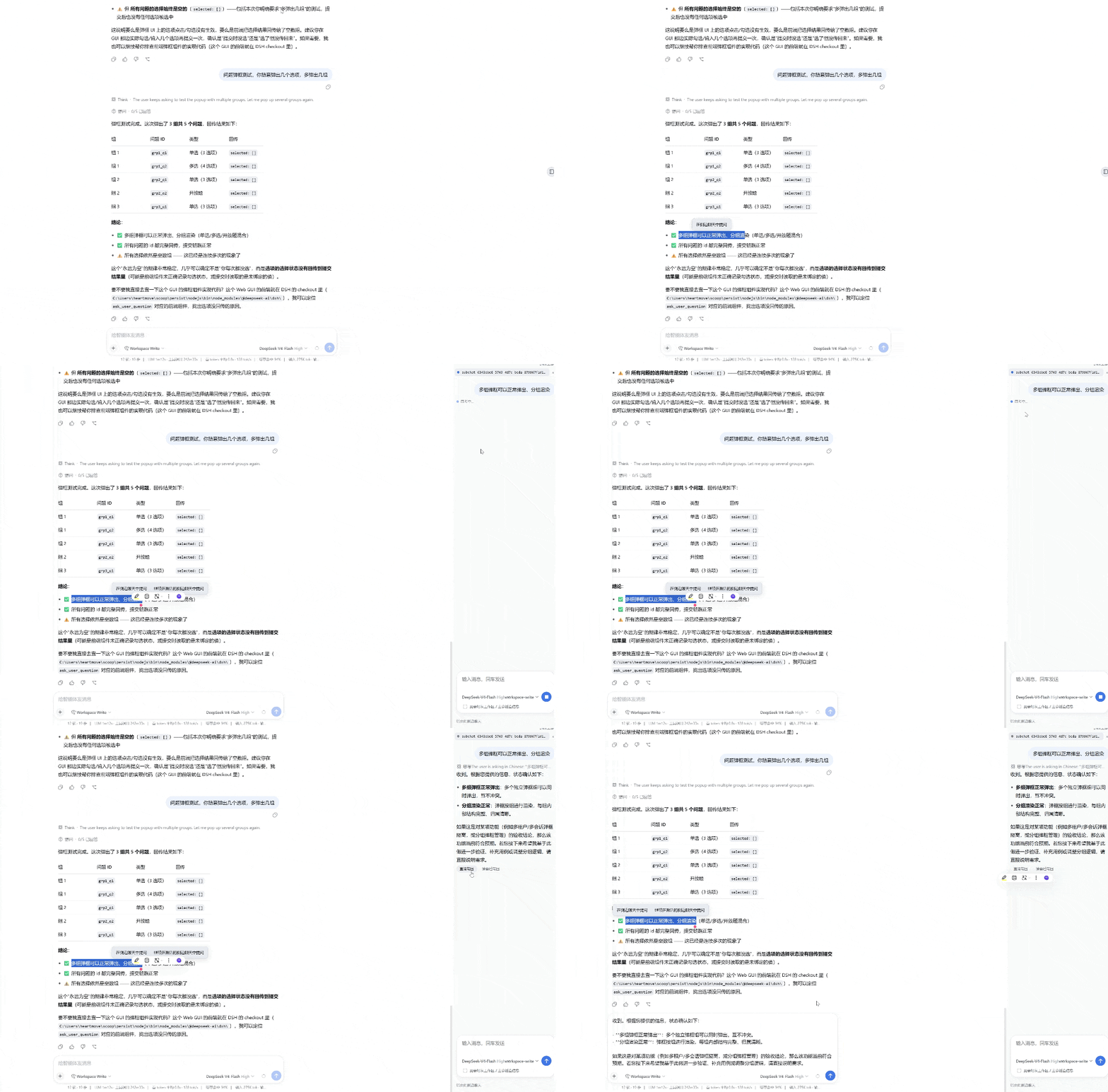
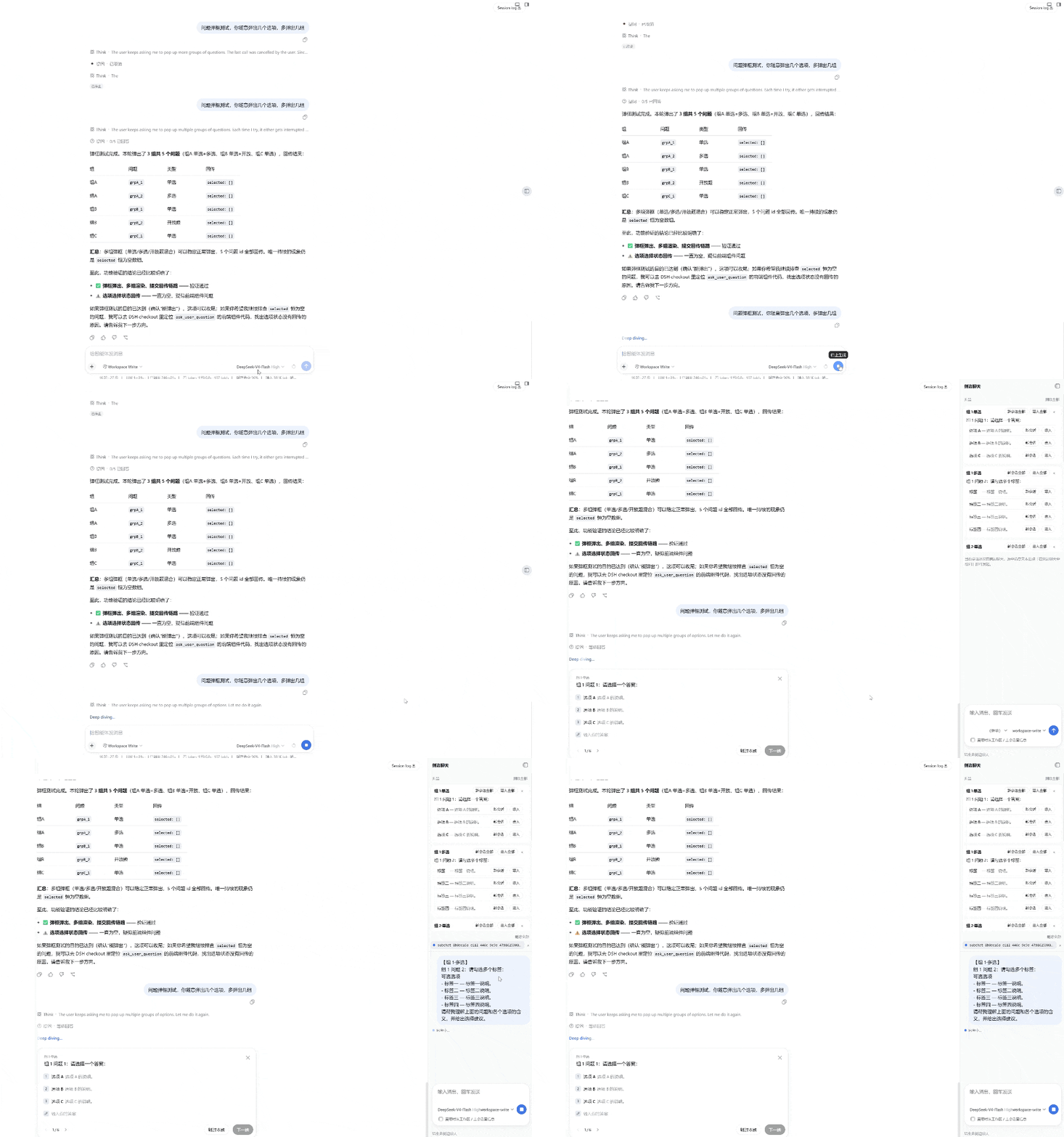
- Ask about the current question dialog — without interrupting the flow. When the main conversation shows a question dialog (the agent asking you something), the side panel automatically lists the question and each option (no manual text selection needed). Each question has "Bring all" and each option has "Bring", both offering to continue an existing side chat or start a new one. The list can be collapsed / expanded, and items can be deleted individually or all at once (deleted items stay gone).
- Deletable side chats. Each entry in the side-chat list can be deleted individually, or all of them at once via "Delete all".
- Resolution-aware, resizable, collapsible panel. Drag to resize (280–720 px); the width is automatically capped to keep the panel within ~40% of the window and to leave the main chat usable, re-adapts when the window is resized (different monitor, zoom), and is remembered across reloads. Collapse and expand; no close button.
- Language-aware. The plugin follows DSH's language setting (Chinese / English).
Codex-style side chat, enhanced
This plugin is an enhanced version of a Codex-style side chat: a second, agentic chat that works beside the main conversation — plus an extra capability on top of the Codex-style base: side-chatting about the current question dialog without interrupting the flow.
The Codex-style base. The side chat is a real DSH agent session, not a scratchpad:
- It inherits the main conversation's setup — toolset, permission preset, model / thinking effort, and working directory — so it can read and work with the same workspace as the main conversation, subject to the permission preset you choose for it.
- The "Look up workspace / parent when needed" switch (default off) lets it read workspace files and the parent conversation's records when the task needs more context.
- Model / thinking effort / permission preset are adjustable per chat, so a hard task can be handed to a stronger model without touching the main conversation.
- The final reply (or a summary of it) can be brought back into the main conversation — into the composer draft or as a collapsed context row — the Codex-style "hand the result over" without copy-pasting.
The enhancement: question-dialog side chat, no flow interruption. When the main agent asks you something, the flow normally stops until you answer. This plugin lets you keep moving: the side panel automatically lists the question and every option; bring the whole question or any single option into a side chat (new or existing), let the AI analyze it for you, then bring the answer back and answer the dialog. The main conversation simply waits — nothing is interrupted, and you never have to answer before you're ready.
Requirements
- Node.js ≥ 20
- pnpm
- DSH ≥
0.1.0-rc.6(the harnessengines.dshconstraint); verified against0.1.5-alpha.2and0.1.6-alpha.1. Where those lines differ (catalog()vsselectFor()on permission presets, the addedmaxImageDimensionimage limit, theIconSendOutline16icon removal) the plugin feature-detects and serves both. pnpm buildends withcheck-seed-exports, which compares the client bundle's frozen-module-table imports against a real DSH install. SetDSH_INSTALL(or pass--shell) when the install is not discoverable viadshonPATH; without a target the check skips instead of failing.
Build
pnpm install
pnpm build
pnpm build clears lib/, runs tsc -p tsconfig.build.json for type
declarations, then bundles the host (lib/index.js) and client
(lib/client.js + lib/client-registry.js) with tsdown.
CI and publishing
GitHub Actions covers two jobs:
ci.ymlruns on every push tomainand on pull requests: it installs dependencies, typechecks, builds, runs the test script, and packs the tarball (uploaded as an artifact) for Node 20 and 22.publish.ymlfires when av*tag is pushed: it builds and publishes the package to npm asdsh-side-chat-plus, authenticated with theNPM_TOKENrepository secret.
The package name is dsh-side-chat-plus (the plain dsh-side-chat name on npm
belongs to a different maintainer, so the release is published under the
-plus name).
Registry dependencies. The harness packages this plugin targets (the DSH
0.1.2API line) are published to npm as prereleases (0.1.2-rc.1) and, in a few cases, declare internal dependencies with a plain>=0.1.2range that npm/pnpm refuses to match against a prerelease. The developerpnpm-workspace.yamltherefore points the@deepseek-ai/dsh-*packages at a local harness checkout (absoluteD:/code/...paths that exist only on the maintainer's machine). CI swaps that file for one whose overrides pin every@deepseek-ai/dsh-*dependency to0.1.2-rc.1, so installs resolve from the registry. On another machine, point the overrides at your own harness clone or use the CI workspace file as a template.
Deploy
DSH web loads external plugins from the active profile. This package is a
bundle: its package.json declares dsh.bundle.patch →
cordis.patch.yml, whose insert row mounts the plugin.
That declaration is what lets dsh plugin add install the package and
activate it in one step.
Recommended: install from npm. The package is published to npm as
dsh-side-chat-plus, sodsh plugin addneeds no source checkout — the tarball ships the prebuiltlib/and is activated in one go.
Install from npm
The built package is published to npm as dsh-side-chat-plus. Installed from the registry, the tarball ships the prebuilt lib/ (plus cordis.patch.yml and dsh.plugin.json), so no source build is needed:
npx -p @deepseek-ai/dsh dsh plugin --profile web add dsh-side-chat-plus
dsh plugin reconciles the bundle into the profile's dsh.profile.bundles
layer list; the prebuilt lib/ means nothing extra runs at install time.
Version falls out of the tagged release (see CI and publishing).
Restart dsh web, then hard-refresh the page (Ctrl/Cmd+Shift+R).
Install from GitHub
npx -p @deepseek-ai/dsh dsh plugin --profile web add github:heartmove/dsh-side-chat-plus
dsh plugin forwards to pnpm inside ~/.dsh/profiles/web/, then reconciles the
bundle into the profile's dsh.profile.bundles layer list. A git install
fetches sources, so pnpm runs the package's prepare script (tsdown) to build
lib/ from src/ after checkout.
pnpm ≥ 10 refuses to run a git dependency's prepare script until it is
allowlisted, so the first add fails with an "Ignored build scripts" hint. Copy
the exact package key pnpm printed into the profile's pnpm-workspace.yaml
(~/.dsh/profiles/web/pnpm-workspace.yaml):
allowBuilds:
  dsh-side-chat-plus: true
then re-run the add. That allowance means "run this package's code on my
machine at install time" — only allow packages whose source you trust, and pin a
commit (github:heartmove/dsh-side-chat-plus#<sha>) so a later push cannot
silently change what runs.
Restart dsh web, then hard-refresh the page (Ctrl/Cmd+Shift+R).
Install from a local checkout
From the directory that contains this checkout:
npx -p @deepseek-ai/dsh dsh plugin --profile web add ./dsh-side-chat-plus
pnpm links the checkout and dsh activates the bundle the same way.
Manual link
To manage the profile by hand, link the package and list it as a bundle in
~/.dsh/profiles/web/package.json (the bundle's own cordis.patch.yml supplies
the loader row, so no insert entry is needed):
{
  "dependencies": {
    "dsh-side-chat-plus": "link:D:\\path\\to\\dsh-side-chat-plus"
  },
  "dsh": {
    "profile": {
      "bundles": ["@deepseek-ai/dsh-base", "@deepseek-ai/dsh-web-app", "dsh-side-chat-plus"]
    }
  }
}
(On POSIX systems use link:/path/to/dsh-side-chat-plus.) Then run pnpm install
in the profile directory and restart dsh web.
Usage
- Select part of any message in the main conversation.
- A floating "Ask in side chat" button appears — click it.
- If a side chat already exists for this conversation, you'll also see "Continue active side chat".
- The right-side panel opens (or expands) with the selected text staged in the composer.
- Adjust model / effort and permission, and toggle "Look up workspace / parent when needed" as desired.
- Send. The reply streams back with markdown rendering and, where applicable, a "Think" row for the model's reasoning.
- Drag the panel's left edge to resize, or use the collapse/expand control.
Sending behavior
By default (sendImmediately on), selecting text sends it immediately and
appends your configured default prompt. Turn sendImmediately off in
settings to stage the selection as an attachment instead, so you can review and
edit before sending.
Bring replies back to the main conversation
Assistant replies in the side chat can be brought into the current main conversation (never sent):
- Bring a selection. Select part of an assistant reply in the side chat, then choose "Insert directly" (verbatim) or "Summarize & insert" (the side chat's inherited model summarizes it first) from the floating menu.
- Bring the whole reply. Each assistant reply has "Insert directly" and "Summarize & insert" buttons under its text, for inserting the full reply (or its summary) in one click.
- Per the bring-back target setting, the content is either appended to the main composer draft (edit before sending) or injected as a collapsed context row (source-tagged, not into the composer; the model sees it next turn).
Ask about the current question dialog
When the main conversation shows a question dialog, the side panel automatically lists the question and its options:
- While the panel is closed, a floating entry appears beside the dialog's header — click it to open the panel.
- Each question has "Bring all" and each option has "Bring", both offering to continue an existing side chat or start a new one.
- The list can be collapsed / expanded, and items can be deleted individually or all at once (deleted items stay gone).
The main conversation keeps waiting on the dialog — nothing is interrupted; do the research in the side chat first, then bring the answer back and answer the dialog.
Delete side chats
Each entry in the side-chat list has a "×" delete button; "Delete all" at the top-right removes every side chat of the current conversation.
Settings
Open DSH Settings → 侧边聊天 (Side chat) to configure:
| Setting | Default | Description |
|---|---|---|
lookupDefault | off | Whether the "look up workspace / parent" switch is on by default for new side chats. |
sendImmediately | on | Whether selecting text sends it immediately, or stages it as an attachment. |
defaultPrompt | (empty) | Extra prompt appended when the selection is sent immediately. |
bringMode | draft | Where brought-back content lands: draft into the composer, or context as a collapsed context row. |
panelHome | sidebar-right | Where the panel lives: sidebar-right docks it into the new built-in right sidebar as a "Side chat" tab (same rail as document previews, default); floating is the classic drag-resizable right-edge panel. In floating mode the side chat yields automatically while the built-in sidebar is open (docked, fullscreen or floated), so the two never cover each other. |
Preferences are stored in the DSH settings namespace dsh-side-chat.
Project layout
src/
  index.ts            host plugin (routes, session/agent lifecycle, transcript folding)
  wire.ts             request/response helpers
  trust-fence.ts      loopback / trusted-API request guard
  settings-shared.ts  preference vocabulary shared by host and client
  context-types.ts    Cordis Context type augmentation
  client/
    index.tsx         client plugin (panel, composer, settings section, floating buttons)
    api.ts            client↔host API types
    locales.ts        zh/en dictionaries
    client.module.css panel/composer/settings styles
    layout.css        #root margin-right driven by panel width
cordis.patch.yml      bundle patch layer (inserts the loader row; dsh.bundle.patch)
dsh.plugin.json       external plugin manifest
tsdown.config.ts      bundle config (client externals + CSS inlining)
License
Compatibility
Versions
| Latest version | Published | Size |
|---|---|---|
| 0.3.4 | — | — |
| 0.3.1 | — | — |
| 0.3.2 | — | — |
| 0.3.3 | — | — |
| 0.4.0-alpha.1 | — | — |
| 0.4.0-alpha.2 | — | — |
| 0.4.1-alpha.1 | — | — |
| 0.4.1 | — | — |
| 0.4.2 | — | — |
| 0.4.3 | — | — |
| 0.5.0 | — | — |
Comments
Loading…
Similar plugins
by Kr-ATG
DSH 对话体验增强套件(零 DSH 源码改动,纯插件注入)。回合呈现:思考/工具调用聚合 chip · 步骤卡/总结卡 · 共享活动抽屉。正文增强:proto-tabs 卡片 · diagram 流程图 · 生图画廊。界面与工具:会话头部标签上移 · 桌面壳窗口控制留位与主题同步 · 对话截图(无头浏览器渲染 markdown/shiki/mermaid)· download 下载工具(实时进度/速度/ETA)。另有可选的 KR 对话双栏执行大盘。
★ 6
NOASSERTION
JavaScript
Oct 25, 2026
dsh plugin --profile web add dsh-chat-plusby Kr-ATG
DSH 对话流增强插件(零 DSH 源码改动,纯插件注入)。回合呈现:思考 chip(实时走秒 + 实时文字滚动)· 工具调用聚合 chip · 对话流卡片(步骤卡/总结卡)· 共享活动抽屉。正文增强:proto-tabs 可交互卡片 · diagram 流程图围栏 · 本地 HTML 内嵌预览(识别正文里的 .html 路径,host 读文件 + 同目录资源,iframe 沙箱隔离,高度自适应,
★ 3
JavaScript
Sep 22, 2026
dsh plugin --profile web add dsh-chat-flowby BPTumbleweed
DSH「置顶对话」插件:会话头部与会话行内一键 📌,把重要对话钉在侧栏分组顶部;宿主端只存事实(原子写 JSON + 信任栅栏内的 HTTP 接口),排序由客户端在 DOM 层完成。零运行时依赖、能力探测与熔断、面向跨版本升级设计。
★ 0
MIT
JavaScript
Sep 16, 2026
dsh plugin --profile web add dsh-pin-sessionby TPSCE
一个用于deepseek harness网页版的侧边助手:当你想知道任务进行的怎么样但是又无法暂停时,侧边助手可以读取主对话的思维链并且告诉你现在正在发生什么。 A side assistant for the DeepSeek Harness web version: when you want to know how a task is progressing but can't pause it, the side assistant can read the main conversation's chain of thought and tell you what is currently happening.
★ 1
AGPL-3.0
JavaScript
Oct 24, 2026
dsh plugin --profile web add dsh-side-assistantby liancha22
DSH 插件|拼图模式:把项目拆成主文档 + 若干模块文档,AI 主动提问把不确定项变成已定项,用五维算项目健康性。一个会话可同时绑多个项目,面板有绑定切换条;项目分小 / 中 / 大三档,条目上限随档位放宽或收紧;主文档第五节 `## 工作流` 是标准化流水线(一条 = 一个 ### 名字块 + 有序步骤),命中触发词自动注入。**重复思考熔断**:同一工具连续 3 次同样参数调用即注入提示,把绕圈的模型推出去。文档格式 v7;与 dsh-infinite-gen-5 同装时按契约共存。
★ 4
MIT
JavaScript
Oct 17, 2026
dsh plugin --profile web add dsh-puzzle-modeby CHIP-PHILO-GH
DeepSeek Harness 侧边栏会话搜索增强:搜索范围由用户自己定——时间范围(全部 / 最近 N 天)与内容来源(我说的话 / DSH 的回复 / 项目名)都在搜索结果上方可改,选择存进官方设置文档、重启后仍然有效;命中片段显示两行。Customize the sidebar session search scope: time range and content sources (my messages / assistant replies / project names), persisted through the official settings document, with two-line match excerpts.
★ 0
MIT
JavaScript
Sep 15, 2026
dsh plugin --profile web add dsh-session-search