
ratel-dsh-lumina
Manifest validCustomizable composer glow, send transitions and streaming feedback for DeepSeek Harness, with per-effect controls and reduced-motion support.
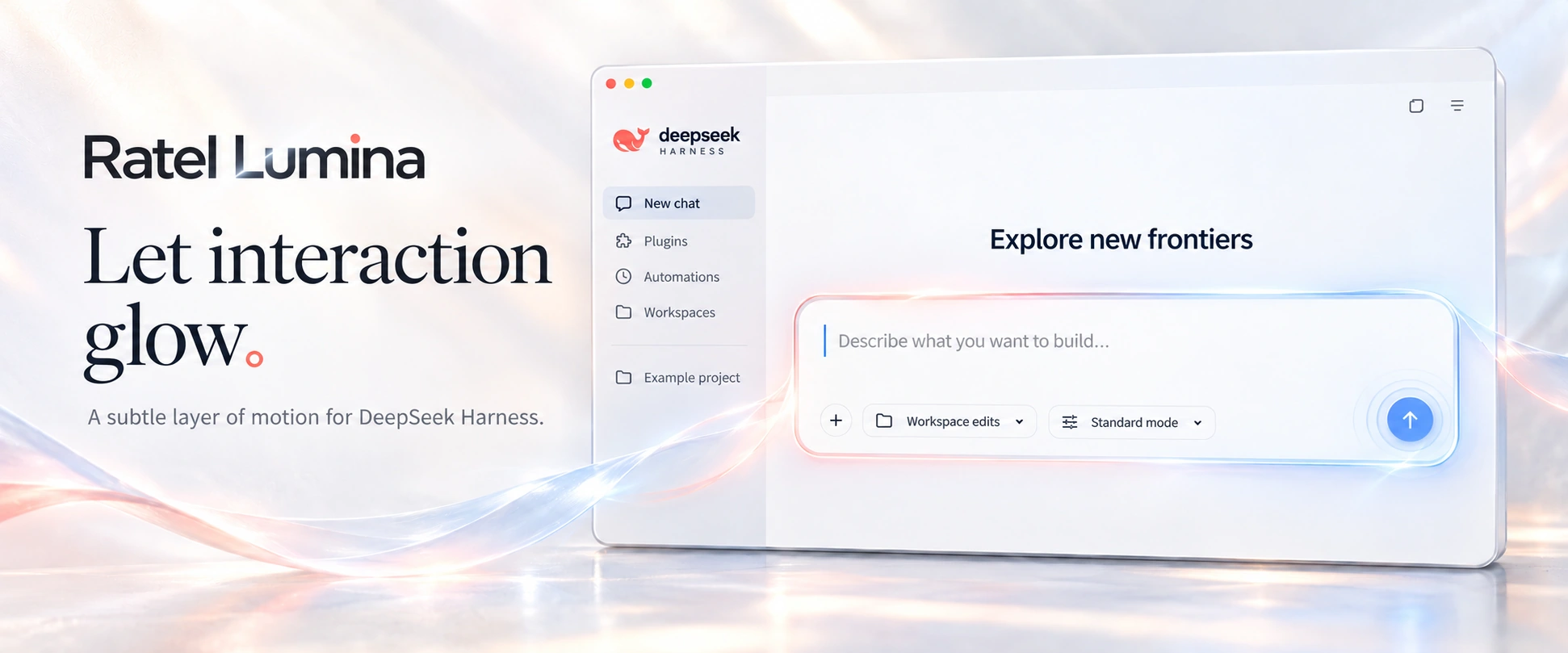
Ratel Lumina
English · 中文 · npm · Changelog
A smoother flow from composing a message to sending it and reading the reply.
Ratel Lumina adds customizable motion to DeepSeek Harness. A soft glow marks the focused composer, messages travel as a droplet, a dissolve or a little ghost, and caret feedback follows the reply. These details give everyday conversations a continuous visual rhythm.
Works with the DSH desktop and Web / PWA clients. Adjust the motion to your preference or switch it off at any time.
Why Lumina
- Connected feedback. The composer, send button, message transition and streaming caret share a consistent use of light and timing.
- A choice of expression. Send with a droplet, dissolve or ghost transition, or turn transitions off and keep the lighter feedback.
- Control over the motion. Choose an intensity, color preset and individual effects. Saved settings apply immediately.
- Your workflow stays intact. Lumina does not change models, requests or message content, delay submission, or block typing, clicking and selection.
- Lightweight and optional. Built with CSS and native SVG, without an additional animation framework. A master switch turns it off, and system reduced-motion preferences are respected.
In use
| Moment | Feedback |
|---|---|
| Composing | A mixed-color rim, with a soft halo and flowing light when focused |
| Pressing send | Press feedback and a brief light pulse |
| Sending a message | Droplet, dissolve or ghost transition, or no transition |
| Waiting for a reply | Streaming caret feedback and session activity indication |
| Opening a new conversation | Brand and hero entrance motion |
Choose a send transition
Droplet is the default. The text gathers into a drop, merges with the composer edge, detaches, travels to the message and unfolds as a coherent block.
Dissolve disperses the characters and resolves the message from blur into clear text.
Ghost carries the text with a rounded, one-piece little spirit. Its cape hem flutters while it floats, then the message fades in as a whole on arrival.
Existing valid mode choices are preserved when the plugin is updated.
Install and update
Install DeepSeek Harness first, then add Lumina to the profile you use:
dsh plugin --profile <profile> add @ratel-works/dsh-lumina
Replace <profile> with your profile, such as desktop or web. Run the same command to update, then fully quit and reopen the client to load the new plugin code.
The current development and verification baseline is DSH 0.2.1-rc.2. Client updates can change the UI interfaces used by the effects, so compatibility needs to be checked again after an upgrade.
Settings
Open Lumina / 流光 in DSH settings to choose a send transition, intensity and color preset, or disable individual effects. Save your changes to apply them immediately, without restarting.
Turn off the master switch to restore the original interface. When system reduced motion is enabled, Lumina reduces or disables animations automatically.
Saved settings apply immediately; installing or updating plugin code requires a full client restart.
Documentation and development
- Changelog: release changes and verification scope.
- Motion demos: interaction studies and design prototypes; these are not all shipped client effects.
- Product and implementation: scope, design and engineering documentation.
- Publishing and listing: npm releases and plugin-list submissions.
Local development checks:
npm install
npm run typecheck
npm test
npm run build
npm run install:local -- web
License
The project uses the MIT license. See THIRD_PARTY_NOTICES.md for third-party sources and additional license terms.
Comments
Loading…
Similar plugins
by xiaoshengliang2002
Enhance the composer draft before sending: a sparkle button in the DSH web GUI rewrites your prompt in a structured or light mode, with an original-versus-enhanced preview.
★ 0
MIT
JavaScript
Sep 15, 2026
dsh plugin --profile web add dsh-prompt-boost-proby chendefine
dsh-composer-markdown is an automatically discovered DeepSeek Harness plugin bundle.
★ 0
MIT
JavaScript
Sep 28, 2026
dsh plugin --profile web add dsh-composer-markdownOne-click prompt enhancement for the DeepSeek Harness composer: a chip beside the model selector rewrites the draft into a structured prompt using the session's own model.
★ 0
MIT
JavaScript
dsh plugin --profile web add dsh-prompt-enhanceby AL-Yichen
A fullscreen input plugin for DeepSeek Harness.
★ 4
MIT
JavaScript
Oct 17, 2026
dsh plugin --profile web add dsh-fullscreen-inputby Chi-hong22
DeepSeek Harness Web composer markdown editing helper: Shift+Enter list continuation with ordered-list auto-renumbering and Tab indent
★ 0
MIT
JavaScript
Aug 14, 2026
dsh plugin --profile web add @chi-hong22/dsh-mdboxAdds prompt optimization, cancellation, and undo controls to the DeepSeek Harness composer.
★ 0
dsh plugin --profile web add zzy-dsh-prompt-optimizer