
dsh-git-suite
Manifest validA Git suite for DSH Web covering everyday Git work, with GitHub, Gitee, and GitLab pull requests plus AI commit messages and reviews.
dsh-git-suite
English | 中文
A Git suite plugin for DSH Web: history, branches, the refs tree, commit details, working-tree staging and commits, branch switching, and pull requests — with amend/push options, AI commit reviews, AI-drafted pull requests, and more Git operations planned.
Screenshots
Some screenshots may be outdated as the UI keeps evolving.
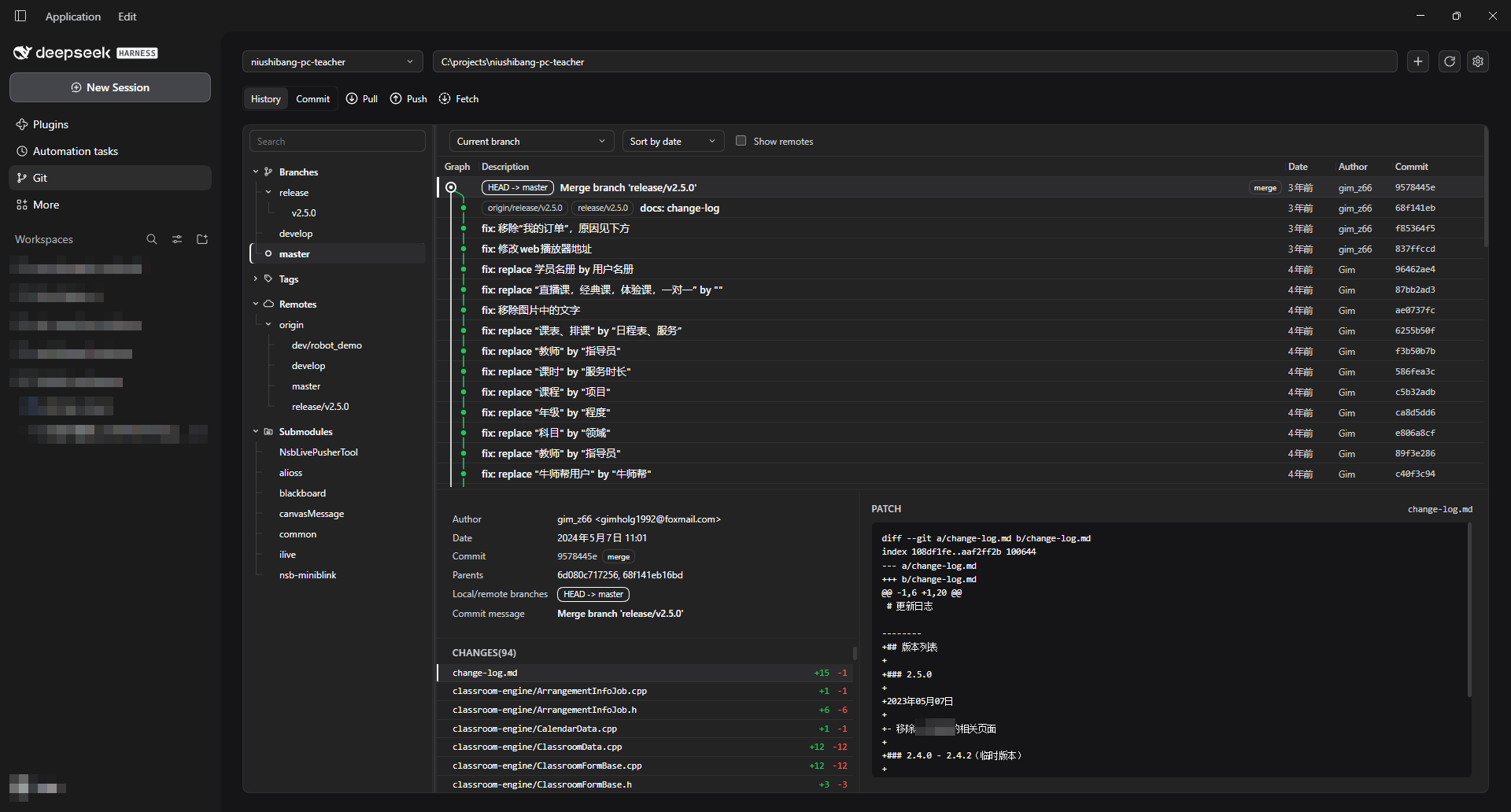
History
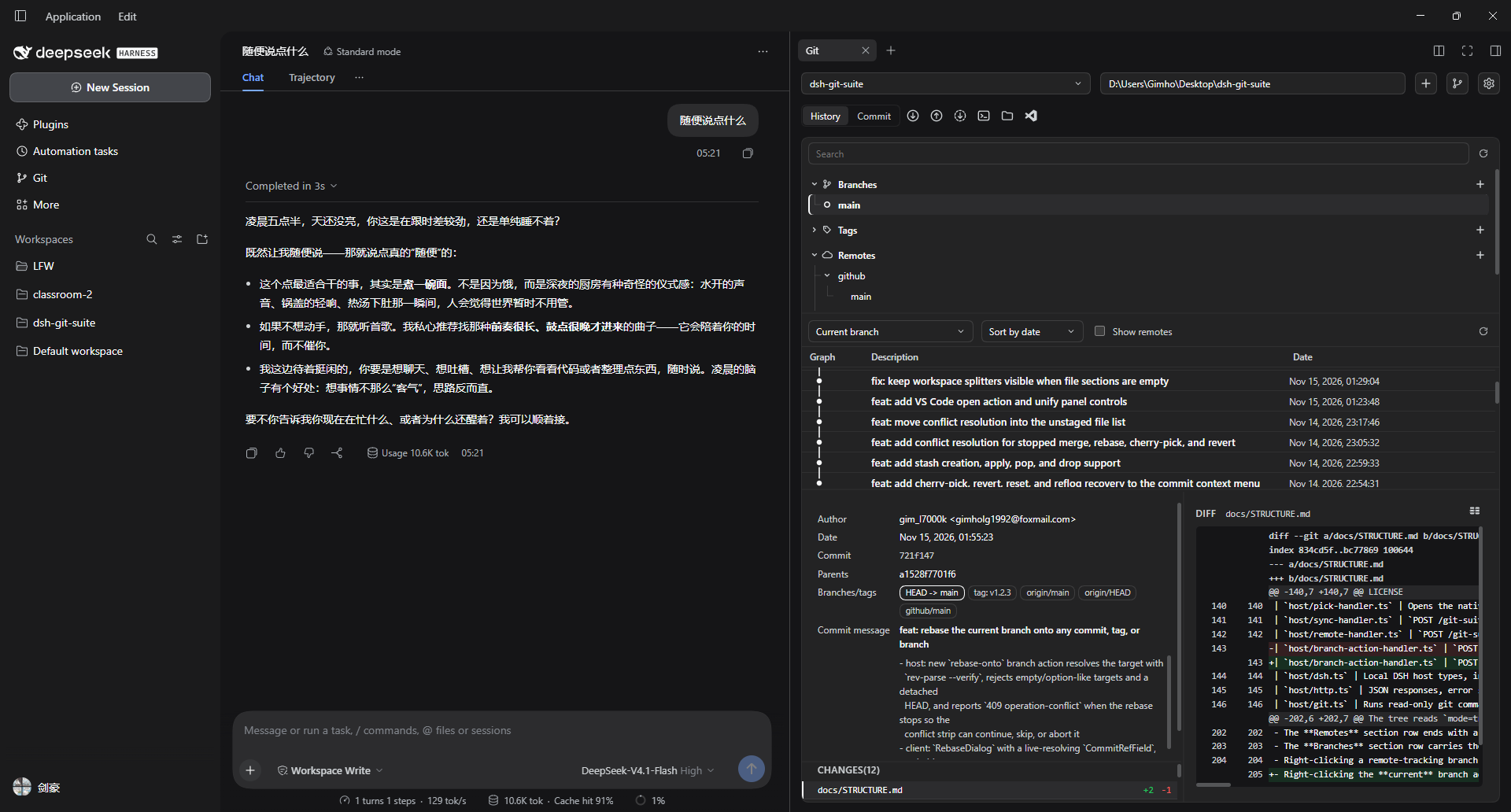
Commit details and diff
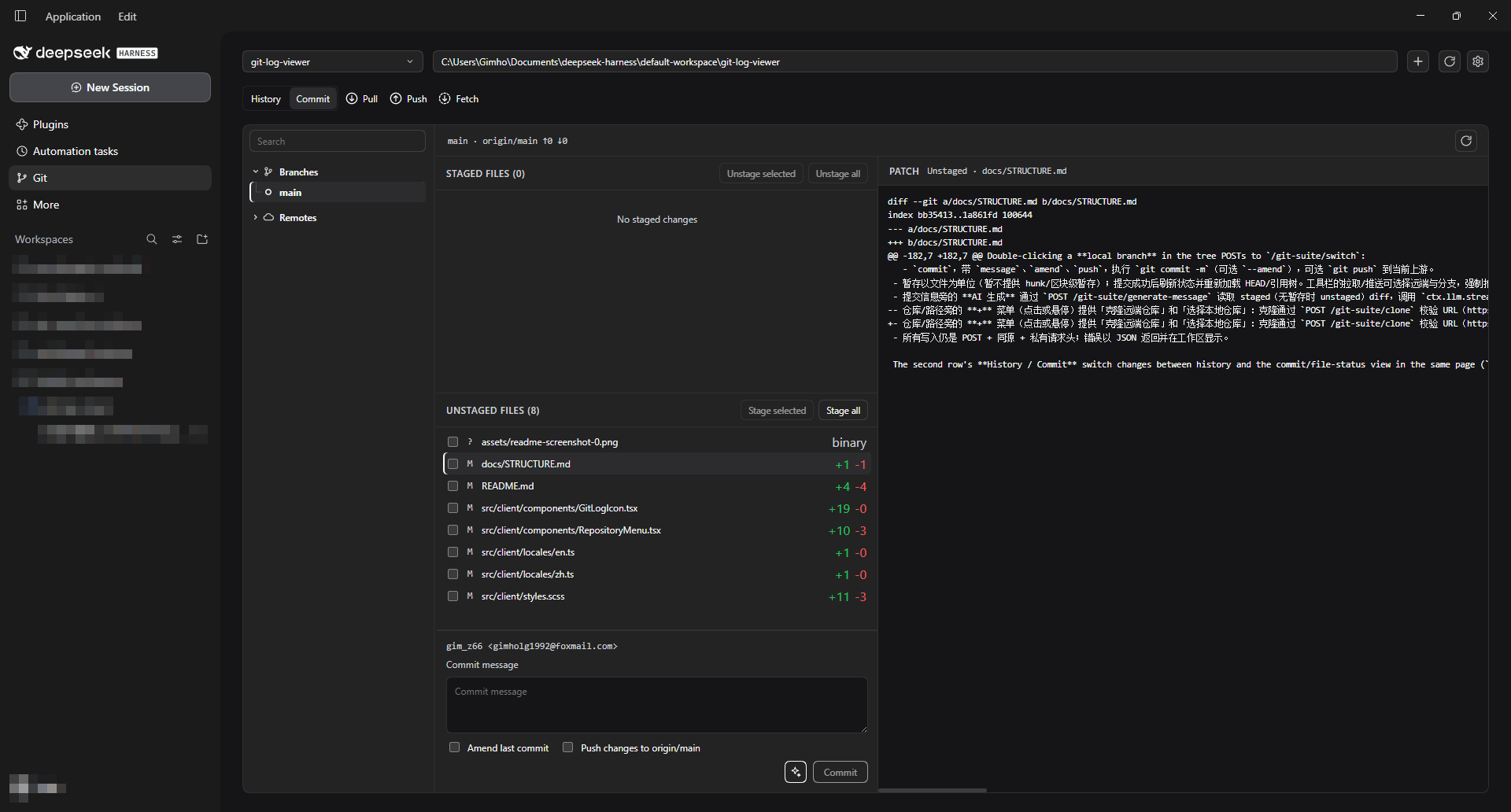
Commit and file status
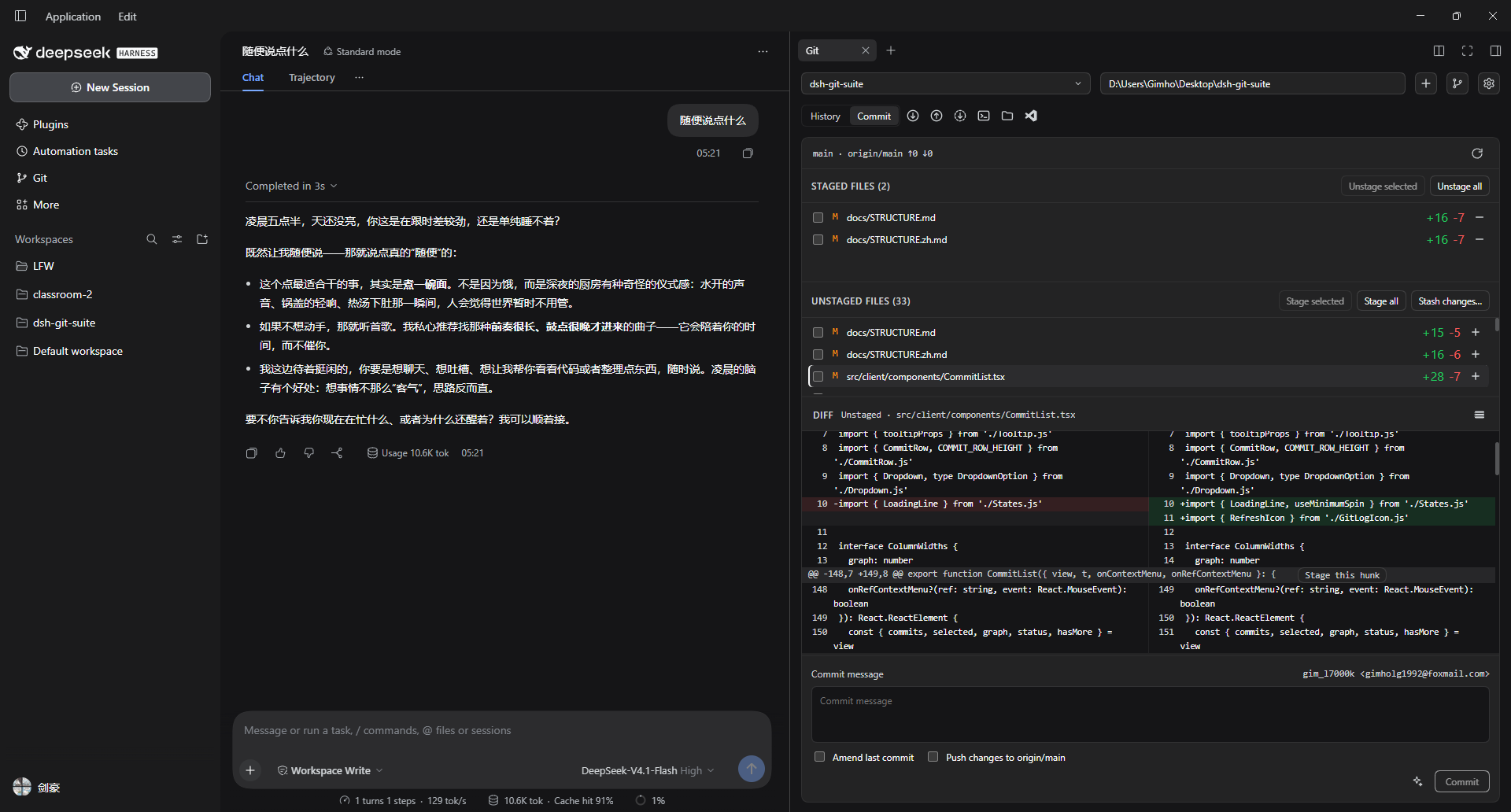
Hunk staging and a side-by-side diff
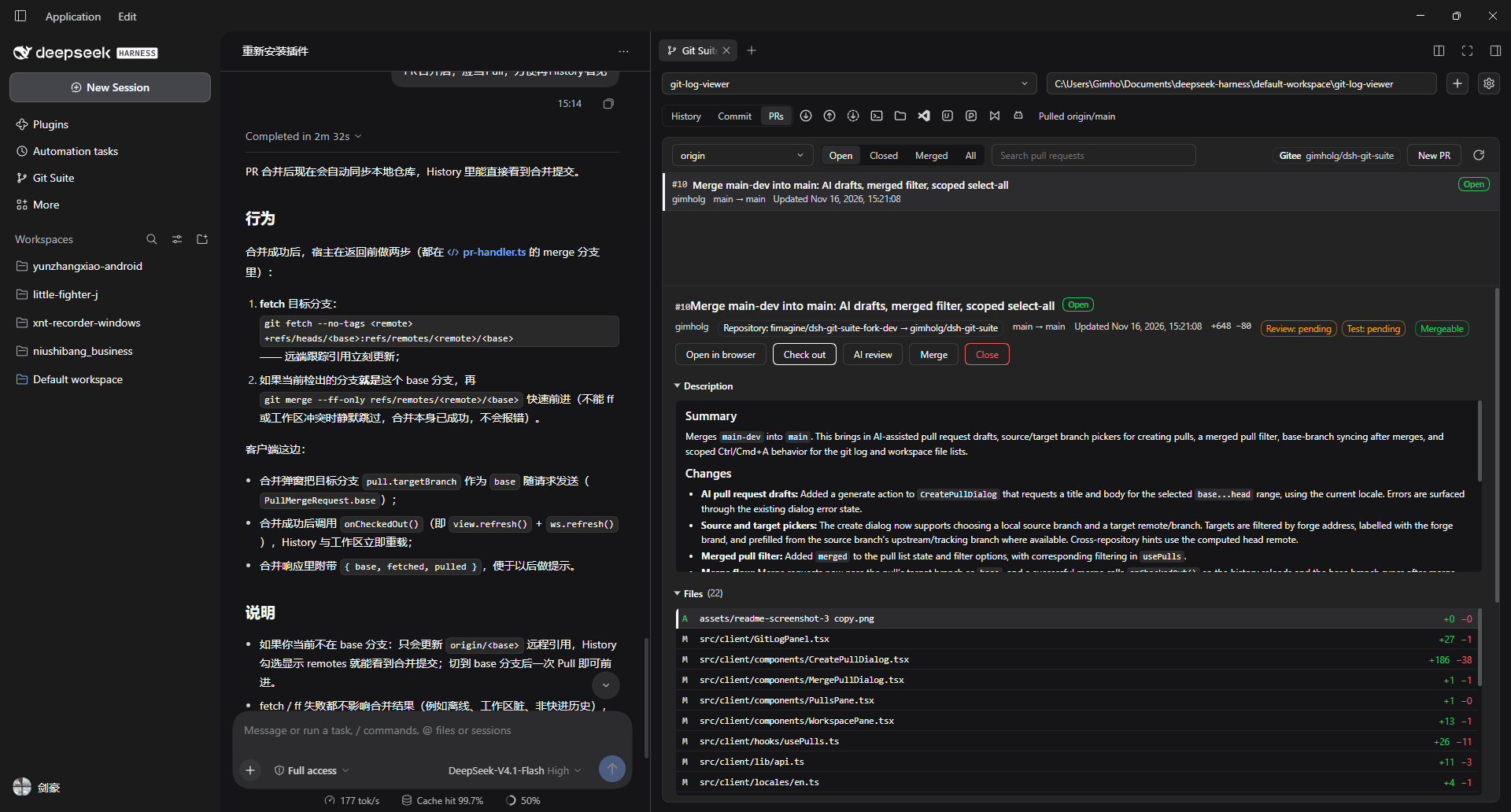
Pull requests: merged filtering, checks, and actions
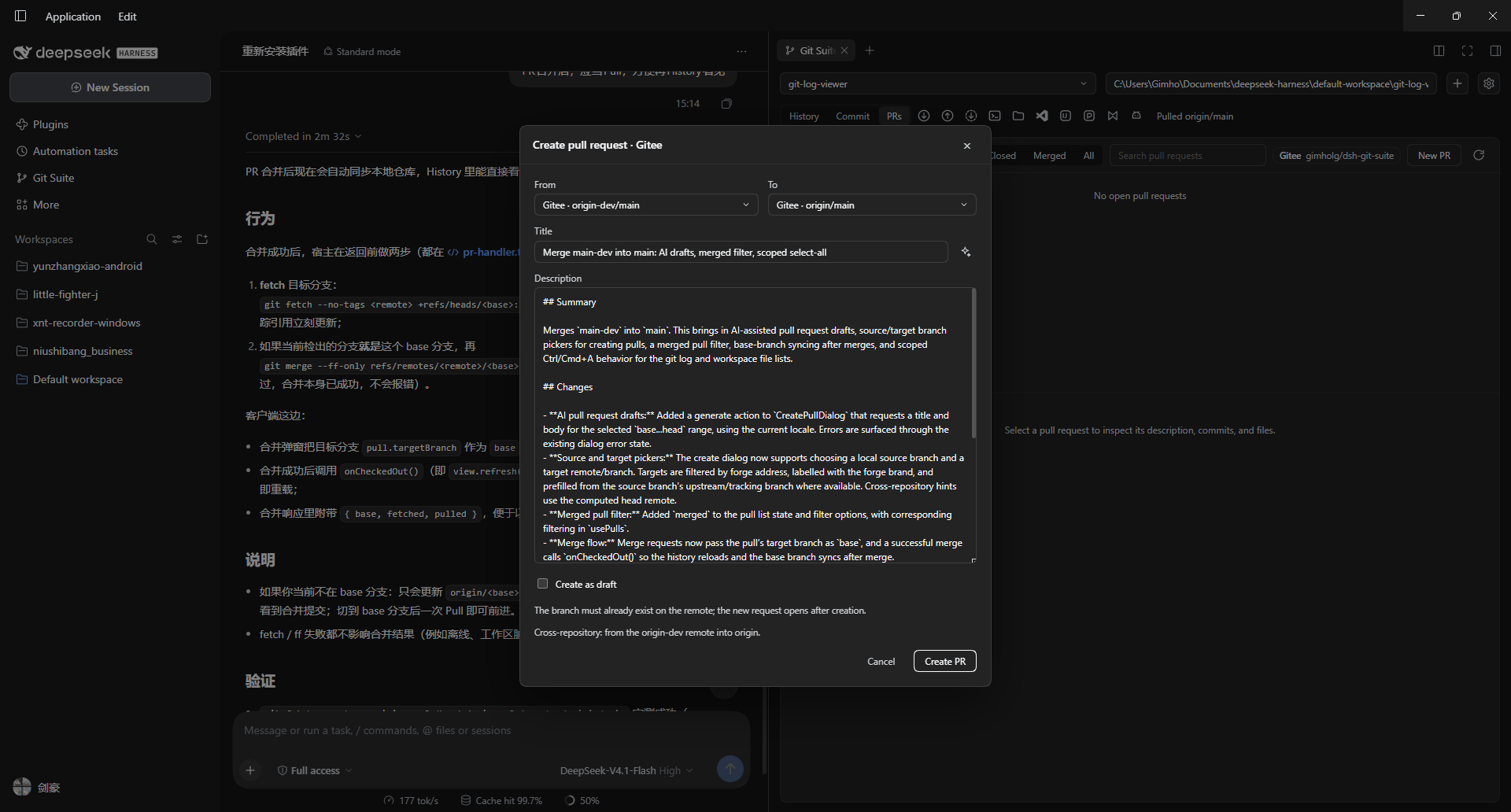
AI-drafted pull request with source and target branch pickers
Requirements
- DSH Web
- Git available on
PATH - Node.js 20+ and pnpm when building from source
Installation
From npm (no build)
Install the published dsh-git-suite bundle through DSH Plugin Manager (or plugin_manager install_bundle with the package name). The npm package ships the prebuilt dist/, so no Node.js, pnpm, or source build is needed.
From a prebuilt archive
Download the pnpm pack / GitHub release tarball (it contains dist/), extract it, and add the extracted directory in DSH Plugin Manager (Plugins → Add plugin). No build is needed either.
From source (development)
Clone the repository, build it once, then install the directory as a local bundle through DSH Plugin Manager.
git clone https://github.com/gimhol/dsh-git-suite.git
cd dsh-git-suite
pnpm install
pnpm build
A Gitee mirror is also available:
git clone https://gitee.com/gimholg/dsh-git-suite.git
cd dsh-git-suite
DSH loads built artifacts from dist/ and never compiles TypeScript; installing a local directory through Plugin Manager does not build it either. dist/ is a build artifact and is ignored by Git: after cloning, run pnpm install && pnpm build above before installing the directory. Rerun pnpm build after editing sources.
After changing entry paths in package.json, restart DSH (or disable and re-enable the plugin row) so the new entry paths are read.
Shortcuts
Both entries are DSH catalog commands: rebind or clear them in Settings → Shortcuts, and the Start page shows their keycaps. The panel's own Settings dialog (gear icon) lists the same two commands, where a combination can be recorded, cleared (leaving the action unbound), or reset to its default.
| Action | Default |
|---|---|
| Open the Git Suite tab in the right sidebar | Ctrl/Cmd+Shift+G |
| Open the Git Suite page in the main column | Ctrl/Cmd+Shift+P |
Build
pnpm build         # typecheck + host tsc + client esbuild
pnpm typecheck     # typecheck only
pnpm watch:client  # watch client sources; DSH HMR reloads the bundle
pnpm watch:host    # watch host sources
See docs/STRUCTURE.md for how tsc, esbuild, and Sass fit together.
Docs
- docs/USAGE.md — usage and features
- docs/STRUCTURE.md — directory layout, module responsibilities, and build pipeline
License
MIT © 2026 Gim. See LICENSE.
Comments
Loading…