
dsh-lifecycle
IdentifiedLock screen with password/OTP/Passkey, persistent sessions and custom wallpapers; Harness power controls (the bundled systemd/launchd service must be installed) and npm updates on Linux and macOS, wit
DSH Lifecycle · DeepSeek 生命周期管理
为单用户 DeepSeek Harness 提供锁屏、登录验证和服务电源管理。
- Windows 风格锁屏与首次设置引导,支持自定义壁纸。
- 密码、OTP、Passkey,支持单步或两步验证;已完成的登录可跨服务重启保留。
- 侧边栏「电源」菜单:锁定、重启、关机,以及检测到新版时的更新并重启。
- DSH 内的「登录与安全」页面,分区管理密码、验证方式、壁纸和登录会话。
界面预览

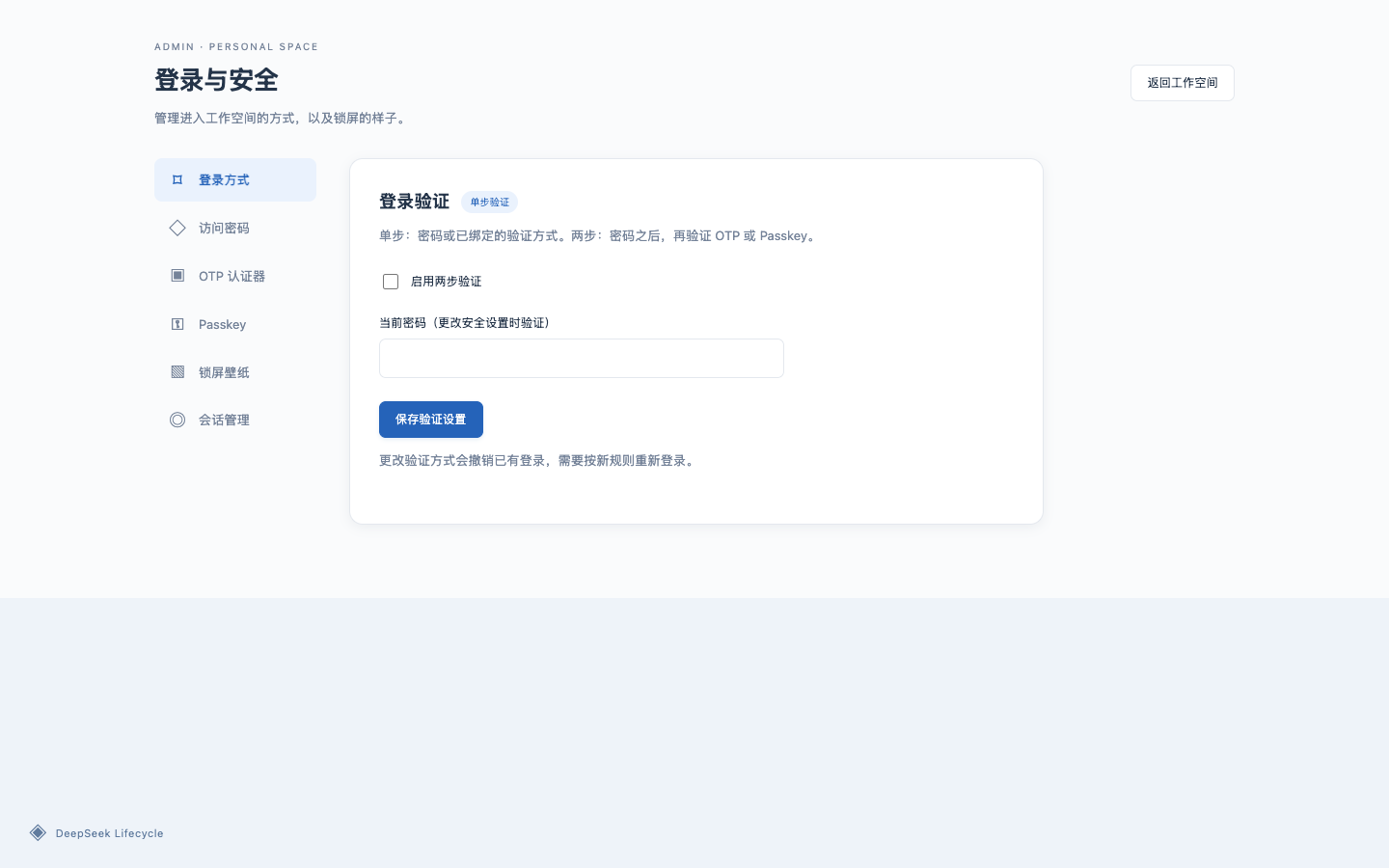
更多截图见 screenshots.json,供插件市场展示。
安装
需要 Node.js ≥ 22.18 和 DSH Web。电源操作需要安装本仓库提供的独立控制服务:Linux 使用 systemd,macOS 使用 launchd,Windows 使用当前用户的任务计划程序。Windows 支持为实验实现,暂未实机验证,请先在测试环境确认。源码构建支持重启和停止;自动更新适用于 npm 管理的 Harness 安装。
dsh plugin --profile web add dsh-lifecycle
请使用运行 Harness 的账户,以及相同的 HOME / DSH_HOME 安装。
安装后按部署说明安装对应平台的电源控制服务,再重启 Harness;公网部署还需配置 HTTPS。
使用
- 首次访问时,从 Harness 服务日志取得初始密码,完成改密和验证方式设置。
- 点击锁屏或按 Enter 进入登录。登录后,从侧边栏或「电源 → 登录与安全」进入设置。
- 在「锁屏壁纸」上传、选择或删除背景;支持 PNG、JPEG、WebP,每张最多 5 MB,最多 12 张,可随时恢复内置壁纸。
- 「锁定」只退出当前浏览器;「关机」停止 Harness 服务,之后需在服务器启动,不会关闭操作系统。
# 以下服务名按实际部署替换
sudo journalctl -u deepseek-harness.service -n 100 --no-pager
sudo systemctl start deepseek-harness.service
注意事项
- 公网部署使用 HTTPS。 网关放在反向代理之后,内部 Harness 端口仅监听回环地址;会话 Cookie 启用 Secure。
- Passkey 需要稳定的 HTTPS 域名,公网 IP 不支持。 可先用密码或 OTP,之后在 Passkey 标签页保存域名,从该域名访问后绑定。
- 两步验证必须先验证密码,再验证 OTP / Passkey。 忘记密码时,第二因素不能跳过第一步;保留服务器管理入口和 OTP 备份代码。
- 登录默认有效期 30 天。 锁定、改密、变更验证策略或绑定/移除因素会撤销相应登录。
- 定期备份插件数据,备份文件不要上传到 Git。
- 当前壁纸对未登录访客可见,图库管理需要登录。不要用包含隐私信息的图片作为锁屏背景。
- 中国内地服务器使用域名前,需完成所需的备案及接入手续。
详细配置、密码恢复与卸载见部署说明。
许可
MIT。
Comments
Loading…
Similar plugins
by 863683348
Installation safety gate for DSH plugins: antivirus-style scan of install scripts, permissions, secrets and network callbacks on local directories or npm tarballs, returning a BLOCK/WARN/PASS verdict
★ 0
MIT
JavaScript
Sep 11, 2026
dsh plugin --profile web add dsh-plugin-gateby mostkia
Power controls (shutdown / restart) for the DSH sidebar plus a Windows tray launcher with start-at-logon.
★ 0
MIT
PowerShell
Oct 5, 2026
dsh plugin --profile web add @mostkia/dsh-launcherby SanYe-SanJiu
Windows-only process control for the harness: a sidebar button that shuts DSH down through the host's own graceful exit path, an app-window / normal-tab switch on the Plugins card that rewrites the de
★ 0
MIT
JavaScript
Oct 21, 2026
dsh plugin --profile web add dsh-power-switchby fancr-code
Windows system-tray launcher for dsh web: console-free background start (VBS/powershell chain), a tray menu with open UI / logs / icon presets / launch-at-login / restart Harness, one-click install an
★ 6
↓ 360/wk
MIT
PowerShell
Sep 29, 2026
dsh plugin --profile web add dsh-tray-launcherby ChaoJie0
Zero-intervention permission gate for DSH agents on macOS: auto-allows local writes made reversible by git or Time Machine, blocks network, package installs, process control and sensitive-path reads,
★ 0
MIT
TypeScript
Oct 22, 2026
dsh plugin --profile web add dsh-tm-guardby idoall
LAN access for the official DSH Web UI through a gated reverse proxy: DSH keeps its own loopback binding, and a second port adds a password gate, self-signed HTTPS and per-device pairing that can be r
★ 4
↓ 973/wk
MIT
TypeScript
Nov 3, 2026
dsh plugin --profile web add dsh-lan-guard