
dsh-workspace-folders
Manifest validDeepSeek Harness (DSH) plugin: multiple working directories per workspace, like Claude's additional directories / /add-dir
dsh-workspace-folders
A DeepSeek Harness (DSH) plugin that gives a workspace multiple working directories, like Claude's additional directories: add other folders to a workspace from a composer button or
/add-dir, and the model can read them and (for read-write folders) edit them with pre-approved sandbox escalation. Works with DSH NEXT, DSH Desktop anddsh webon DSH0.2.1-alpha.5.
为 DeepSeek Harness(DSH)工作区添加多个工作目录的插件,效果类似 Claude 的 additional directories / /add-dir:除了工作区本身的目录,还可以把其他目录(例如共享库、文档仓库、另一个前端项目)加入同一个工作区,让模型一起读写。
适配 DSH 0.2.1-alpha.5(DSH NEXT 2.0.18-next、DSH Desktop Beta)。不修改上游代码,只通过官方扩展点组合:systemPrompt.context、tools/execute、approval/request、commands、connection.fetch,以及 Web 客户端的 conversation.input.left 槽位。
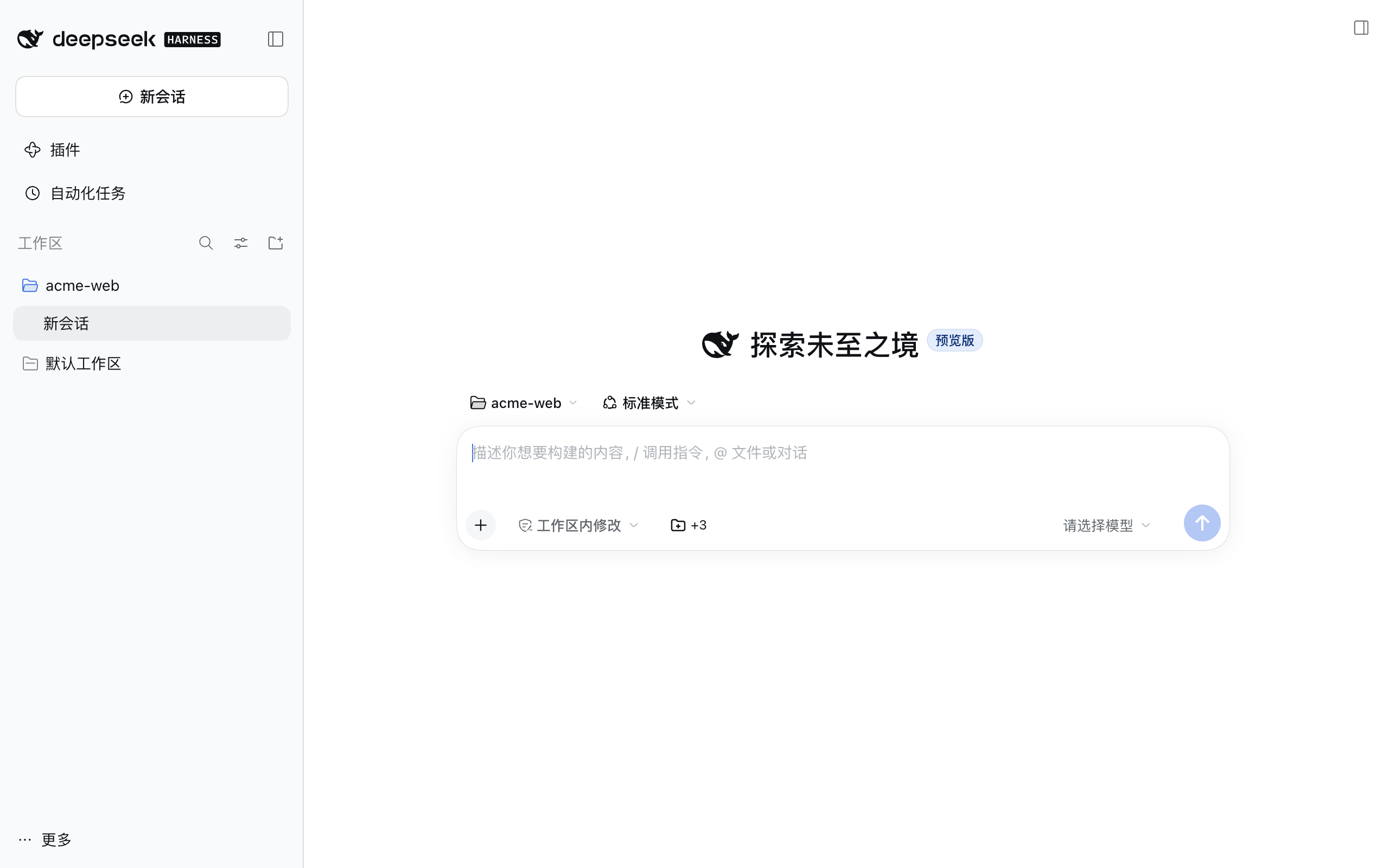
截图
输入框旁的「工作目录」按钮显示额外目录数量:
 管理额外目录,切换读写 / 只读 |  直接输入路径,或「选择文件夹…」(桌面端为系统对话框,浏览器中为应用内浏览器) |
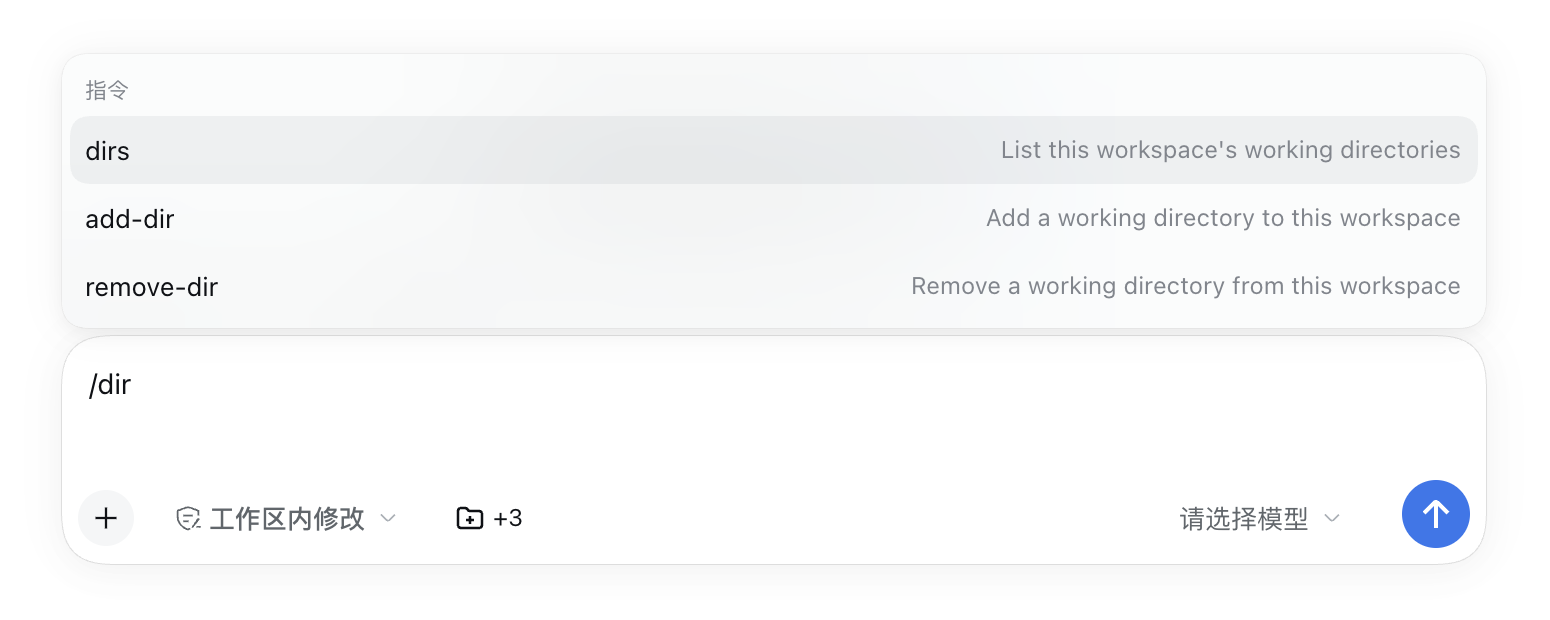
斜杠命令 /add-dir、/remove-dir、/dirs:
功能
- 输入框旁的「工作目录」按钮(📁 +N):点开后可添加、移除目录,切换「读写 / 只读」。保存后从下一轮对话起生效,本工作区的所有会话共享。
- 添加目录有两种方式:在输入框里直接输入路径(绝对路径或
~/路径,回车或点「添加」),或点「选择文件夹…」用选择框挑选。 - 同一个目录不能重复添加:添加时立即检查,写法不同但指向同一目录(末尾斜杠、
/tmp与/private/tmp、符号链接、~/…)也算重复,会提示「已在列表中」并高亮已有的那一行;已在工作区内、或已是全局目录的路径同样会被拒绝。 - 「选择文件夹…」按环境自动选择:在 DSH NEXT / DSH Desktop 窗口里打开系统文件夹对话框(Finder,与添加工作区相同);在本机
dsh web中由 Host 打开系统对话框;在局域网或远程浏览器中显示应用内文件夹浏览器(从工作区所在目录开始,可点路径跳转、显示隐藏文件夹)。
- 添加目录有两种方式:在输入框里直接输入路径(绝对路径或
- 斜杠命令(任何有命令入口的界面都可用):
/add-dir <路径> [--read-only]— 添加目录,支持绝对路径、~/路径、相对当前工作目录的路径;目录已在列表中时报错(要改读写权限请先/remove-dir)/remove-dir <路径>— 移除目录/dirs— 列出当前工作区的全部目录
- 模型可见:每次请求的运行时上下文(紧跟沙箱策略之后)会列出额外目录及其读写权限;该上下文会写入会话日志,回放时可还原。
- 写入权限:在默认的
workspace-write沙箱模式下,DSH 只允许修改工作区目录本身。对于标记为「读写」的额外目录,模型使用write/edit工具写入时,插件会自动批准这次沙箱提权(审批记录照常写入会话日志approval/asked/approval/decided)。- 「只读」目录不会自动批准,写入仍会询问你。
- 终端命令(bash)写入额外目录仍走正常的提权确认,因为插件无法可靠判断命令会写哪里。
- 会话处于「只读」模式时不会自动批准任何写入;处于「完全访问」模式时本来就不受限制。
- 全局目录:可在配置里指定对所有工作区生效的目录。
- 读取额外目录的指令文件(可选,默认关闭):开启
loadInstructions后,每个额外目录根部的AGENTS.md(没有时用CLAUDE.md)会作为第二段运行时上下文(紧跟目录列表之后)发给模型,类似 Claude Code 的CLAUDE_CODE_ADDITIONAL_DIRECTORIES_CLAUDE_MD。
安装
DSH NEXT / DSH Desktop
在应用中打开 DSH 终端(托盘菜单或设置顶部的终端入口),执行:
dsh plugin --profile desktop add github:Fleey/dsh-workspace-folders
然后完全重启应用(托盘 → 退出并重启,或设置顶部菜单 → 重启应用)。输入框工具栏会出现文件夹按钮。
建议固定到某个 commit,避免之后的推送悄悄改变运行的代码:github:Fleey/dsh-workspace-folders#<commit>。
卸载:dsh plugin --profile desktop remove dsh-workspace-folders,然后重启。
普通 dsh web
dsh plugin --profile <你的 profile> add github:Fleey/dsh-workspace-folders
从本地源码安装(开发用)
git clone https://github.com/Fleey/dsh-workspace-folders.git
cd dsh-workspace-folders && npm install && npm run build
dsh plugin --profile desktop add link:"$PWD"
仓库中已包含构建好的 lib/,因此从 GitHub 安装不需要运行构建脚本,也不需要在 profile 中授权 allowBuilds。
配置
默认配置见 cordis.patch.yml。要修改,在 profile 自己的 cordis.patch.yml(例如 ~/.dsh/profiles/desktop/cordis.patch.yml)里覆盖这一行,注意要写全保留的键:
- id: workspace-folders
  config:
    autoApproveWrites: true          # 设为 false 则读写目录的每次写入都需要确认
    globalDirectories:               # 对所有工作区生效,~ 会展开为主目录
      - { path: ~/notes, access: read-only }
    # storeFile: /absolute/path.json # 默认 $DSH_HOME/workspace-folders.json
    loadInstructions: false          # 设为 true 则把各额外目录根部的 AGENTS.md / CLAUDE.md 发给模型
    maxInstructionBytes: 32768       # 指令上下文整体(含说明与标题)的 UTF-8 字节上限
配置写错(未知键、非绝对路径、非法 access、maxInstructionBytes 不是整数或小于截断标记的长度)会在加载时直接报错,而不是被静默忽略。
额外目录的指令文件(loadInstructions)
- 只看每个额外目录根部:优先
AGENTS.md;没有可用的AGENTS.md时才读CLAUDE.md,两者不会同时读取。空白的AGENTS.md也算「有」,此时不再读CLAUDE.md。 - 读写目录和只读目录都会读取;目录当前不存在、或没有指令文件时直接跳过,不报错。
- 指向目录外部的符号链接(文件本身或其所在路径)一律视为不存在,不会读取;指向目录内部的链接正常读取。非普通文件(目录、FIFO 等)也会跳过。
- 每次组装请求时同步重新读取,所以修改指令文件后从下一次请求起生效;内容变化时会生成新的运行时上下文快照,并像目录列表一样写入会话日志。
- 整段上下文(开头说明、每个目录的标题、正文)合计不超过
maxInstructionBytes字节;超出时在 UTF-8 字符边界处截断,并以[Additional-directory instructions truncated here to fit the configured size limit.]结尾,后面的目录不再出现。 - 该上下文和目录列表一样是必需上下文(
required),即使 profile 关闭了可选运行时上下文(systemPrompt的includeRuntimeContext: false)也会保留。
数据存储
目录列表按工作区路径保存在 $DSH_HOME/workspace-folders.json(默认 ~/.dsh/workspace-folders.json):
{
  "version": 1,
  "workspaces": {
    "/path/to/project": {
      "directories": [
        { "path": "/path/to/shared-lib", "access": "read-write" },
        { "path": "/path/to/docs", "access": "read-only" }
      ]
    }
  }
}
文件可以手动编辑(改完需重启)。如果文件损坏,插件会拒绝加载并在日志中指出文件路径,而不会用空列表覆盖它。
限制
- 额外目录按工作区生效(以会话创建时的工作区目录为准),不是单个会话。
@文件引用补全、技能发现仍只看工作区目录本身;需要时请让模型用绝对路径访问额外目录。- DSH 自带的 AGENTS.md 读取只看工作区目录。额外目录的指令文件需开启
loadInstructions,且只读取额外目录根部的一个文件:子目录中的AGENTS.md、以及AGENTS.local.md/CLAUDE.local.md本地覆盖文件都不会读取;内容放在运行时上下文中,不会像工作区指令那样按目录逐级合并。 - 如果某个额外目录恰好是工作区的上级目录(例如项目根),DSH 自身可能已经读取了它的
AGENTS.md,开启loadInstructions后同一内容会出现两次。 - 只有
write/edit工具的写入会被自动批准;终端命令写入需要确认。 - 没有挂载任何目录选择器的组合里不会显示「选择文件夹…」,此时直接输入路径即可。
- 在还没有发送过消息的新会话里执行
/dirs等命令,结果不会显示在空白首页上(命令已执行并记录在会话日志中);用输入框旁的按钮查看更直观。
开发
npm run typecheck   # TypeScript 检查
npm test            # 单元测试(vitest)
npm run build       # 生成 lib/index.js(Host)与 lib/client.js(Web 客户端)
npm run check       # 以上三项
lib/ 会被提交到仓库(供 github: 安装直接使用),修改源码后请运行 npm run check 并一起提交 lib/。
端到端冒烟测试:用真实的 dsh --profile headless 和 DSH 自带的 LLM mock(无需 API key),在临时 DSH_HOME 中验证上下文注入、loadInstructions: true 时首个模型请求带上额外目录的指令(且默认不带)、读写目录的自动批准、只读目录不批准、以及不装插件时写入被拒绝:
node scripts/smoke-headless.mts <path-to>/@deepseek-ai/dsh/lib/bin.js <deepseek-harness>/packages/test-support/llm-mock-server/src/index.ts
需要 Node ≥ 22.19 和 zstd 命令行工具。
结构
| 文件 | 作用 |
|---|---|
src/index.ts | 插件入口:挂载上下文、自动批准、命令、路由(所有 Host 服务均为可选) |
src/folders.ts | 生效目录计算、校验、写入授权判断、模型上下文文本 |
src/instructions.ts | 读取额外目录根部的 AGENTS.md / CLAUDE.md,生成有字节上限的指令上下文 |
src/approval.ts | 跟踪提权的 write/edit 调用,应答匹配的审批请求 |
src/commands.ts | /add-dir、/remove-dir、/dirs |
src/routes.ts | /api/workspace-folders/{state,save,pick,browse,resolve} |
src/store.ts | JSON 存储(原子写入、按顺序串行) |
src/client/index.tsx | 输入框按钮与对话框 |
许可证
Comments
Loading…
Similar plugins
by cherrchen
多文件夹 workspace:让 DSH(DeepSeek Harness)的 Agent 不只能读写主目录,还能同时读写你添加的其他文件夹。Multi-folder workspace for DeepSeek Harness: let the agent read and write several folders at once, not just the primary one.
★ 10
↓ 263/wk
MIT
TypeScript
Oct 20, 2026
dsh plugin --profile web add @dsh-electron/dsh-plugin-multi-root-workspaceby Rainier-Z
A DeepSeek Harness plugin that periodically detects added, modified, and deleted files in a workspace and reports the changes.
★ 2
↓ 134/wk
MIT
JavaScript
Sep 27, 2026
dsh plugin --profile web add dsh-workspace-monitorby houlain
DeepSeek Harness plugin: workspace file browser + code viewer + session change diff + per-hunk partial revert (Trae-style). Windows verified only; Linux/macOS untested — use with caution.
★ 1
MIT
TypeScript
Aug 16, 2026
dsh plugin --profile web add dsh-workspace-studioby yh4922
A remote workspace plugin for DeepSeek Harness (DSH). It manages SSH hosts inside DSH, opens remote terminals, lets you browse and edit remote files and inspect remote Git, and adds remote directories as workspaces, so the Agent's file operations and commands run on the remote machine.
★ 10
↓ 237/wk
NOASSERTION
TypeScript
Oct 21, 2026
dsh plugin --profile web add @yh4922/dsh-workspaceby TY-ang
DSH (DeepSeek Harness) plugin: multi-repo feature workspaces — one directory per feature, one git worktree per component repo, all on a shared feature branch, auto-registered as a DSH workspace.
★ 0
MIT
JavaScript
Sep 1, 2026
dsh plugin --profile web add dsh-worktree-flowby john-walks-slow
Session working-directory override for DeepSeek Harness: a cd tool that makes relative paths in the file tools and the bash default workdir follow the new directory, per-session and cache-safe, withou
★ 1
MIT
TypeScript
Oct 13, 2026
dsh plugin --profile web add dsh-cd