

dsh-text-styles
Manifest validRestyle the text inside DSH conversations: presets and per-target knobs for the answer body, narration, translations, emphasis, quotes, code, tool output and more 路 鏂囧瓧鏍峰紡妯″潡锛氬彲瑙嗗寲鍦拌嚜瀹氫箟瀵硅瘽鍐呭悇绫绘枃瀛楃殑鏍峰
dsh-text-styles · 文字样式
让对话里不同性质的字看起来就是不同的:正文、旁白、两种译文、着重、引用、链接、标题、列表、 行内代码、代码块、命令说明、工具输出,以及你自己的消息。
这是一支 DSH 插件包(host half + browser half)。它是从原来的 dsh-text-manager 里 拆出来的样式那一半;翻译那一半现在是 dsh-text-translator。两者互相独立:可以只装其中一个, 也可以分别启用、分别更新。
装在哪里、怎么配
- 设置页:设置 → 文字样式(
settings.section,idtext-styles)。 - 设置文件:
<DSH_HOME>/text-styles/settings.json。 第一次运行时会自动从旧的<DSH_HOME>/text-manager/settings.json里把textStyle取过来, 所以拆分前调好的预设不会丢。 - 路由:
/text-styles/api(只监听本机回环,和别的插件一样)。
能调什么
15 个目标,每个 3–6 个预设,另有近二十个旋钮:
| 分组 | 目标 |
|---|---|
| 主要内容 | 正文、旁白、思维翻译、旁白翻译、正文翻译 |
| 强调与引用 | 着重、引用、链接 |
| 结构 | 标题、列表 |
| 代码与命令 | 行内代码、代码块、命令说明、工具输出 |
| 其他 | 我的消息 |
每一项都有:字体 / 字号 / 行高 / 字重 / 斜体 / 字距 / 文字色 / 不透明度 / 对齐 / 背景 / 圆角 / 下划线,以及左右分开的左边距·右边距·上下内边距·上下外边距,和边框开关 (无边框 / 左侧竖线 / 右侧 / 上边 / 下边 / 四周,加粗细·实虚线·颜色)。
左边距是单独一项,因为竖线边框最需要它:正文自带样式没有内边距,加竖线后文字会贴着线, 把「左边距」调到 12–16px 就分开了。
和翻译插件的关系
只有一个约定:翻译插件渲染的译文块带 data-dsh-tm="block"、data-kind
(reasoning / prose)和 data-dsh-tm-block-part,思维翻译 / 旁白翻译 / 正文翻译这三项目标
就是照着这些属性写的。所以:
- 没装翻译插件时,这三项目标匹配不到任何东西,调了也不会有副作用;
- 装了就自动生效,不需要任何联动配置。
样式本身只写一条 <style>,作用在 DSH 自己的 DOM 契约上(data-chat-flow-kind、
data-chat-group-part、data-chat-call-id、data-caption、class*="markdown"),
不碰任何 React 节点、不改文字内容。
可视化
- 每个预设标签里渲染的是该预设真实生成的 CSS,所以「紧凑 / 宽松 / 大字 / 卡片 / 等宽 / 荧光笔 / 竖线」长什么样一眼可辨。
- 设置页里有一段完整示例(用户消息 → 思维翻译 → 旁白 → 旁白翻译 → 正文 → 工具卡片),用 和真实对话完全相同的那份 CSS 渲染。
- 「在对话中立即生效」(默认开):改动直接写进正在显示的对话。未保存的改动不会被后台刷新冲掉; 离开设置页而不保存,则恢复成已保存的样子。
- 保存过的样式在页面加载时就生效,不必先打开设置页:引擎启动会自己取一次已保存的文档, 标签页重新变为可见时再取一次(这两次后台刷新都不会冲掉未保存的草稿)。
预览(不用重启)
preview/text-style.html 是用模块自己的 CSS 生成器做出来的预设画廊,六种组合并排。
重新生成:node tools/make-style-preview.mjs <解包出来的 dsh-client-ui-theme 目录>。
测试
node test/style.test.mjs     # 样式目录、预设与覆盖、声明生成、边框与边距、作用域、正文/旁白标记、引擎生命周期
node test/settings.test.mjs  # 设置页渲染、预设点击、保存走自己的路由
已知边界
- 命令说明 / 工具输出依赖
dsh-client-ui-tool的data-caption、data-chat-call-id(属性稳定) 和_codeBody这类构建期哈希类名(用子串匹配)。DSH 大版本升级后这两项可能失配 —— 失配的表现是 那一项不生效,不会改坏别的东西。 - 颜色都走主题 token(或对 token 做
color-mix),所以浅色/深色切换后依然正确。
Comments
Loading…
Similar plugins
by latte03
Select text in the dsh web conversation to attach it as an annotation to your next message. The source text keeps a dashed highlight with an ordinal badge in place, and the composer summary lists, edi
★ 6
↓ 1.7k/wk
MIT
TypeScript
Nov 20, 2026
dsh plugin --profile web add dsh-select-quoteby sunnystarye-ui
Codex-style text annotation for conversations: select text, add a quote with your comment, inject it into the composer, and expand sent annotations as a pill.
★ 0
MIT
JavaScript
Aug 24, 2026
dsh plugin --profile web add dsh-plugin-text-quote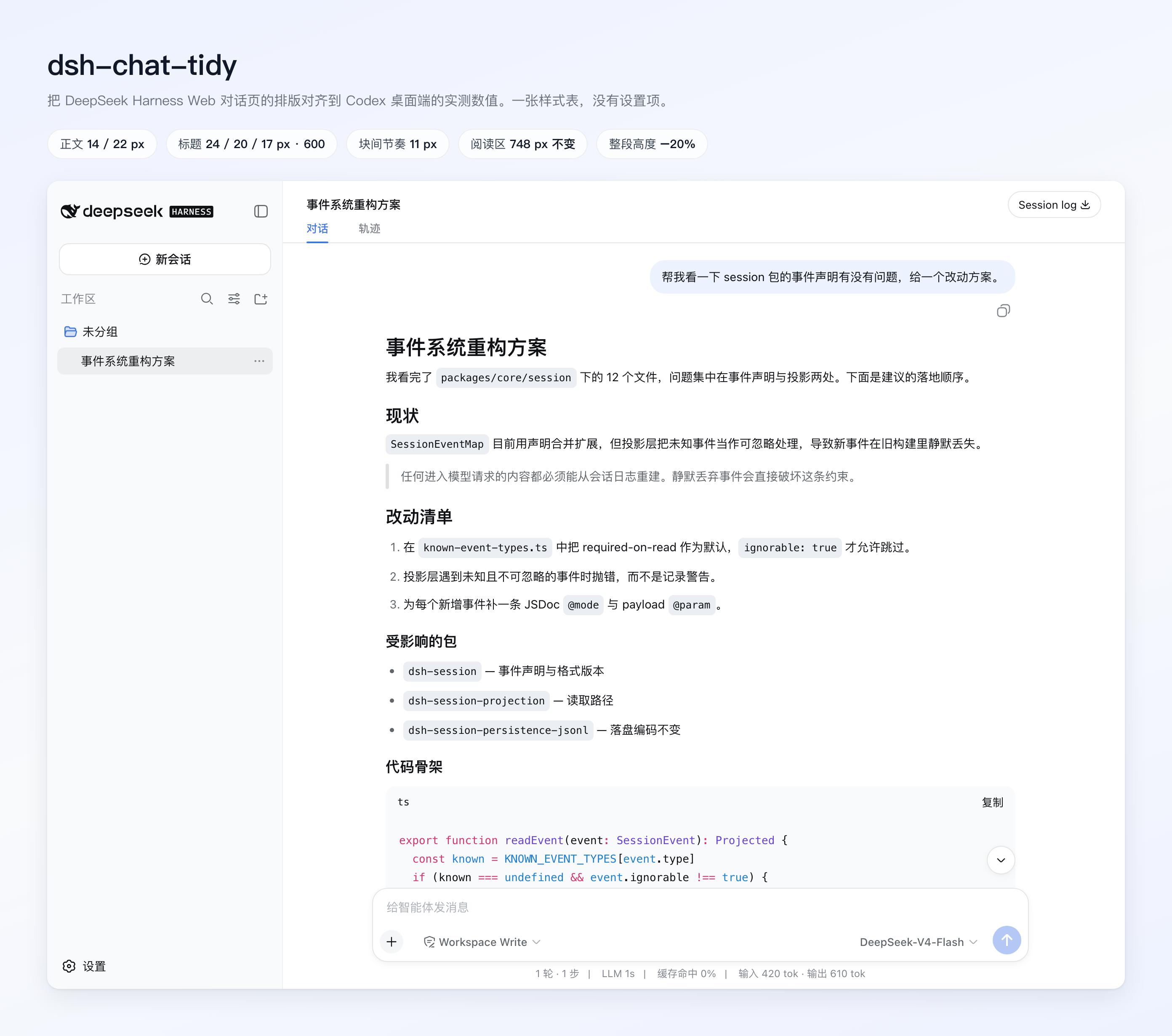 7
No screenshots
by ChuanTianML
One stylesheet that retypesets the DSH conversation to measured Codex metrics: 14/22 px body, tighter headings, lists and blocks, a rounded quote bar, and Tidy Tables with a themed header, row/column
★ 5
↓ 386/wk
MIT
TypeScript
Oct 23, 2026
dsh plugin --profile web add dsh-chat-tidyby zhanshenovo
把「不烧心」做成 DeepSeek Harness 文风层 + 短剧改写引擎。不改代码,只改你听警告时的注意力。
★ 1
MIT
JavaScript
Oct 17, 2026
dsh plugin --profile web add dsh-bushaoxindsh划词评论:在 DSH 中选中文字,评论或添加到对话;修复引用框裁字。dsh-huaci-pinglun
★ 0
dsh plugin --profile web add dsh-huaci-pinglunby AkotaP
Preset-driven running status for the DSH web chat: looks and text groups as separate preset layers, each fixed or random, with a built-in Default that uses DSH's own style and copy.
★ 2
MIT
JavaScript
Oct 18, 2026
dsh plugin --profile web add dsh-status-flair