
dsh-mcp-connectors
Manifest validDSH MCP Connectors — cross-agent MCP server manager or DeepSeek Harness

DSH MCP Connectors
在 DeepSeek Harness 里统一管理本机各个 AI Agent 的 MCP 服务器。
Manage MCP servers across every local AI agent — directly inside DeepSeek Harness.
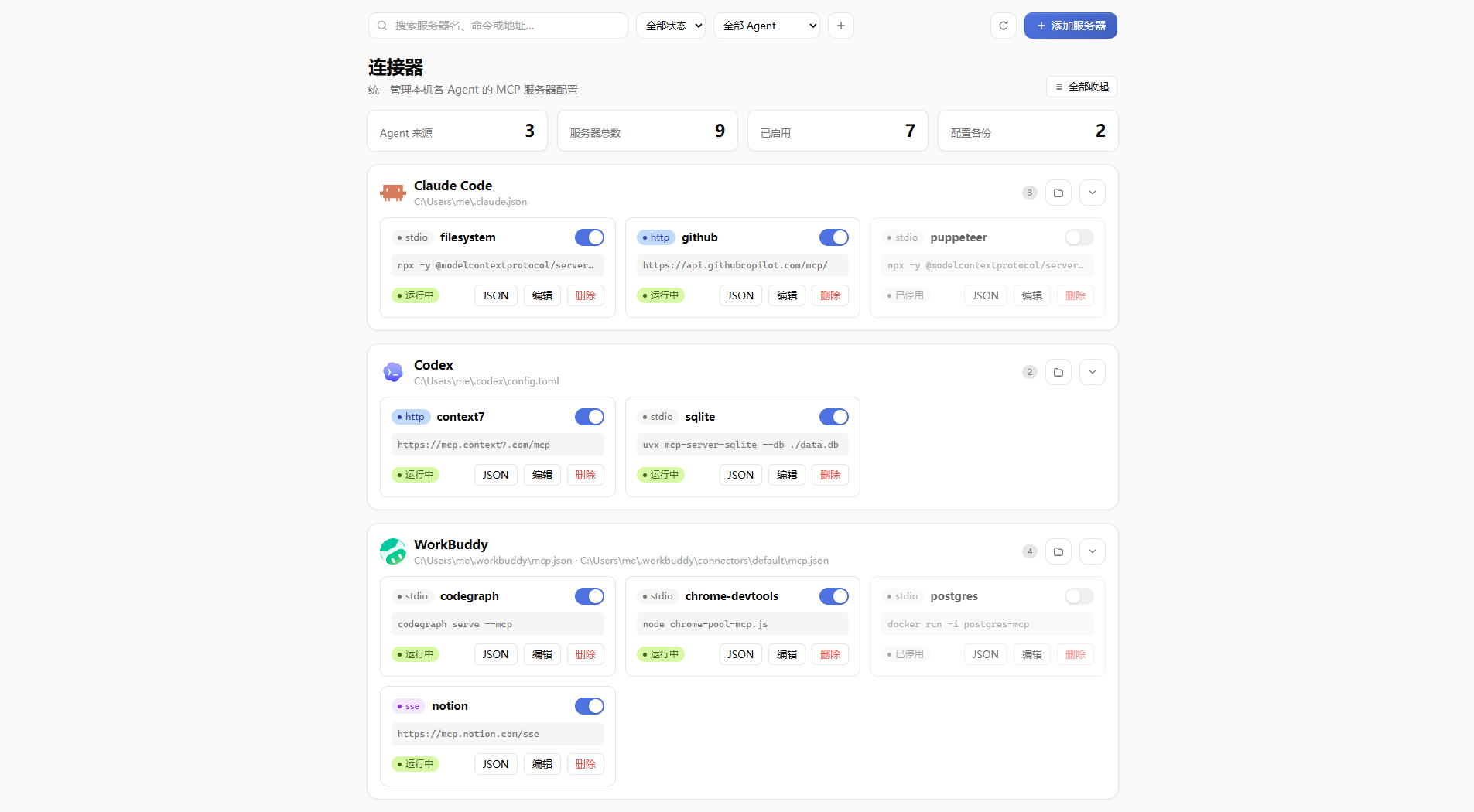
Why
Every AI agent keeps its own MCP config in its own file, in its own format. Finding out which servers are running, and toggling one off for a single tool, means hand-editing JSON and remembering which file belongs to whom.
This plugin auto-discovers those files, shows them in one panel, and lets you toggle, add, edit and delete servers — backing up every file before it is written, with one-click rollback.
Features
- Auto-discovery — scans
~,%APPDATA%and%LOCALAPPDATA%(macOS/Linux equivalents included), identifies configs by file name and content (mcpServers/mcpkeys,[mcp_servers]sections). First scan ≈250 ms on a typical dev machine, then cached. - Multi-format support — JSON (
mcpServers), OpenCode-style (mcp), Codex TOML ([mcp_servers.*]), DSH'scordis.patch.yml(@deepseek-ai/dsh-mcp-cliententries), and JSONC (comments / trailing commas). TOML and YAML are rewritten entry-by-entry so comments and unrelated settings survive byte-for-byte. - Safe writes — every write snapshots the original file into
~/.dsh/mcp-connectors/backups/(last 100 kept). Restore any version with one click; the restore itself is backed up too. - Enable / disable — MCP has no cross-tool
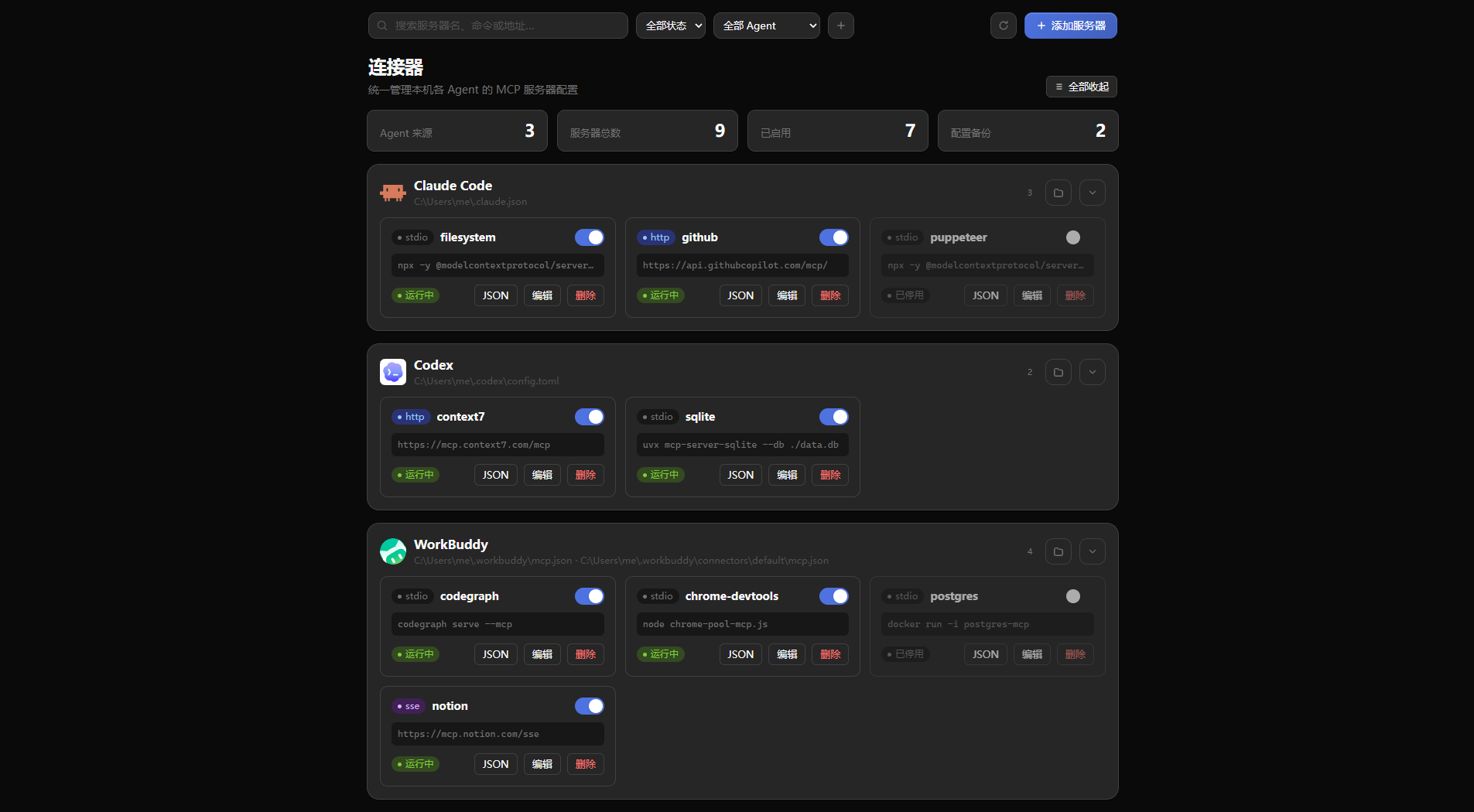
disabledflag, so disabling removes the entry from the config and keeps its definition in the manager state; enabling writes it back. - Product grouping — tools that split their config across files (e.g. WorkBuddy user-level + connectors) render as one card, each server still bound to its own file.
- Connector catalog — three sources: the official MCP Registry (live search + paging), the mcp.so Top 100 (details and install, with an offline cache), and the local WorkBuddy official connector marketplace (MCP connectors install back into WorkBuddy; CLI connectors are browse-only). Pick target agents, fill in parameters, install in one click; installed entries can be toggled or uninstalled in place. Every entry has a detail view (repository / website, README, launch command, environment, parameters). If all online sources are unavailable and WorkBuddy is not installed, the 7 built-in reference implementations appear as an offline fallback.
- Drag to reorder — display-only ordering stored in plugin state; config files are never touched.
- Panel that fits the settings page — vertical layout, sticky section headers, collapsible groups, status/agent filters, back-to-top, and light/dark that follows the host theme.
Supported configs
| Agent | Path | Format |
|---|---|---|
| DSH | ~/.dsh/profiles/<profile>/cordis.patch.yml | YAML @deepseek-ai/dsh-mcp-client entries |
| DSH (legacy) | ~/.dsh/mcp.json | JSON mcpServers |
| Claude Code | ~/.claude.json | JSON mcpServers |
| Codex | ~/.codex/config.toml | TOML [mcp_servers.*] |
| Cursor | ~/.cursor/mcp.json | JSON mcpServers |
| Gemini | ~/.gemini/settings.json | JSON mcpServers |
| Google Antigravity | ~/.gemini/config/mcp_config.json | JSON mcpServers |
| Qwen Code | ~/.qwen/settings.json | JSON mcpServers |
| Kimi Code | ~/.kimi-code/config.toml | TOML |
| AtomCode | ~/.atomcode/mcp.json | JSON mcpServers |
| OpenCode | ~/.config/opencode/opencode.json | JSON mcp |
| Windsurf | ~/.codeium/windsurf/mcp_config.json | JSON mcpServers |
| Trae / Trae CN | ~/.trae/mcp.json, ~/.trae-cn/mcp.json | JSON mcpServers |
| Qoder | ~/.qoder/mcp.json | JSON mcpServers |
| CodeBuddy / CN | ~/.codebuddy/mcp.json | JSON mcpServers |
| WorkBuddy | ~/.workbuddy/mcp.json, ~/.workbuddy/connectors/default/mcp.json | JSON mcpServers |
| VS Code | %APPDATA%/Code/User/mcp.json | JSONC |
| …and anything else auto-discovered | — | — |
Paths are configurable per source; an override is stored in ~/.dsh/mcp-connectors/state.json. A source whose file does not exist simply doesn't appear.
Install
dsh plugin --profile web add dsh-mcp-connectors
or from GitHub:
dsh plugin --profile web add https://github.com/elegant01/dsh-mcp-connectors
Restart DSH, then open Settings → Connectors. Host routes are registered at startup, so a full restart (tray → quit) is required after upgrading.
Security
- Every mutating request needs a custom header,
application/json, and a same-originOrigin; the host'sconnection.fetchgate still applies. - Writes are serialized, and a backup always precedes a write.
- Deleting a server removes only that entry; other keys in the file are preserved (JSON is re-serialized, Codex TOML is rewritten per section, DSH YAML replaces only the target entry's
config:block). - Online catalog search only talks to
registry.modelcontextprotocol.io(results cached for 10 minutes). mcp.so access is limited to its allowed rankings and detail pages (cached for 30 minutes, robots.txt respected,/searchnever touched). WorkBuddy connectors are read from the local marketplace cache. Nothing is installed or run automatically — you confirm the target agents and parameters in the panel. - WorkBuddy connector installs keep
${VAR}credential placeholders; real secrets stay in WorkBuddy's own key store and are never written to config by the plugin.
Development
npm install
npm run typecheck
npm run build        # lib/ (host unbundled, client bundled for DSH ModuleLoader)
npm test             # full regression suite against a temp HOME
npm run preview      # docs/preview.html — real component with fixture data
Releasing
Publishing is fully automated:
node scripts/bump.cjs 0.2.0   # bump package.json + lockfile + changelog
git commit -am "chore(release): v0.2.0"
git push origin main
git tag v0.2.0 && git push origin v0.2.0
The publish.yml workflow runs the full test suite and publishes with npm Trusted Publishing (GitHub OIDC) — no NPM_TOKEN, no OTP, and provenance is signed automatically.
Icons
Agent brand marks in assets/agent-icons/ come from @lobehub/icons (MIT) and are vendored here; they are inlined into the build, so nothing is loaded from external paths at runtime.
License
Comments
Loading…
Similar plugins
by shiliu153
DeepSeek Harness bundle: manage MCP servers — list, probe, add from pasted project references, toggle, remove, rotate credentials. Official dsh-mcp-client contract compliant.
★ 0
NOASSERTION
JavaScript
Nov 2, 2026
dsh plugin --profile web add @dsh-contrib/dsh-mcp-managerby CoderKuo
Manage the MCP servers of a DeepSeek Harness profile: status, switch, edit, export; add from the official MCP Registry, by hand (tested first), or with AI; find local software that can be connected
★ 3
↓ 118/wk
MIT
JavaScript
Oct 14, 2026
dsh plugin --profile web add dsh-mcp-consoleby fanyongbing
MCP server manager for DeepSeek Harness — manage this machine's MCP servers as native Loader rows, from a Settings page with cards, search, start/stop and a full config editor. · DSH 本机 MCP 管理器:把 MCP 服务器当原生 Loader 行管理,设置页卡片列表 + 搜索 + 启动/停用 + 配置编辑。
★ 0
MIT
JavaScript
Sep 30, 2026
dsh plugin --profile web add dsh-mcp-nativeby zhengjy01
MCP server manager for DeepSeek Harness: add, edit, enable and test stdio / Streamable HTTP MCP servers from the Web settings page and from agent tools, connected and disconnected at runtime without restarting DSH
★ 0
MIT
JavaScript
Sep 29, 2026
dsh plugin --profile web add @zhengjunyao/dsh-mcp-managerby ZnonEn
DeepSeek Harness (DSH) 插件:在桌面端设置页里管理 MCP 服务器 —— 新增/编辑/删除/启停 + 运行状态,直接读写 profile 的 cordis.patch.yml,零依赖。
★ 0
MIT
JavaScript
Oct 24, 2026
dsh plugin --profile web add dsh-mcp-managerby Nichts0v0
在 DeepSeek Harness 设置页管理 MCP 服务器:运行时添加/编辑/启停/重连/删除,实时状态、自动重连,中英双语界面。MCP server manager for DeepSeek Harness — add, edit, enable/disable, reconnect & delete MCP servers from the web settings page, with
★ 4
↓ 215/wk
MIT
TypeScript
Aug 21, 2026
dsh plugin --profile web add dsh-mcp-manager