

dsh-unarchive
Manifest valid★ 2Restore archived sessions in the DeepSeek Harness: a /unarchive command and an unarchive_session tool that remove sessions from the registry-global archive set so they reappear in the workspace.
dsh-unarchive
English | 中文
Restore archived sessions in the DeepSeek Harness. Archiving a session hides it from every grouping surface (workspace groups, Ungrouped, flat list, search) but never deletes it. This plugin adds the missing inverse: two entry points that remove a session from the registry-global archive set so it reappears at its original position.
What you get
| Entry point | Where | Behavior |
|---|---|---|
/unarchive | GUI command palette (/ menu) or any command surface | No argument lists the archived sessions (ids plus best-effort titles); a session id restores it |
unarchive_session | Agent tools (any session) | Omitted sessionId lists the archived sessions; a sessionId restores one |
Both entry points restore the session live in every connected GUI client (host/archived-sessions-changed) and the change survives restarts. Session logs and workspace accounting slots are never touched.
Requirements
None beyond a stock DeepSeek Harness profile. The plugin is self-contained:
- On builds that ship
workspaceRegistry.unarchiveSession, it uses that durable core API. - Otherwise it writes the workspace domain's
archivedSessionIdsglobal directly — the same durable, live-updating dataarchiveSessionreads and writes.
Self-contained caveat: the direct-domain write leaves the workspace registry's in-memory cache stale until the next restart. Until then the session reappears live, but (a) refreshing the GUI re-hides it, and (b) a later archive/workspace change re-archives it. Restart dsh to fully settle it.
Install
As a profile bundle (recommended), from a checkout of this repository:
dsh plugin --profile web add github:edfrey0044/dsh-unarchive
# or, after publishing to npm:
dsh plugin --profile web add dsh-unarchive
Restart dsh web (or your profile). The bundle patch auto-joins the profile's layer stack because this package declares dsh.bundle.patch.
Manual composition: add the row to your profile's cordis.patch.yml and install the package into the profile:
# ~/.dsh/profiles/<name>/cordis.patch.yml (one insert over the profile root)
- insert:
    - id: dsh-unarchive
      name: dsh-unarchive
cd ~/.dsh/profiles/<name>
pnpm add github:edfrey0044/dsh-unarchive
Usage
Find what is archived, then restore it:
/unarchive
Archived sessions:
- session-0a701da0-449d-4997-bf87-a4b6aae7ceee  (张雪峰谈2026文科女生报考西财中外学院)
- session-b96a78f1-b6bf-439b-9570-c054307e6adb  (张雪峰视角:西财中外合作报考建议)

/unarchive session-0a701da0-449d-4997-bf87-a4b6aae7ceee
Session session-0a701da0-449d-4997-bf87-a4b6aae7ceee restored; it is visible again in the workspace at its original position.
English demo (the /unarchive command in the GUI command palette):
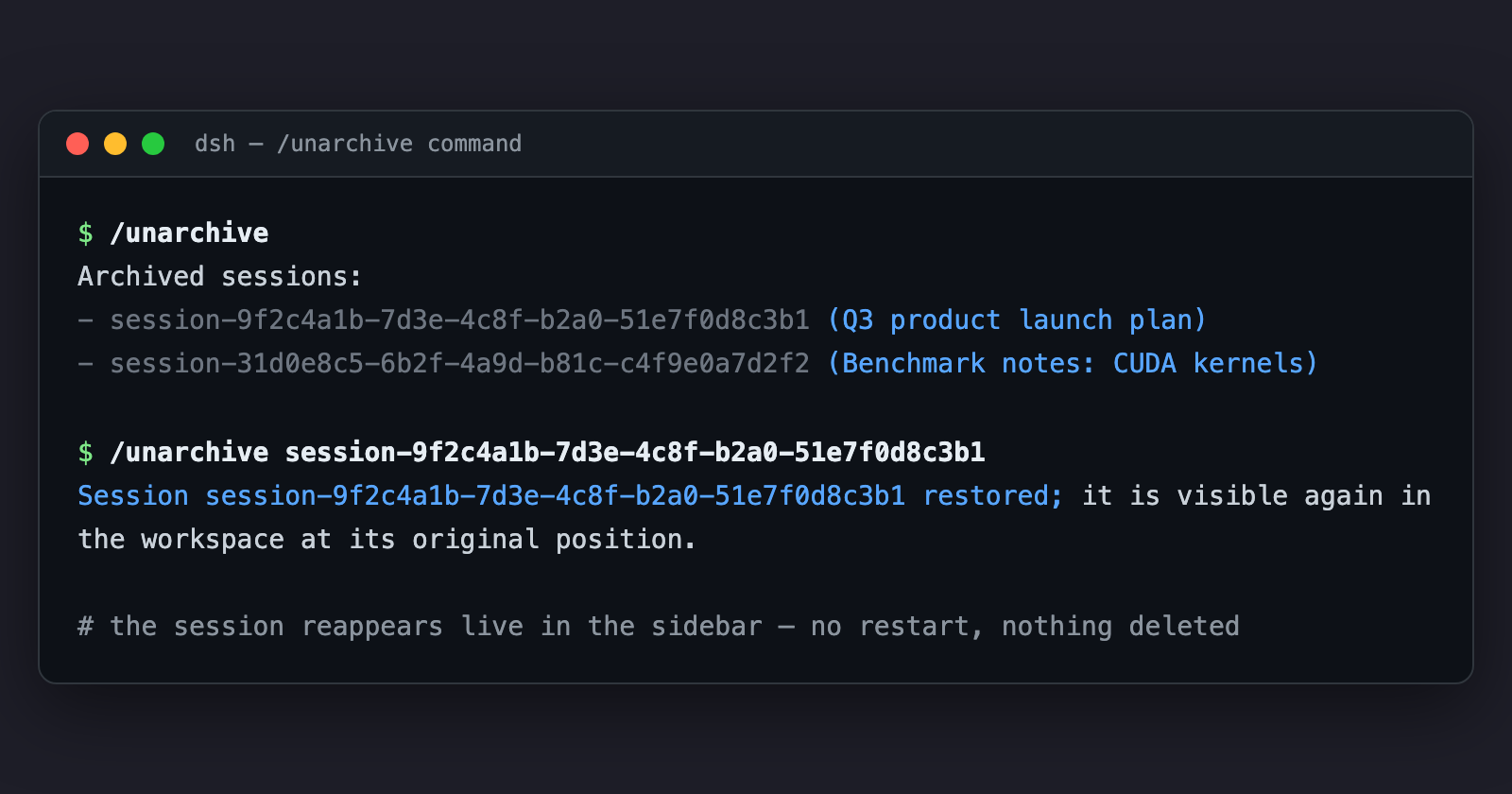
Or ask the agent in any session: "把归档的会话恢复一下" — the model calls unarchive_session for you.
Session ids also live on disk: ~/.dsh/sessions/<project>/<sessionId>/ (or $DSH_HOME/sessions/...), and the archive set itself is ~/.dsh/storages/workspace.json → global.archivedSessionIds.
How it works
Archiving keeps the session's sessionIds slot in the workspace account; only a display-set write moves the id into archivedSessionIds. Unarchiving is the inverse write, so the session resurfaces exactly where it was.
The plugin prefers the core API (WorkspaceRegistry.unarchiveSession) when the build ships it. On stock builds it writes the workspace domain's archivedSessionIds global directly via ctx.storageDomain; that write is durable and emits domain/changed, which the host turns into host/archived-sessions-changed for every connected client. The self-contained path's one limitation is the registry's in-memory cache (see Requirements).
Development
The implementation is plain ESM (lib/index.js) with hand-written declarations — no build step.
npm test— stub-based unit tests (fake registries; no DSH boot).- End-to-end verification against a real harness checkout: mount the plugin with real
storage-domain/workspaceRegistryin a temp world and drive the captured command handler. Seetests/for the scenario shape.
License
MIT
Compatibility
Versions
| Latest version | Published | Size |
|---|---|---|
| 0.1.7 | — | — |
| 0.1.8 | — | — |
| 0.1.9 | — | — |
Comments
Loading…
From the same category
DeepSeek Harness plugin for Reactive Resume: bridges your resumes and job applications into a Harness session over MCP.
★ 41.7k
↓ 121/wk
MIT
Aug 24, 2026
dsh plugin --profile web add dsh-plugin-reactive-resumeby yjh051108
dsh-routing-suite — injector + router-standard kit: install the runtime injector first, then the task-aware reasoning-mode router preset (measured P1-P23).
★ 6.8k
MIT
JavaScript
Aug 24, 2026
dsh plugin --profile web add @dsh-external/dsh-super-injectorby kingcharleslzy-ai
Community-maintained dsh-purge fork with host-policy patches, prompt and rule settings, diagnostics, separate update-check and install controls, and local backup/rollback.
★ 6.3k
MIT
JavaScript
Nov 8, 2026
dsh plugin --profile web add dsh-purge-communityby QingYunA
Answer me with HTML — an agent skill that answers hard questions with a one-page HTML you can actually read. 让 AI Agent 用一页 HTML 回答复杂问题。
★ 6.2k
MIT
JavaScript
Nov 10, 2026
dsh plugin --profile web add answer-me-with-htmlby T-Auto
Provides bash, PowerShell 7, and a suite of high-performance tools written in Rust for Windows DSH to enhance token efficiency / 为windows的dsh提供bash、powershell7及一系列rust编写的高性能tools来提高token效率
★ 5.7k
↓ 52.6k/wk
NOASSERTION
JavaScript
Nov 10, 2026
dsh plugin --profile agent add dsh-opsby Q00
Agent OS: the agent gets smarter on its own. We just hold the line: Interview-gated, staged evaluation, budgeted evolution loop. MCP server, 14 runtimes: Claude Code, Codex CLI, Gemini CLI, OpenCode,
★ 5.7k
MIT
Python
Aug 25, 2026