
hy-memory4dsh
Manifest valid为 DSH 装上三层长期记忆:会话、项目、个人。
hy-memory4dsh
中文 | English
Three layers of long-term memory for DSH: session, project, personal.
The problem
DSH has no long-term memory. AGENTS.md is a static set of rules you maintain by hand, and session history only lives inside one session. Start a new conversation and every convention, preference and past mistake has to be explained again. hy-memory4dsh records them automatically, recalls the relevant ones before a turn, and consolidates them after it, across sessions and across projects.
How it works
The plugin runs inside DSH; the memory engine is Hy-Memory 2.0's Python SDK, hosted in a sidecar process with its own venv, so there is no service for you to start.
- Recall on
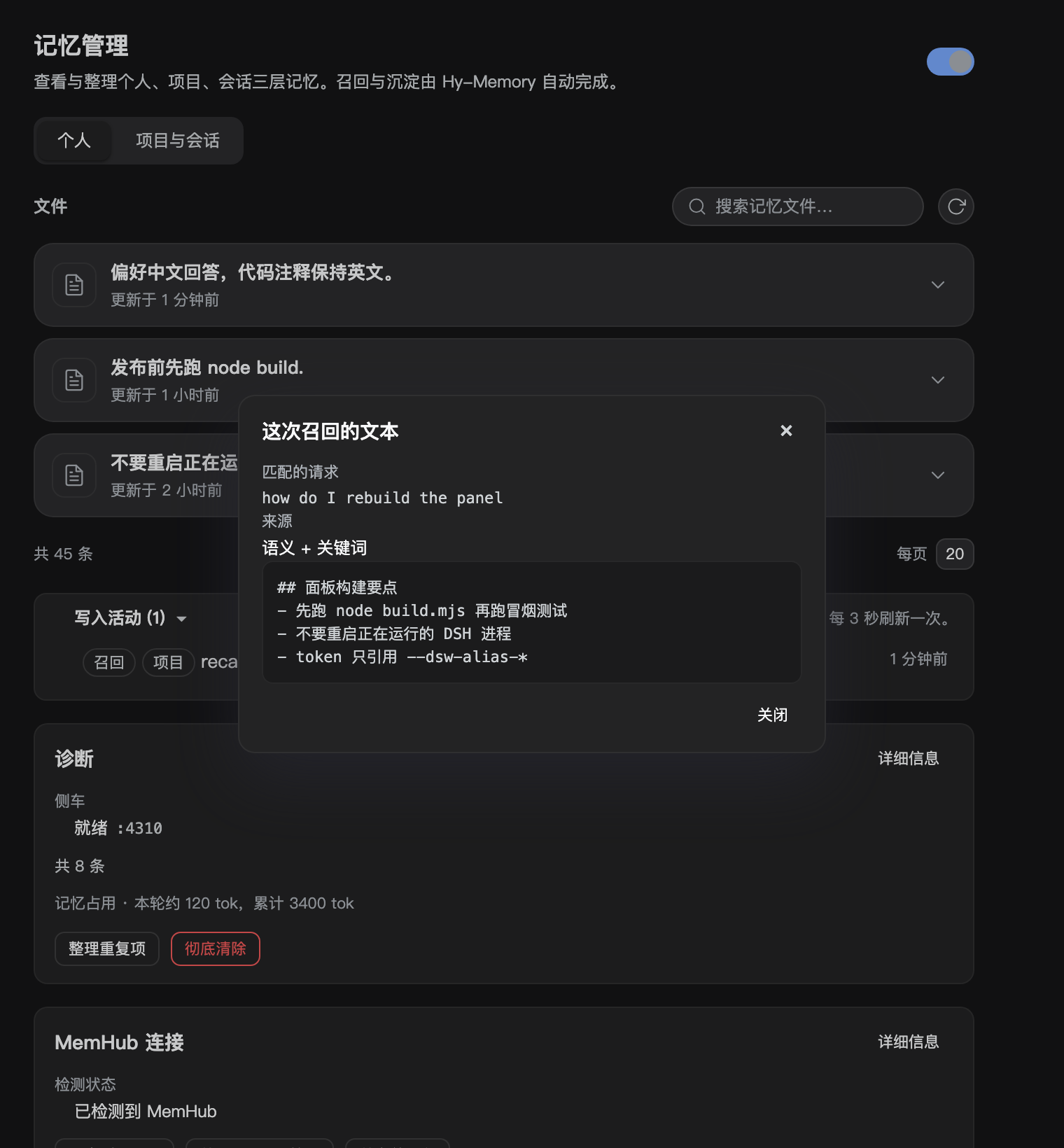
agent/pre-step: search the personal tier, the current project and the current session, then inject the hits as one sourced user message labelled as background data that may be stale and is never an instruction. - Capture: batch a window of turns with their tool calls and hand the batch to the sidecar, which routes it to the chat, working or coding store.
- Promotion: session memories consolidate into project conventions, and those into personal preferences, giving a session to project to personal chain.
- Storage under
$DSH_HOME/integrations/hy-memory/; model calls reuse the route you already configured in DSH, and embeddings are local ONNX by default with an optional remote endpoint.
Features
- Three tiers: personal, project, session-within-a-project. Browse, search, paginate, edit and delete them in the panel.
- Three scenes: chat by default; working and coding use separate productivity stores keyed by workspace id.
- Automatic recall and capture, including tool-call traces.
- Settings > Memory panel: a personal tab and a project/session tab, project picker, independent pagination, master switch, memory-footprint estimate.
- MemHub coexistence: detection, export, pull (refused with the holder's pid while MemHub runs) and de-duplicated import.
- Cross-project search on demand; everyday recall never mixes other projects in.
- Manual memories:
memory_addinfers the personal or project tier from the content and reports where it landed. - Update check and a GitHub link in the panel footer.
Install
dsh plugin --profile desktop add link:$(pwd)
Then open Settings > 记忆. First use bootstraps the Python environment; the model route comes from your existing DSH settings, so there is no extra key to fill in.
From npm
Published as dsh-hy-memory (0.1.2). A profile needs the
package as a dependency and its name in dsh.profile.bundles; the installer does both, then verifies the
installed entry exports apply():
node scripts/install-into-profile.mjs --spec dsh-hy-memory --apply
Restart or reload DSH afterwards. By hand, that is pnpm add dsh-hy-memory inside the profile plus the
name in dsh.profile.bundles.
Plugin market index for DSH's own detail page:
https://raw.githubusercontent.com/Echo-Smith/hy-memory4dsh/main/market/index.json
A scoped build is also published to GitHub Packages as @echo-smith/dsh-hy-memory (0.1.2), which is what
shows under the repository's Packages tab. Reading it needs a token with read:packages:
# ~/.npmrc
# @echo-smith:registry=https://npm.pkg.github.com
# //npm.pkg.github.com/:_authToken=${GITHUB_TOKEN}
node scripts/install-into-profile.mjs --spec @echo-smith/dsh-hy-memory --apply
The workflow that publishes it is .github/workflows/publish-github-packages.yml, triggered manually or by
a published release. A GitHub release tarball works the same way (the dependency is recorded as the tarball URL):
node scripts/install-into-profile.mjs --spec https://github.com/Echo-Smith/hy-memory4dsh/releases/download/v0.1.2/dsh-hy-memory-0.1.2.tgz --apply
For a local build or a release you are publishing yourself:
node scripts/prepare-publish.mjs                                  # stages under the public name, packs, verifies
node scripts/install-into-profile.mjs --spec ./dist/dsh-hy-memory-0.1.2.tgz --apply
Publishing is a human step with your own credentials: npm publish ./dist/<tarball> --access public.
Pushing a v* tag also runs .github/workflows/publish-npm.yml, which publishes once the repository secret
NPM_TOKEN holds a token allowed to create the package and otherwise skips with a warning.
For a release, keep the market index in step with the shipped version:
node scripts/sync-market-index.mjs # rewrites market/index.json from package.json
Requirements: DSH 0.2 preview, Python 3.10+ (installed into the plugin directory on first use), optional git for workspace ids.
Dependencies
This repository ships the DSH side only: the host plugin, the client panel, the bridge scripts, and docs. The Hy-Memory 2.0 framework itself is not vendored here. On first use the plugin creates a Python virtual environment under $DSH_HOME/integrations/hy-memory/venv and installs the PyPI package hy-memory into it; the bridge then imports hy_memory from that environment.
- Network access is needed once, for that install (and for the optional local embedding model download).
- The package is installed by name, so a fresh install resolves to the latest available version. Set
HY_MEMORY_SDK_PACKAGE=hy-memory==<version>when installing to pin it. - Upstream code and its license belong to the Hy-Memory project; this repository only depends on it and does not redistribute it.
- Everything else in this repository is MIT.
Configuration
Settings live in $DSH_HOME/integrations/hy-memory/settings.json; the panel edits the same object.
| Key | Default | Meaning |
|---|---|---|
enabled | on | master switch; off pauses recall, capture and tools, and the panel becomes read-only |
recall.maxItems / maxChars / minScore | 5 / 1200 / 0.56 | recall budget and relevance floor per step |
capture.windowTurns | 3 | turns per captured batch |
capture.productivity | off | route batches to the working/coding stores instead of chat |
promotion.everyTurns | 8 | turns between promotion passes |
embedding.mode | local | local ONNX (384 dims, ~80 MB downloaded once into ~/.cache/chroma) or remote with baseURL/model/apiKey/dims |
Plugin market index
DSH's plugin detail page compares an installed package with a market index and marks
update-available on its own; that page belongs to DSH, so a plugin cannot draw on it. What a plugin can
do is publish an index DSH understands. This repository ships one at market/index.json (format 1,
validated with DSH's own parser):
node scripts/validate-market-index.mjs # needs an installed DSH app (or --module <extracted app node_modules>)
Add this URL as an index in DSH's plugin market settings, and the detail page starts comparing
dsh-hy-memory versions against it:
https://raw.githubusercontent.com/Echo-Smith/hy-memory4dsh/main/market/index.json
Bump versions there when a release goes out; the page then shows the new version as available while the
settings panel keeps its own notify-only update check.
Screenshots
| Personal | Project and session | Update check |
|---|---|---|
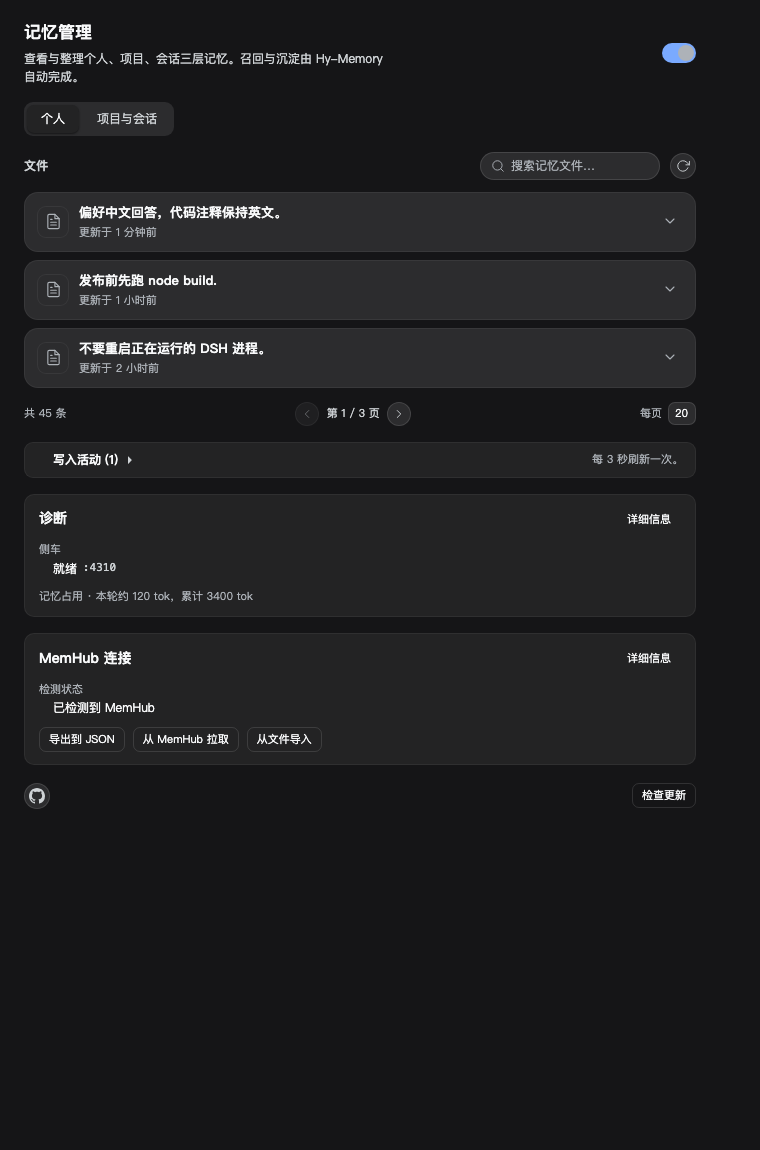 | 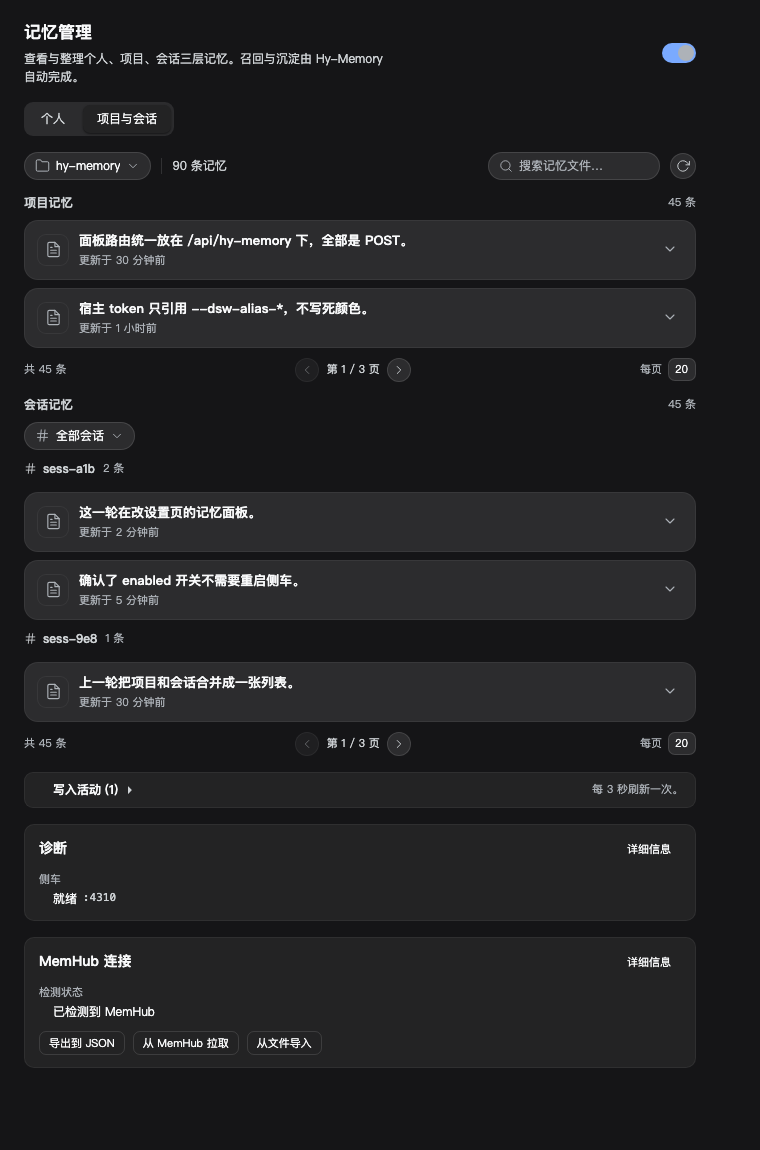 | 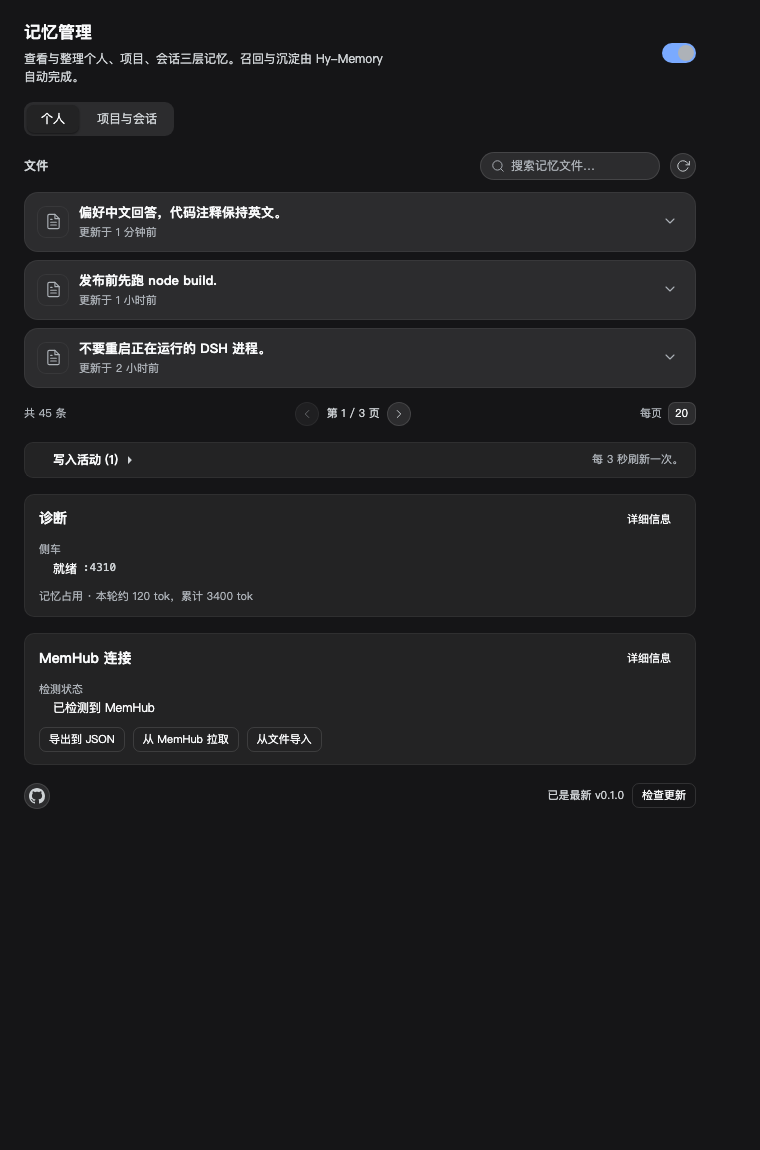 |
| Row actions | Forget confirmation | Why recalled |
|---|---|---|
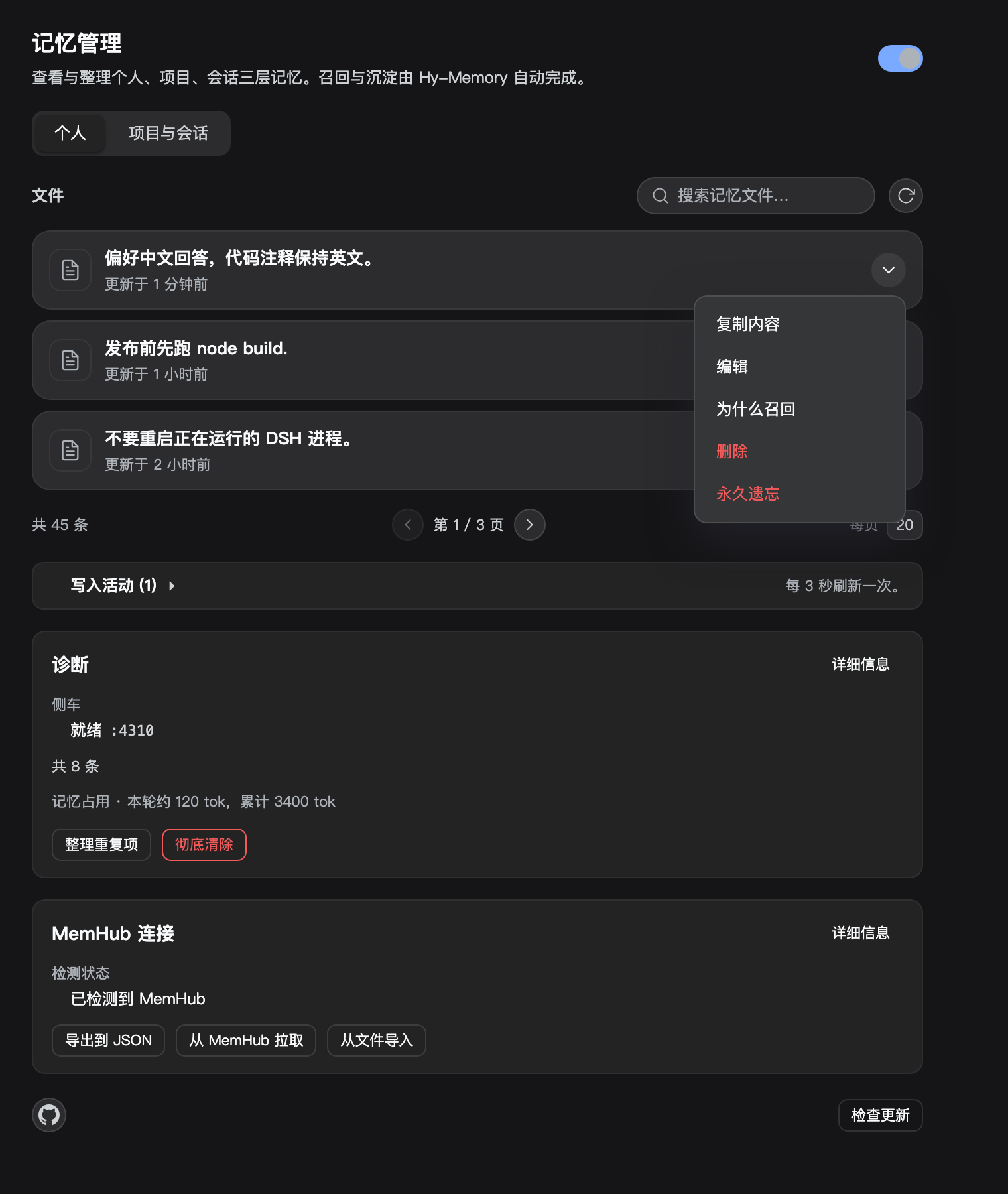 |  |  |
| Injected text | Duplicates | Purge |
|---|---|---|
 |  |  |
Project switch: don't remember this project

MemHub not installed: dashed card

Compatibility and limits
- Project memories belong to a project; session memories follow the project they were created in, so switching projects hides them.
- Productivity stores are only visible to a search that carries a workspace id, so capture writes to the chat store unless
capture.productivityis on. - During a model outage, reconcile fails; writes retry with backoff, and a final failure keeps the raw text in the lite layer with an activity entry.
- The bundled embedder is English-first; Chinese recall leans on a token-overlap fallback. A remote multilingual embedder removes that fallback.
Verifying a change
npm run check         # syntax of entry points and the built bundle
npm test              # 102 host tests
npm run test:smoke    # panel smoke, reads the built client.js
npm run eval:recall   # offline fixtures: hit, noise, budget, injected size
Against a running sidecar, the live harness drives the real pipeline and prints hit rate, injected size and latency:
npm run eval:live -- --port <sidecar port> [--grid]
Current numbers on ten real questions from a working store: 9/10 hits, 941 injected characters, 149 ms. Before the session-id enrichment and the budget-aware keyword top-up it was 6/10 at 805 characters.
CI runs the same four commands on every push and pull request. The recall harness already paid for itself: it caught a case where one oversize memory ignored maxChars and was injected whole.
What is planned next, in order, is in docs/ROADMAP.md: real-data recall fixtures, multilingual embeddings, lifecycle and dedupe, explainable recall, privacy controls, MemHub's own sync path, scene verification, and operations.
Forgetting and recency
Ranking is not purely similarity: an equally relevant memory that is a year old loses to a fresh one.
The half-life defaults to 30 days (recall.halfLifeDays), thresholding stays on the raw score, and the
weighting is skipped when a memory has no timestamp.
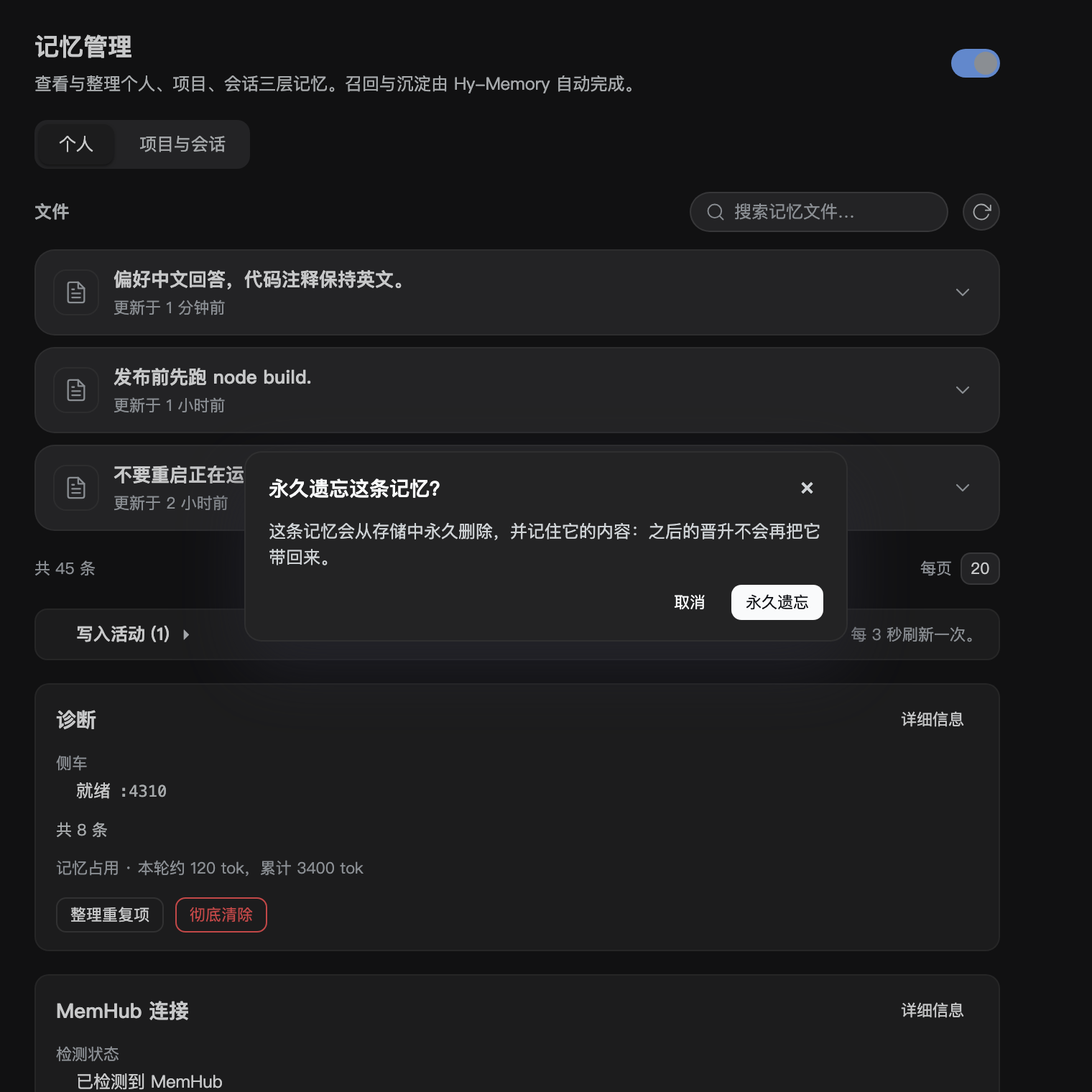
memory_forget (tool and /api/hy-memory/forget) deletes a memory and records a hash of its text in state.json. Promotion skips lines
whose hash is on that list, so a fact the user explicitly forgot does not come back through the next
promotion pass. Ordinary delete does not do this.
Agent teams
A subagent session carries header.parentSession, the lead's session id. Recall treats that parent as part
of the session tier, so a teammate starts with the lead's session memory instead of an empty context. Capture
still writes each session's turns under its own id, so provenance stays exact and a lead does not inherit a
sibling's memories.
Privacy
Capture filters credentials before anything leaves the process: API keys, GitHub tokens, AWS keys, Slack
tokens, bearer headers, private-key blocks and password= patterns cause the whole message to be
dropped from the batch (looksSensitive). permissions.disabledCaptureProjects lists project keys whose turn capture is skipped entirely: the
"don't remember this project" switch, for a client repo or private code where memory elsewhere keeps
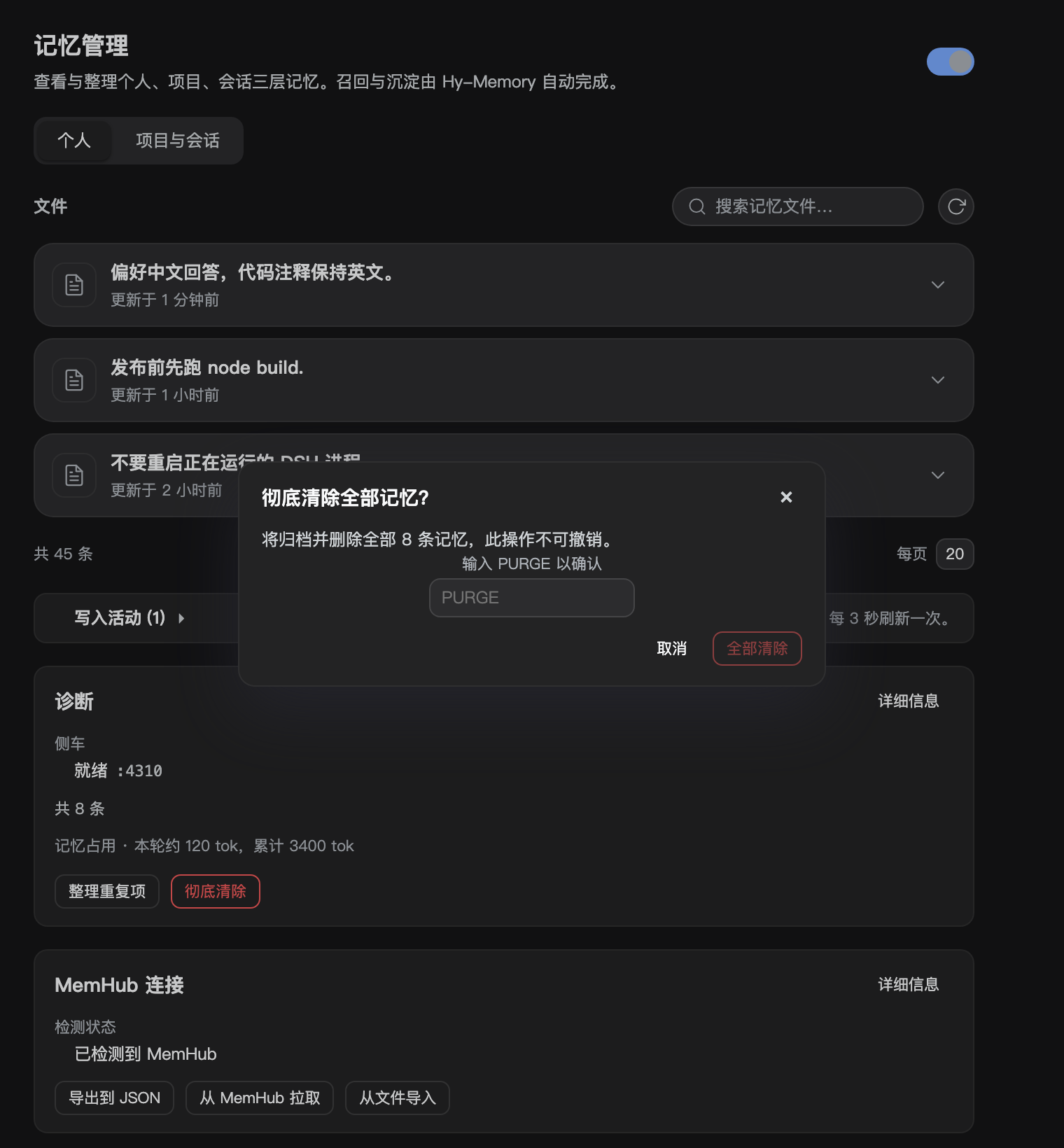
working. POST /api/hy-memory/purge {confirm:'PURGE'} writes every memory to a
JSONL archive under the integration directory first, then deletes them; a wrong or missing confirmation
is refused.
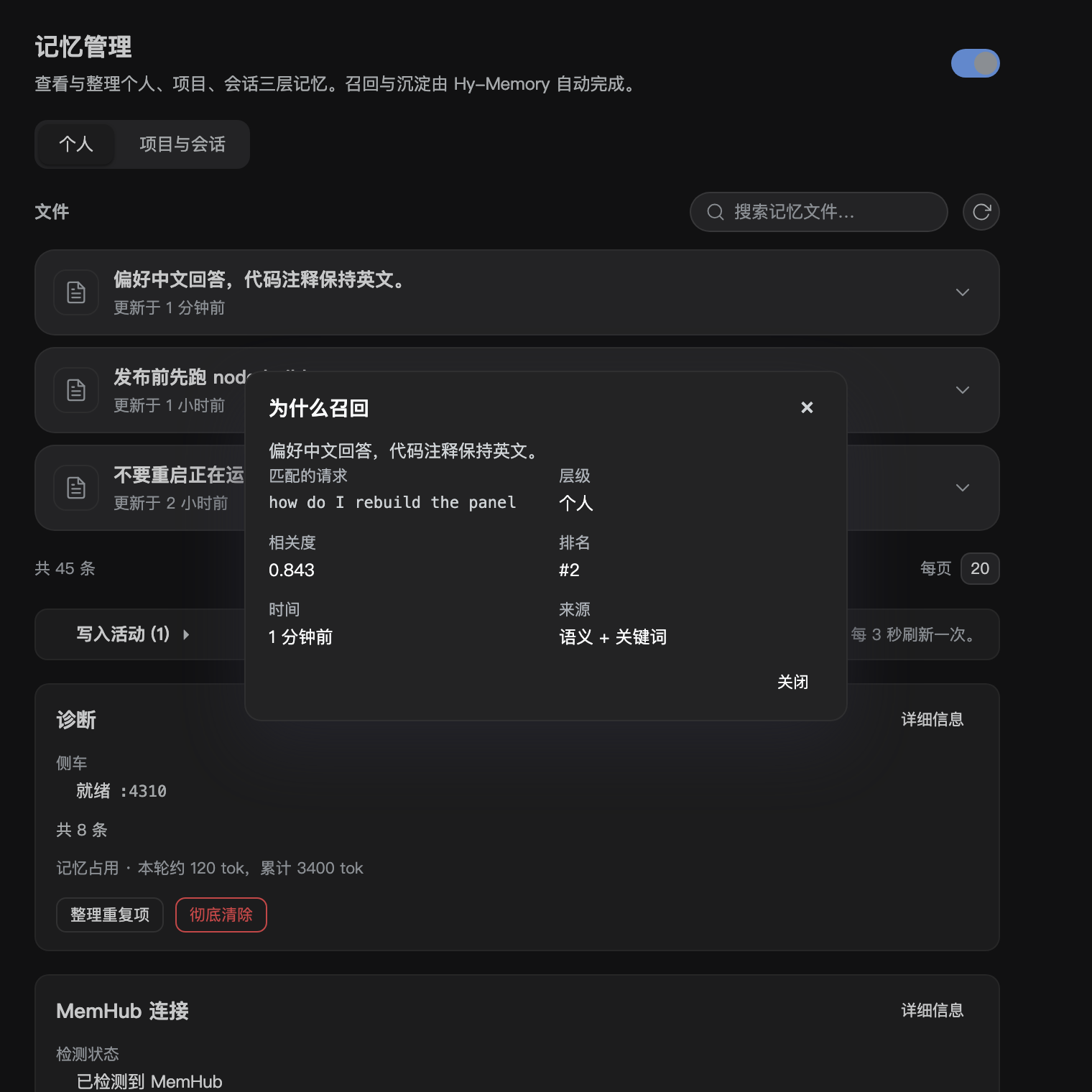
Why was this recalled
Every injection appends one entry to state.json under recallLog (last 50), holding the turn's query,
the source (semantic, lexical or both) and, per item, tier, score and rank. POST /api/hy-memory/explain {id} returns the newest entry that contains a memory id, so the panel can answer "why is this row here"
instead of showing an opaque list. The log is capped and stores ids and scores, not memory text.
MemHub pairing
mcp-one-memory runs MemHub's own mcp.cjs over stdio, so this Harness can call MemHub_recall and
friends directly. Pairing is detected by counting credential files under $DSH_HOME/memhub and reading
the loopback broker's discovery file; the status route reports memhub.pairing and the MemHub card says
whether sync should be turned on in MemHub's own panel. The plugin does not reimplement MemHub sync.
Cold start
scripts/bench-startup.mjs spawns the bridge against a scratch data directory and reports the real cost:
about 0.9 to 2.8 seconds from spawn to /healthz on this machine, then 5 to 8 ms for the first bridge
call. scripts/bench-wake.mjs drives a throwaway DSH_HOME through a full idle stop and measures the
wake: 1.6 s cold, 61 s idle window, 1.6 s to wake again, so a stopped sidecar costs the same as a cold
start. sidecar.prewarm defaults to true, so the process is started when the plugin loads instead of on
the first turn, and recall waits up to recall.waitForStartMs (2500 ms default) for a starting sidecar
rather than silently skipping the turn.
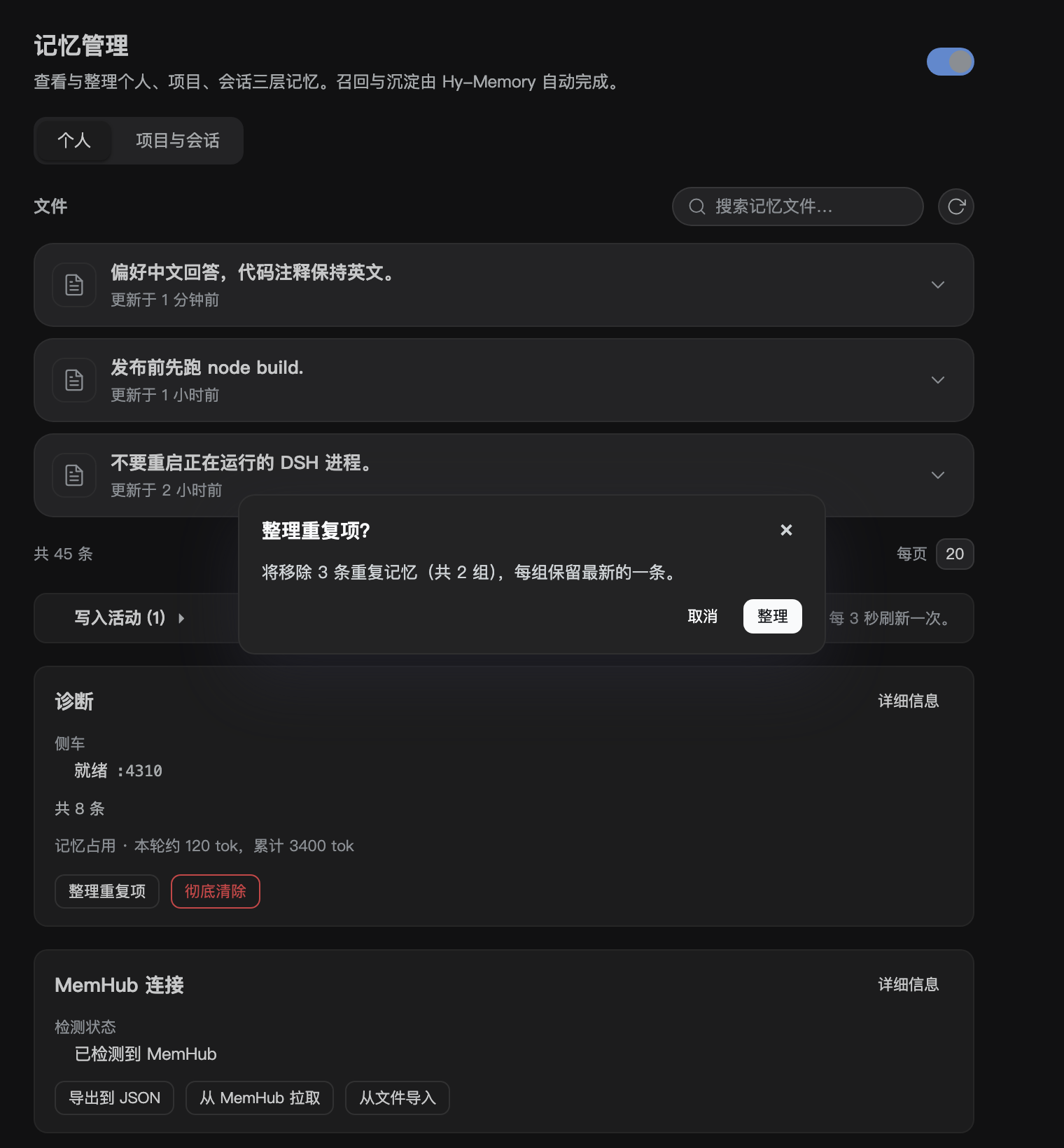
Duplicates
/api/hy-memory/duplicates groups memories whose text is identical after whitespace and case folding,
keeping the newest of each group and listing the rest. /api/hy-memory/merge then deletes the listed
rows. Nothing runs automatically; the panel exposes it as one button in the diagnostics card.
Capacity
lifecycle.maxPerTier defaults to 2000 and lifecycle.archiveOnCap is off. Turning it on appends the
oldest rows beyond the cap to $DSH_HOME/integrations/hy-memory/archive/capacity-<ts>.jsonl before
deleting them, so the archive is the recovery path. It is off by default because deleting memories is
irreversible.
Contributing
Issues and pull requests are welcome. A reproduction with the version, the steps and the relevant part of $DSH_HOME/integrations/hy-memory/sidecar.log saves time; changes should come with a test or a reproducible verification.
License
MIT
Comments
Loading…