
dsh-teamwork
Manifest valid★ 1Sync team models, agent presets, and approved plugins into DeepSeek Harness, with team-scoped assistant operations.

DSH Teamwork
English · 简体中文


Shared models, agent presets, and approved plugins for your team's DSH workspace.
Connect DeepSeek Harness to DSH Teamwork, or your team's self-hosted server. A team publishes its configuration once; members sync it into their own DSH. The team assistant helps with sharing, usage and administration in conversation.
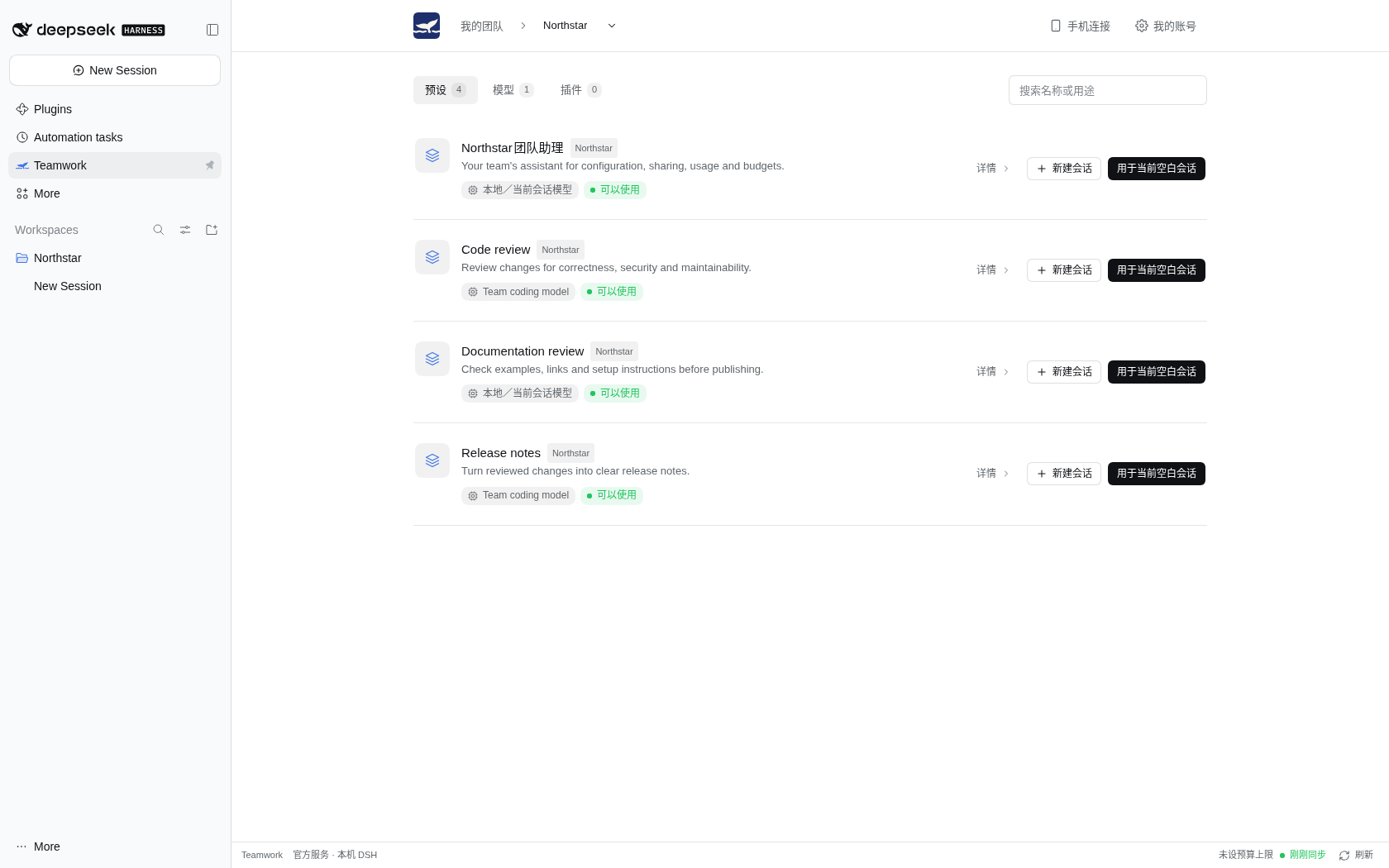
The plugin panel and the web console speak English and Simplified Chinese:
the panel follows the language of your Teamwork account (Account in the
panel). Terminal /teamwork output is always English; model replies follow the
conversation. Screenshots use a local
demonstration team.
What you can do
| Capability | What it gives your team |
|---|---|
| Shared models and presets | Sync team resources and create sessions from native DSH agent presets. |
| Team assistant | Ask about configuration, personal usage and applicable budgets; administrators get their authorized management operations. |
| Reviewed sharing | Prepare local plugin packages and submit new or updated plugins/presets for administrator review. |
| Version history | Inspect publications, export resource backups and prepare a reviewed restoration. |
| Team governance | Administrators manage configuration, budgets and approval through the connected service. |
| Paired device access | With the relay, pair your phone (the Teamwork App) or a browser (My DSH in the web console) to your online DSH computer. |
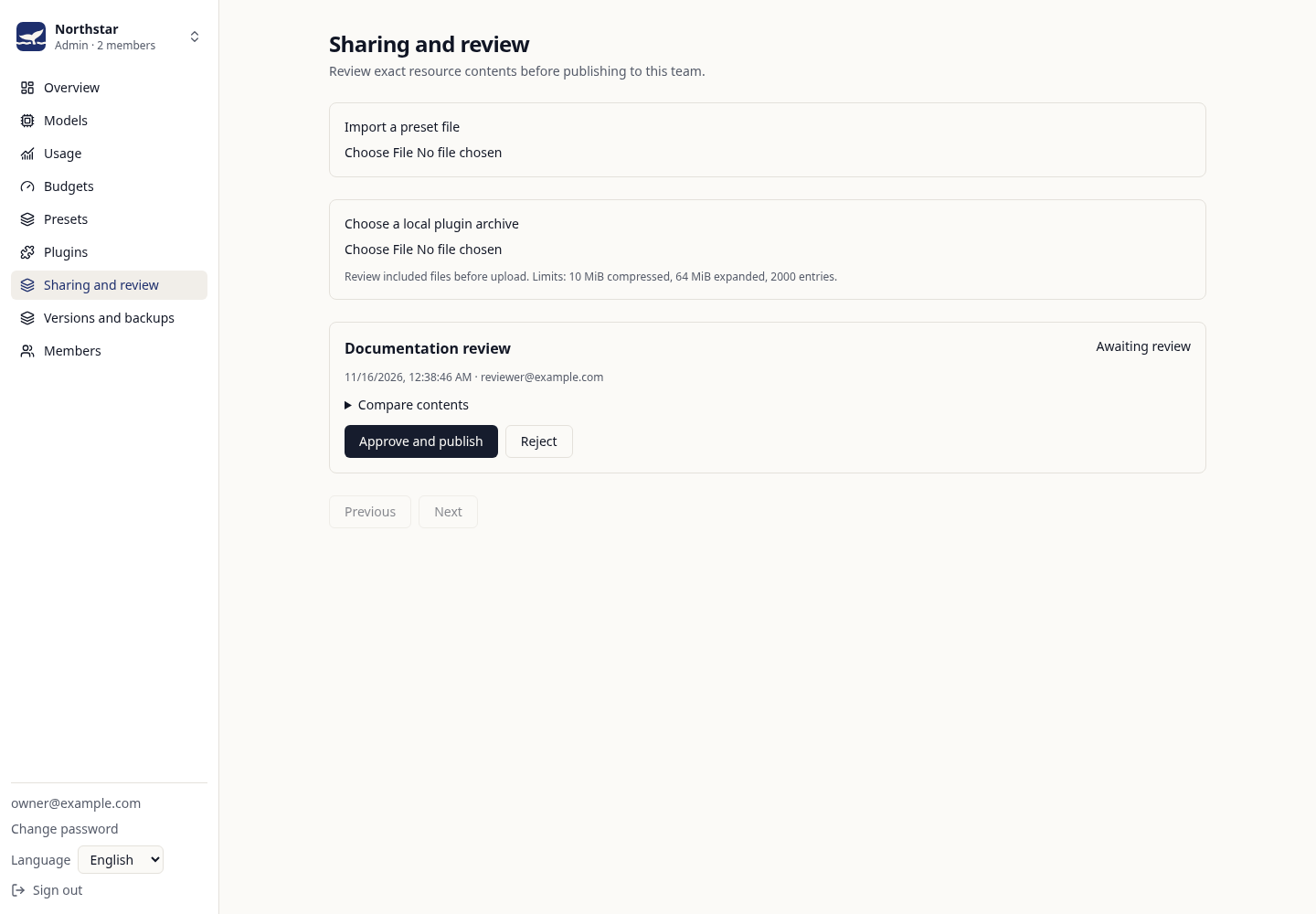
Sharing and review happen inside the selected team. A publication becomes available to its members; it does not install code on their computers.
Install
DSH Desktop: open Plugins → Add plugin in the application, enter the package name below, install it and enable it. Follow any restart prompt.
@dsh-teamwork/dsh-teamwork
Desktop manages its own profile. Use its plugin manager for installation and
updates; a CLI installation into web belongs to a different profile.
DSH CLI / Web: install into the profile you actually run:
dsh plugin --profile web add @dsh-teamwork/dsh-teamwork
dsh web
For an existing web process, follow the host's reload/restart instructions.
Replace web with your custom profile name where appropriate.
| Requirement | Support |
|---|---|
| Declared DSH range | >=0.2.2-rc.1 <0.3.0-0 |
| CI host versions | 0.2.2-rc.1, 0.2.2-rc.2, 0.2.2-rc.3 |
| Node.js | Follow your DSH runtime's requirement; the current RC line requires Node.js 24.9+. Desktop supplies its runtime. |
CI uses Linux and pnpm 9.15.9. Other host and package-manager combinations follow their own build-script and installation policies. See installation troubleshooting.
Start with your team
- Open Teamwork in the DSH sidebar and choose the browser sign-in action.
- Sign in to the service and authorize this DSH. Use the displayed fallback authorization line if the loopback callback cannot complete.
- Select a team and refresh its resources. Create or join a team in the web console if you have no membership yet.
- Select the team's assistant preset and create a new session. New teams receive an assistant named after the team; existing teams are not automatically changed.
Try asking:
Sync my team's configuration and show my usage for this month.
The assistant may inherit your session's local model. It needs a working model to act; inheriting a model does not configure a team gateway route.
Members and administrators
| Member | Team administrator |
|---|---|
| Read shared resources and personal usage; inspect applicable budgets. | Read authorized team usage and manage team/member/provider budgets. |
| Submit presets and local plugin packages, including updates. | Review frozen submissions and publish or reject them. |
| Use published presets and explicitly install approved plugins. | Manage team configuration and prepare historical restorations. |
Mutations use DSH's real approval flow and the server rechecks permissions. Enter provider keys and account passwords through the console's secure forms. The user guide covers commands, configuration, device access and the distinction between submitted, published, synced and installed.
Service and data
- The default service is
https://www.dshteamwork.com. Change it on the Teamwork sign-in screen to use a self-hosted community server. - Team-model requests go through your chosen server. Provider keys stay on that server; prompts and model context pass through its model gateway.
- Plugin sign-in tokens stay in host memory. Restarting DSH requires signing in again. Configuration caches do not authenticate a session.
- The device relay requires an online web/desktop host, and on a phone the matching App. Pairing grants access to the owner's permitted DSH sessions across teams.
Data, device pairing and recovery details explain which information is local, which reaches your server, and what the paired channel protects.
Help and development
- User guide · 中文使用指南
- Developer reference — build, host checks, runtime behavior and publishing.
- Report an issue — include DSH/plugin versions, platform, profile type and a redacted error.
- Teamwork service · Community server
License
Apache License 2.0. The DSH Teamwork name and whale mark are covered by NOTICE; a fork uses its own branding.
Comments
Loading…
Similar plugins
by limuyang2
Multi-agent team collaboration for DeepSeek Harness, with independent models, skills, MCP tools, contexts, and a shared workspace.
★ 53
↓ 590/wk
MIT
TypeScript
Aug 26, 2026
dsh plugin --profile web add @limuyang2/dsh-agent-teamby toolclub
Persistent multi-model workflow teams for DeepSeek Harness — dynamic lead planning, bounded DAGs, per-agent model/tools, Run Center and Token insights.
★ 288
MIT
TypeScript
Nov 1, 2026
dsh plugin --profile web add dsh-agent-team-guiby running-grass
DeepSeek Harness plugin: a `team` agent preset whose Lead decides and dispatches while short-lived workers do the writing
★ 0
MIT
JavaScript
Oct 7, 2026
dsh plugin --profile web add dsh-team-modeby wowyuarm
Give DeepSeek Harness a persistent agent team for long-running collaboration
★ 69
↓ 64/wk
MIT
TypeScript
Oct 6, 2026
dsh plugin --profile web add @wowyuarm/dsh-agent-teamby Platato-DA
Scheduled Agent execution for DeepSeek Harness: per-task models, workspaces, durable run history and artifacts. Community plugin · public beta.
★ 0
BSD-3-Clause
TypeScript
Nov 2, 2026
dsh plugin --profile web add @dsh-external/dsh-task-centerby pallwalt
Scheduled Agent execution for DeepSeek Harness: per-task models, workspaces, durable run history and artifacts. Community plugin · public beta.
★ 0
BSD-3-Clause
TypeScript
Oct 31, 2026
dsh plugin --profile web add @dsh-external/dsh-task-center