
dsh-weekly-retro
Manifest validWeekly retro for DSH: sessions, repeats, candidate skills and a five-tab insights UI, all local. Its HTTP routes have no DSH access check, so a web page open in your browser could call them.
dsh-weekly-retro · DSH 周报复盘插件 v0.5.0
稳定版已发布到 npm 与 DSH 插件市场;插件内置确定性流水线与
weekly-retro分析技能。

把周报复盘从本机脚本迁成可安装的 DSH 插件:/weekly 命令 + 5 个工具 + 13 条路由 + 五 Tab 可视化洞察页 + 运行时技能。
- 主机侧:采集 → 归纳 → 报告 → HTML 全链路,工具/命令/路由都可独立使用
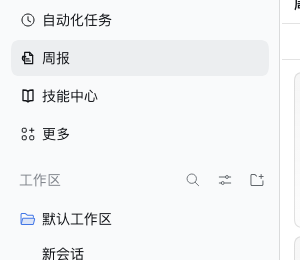
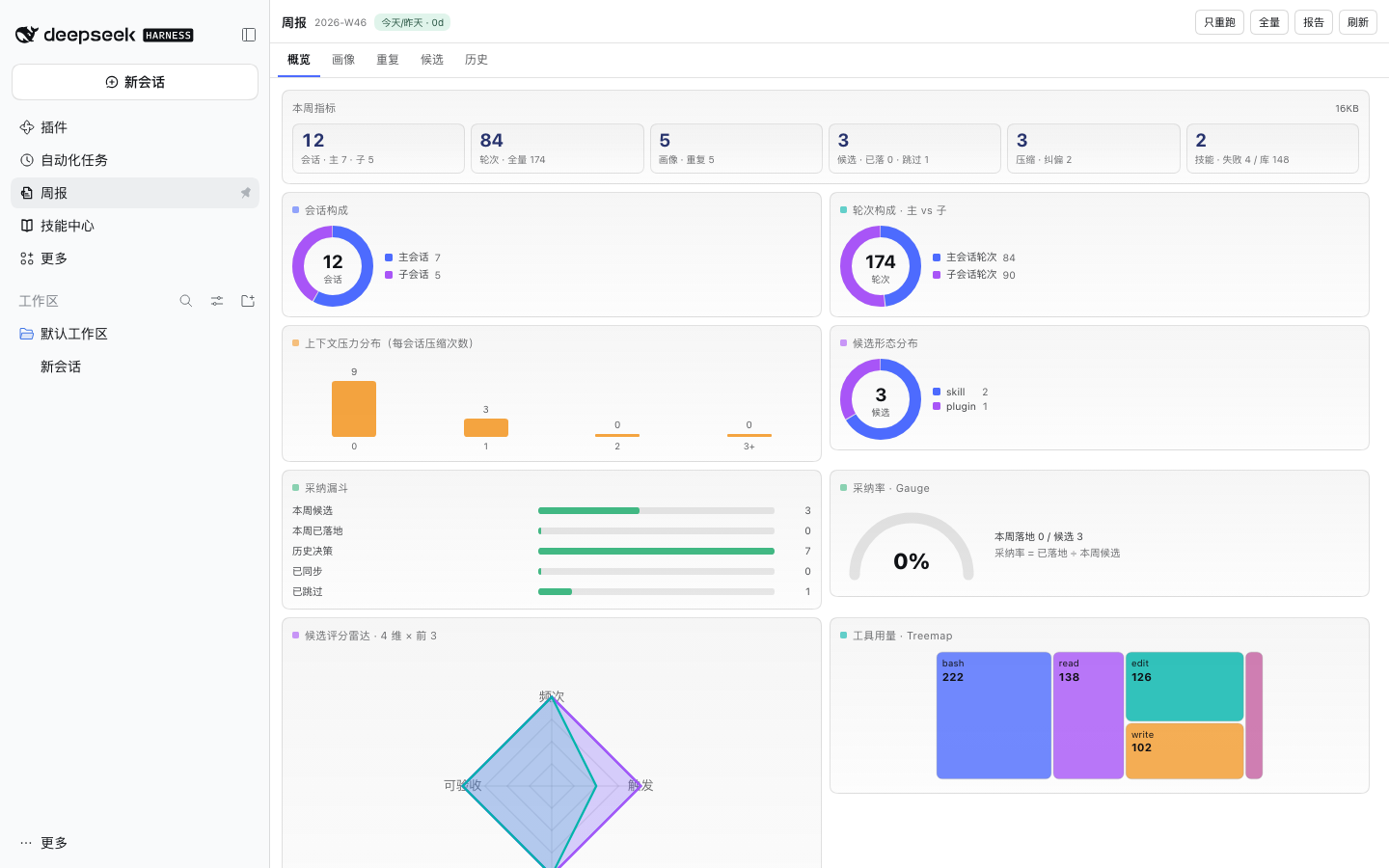
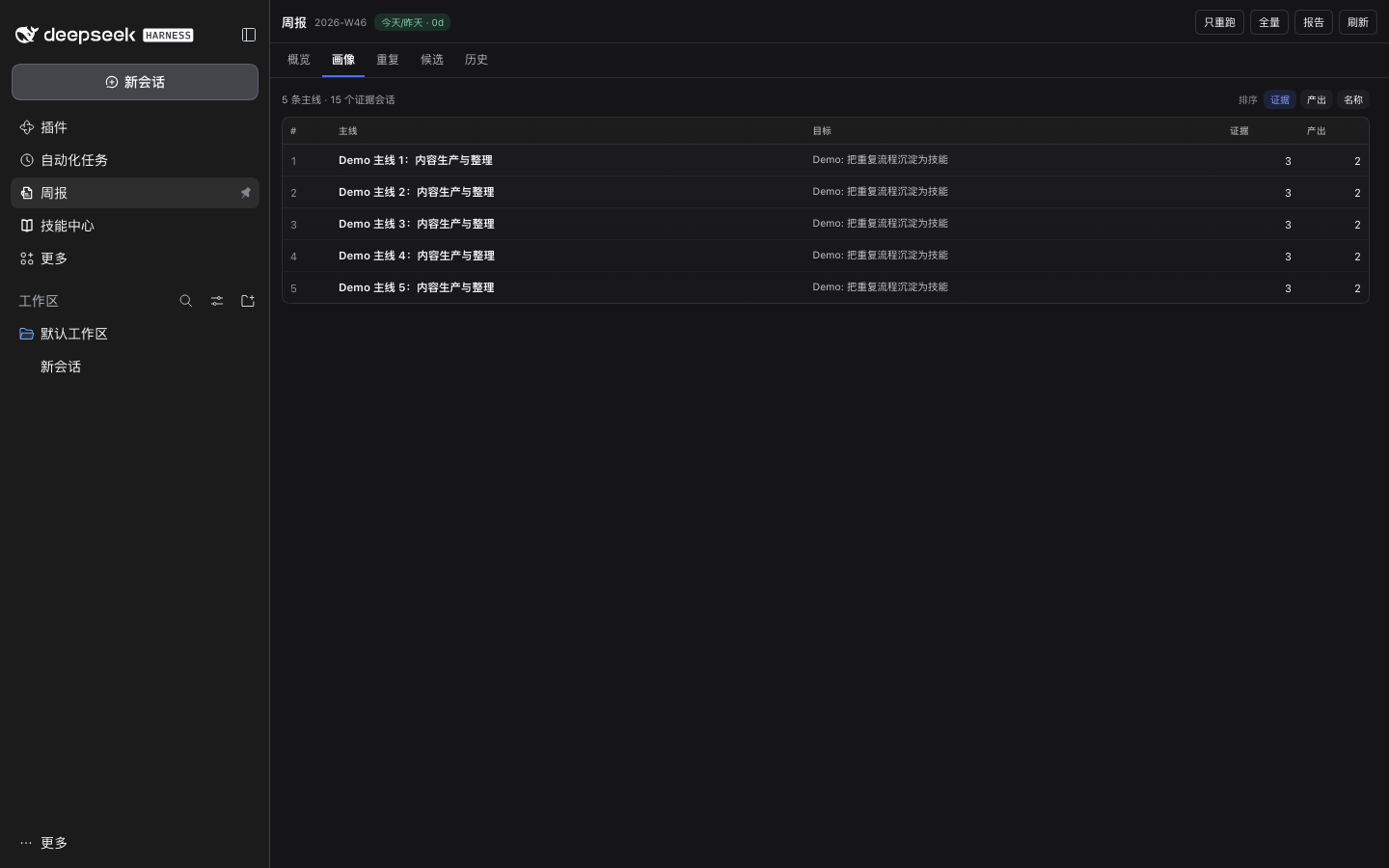
- 客户端侧:侧边栏「周报」入口 → 主洞察页(概览/画像/重复/候选/历史),原生 SVG/DOM 图表,零图表依赖
- 交互:只重跑报告 / 全量重跑(带进度轮询)/ 采纳并同步(写前备份 + 二次确认;会调用本机同步器,可能 git push 到你的私有配置仓库)
- 文案:接宿主
locale服务,内置中英双语(浏览器语言回退) - 可访问性:图表
role="img"+aria-label,Tab 具备tablist/tab/tabpanel语义
截图
| 侧栏条目 | 概览 | 画像 |
|---|---|---|
 |  |  |
| 重复 | 候选 | 历史 |
|---|---|---|
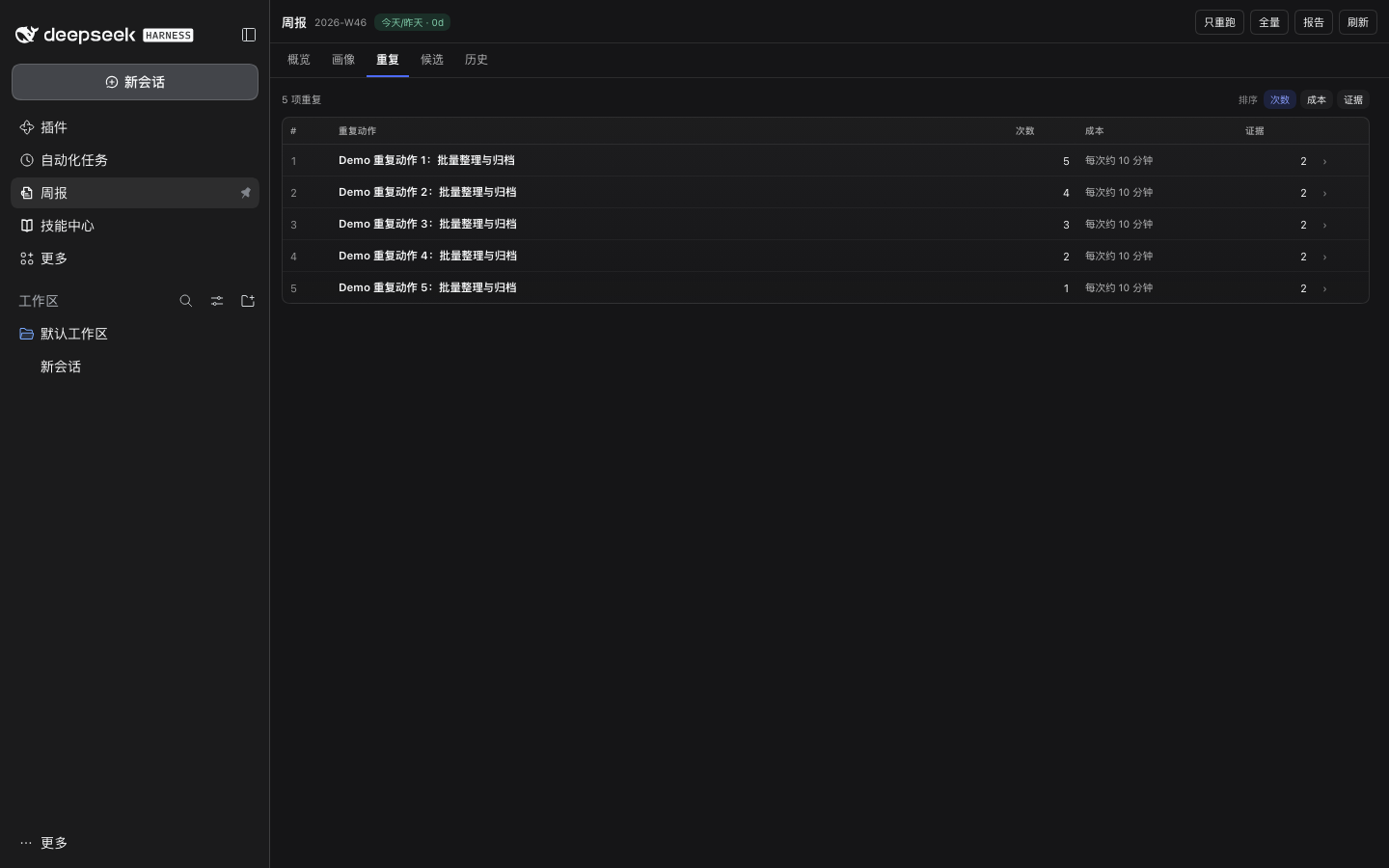 | 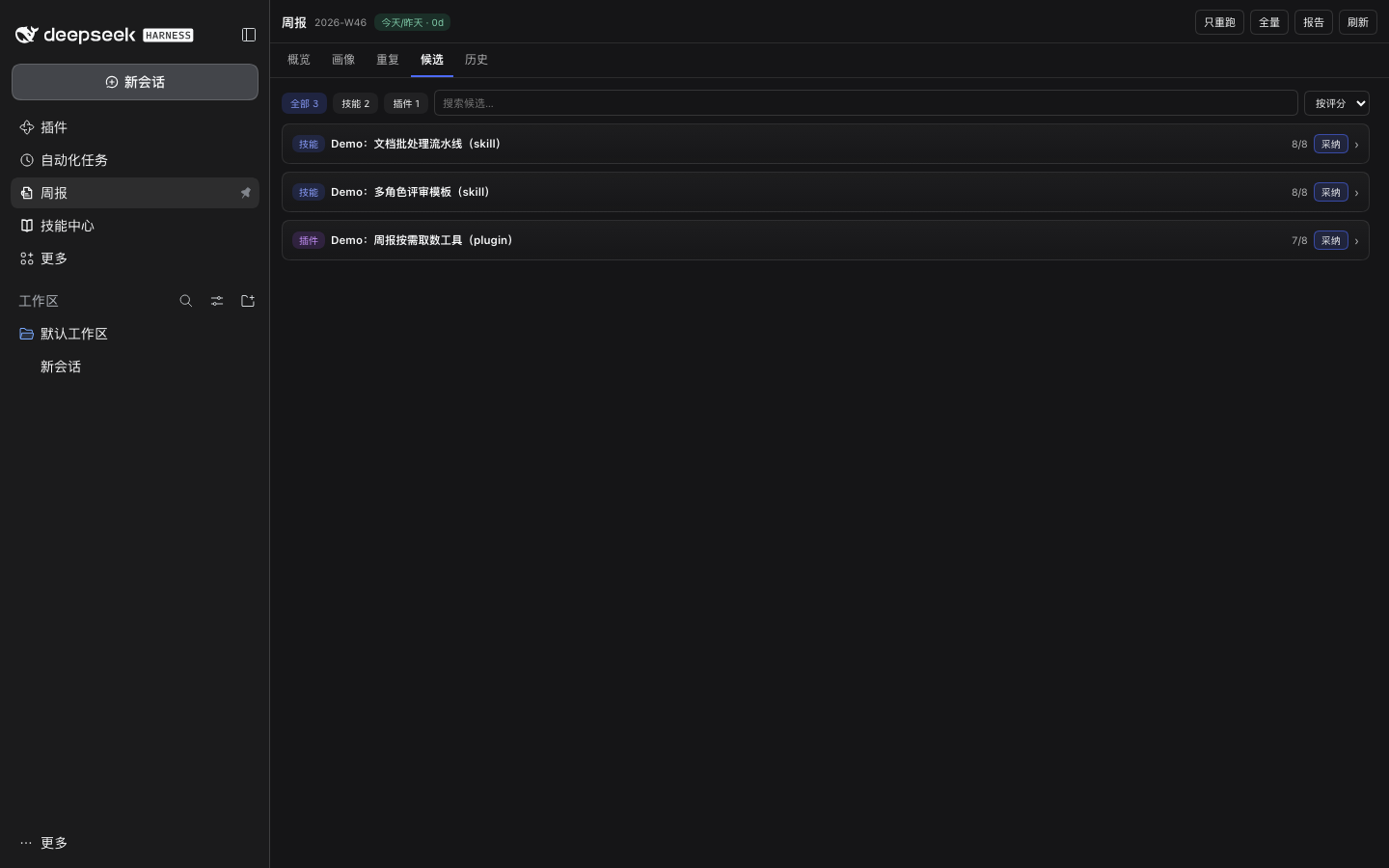 | 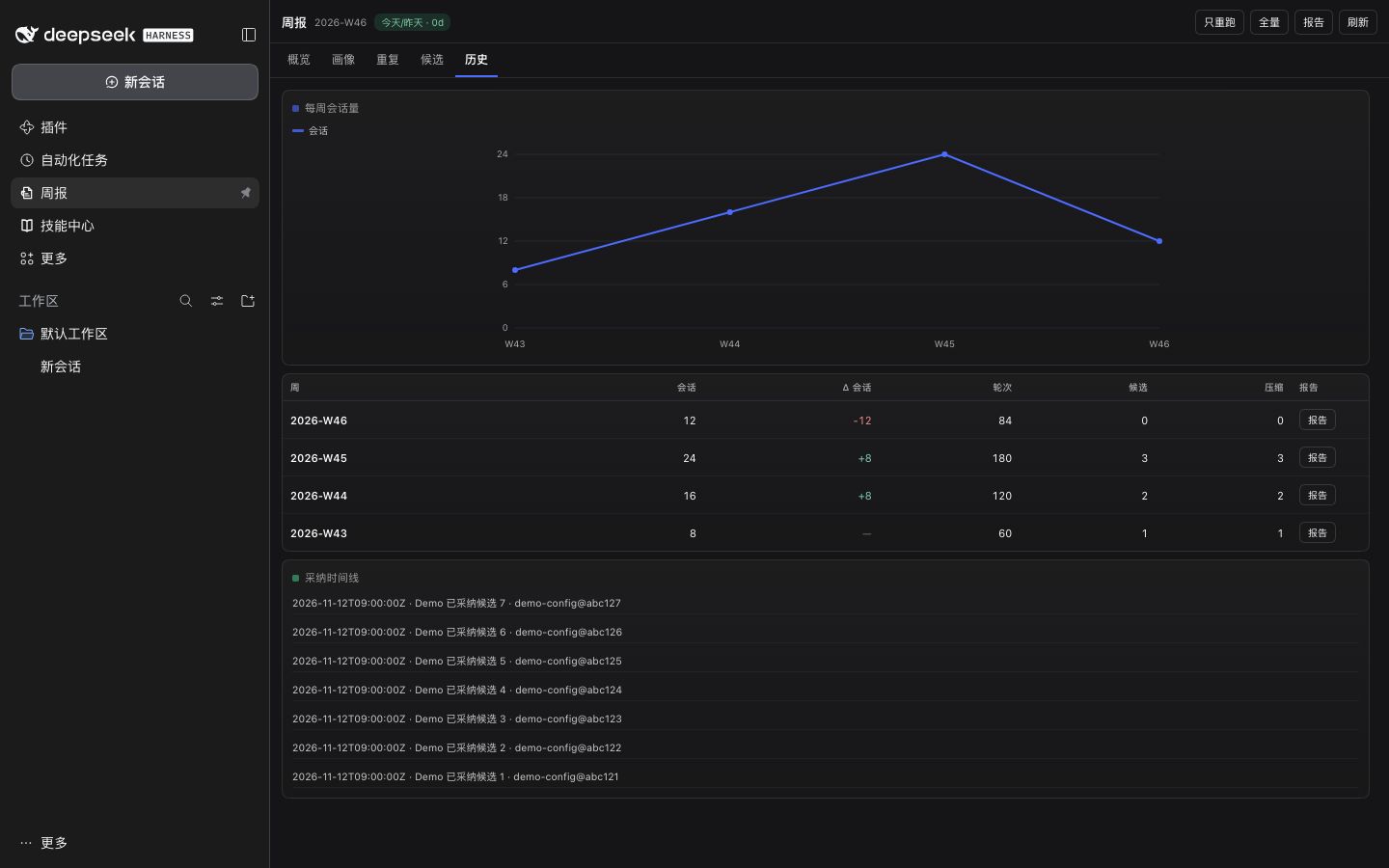 |
截图使用合成演示数据(12 会话 / 84 主轮次 / 3 候选),不含任何真实会话内容。
安装
安装方式:DSH 插件市场搜索 dsh-weekly-retro;或从 npm / GitHub Release 安装。
官方市场目录条目已合并(索引刷新后可见)。
本地开发(维护者):
git clone https://github.com/Dreamaniax/dsh-weekly-retro.git
cd dsh-weekly-retro
# profile 里 link 本目录(不要复制,改完要能热更新)
PLUGIN_DIR="$(pwd)"; export PLUGIN_DIR
cd ~/.dsh/profiles/desktop
node -e 'const fs=require("fs"),f="package.json",p=require("./"+f),d=process.env.PLUGIN_DIR;p.dsh.profile.bundles=[...new Set([...p.dsh.profile.bundles,"dsh-weekly-retro"])];p.dependencies["dsh-weekly-retro"]="link:"+d;fs.writeFileSync(f,JSON.stringify(p,null,2)+"\n")'
pnpm install   # 也可用 DSH 运行时自带的 pnpm
重启 DSH 后,左侧栏出现「周报」条目;点击进入洞察页。
使用
| 形态 | 名称 | 作用 |
|---|---|---|
| 命令 | /weekly | 打印本周概要;/weekly run 重新生成 |
| 工具 | weekly_guide | 只读分析桥:packet / findings 模板 / 形态判据(packet ≤20k) |
| 工具 | weekly_status | 读概要(只读) |
| 工具 | weekly_run | 跑 collect→condense→report→html(2–5s,不含模型分析) |
| 工具 | weekly_land | 把候选写入 decisions.json(写前备份) |
| 工具 | weekly_validate | 校验 findings.json |
| 路由 | GET /dsh-weekly-retro/{summary,diagnostics,report} | 概览 / 自检 / 报告 HTML |
| 路由 | POST /dsh-weekly-retro/{run,land} | 受保护写操作 |
| 路由 | GET /dsh-weekly-retro/ui/{overview,metrics,candidates,findings,history,job} | 面板数据 |
| 路由 | POST /dsh-weekly-retro/ui/run | 面板内启动任务 |
| 路由 | POST /dsh-weekly-retro/ui/repeat-candidate | 重复动作生成候选(写 proposals.json) |
自检端点:GET /dsh-weekly-retro/diagnostics → {ok, tools, toolCount, toolError, commands, routes, mountedAt, remoteAccess}。
隐私:所有数据路由默认只允许本机回环访问;远程访问需显式
DSH_WEEKLY_ALLOW_REMOTE=1(并自行加认证)或携带X-Weekly-Token。报告默认存~/.dsh/learning/weekly/,完整版0600,/report默认返回*.redacted.html;详见 PRIVACY.md。
数据目录:默认
~/.dsh/learning(DSH_LEARNING可覆盖)。确定性流水线以包内pipeline/为准,DSH_WEEKLY_SCRIPTS仅用于测试/显式覆盖;旧~/.dsh/learning/scripts只在包内文件缺失时兜底。落地同步由本机同步器负责(用于把技能/profile 同步到你自己的私有配置仓库);没有同步器时“采纳”仍会写入decisions.json,只是不同步。
设计
- 色板:参考
dsh-context的 8 色语义 token(主蓝#4D6BFE、紫#A855F7、青#00B4AB、橙#F39A2B、粉#C45FA0、绿#41B883、红#E5594F、黄#F0D043),按 60-30-10 分配:60% 中性层、30% 主蓝、10% 强调色。 - 图表:Donut / Bars / Histogram / Line / Heatmap / Funnel + 新增采纳率 Gauge、候选评分 Radar、工具用量 Treemap、周信号量 StackedArea;概览
role=img图表 10 个。 - 层次:单层 header(周次/新鲜度/运行/刷新)+ 6 列 KPI + 2 栏图表栅格;画像/重复/历史表格化;卡片 hover 抬升(
prefers-reduced-motion关闭)。 - 交互(B2/B3):画像/重复行点击打开 Drawer;重复可生成候选(写 proposals.json,仍需采纳);候选支持排序 + 行内采纳;历史表带 Δ 环比;Tab/筛选/搜索/排序写入 URL;骨架/空态与 Drawer 焦点收口。
- 可访问性:全部图表
role="img"+ 摘要aria-label;Tabtablist/tab/tabpanel;提示气泡 hover/focus 可用;插件内文本浅色主题最低对比度 ≥6.44(无 <4.5)。
安全边界
- 写路由(
run/land/ui/run/ui/repeat-candidate)只允许 同源 或携带X-Weekly-Token(DSH_WEEKLY_TOKEN可选配置) week参数白名单^\d{4}-W\d{2}$,堵住/report?week=../../...路径穿越- JSON 响应
Cache-Control: no-store+nosniff+no-referrer;报告页同样不缓存 - HTML 生成器对所有注入字段做
esc();报告无外部资源 - 子进程异步 + 单实例锁 + 超时/进程组清理;
land用.decisions.lock+ 原子写,损坏的decisions.json拒绝覆盖
开发与验证
node test/client-runtime.test.mjs   # factory 真执行:导出 apply/inject、2 个 slot、inject=['slots','locale']
node test/preflight.test.mjs        # manifest/inject 白名单、入口唯一、a11y 语义、ModuleLoader 包装、语法
node test/host.test.mjs             # 13 路由 + 1 命令 + W46 数据
node test/ui-contract.test.mjs      # /ui/* 契约 + 指标字节
node test/robustness.test.mjs       # 17 项:坏 JSON、异步 spawn、CSRF、状态码、token 模式
node test/land-concurrency.test.mjs # 10 进程并发 land,0 丢失
DSH_NO_PATCH=1 DSH_VERIFY_PORT=62341 bash test/boot-verify.sh   # 隔离真实启动;会把 profile 配置复制到临时目录,退出即删
真实浏览器门禁(发布前必跑):隔离 DSH_HOME 启动 dsh --profile web,Playwright 打开带 token 的 URL,断言
- 无
did not activate/import failed; - 侧栏出现入口,点击后 5 个 Tab 全部渲染;
[role="img"][aria-label]≥ 6、[role="tab"]的aria-selected正确、pageErrors为空;- 中英两种 locale 文案正确。
当前基线:tabs=5, svg=24, roleImgs=6, pageErrors=0。
结构
lib/index.js      host 半:工具/命令/13 路由/写门禁/任务注册表
lib/data.js       数据与流水线:summary/reportHtml/runPipeline/land/validate
lib/ui-data.js    只读聚合:overview/metrics/candidates/findings/history
lib/client.js     client 半:ModuleLoader 工厂、五 Tab、6 类图表、i18n、a11y
test/             6 套自动化 + boot-verify.sh
docs/             SIDEBAR-UI-SPEC.md(设计 + 真实浏览器验收 + 事故复盘)、screenshots/
PRIVACY.md        数据边界/读写/远程访问/删除方式
SECURITY.md       漏洞报告与安全边界
assets/           图标(256/1024/tile + 侧栏 weekly-loop SVG)
已知限制
- 周报归纳依赖模型分析环节;插件只跑确定性流水线,不做模型判断
- 报告页为静态 HTML,交互仅有 Tab 切换
- 仅 web 端 client;桌面端以外未验证
- 本机同步器需由用户环境提供;没有它时采纳只写
decisions.json,不执行同步 - 远程访问默认关闭;经反向代理时插件只能看到直连地址,需自行在代理层加认证
事故复盘
历史故障(exports is not defined、client inject 写包名、main 面板缺失、路径穿越)与修复门禁记录在 docs/SIDEBAR-UI-SPEC.md §13–§16。
Comments
Loading…
Similar plugins
by magicOF2
Local long-term schedule panel: top-bar "日程" text button, today/week/history month-calendar views with stats, completion checkmarks with per-day history, schedule↔conversation links with click-to-jump
★ 3
↓ 63/wk
MIT
JavaScript
Sep 7, 2026
dsh plugin --profile web add dsh-scheduleExposes the DSH workspace as an HTTP API: browse, search and read files, and run natural-language agent tasks that answer with cited sources.
★ 0
↓ 61/wk
dsh plugin --profile web add dsh-workspace-apiby ttmouse
The dsh web GUI sidebar gains a Codex-style 最近 (Recent) section — every workspace's newest sessions in one jump list — and both sidebar lists fold to five rows
★ 0
MIT
TypeScript
Oct 7, 2026
dsh plugin --profile web add dsh-recentby Nono-neko
An AI-native browser workspace for DeepSeek Harness (DSH), combining multi-tab browsing, live page annotations, lightweight code editing, workspace previews, and Agent-assisted iteration across Web an
★ 14
↓ 564/wk
Apache-2.0
TypeScript
Oct 30, 2026
dsh plugin --profile web add @nono-neko/dsh-browserby moondrop12138
OpenCode Go subscription usage page for the DSH Web UI: official 5h / weekly / monthly used-percent windows, reset countdowns and a local sampling trail.
★ 0
JavaScript
Oct 21, 2026
dsh plugin --profile web add dsh-opencode-go-usageby 0xshawn
Serve the DeepSeek Harness (dsh) Web UI through a non-localhost authority: trusted hosts, loopback page parity, pinned launch token, no patching.
★ 0
MIT
JavaScript
Nov 6, 2026
dsh plugin --profile web add dsh-dev-plugins