

dsh-win11-material
Manifest validWindows 11 system material (Mica / Acrylic / Tabbed) for the DeepSeek Harness desktop window, with a translucent page and a frosted composer.
dsh-win11-material
给 DeepSeek Harness 桌面窗口换上 Windows 11 原生系统材质:Mica、Acrylic、Tabbed,页面同时半透明,桌面壁纸会透过窗口显示。
- 材质选择在 设置 → 窗口材质 里,切换即时生效(不需要重启)
- 页面不透明度可调,侧栏与页面主体始终同色(跟随主题底色)
- 输入框底部的状态栏(tok/s、缓存命中、余额)是一条贴合内容的半透明磨砂胶囊
- 自动适配浅色/深色主题,以及任何第三方主题的配色(捕获主题实际解析出的颜色,而不是写死色值)
- 卸载或关闭材质后窗口完全恢复原样
1. 为什么是「插件 + 窗口桥接」两部分
DSH 的窗口由 Electron 主进程创建,窗口是否透明只由那段代码决定:
// resources/app.asar → lib/main.js → createWindow()
const window = new BrowserWindow({
  width: 1280, height: 820, minWidth: 520, minHeight: 600, show,
  ...process.platform === "win32" && primary ? {
    titleBarStyle: "hidden",
    titleBarOverlay: { height: 40, color: chromeFallbackFill(), symbolColor: … },
  } : {},
  …
})
这段代码没有 backgroundColor: "#00000000",也没有 backgroundMaterial,所以窗口表面是不透明的。插件运行在 Host 进程(Electron 主进程的子进程)里,可以注入 CSS、可以通过 Win32/DWM 给窗口设置系统材质属性,但没有办法修改 BrowserWindow 的创建参数——只要窗口表面不透明,DWM 画的材质就被挡在下面,页面上看不出任何变化。
所以本包由两部分组成:
| 部分 | 作用 | 是否必须 |
|---|---|---|
lib/* 插件 | 页面半透明 + 材质开关 + 通过 DWM 设置材质 | 必须 |
tools/window-bridge.mjs 窗口桥接 | 只做一件事:给主窗口补上透明底色和初始材质 | 想看到壁纸就必须 |
桥接不是替换文件、也不是注入运行时代码,而是等长补丁:在 createWindow 的主窗口分支里插入两行参数,同时在同一个文件的注释里删掉同样多的字节,使 lib/main.js 长度不变,再重算这一个文件的 asar 完整性哈希。其它条目的 offset 一个都不动,备份和还原都是逐字节的。
2. 环境要求
- Windows 11 22H2(build 22621)或更高(系统材质属性的最低要求)
- 设置 → 个性化 → 颜色 → 透明效果 打开
- DSH Desktop 0.2.x(其余 profile 不受影响)
Windows 10 上插件照常工作,但材质只能选择「关闭」。
3. 安装
3.1 装插件
先取到源码:
git clone https://github.com/CoraxEldridge/dsh-win11-material.git
cd dsh-win11-material
然后把它链进当前 profile:
node tools/install.mjs
脚本会把本包链接(junction)到 <DSH_HOME>\profiles\desktop\node_modules\dsh-win11-material,并在 profile 的 package.json 里补上依赖和 dsh.profile.bundles 条目。重启 DSH 后,设置里出现「窗口材质」。
也可以用 DSH 自己的命令安装:
dsh plugin --profile desktop add <插件目录>
3.2 打窗口桥接
窗口补丁需要写入安装目录(D:\Program Files\...),并且必须在 DSH 退出时执行:
# 从托盘右键退出 DSH,然后:
cd <插件目录>
node tools/window-bridge.mjs apply          # 默认 acrylic
# 或指定初始材质
node tools/window-bridge.mjs apply --material mica
如果当前终端没有管理员权限,先用管理员身份打开 PowerShell 再执行。成功后会打印 patched and verified,然后正常启动 DSH 即可。
只检查状态、不做修改:
node tools/window-bridge.mjs status
node tools/window-bridge.mjs apply --dry-run
3.3 选材质
设置 → 窗口材质:关闭 / Mica / Acrylic / Tabbed,下面一条滑块是整页的不透明度(侧栏与内容区同步)。切换会立即通过 DWM 生效,选择会保存到 <profile>\win11-material.json。
4. 卸载
# 退出 DSH 后还原窗口
node tools/window-bridge.mjs restore

# 移除插件
node tools/uninstall.mjs
restore 会把打补丁前的备份逐字节写回,并删除 %USERPROFILE%\.dsh\win11-material-bridge.json 标记文件。之后重启 DSH 即完全回到原状。
5. 实现说明
5.1 找到窗口
Host 半部通过 EnumWindows 枚举顶层窗口,取「类名 Chrome_WidgetWin_1 + 可见 + 尺寸合理」的候选,优先选择父进程(Electron 主进程)的窗口,其次按进程映像名匹配,最后回退到标题非空的窗口。找到后每 2 秒复查一次,窗口被重建(例如切换 profile、重载插件)时会自动重新应用材质。
5.2 材质属性
DwmSetWindowAttribute(hwnd, 38 /* DWMWA_SYSTEMBACKDROP_TYPE */, value, 4)  // 2=Mica 3=Acrylic 4=Tabbed 1=None
DwmSetWindowAttribute(hwnd, 33 /* DWMWA_WINDOW_CORNER_PREFERENCE */, 2, 4)  // 圆角
DwmExtendFrameIntoClientArea(hwnd, { -1, -1, -1, -1 })                     // 标题栏条带一起用材质
SetWindowCompositionAttribute(hwnd, ACCENT_ENABLE_HOSTBACKDROP | DISABLED)  // 部分构建的 Acrylic 提示
调用通过 koffi 完成。优先使用 profile 里安装的 koffi,找不到时回退到 Desktop 自带的
resources/app.asar.unpacked/dsh/node_modules/koffi。调试时可用 DSH_WIN11_KOFFI 指定路径。
5.3 页面半透明
浏览器半部注入一份样式表,全部规则都以 html[data-dsh-win11-material] 为前缀,材质为「关闭」时一条都不生效:
body、#root背景透明[class*="_frame"]:has([class*="_centerCol"]):窗口底色换成color-mix(主题底色 × 不透明度, transparent)[class*="_centerCol"] / [class*="_bottomRow"] / [class*="_rightbarCol"]:透明[class*="_sidebarCol"]:背景透明、去掉右侧分隔线- 把
--dsw-specific-sidebar-fill覆盖成transparent:侧栏容器、窗口顶栏条带和 Windows 标题栏(Electron 的titleBarOverlay颜色由该令牌经windowsAppearance回传)都不再单独上色,整窗只剩_frame这一层底色 [data-composer-card](输入框本体):底色换成color-mix(输入框底色 76%, transparent),加backdrop-filter: blur(18px) saturate(1.4)与一道内侧高光,保留原有投影[data-composer-dock](输入框底部那条状态栏,含 tok/s、缓存命中、余额等):宽度贴合内容、border-radius:999px、margin: 8px 0 1px,底色/投影/内侧高光与输入框完全同一套(同样color-mix(输入框底色 76%, transparent)+--dsw-elevation-soft),去掉了原先的发丝描边
所以侧栏、内容区、标题栏看到的是同一层颜色(主题底色 × 不透明度),不会出现侧栏比内容区更亮/更暗的色差;状态栏则是一条独立的磨砂胶囊。浓度用 --dsh-win11-glass-tint(默认 .5),输入框的半透明度是规则里那个 76%。
为什么状态栏不用
backdrop-filter磨砂:这条路在本项目里试过全部可行的落点,都不成立——
- 加在状态栏自己 /
composerSeat的后代:composerSeat是position: sticky; z-index: 7的 stacking context,backdrop 里没有会话正文,完全没有反应;- 加在
composerSeat自身:能看到正文,但会糊满整条 composer,mask 收窄会连输入框一起裁掉;- 放在页面层(
position: fixed):合成器直接把滚动层排除在 backdrop 之外,普通文字仍清晰;- 放进滚动容器内部(
position: absolute,与正文同层,每帧跟随状态栏):同样不出图。GPU 进程正常启动、
lib/main.js里没有任何disable-gpu/disableHardwareAcceleration开关,所以不是被禁用,而是透明窗口(backgroundColor:#00000000+ DWM 材质)这条合成路径上backdrop-filter不生效。想更接近磨砂观感只能提高薄膜浓度(--dsh-win11-glass-tint,0~1)。
窗口外壁纸的模糊由 Windows 的 Mica/Acrylic 材质负责,CSS 只能作用于页面内部。
原始颜色不是写死的:插件在启动和主题切换时读取主题实际解析出的 --dsw-alias-bg-base,存为
--dsh-win11-base,所以内置主题、第三方皮肤都能保持各自色相;侧栏不再单独取色,避免和主题底色出现色差。
选择器用 [class*="_centerCol"] 这种后缀匹配,前端重新构建换掉 CSS Module 哈希也不受影响。
5.4 状态通道
Host 半部在 Web 服务器上注册 /win11-material/state:
GET返回材质、不透明度、窗口信息、native能力、桥接状态POST {"material","tint"}校验后落盘并立即应用
桌面端渲染进程的 dsh-app://app/* 请求(静态资源除外)由 Electron 主进程带 cookie 转发到 Host,
所以页面里的 fetch("/win11-material/state") 在桌面版和 Web 版走同一套代码。
6. 已知限制
- DSH 更新会覆盖
app.asar,桥接随之失效(插件仍然能加载,只是窗口又变回不透明)。更新后重跑一次window-bridge.mjs apply即可。 - 桥接要求
app.asar的主窗口结构没变;结构变化时脚本会直接报错退出,不会写坏已安装文件。 - 失焦会变实:这是 Windows 对所有 DWM 材质(Mica / Acrylic / Tabbed)的降级行为——窗口不活跃时不再采样壁纸,直接刷成实色,插件不做对抗。
- 安装目录在
Program Files下时需要管理员权限;--force可以在 DSH 运行时强行打补丁,不推荐。 - 浅色主题下 Mica 更接近系统观感;Acrylic 在深色主题下更明显。
7. 排错
| 现象 | 处理 |
|---|---|
| 设置里有页面,但窗口不透明 | 桥接没打或 DSH 更新后失效:node tools/window-bridge.mjs status |
| 材质选了没变化 | 系统里关掉了「透明效果」;或 DWM 被禁用(远程桌面、部分精简系统) |
| 设置页显示「未找到桌面窗口」 | 插件在非桌面环境(dsh --profile web)中运行,材质不可用 |
| 启动失败 | 用 window-bridge.mjs restore 还原,再反馈问题 |
8. 开发
node tests/host.smoke.mjs     # Host 半部:假 ctx + 状态接口 + 落盘
node tests/client.smoke.mjs   # 浏览器半部:假 DOM/React,渲染设置页并点击
node --check lib/index.js lib/client.js lib/native.js tools/window-bridge.mjs
目录:
package.json              插件清单(dsh.bundle.patch + dsh.client)
cordis.patch.yml          把插件插入 profile 的 bundle patch
lib/index.js              Host 半部:DWM 控制器、状态文件、/win11-material/state
lib/native.js             koffi 绑定、窗口枚举、材质应用
lib/client.js             浏览器半部:样式表 + 设置页(无构建步骤,直接是模块加载器格式)
tools/window-bridge.mjs   app.asar 等长补丁(status / apply / restore)
tools/install.mjs         profile 安装
tools/uninstall.mjs       profile 卸载
tests/*.smoke.mjs         冒烟测试
Comments
Loading…
Similar plugins
No screenshots
by InkStain258
Turns the DeepSeek Harness window into frosted acrylic glass so the desktop shows through, stacking on top of the active theme instead of replacing it. Desktop show-through on Windows 11 also needs th
★ 0
MIT
JavaScript
Oct 24, 2026
dsh plugin --profile web add dsh-glass-skin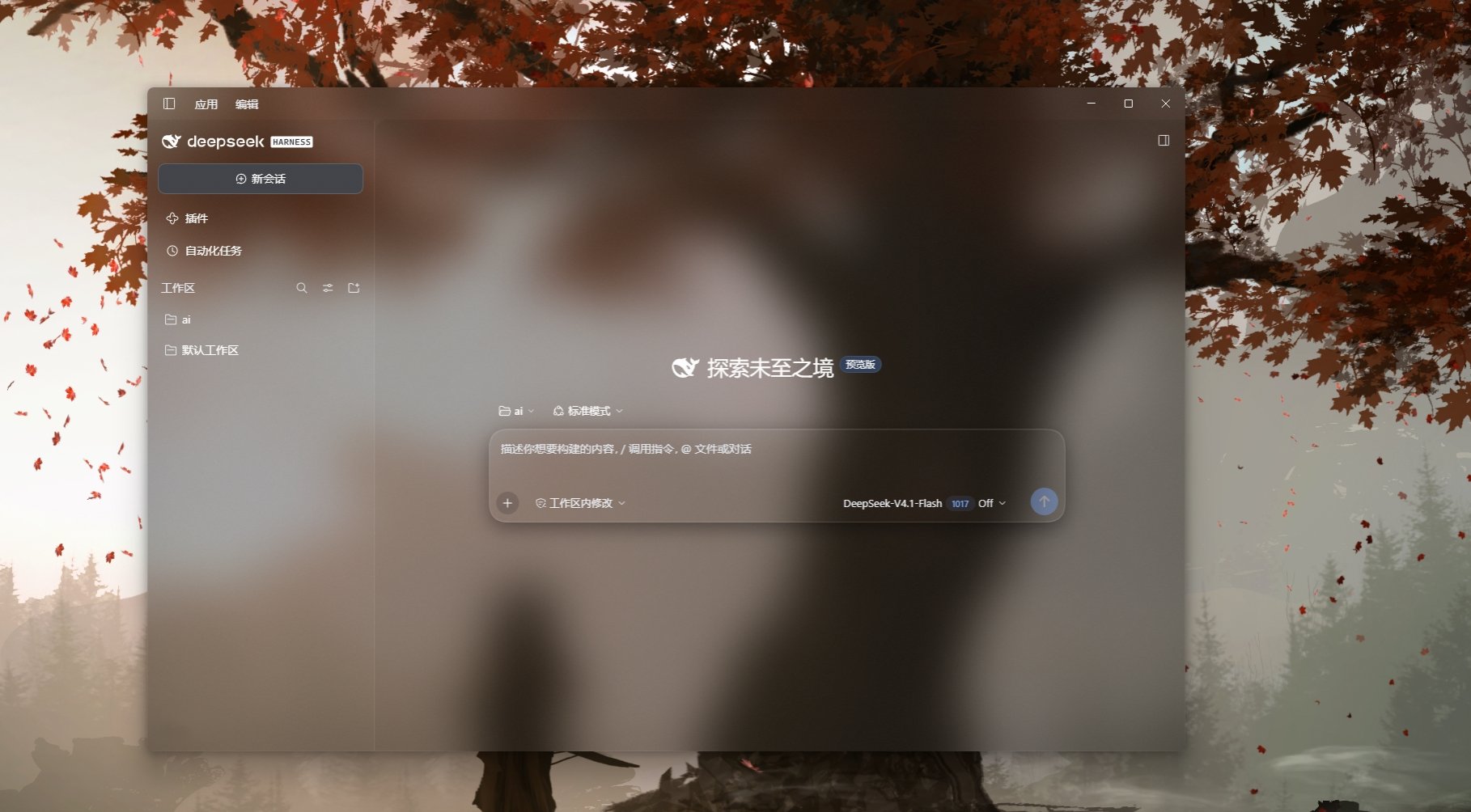 3
No screenshots
by YSDLNGF
Windows Acrylic window material for the DeepSeek Harness desktop app: the main window reveals the desktop wallpaper and Acrylic supplies the blur, while panels are layered by role (fully transparent c
★ 0
MIT
JavaScript
Oct 27, 2026
dsh plugin --profile web add dsh-acrylic-lightMinimalist window transparency for DeepSeek Harness: one sidebar button and a 0-90% slider that set the whole window opacity. Windows only.
★ 0
MIT
JavaScript
dsh plugin --profile web add dsh-ui-transparencyby JianHeShui
Frosted-glass look for the DeepSeek Harness desktop app (translucent page + Windows acrylic window material)
★ 3
MIT
JavaScript
Oct 10, 2026
dsh plugin --profile web add dsh-desktop-glass 4
No screenshots
by WYH66666666
是一层高自由度的玻璃质感主题,套在 DeepSeek Harness 网页端。顶栏、侧边栏、输入框、统计行、轨迹视图都成了磨砂玻璃片。玻璃模糊度、磨砂度、背景(流体或自定义壁纸,壁纸还能单独调模糊和磨砂)全都能在设置卡片里自由调节。关掉开关就回到原生界面,不改 DSH 任何一行源码。
★ 439
AGPL-3.0
JavaScript
Aug 22, 2026
dsh plugin --profile web add @deepseek-ai/dsh-client-ui-aqua✦
No screenshots
Wallpaper skin for the DeepSeek Harness UI: image URLs, local files and Wallpaper Engine libraries with opacity, blur, slideshow and shortcuts.
★ 0
MIT
JavaScript
dsh plugin --profile web add dsh-skin