

dsh-jianying-plugin
Manifest valid★ 2DeepSeek Harness plugin for safe Jianying Pro editing: subtitles, audio, transitions, export, one-shot diagnostics, readback receipts. Windows + MIT.

dsh-jianying-plugin
让 DeepSeek Harness 真正剪得动剪映草稿
字幕 · 音频 · 转场 · 导出 · 回读 · 编辑回执



项目主页 · 快速安装 · 工具矩阵 · 安全机制 · English · 最新版本
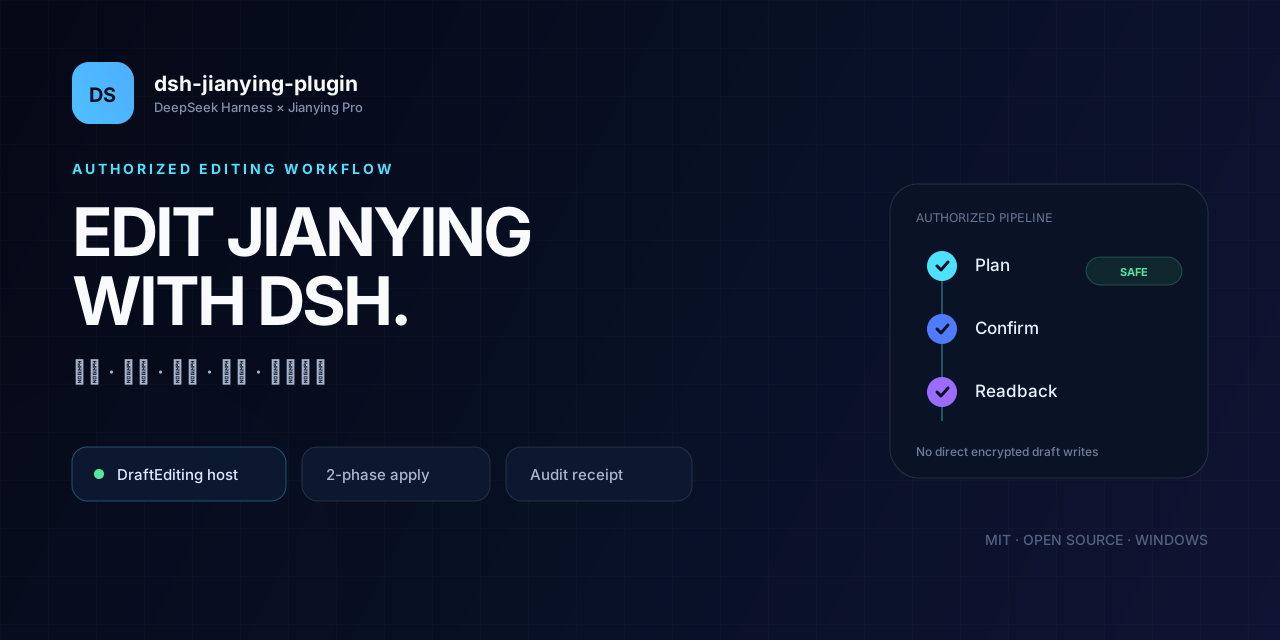
这是一个能让 DSH 操作真实剪映草稿的开源插件。
它不直接修改加密的
draft_content.json,而是连接剪映正在运行的授权 Custom Agent host,通过官方 DraftEditing 链路完成编辑,并在写入后回读草稿、生成可审计回执。
✨ 为什么值得试试
🎬 真的编辑草稿不是生成一段剪辑建议,也不是做一个看起来像剪映的预览。插件直接操作用户正在使用的剪映草稿。 |
🛡️ 两阶段写入先读取,再规划;只有用户明确确认后才执行。计划成功不等于草稿已修改。 |
🔎 可回读、可追溯写入前后采集草稿哈希,读取 canonical 状态,并生成 JSON / Markdown 编辑回执。 |
🩺 一键诊断
|
🚀 快速开始
环境要求
| 项目 | 要求 |
|---|---|
| 系统 | Windows 10 / 11 x64 |
| DSH | DSH Desktop |
| 剪映 | 剪映专业版,已安装并至少启动或登录过一次 |
| 剪映能力 | Custom Agent host 可用 |
| 开发环境 | Node.js 22+ |
一键安装
打开 PowerShell:
irm https://raw.githubusercontent.com/CN-PA/dsh-jianying-plugin/main/scripts/install.ps1 | iex
安装脚本会:
- 获取 GitHub 最新 Release;
- 校验附件 SHA-256;
- 下载插件;
- 安装到 DSH
desktopprofile。
自定义 profile 或 DSH 安装路径
.\scripts\install.ps1 `
  -Profile github-test `
  -DshCommand 'F:\dsh\resources\runtime\cli\bin\dsh.cmd'
手动安装
从 Releases 下载 .tgz:
dsh plugin --profile desktop add file:F:/Downloads/dsh-jianying-plugin-0.3.0.tgz
或者直接从仓库安装:
dsh plugin --profile desktop add github:CN-PA/dsh-jianying-plugin
第一次使用
- 启动剪映专业版。
- 打开一次剪映 Agent 面板,让授权 host 和会话存在。
- 在 DSH 中调用:
jianying_doctor
- 所有检查通过后,对 DSH 说:
列出我的剪映草稿,检查最新草稿,并只读回读。
🧭 工作流
flowchart LR
    A[DSH Tool] --> B[授权 Custom Agent host]
    B --> C[Director / Editing Agent]
    C --> D[DraftQuery]
    D --> E[生成可审阅计划]
    E --> F{用户确认}
    F -->|plan 阶段| G[不写入]
    F -->|apply + confirm| H[DraftEditing]
    H --> I[canonical 回读]
    I --> J[备份 / 哈希 / 回执]
🛡️ 安全机制
不碰加密草稿内部格式,不跳过剪映授权边界。
mode=plan只创建计划,不写入草稿。mode=apply必须显式传入confirm=true。- 运行期额外权限默认不自动批准。
- apply 前默认备份草稿 JSON。
- 写入后对比文件哈希并回读 canonical 状态。
- 导出默认拒绝覆盖已有文件。
- host token 不返回给模型、不写入日志、不保存到回执。
- 部分完成或失败不会被报告成“成功”。
读取草稿
  → 规划最小范围修改
  → 用户确认
  → 授权 DraftEditing 应用
  → 回读核对
  → JSON + Markdown 回执
🧰 工具矩阵
| 工具 | 能做什么 |
|---|---|
jianying_doctor | 一次检查完整环境,返回逐项状态与修复建议。 |
jianying_status | 查看剪映版本、CLI、草稿注册表、进程和能力。 |
jianying_drafts | 列出、检查或启动剪映草稿。 |
jianying_host | 查看 host、会话、草稿回读、run 状态,取消任务。 |
jianying_edit | 通用高级编辑:计划或应用。 |
jianying_subtitle | 添加、更新、删除字幕。 |
jianying_audio | 音量、裁切、淡入淡出。 |
jianying_transition | 添加、更新、删除转场。 |
jianying_export | 导出草稿,默认不覆盖已有文件。 |
jianying_receipt | 列出或读取编辑回执。 |
jianying_cli | 官方 Agent CLI 的查询、规划、校验和受保护 apply。 |
🎬 支持的高级操作
时间单位统一为毫秒。音频音量使用剪映范围 0..1000,100 表示原始幅度。
| 类型 | 操作 |
|---|---|
| 字幕 | subtitle.add、subtitle.update、subtitle.remove |
| 音频 | audio.set_volume、audio.trim、audio.fade |
| 转场 | transition.add、transition.update、transition.remove |
| 导出 | export |
查看一次组合编辑示例
[
  {
    "kind": "subtitle.add",
    "text": "欢迎观看",
    "start_ms": 0,
    "duration_ms": 2000
  },
  {
    "kind": "audio.set_volume",
    "segment_id": "audio-segment-id",
    "volume": 65
  },
  {
    "kind": "transition.add",
    "segment_id": "video-segment-id",
    "transition_name": "叠化",
    "duration_ms": 500
  }
]
先规划,不写入
{
  "draft_id": "DRAFT-ID",
  "mode": "plan",
  "operations": [
    {
      "kind": "subtitle.add",
      "text": "测试字幕",
      "start_ms": 0,
      "duration_ms": 1500
    }
  ]
}
用户确认后应用并回读
{
  "draft_id": "DRAFT-ID",
  "mode": "apply",
  "confirm": true,
  "operations": [
    {
      "kind": "subtitle.add",
      "text": "测试字幕",
      "start_ms": 0,
      "duration_ms": 1500
    }
  ]
}
更完整的字幕、音频、转场、导出和回执示例见 中文详细文档。
📋 编辑回执
默认保存在:
F:/Codex/.dsh-jianying-plugin/
├── backups/       # 写入前草稿 JSON 备份
└── receipts/      # JSON + Markdown 编辑证据
每次 apply 会记录:
- 草稿 ID、名称和路径;
- 修改前后 revision hash;
- 备份位置;
- 请求的操作;
- host task / run / plan ID;
- canonical 回读结果;
- 警告、失败和时间;
- 实际操作的片段 ID 与时间范围。
⚙️ 配置
installDirs:
  - E:/JianyingPro
  - F:/JianyingPro
tempRoot: F:/Codex/.dsh-jianying-plugin
allowApply: false
allowHostApply: true
createBackup: true
hostPollIntervalMs: 2000
hostWorkflowTimeoutMs: 300000
allowApply:只控制旧版jianying_cli apply-patch。allowHostApply:控制新版高级编辑和导出。createBackup:是否在 apply 前备份草稿 JSON。hostWorkflowTimeoutMs:默认等待时间。
也可以手动指定 instanceId 和 sessionId,通常不需要。
💻 兼容性
已验证:
| 环境 | 版本 |
|---|---|
| 系统 | Windows 11 x64 |
| DSH Desktop | 26.1111.2228.0 |
| 剪映专业版 | 11.7.0.14652 |
| 剪映专业版 | 11.8.0.14778 |
| Node CI | 22 / 24 |
| CI 平台 | Windows / Linux |
剪映 Custom Agent host 是否可用会受到版本、账号和灰度发布影响。提交兼容性问题前,请先运行 jianying_doctor。
[!NOTE] 独立运行
lyra-cli.exe会被剪映以unauthorized host process拒绝。这是上游安全限制,插件不会绕过它。
🧪 开发与测试
npm.cmd test
npm.cmd run check
npm.cmd run validate:manifest
npm.cmd run smoke
npm.cmd run smoke:host
npm.cmd run pack:release
当前覆盖:
- 22 项自动化测试;
- 模拟授权 host 的端到端 plan → confirm → apply → readback → receipt;
- 真实剪映只读集成测试;
- Windows / Linux、Node 22 / 24 公共 CI。
更多文档:
❤️ 参与项目
如果这个插件节省了你的时间:
- ⭐ 给仓库一个 Star;
- 🐛 提交剪映版本兼容、安装或编辑问题;
- 💡 分享真实剪辑场景;
- 🔧 提交字幕、音频、转场和导出相关改进。
Built with care for DSH × 剪映专业版
MIT License · Windows only
Comments
Loading…
From the same category
by awesome-dsh-plugin
A curated list of plugins for DeepSeek Harness (dsh) · DeepSeek Harness 插件精选列表
★ 25.1k
CC0-1.0
Python
Nov 18, 2026
by woniuniuniu
DeepSeek Harness 自媒体工作台插件:一句话记灵感,一键生成脚本、封面、配图和分镜
★ 1.5k
↓ 8.2k/wk
MIT
JavaScript
Nov 18, 2026
dsh plugin --profile web add dsh-media-deskby 0xsline
DeepSeek Harness (DSH) ecosystem: curated plugins, tools, and infrastructure from dsh-external/hub and the public dsh-plugin topic.
★ 1.4k
CC0-1.0
Python
Nov 6, 2026
by keli-wen
Hire Google's Antigravity CLI (agy) as a fast Gemini staffer for Claude Code, OpenAI Codex, and DeepSeek Harness.
★ 893
MIT
JavaScript
Nov 16, 2026
dsh plugin --profile agent add agy-staffby Roland0511
MarkText (muya) WYSIWYG Markdown editor for the DeepSeek Harness right sidebar
★ 840
↓ 2.8k/wk
MIT
JavaScript
Nov 7, 2026
dsh plugin --profile web add dsh-marktextby SAOS-3624
Scene-aware storyboard for DeepSeek Harness: 9-16 numbered cells with timestamps + transcript + an audio envelope, packed into ONE image (384 tokens). Two tools: video_storyboard and video_zoom.
★ 575
↓ 17k/wk
MIT
JavaScript
Nov 16, 2026
dsh plugin --profile web add dsh-video-storyboard