

job-workbench
Discovered★ 3Local-first, auditable AI-assisted job-search workbench: JD analysis, application tracking, resume workflows with anti-fabrication safeguards, interview & offer pipeline. Plain Markdown/CSV on your ow
job-workbench






Version numbers are month-granularity CalVer
YY.MM.N(26.9.0= first release of the month; a hotfix bumpsN). The installer is not code-signed — see Download for what Windows may show on first run.
A local-first, auditable AI-assisted job-search workbench: run the whole pipeline — from JD analysis to offer decision — in plain Markdown & CSV on your own disk. Drive it from the desktop app, the browser, or your own AI CLI.
English | 简体中文
Why job-workbench
Job hunting means sensitive personal data (resumes, phone numbers, employer history) — and AI outputs that can quietly fabricate facts. This project is built around three answers:
- Local-first privacy. Everything lives on your disk as plain text — git-diffable, Excel-friendly, no telemetry, and no cloud server (the desktop app starts a local backend that listens on 127.0.0.1 only). Real personal data stays in
personal/, which is fully git-ignored: a fresh clone gives you an empty workspace, and you can fork this repo without leaking a thing. - Auditable AI, not black-box automation. Your own AI CLI (BYOK models) does the semantic judgment — reading the JD, scoring fit. Python scripts do everything deterministic: eligibility gates, score validation, PDF generation, tracker I/O — and every automated verdict (application health, CSV import diffs, failure clustering) comes with explicit, human-checkable reasons, never a bare score.
- Anti-fabrication safeguards. Resume import is extraction, not generation: every persisted value must trace back to source text, and unextracted fields are flagged. AI rewrite suggestions must pass five local anti-fabrication checks before they can be accepted.
- One engine, any field. The scoring rules are field-agnostic — the domain knowledge lives in data-only profiles (two ship in the box: HVAC & cooling, software backend), so any specialty works by authoring one per
docs/domain-contract.md.
What it solves
The real difficulty of job hunting is not "not knowing what to do" — it is scattered information that blocks decisions:
- Is this company worth applying to? What did I conclude about a similar one last week?
- Which resume version did I send them three months ago, and what did the JD ask for?
- How many applications are in flight, and which deadline is tomorrow?
- The email said "finish the assessment before the 25th" — will that deadline quietly slip?
The workbench turns all of that into queryable, traceable files.
Core design
- AI judges, scripts verify. Scores come from your AI CLI reading the JD against your profile; Python only validates totals, applies thresholds, generates PDFs, reads/writes the tracker — and makes explainable deterministic calls (application health in four states, CSV import diffs, failure clustering — all with reasons). Changing scoring rules means editing Markdown profiles, not code.
- Four-layer one-way dependency: skills (domain knowledge) → scripts (IO & validation) → data (Markdown + CSV) → git (versions). The
tools/tree is a layered package — one CLI entry point (jobws) plus domain modules and gate scripts; module dependencies stay acyclic (domain code never imports the web/protocol layer), so each module stays independently testable. - Three-layer separation: tooling (
tools/+skills/, domain-agnostic) · domain profiles (template/profiles/, pluggable) · user workspace (personal/, your real data). A three-tier lexicon judges skills by "can you survive follow-up questions", not "have you heard of it" — seetemplate/AGENTS.example.en-US.md.
Features at a glance
- Four AI-assisted workflows:
jwb-jd(JD parsing & scoring),jwb-apply(application package),jwb-track(tracker & funnel),jwb-resume(PDF rebuild & validation) — driven by the in-repojobwsCLI; full command reference in the usage guide - Web UI (
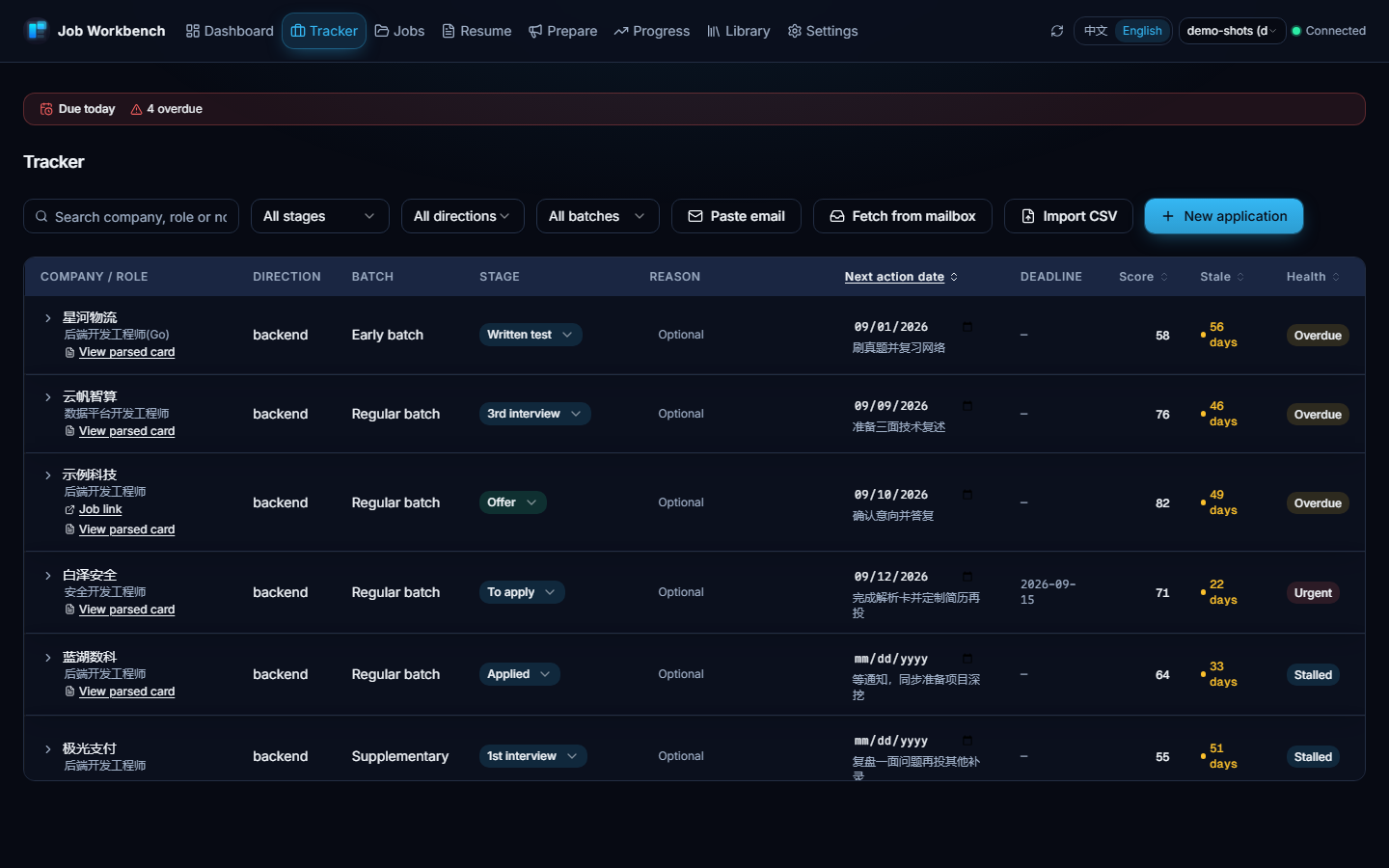
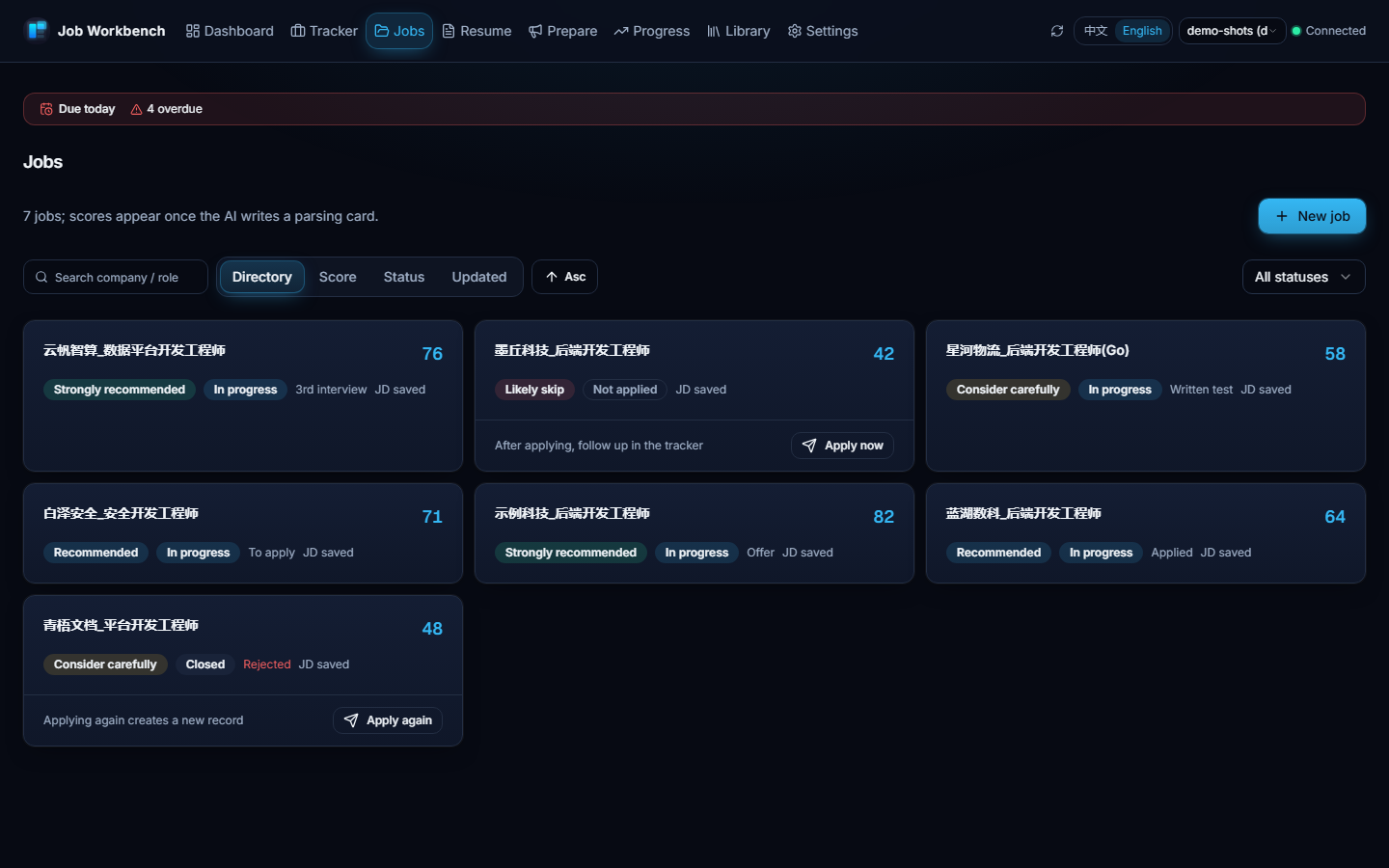
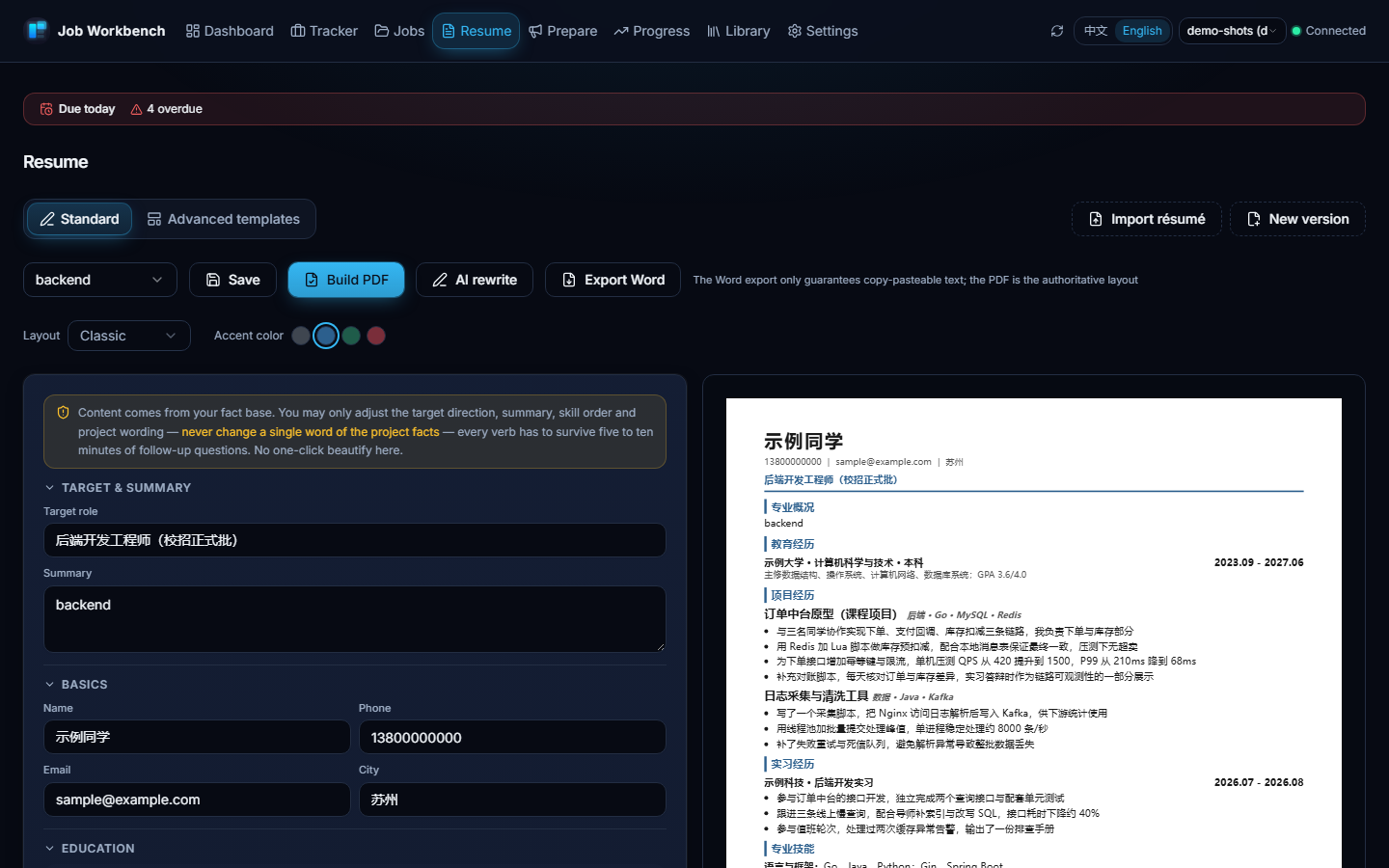
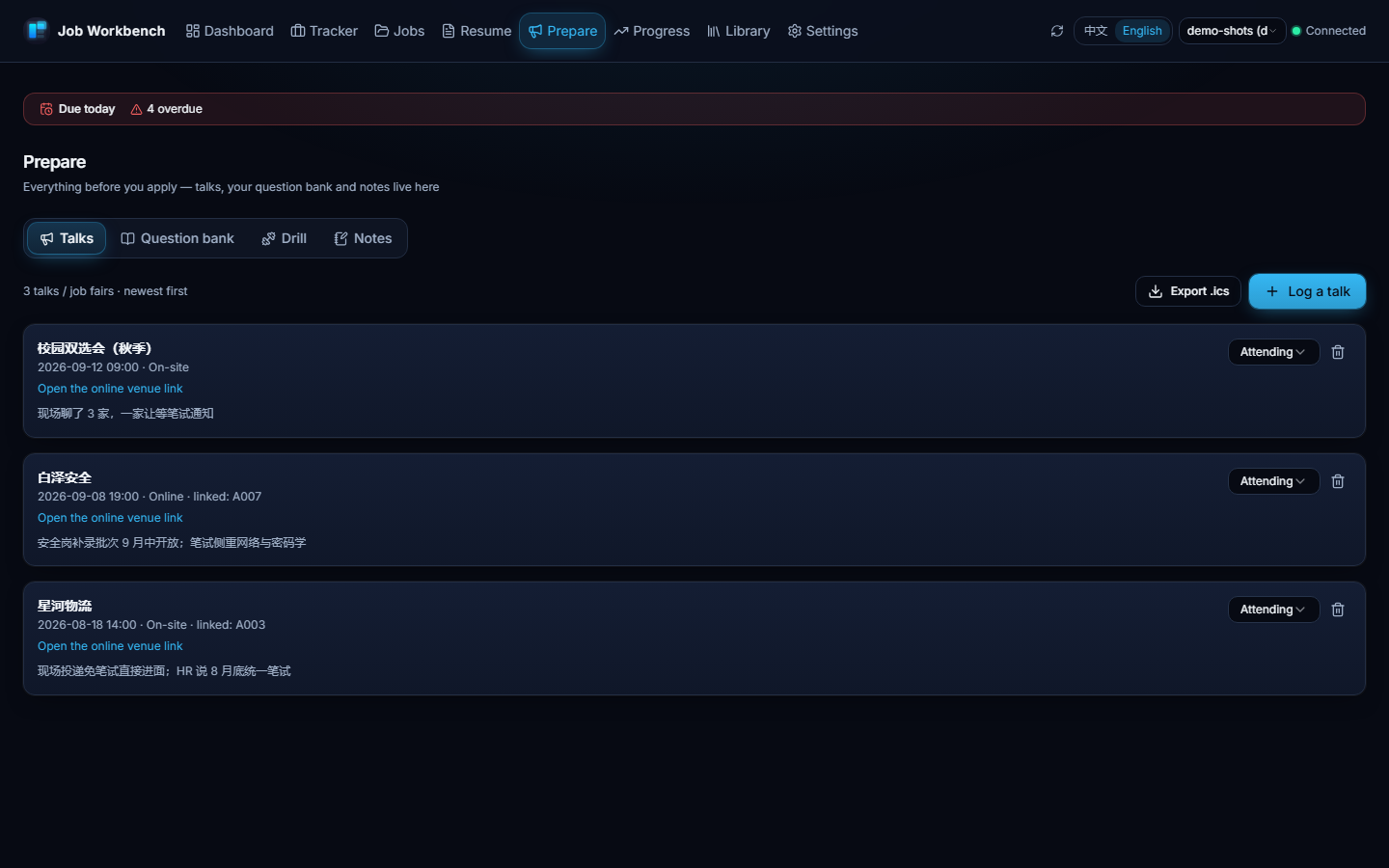
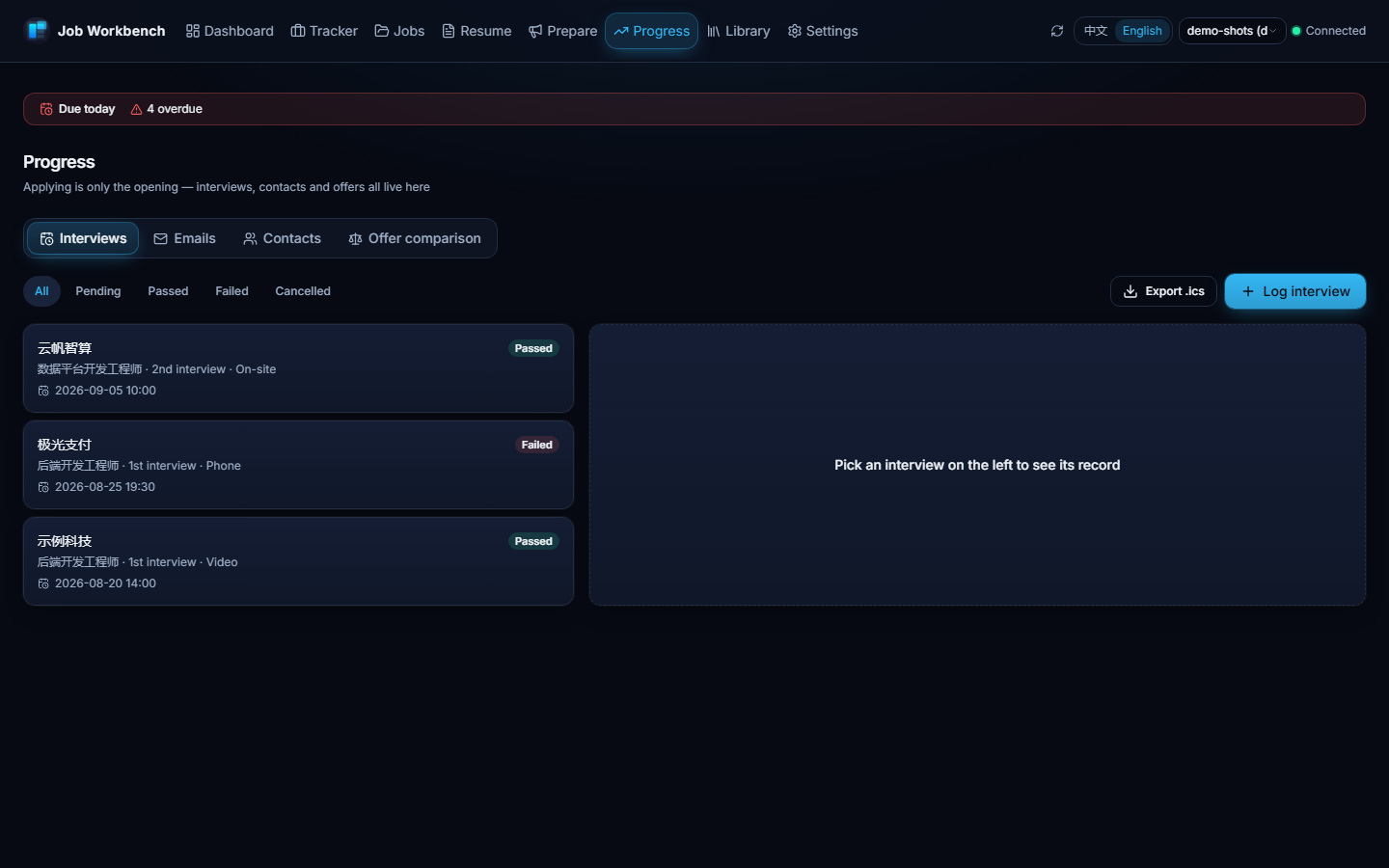
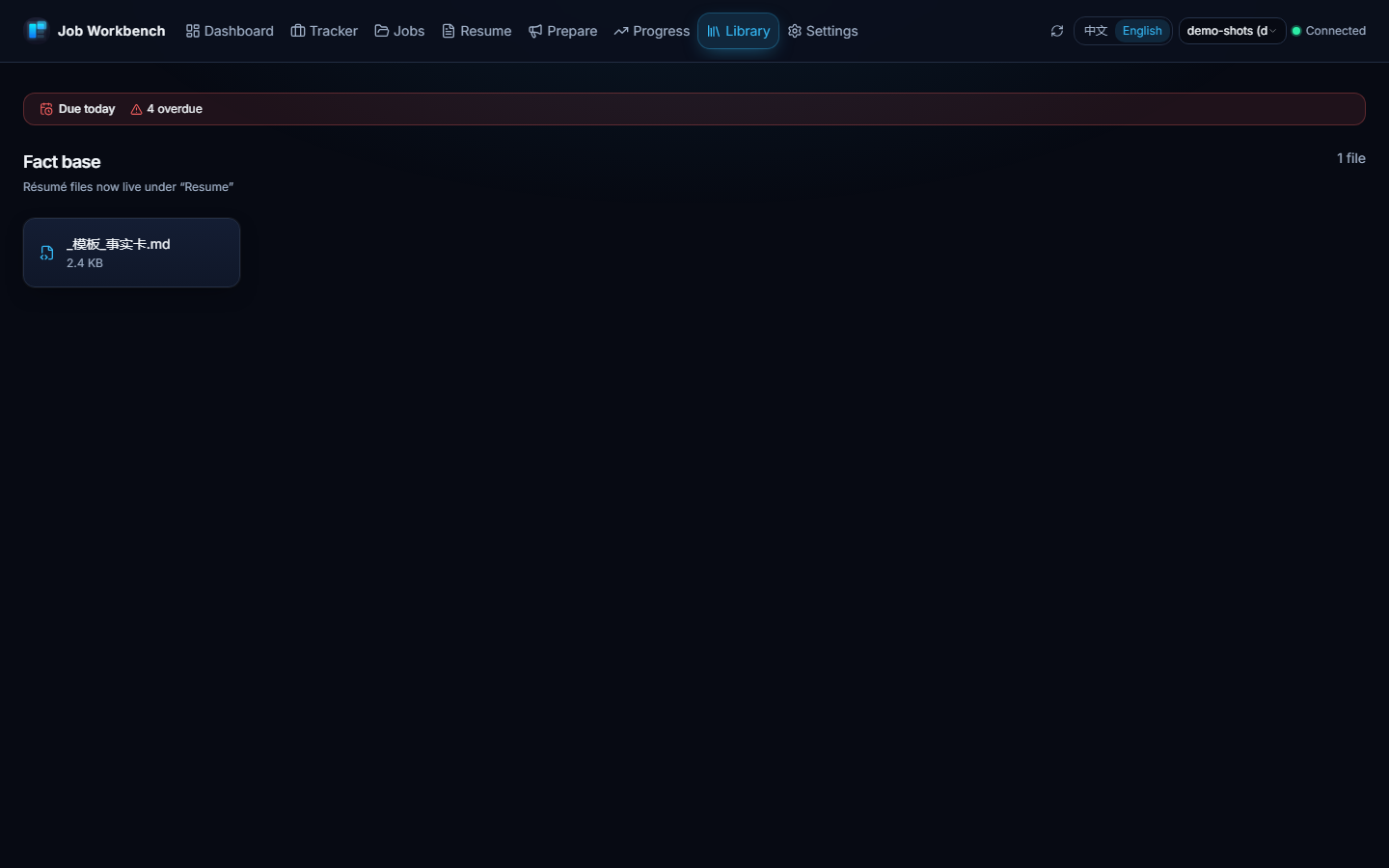
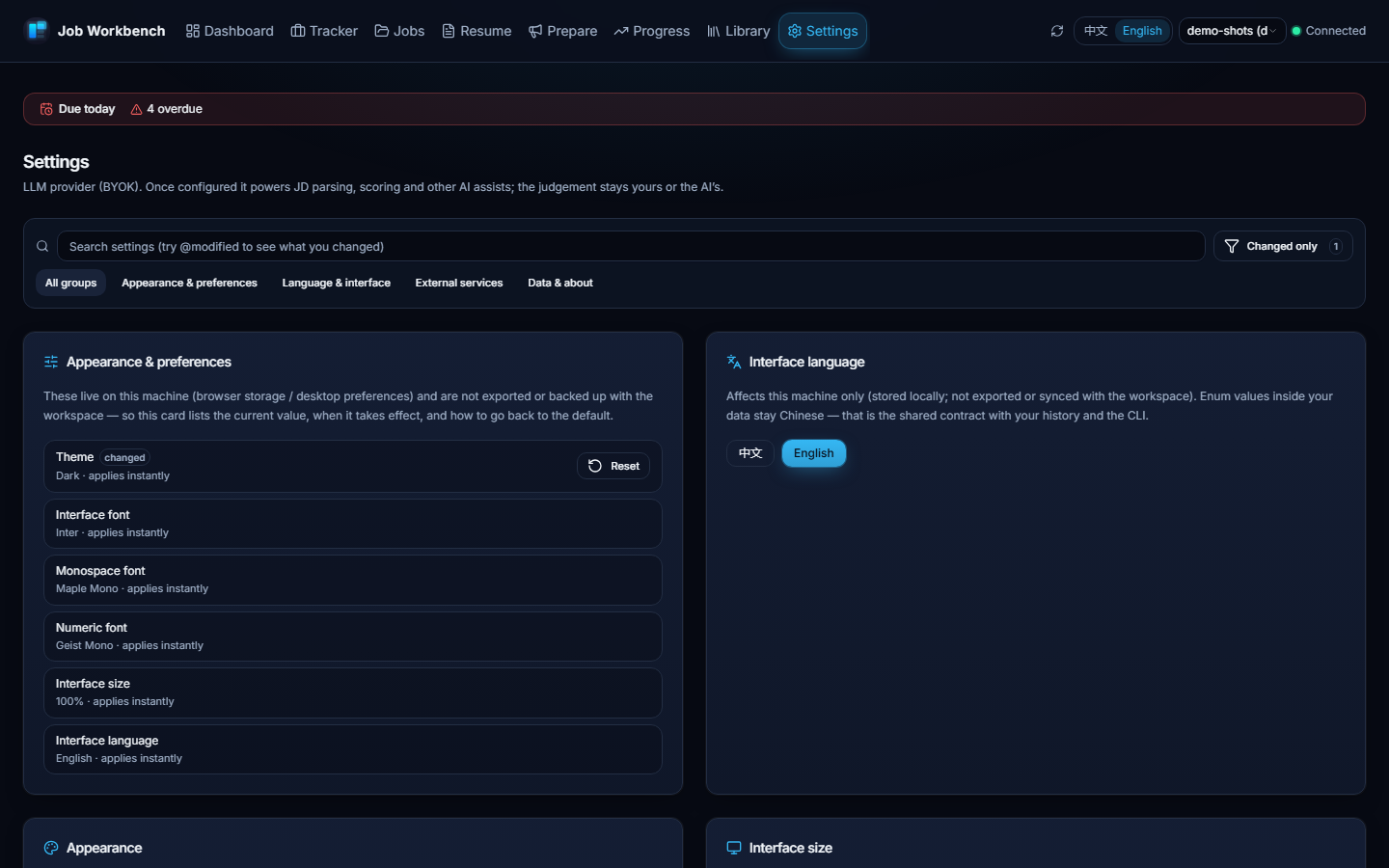
web/): eight pages sharing the very same data files — dashboard, tracker, job pool, resume workshop (one-click import that extracts rather than generates + guarded AI rewrite + Word export), prepare (talks & your question bank), progress (interviews, emails, contacts), library (notes & material), settings; seeweb/README.md - Post-application loop: interview records (one-click
.icsexport), recruiter contact follow-ups, offer comparison (side-by-side facts, never a recommendation), resume version lineage, stage-conversion retros, failure clustering, application health in four states — each with concrete reasons instead of a black-box score - Read-only email fetch (optional): with your own IMAP authorization code, pull recent recruiting emails and turn them into per-record status suggestions; read-only, connected only when you click, credentials kept local, dry-run until you confirm — details in the usage guide
- Email ledger & honest deep links (
mails.csv+jobws track mail): interview invites, test notices and rejections become first-class records that link back to an application — pulled emails carry their Message-ID and can be filed with one click. "Open original" is graded honestly: your own pasted link wins; Gmail gets a realrfc822msgidsearch deep link; other providers (Outlook / QQ / 163 / …) get a "copy the subject and search" fallback instead of a fake link. Emails never change stages by themselves — you always confirm. - Resume layouts & accent colors: three built-in layouts (Classic / Compact / Accent) share a single placeholder skeleton, all single-column and ATS-checked; four accent colors combine freely with any layout, and the generated PDF matches the preview. Drop your own compliant HTML into the templates directory and it appears in the picker.
- Interface typography: a continuous size slider (80%–150%, 5% steps — root-font scaling, decoupled from desktop zoom and available in a plain browser); 12 UI typefaces (Inter by default, plus Geist, IBM Plex Sans, Manrope, Plus Jakarta Sans, DM Sans, Figtree, Outfit, Public Sans, Source Sans 3, Work Sans, Atkinson Hyperlegible Next, and system/serif) and an independent 6-family monospace slot (Maple Mono by default; JetBrains Mono, Fira Code, Geist Mono, IBM Plex Mono, Source Code Pro) plus a dedicated numerals slot (Geist Mono by default, or JetBrains Mono / IBM Plex Mono / follow the UI typeface) — all bundled locally under OFL-1.1, Latin subsets only (CJK falls back to the system stack).
- Scoring framework: an eligibility gate first (degree → major → cohort → language → city; unfilled profile facts yield "awaiting profile facts" instead of a fail — fill them and re-run; city preferences only deduct from growth, hard infeasibility still vetoes), then four weighted dimensions → five-tier verdict; the full standard lives in
skills/jwb-recruit-coach/SKILL.md - Domain profiles are data, not code: two ship in the box (HVAC & cooling — 6 directions; software backend — the minimal reference example). Your own field works by authoring a profile per
docs/domain-contract.md— pure data, two full examples to copy, validated byjobws lint domains.
UI Preview
Note: the interface is bilingual (简体中文 / English) — switch it with the
中文 / Englishcontrol in the header; the first run follows your system language and your choice is remembered. Read the note under Download for what stays Chinese by design. The screenshots below are the real interface in English, taken with generated demo data — the Chinese README carries the same pages in 简体中文 (both sets come from the same demo workspace).
All pages below run on generated demo data (jobws init --demo); companies, roles and names are placeholders (示例科技, 示例同学, …) — no real personal information. The two sets are produced by npm.cmd run capture in web/frontend — rerun it after any page change instead of retaking shots by hand.
Quick start
# 0. Just want to look around first? One command gives you a filled demo workspace
#    (8 applications / 3 interviews / 2 contacts / 1 offer / 3 talks & job fairs
#     / 6 question-bank items / 6 emails / 7 parsed JD cards / 1 resume,
#     all placeholder data)
python tools/jobws.py init --target demo --demo

# 1. Initialize a workspace (six modules + profile templates + a domain plugin)
#    Swap --domain for your own field — see the "Domain profiles" table in docs/README.en-US.md
#    ("personal" is the CLI's default workspace name; any directory name works.)
python tools/jobws.py init --target personal --domain hvac-cooling

# 2. Distribute skills / commands / subagents to your AI CLI
#    (CodeBuddy / Claude Code / cross-runtime ~/.agents/skills/)
python tools/jobws.py skills install --target user

# 3. Fill in personal/AGENTS.md
#    Section 3 (hard eligibility facts) is required — unfilled fields put a job
#    into "awaiting profile facts" (not scored, not killed) until you fill them;
#    the gate never guesses. The file also carries two honesty red lines:
#    every resume verb must survive questioning; never fabricate experience.
#    Not a Chinese reader? template/AGENTS.example.en-US.md is the English
#    version — use its content for AGENTS.md.
Rather not clone the repo? Three channels:
- Plugin marketplace (recommended — skills, commands and subagents together) — with CodeBuddy or Claude Code, add this repo as a marketplace and install it (the plugin reads
skills/,commands/andagents/straight from the repo; there is no second copy):
/plugin marketplace add https://github.com/chenxiang6663635/job-workbench
/plugin install job-workbench
-
Skills only:
npx skills add chenxiang6663635/job-workbench(installs into the current directory;-gfor the user level —.agents/skills/is the cross-host convention, Claude Code reads.claude/skills/). -
DeepSeek Harness (DSH): the same workbench as one installable plugin bundle — MCP tools, the nine skills and an optional
jobwspreset in a single package (dsh plugin --profile <p> add dsh-job-workbench; dev-modelink:flow and the known boundaries live inintegrations/dsh/README.md).
The local script covers custom layouts and acts as the fallback: python tools/jobws.py skills install distributes all three asset types by each host's directory convention (skills → skills dirs; commands and subagents → .codebuddy/, .claude/), copying by default. --link is experimental and symlinks the host copies to the single source instead (no stale copies; on Windows it needs developer mode or admin). In-repo project-level copies are kept honest by python tools/jobws.py lint four-ends — stale or diverged copies are named, and skills additionally report extra directories (your own files under .claude/ are not counted). User-level ~/.agents/skills/ and plugin-marketplace caches are outside the checker's view: they do not travel with the repo.
Then just talk to your AI CLI: "parse this JD", "apply to this role", "what needs attention this week".
Requirements — CLI: Python 3.12+ (standard library only); pypdf for PDF validation; certifi ships the fallback CA bundle used when your system certificate store is unusable (outbound HTTPS / IMAP). PDF generation: Chrome or Edge. Web UI (optional): see web/README.md.
Referral
The optional AI features (resume import, AI rewrite) are BYOK — bring a key from any OpenAI-compatible provider. If you do not have one yet, the Settings page offers OrcaRouter as a preset optional provider. Full disclosure: this is a referral link — signing up through it earns the project author a commission; your pricing and benefits are unaffected, and clicking it only opens a web page (nothing is sent from the app by clicking).
Privacy
This repository contains no real personal data. personal/ is a workspace you fill with your own data (name, photo, contacts, applications, fact cards); it is entirely excluded from version control — after cloning, it is empty; generate your own with the init command above. In short: fork it publicly with confidence, but never paste personal/ content into issues, PRs or discussions.
Repository layout
| Path | Purpose |
|---|---|
template/ | Generic skeleton: profile templates, empty workspace, domain plugins |
skills/ | Nine skills — five job-hunting workflows (JD / apply / track / resume / coach), one setup/extension skill (domain profiles), and three maintainer-facing skills (CLI contract / API review / MCP) — single source across AI runtimes |
tools/ | Python domain layer — one CLI entry point plus domain modules and gate scripts |
web/ | Web UI: FastAPI backend + React frontend (eight pages), same data files as the CLI |
site/ | Project site (documentation site): assembler, config, page content and build |
tests/ | pytest suite — privacy guards, anti-fabrication checks, tracker semantics; the CI gate |
personal/ | Your real workspace (fully git-ignored; the repo ships zero real data) |
docs/ | Usage guide, doc index, design documents (docs/specs/) |
.github/ | CI workflow, issue / PR templates, code of conduct, Copilot instructions |
.codebuddy-plugin/ | CodeBuddy plugin manifest — delivers the same skills/ plus the commands and subagents; no second copy |
integrations/dsh/ | DeepSeek Harness surface — npm package dsh-job-workbench: the MCP hookup, the nine skills and an optional preset, installed with one command; that folder's README is the source of truth for install / upgrade / rollback |
docs/four-ends.md | Four-entry capability matrix (CLI / AI host / editor plugin / desktop UI), generated from tools/four_ends_matrix.json and checked by jobws lint four-ends. See docs/mcp-integration.md to plug the workbench into an AI host — the config key differs per host |
Download
Note: the interface is bilingual — every page ships in 简体中文 and English, with a
中文 / Englishswitch in the header (first run follows your system language, and the choice is remembered). The code, this README and the usage guide are in English — with one deliberate exception: code comments are Chinese by convention (see contributing.en-US.md §Copy & i18n). What stays Chinese by design: the values stored in your CSV / Markdown files (stage names, column headers) — they are the shared data contract with the CLI and with your own history, so translating them would desync the UI from your data — plus the CLI's built-in help. The screenshots above show the English UI; the same pages in 简体中文 are in the Chinese README.
A packaged Windows desktop app (no Python/Node needed) is attached to the
latest release — grab job-workbench-setup-*.exe from
Releases,
install, launch, done. The installer is a wizard: pick the install folder and
whether to install for all users or just you (when upgrading, keep the
defaults). Data lives in %APPDATA%\job-workbench\ and stays local — no
project-run server, no telemetry. Networking happens only through the features
you enable, plus one startup update check — details in the
data-flow matrix. Prefer source? Skip to
Quick start.
The installer is not code-signed yet. On first run Windows may show
"Windows protected your PC" (SmartScreen) — that is expected for unsigned
software: click More info → Run anyway. SmartScreen reputation builds
per release, so the notice may reappear on later versions. Starting with
v26.9.0, each release attaches SHA256SUMS.txt (hashes for the installer and
latest.yml) — you can
verify your download against it. Auto-update works normally despite the missing
signature (integrity is checked against the hash in latest.yml).
Docs
- Online docs site — project intro, usage guide and downloads as a website (bilingual, searchable). The site is GitHub-hosted: if GitHub is unreachable from your network, the Gitee mirror carries the repository — docs sources render as Markdown there, and its Issues are the mainland-reachable feedback channel
- Roadmap — Now / Later plus a shipped-batch log; items link to a tracking issue when one exists
- Doc index — status of every document (current / deprecated)
- Usage guide — startup, the eight pages, AI workflows, CLI reference, FAQ
- Support & compatibility — when this counts as a stable release, what is supported, and why upgrades never require converting your data
- Design documents — architecture, Web contract, productization, open-source release
- Changelog
- Glossary — the internal terms used across these docs and the changelog, defined once (terms stay Chinese; the English companion explains them)
Contributing
Issues and PRs are welcome — bug fixes, documentation, new domain profiles, privacy safeguards, tests and interoperability improvements are particularly useful. Please read CONTRIBUTING.md first (the four-gate process for new features, branching strategy, release flow) and the code of conduct. Found a security problem? Use the private channel described in SECURITY.md — please do not open a public issue. All changes go through a PR with green CI (pytest + frontend lint/build + PR-title check + UI smoke) — main has branch protection, so that includes documentation-only edits (see contributing.en-US.md §Branching strategy). Pace expectation: a single-maintainer project — work arrives in bursts: some days land a focused batch of small PRs, other weeks land none (no development during interview/exam weeks — see contributing.en-US.md §Sustainability). First response to issues targets 48 hours, with slips disclosed in a pinned issue (see docs/maintenance.md); a few days without a reply can still happen.
License
MIT © job-workbench contributors — third-party notices in THIRD-PARTY-NOTICES.md.
Comments
Loading…