

dsh-ssh
DiscoveredSSH terminal, SFTP, remote metrics and agent tools for DeepSeek Harness
English | 中文
非官方社区插件,与 DeepSeek 官方无隶属关系。文档截图使用演示数据,不含真实连接或凭据。
DSH SSH 插件
在 DeepSeek Harness 里连接远程服务器:SSH 终端和 SFTP 文件管理器直接开在右侧栏,主对话窗口始终在旁边,不需要退出当前会话。Agent 也可以执行远程命令、上传/下载文件,支持多连接管理与主机密钥固定(TOFU)。
包名:
@local/dsh-ssh· 版本:0.1.0· 运行位置:DSH Web / Desktop 的 Host 进程 + Web 客户端
功能
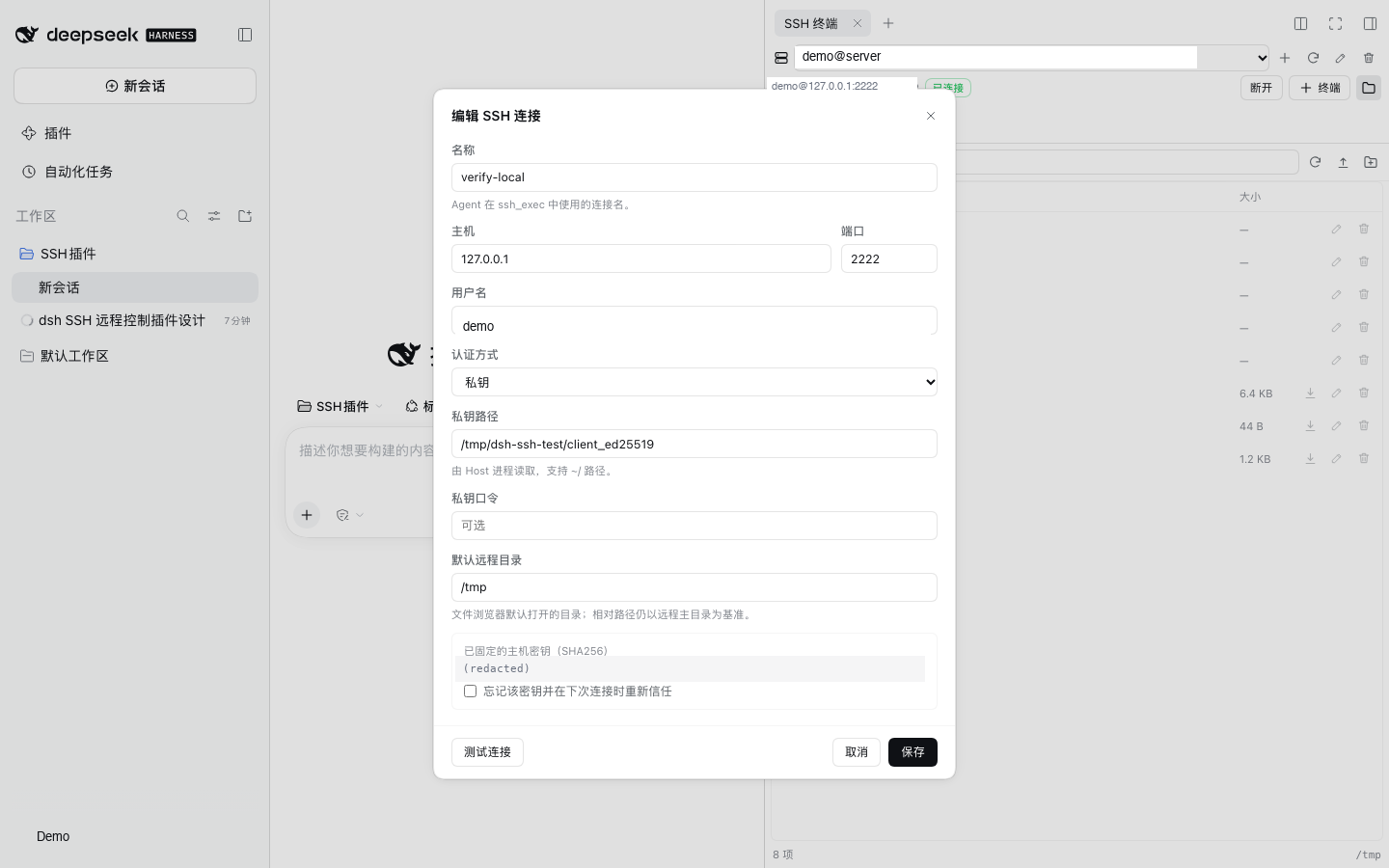
- 多连接管理:名称、主机、端口、用户名、密码/私钥/SSH Agent 三种认证方式;连接状态、错误信息和主机密钥指纹可见。
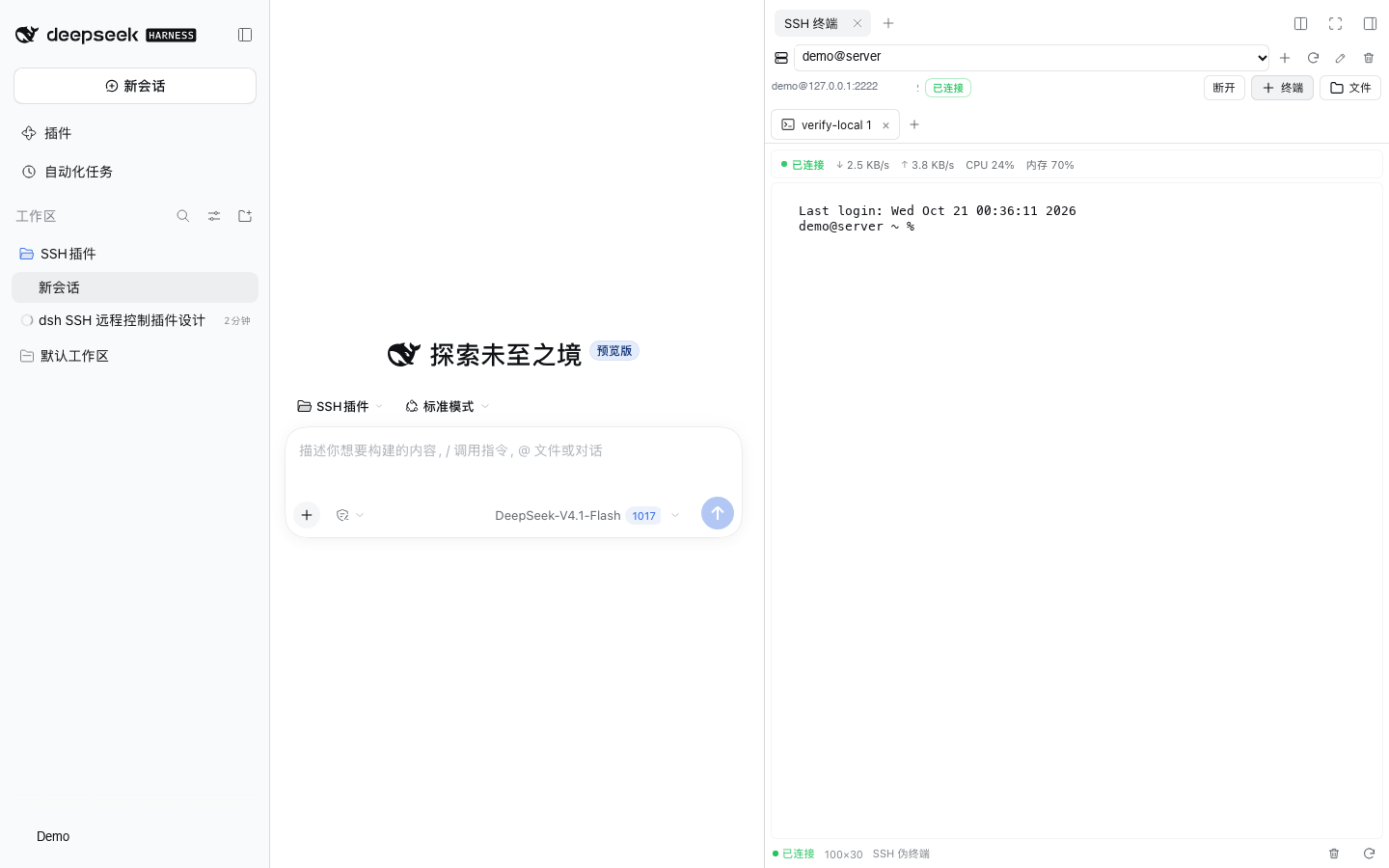
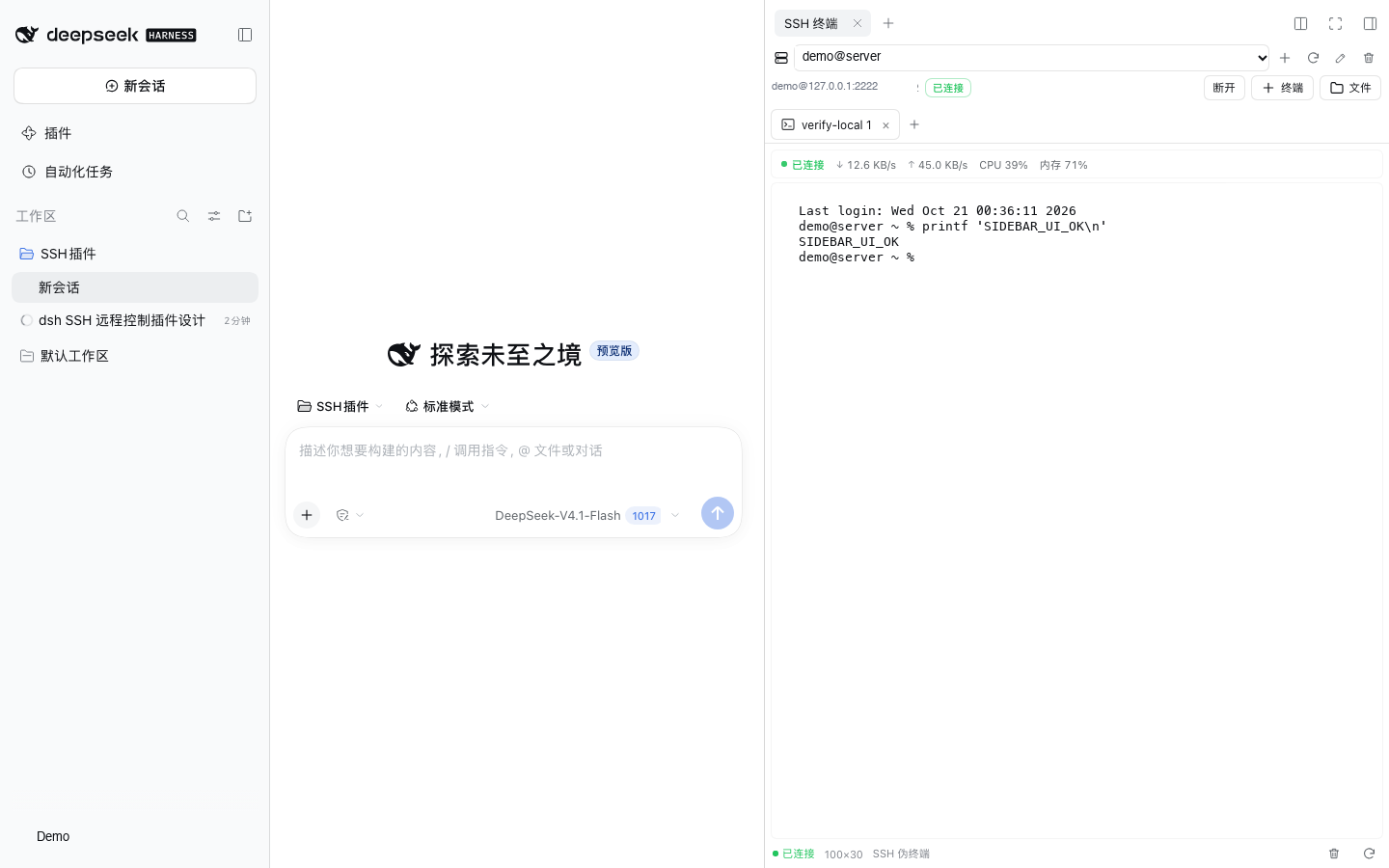
- 右侧栏终端,对话不中断:SSH 终端作为右侧栏标签页打开,左侧主对话继续可用;侧栏收起后终端继续运行,展开或刷新页面后自动恢复。
- 交互式终端:基于 xterm.js 的全功能终端(颜色、Ctrl 组合键、resize、滚动缓冲),每个连接可开多个终端。终端上方实时显示连接状态、↓/↑ 网速、CPU 与内存占用。
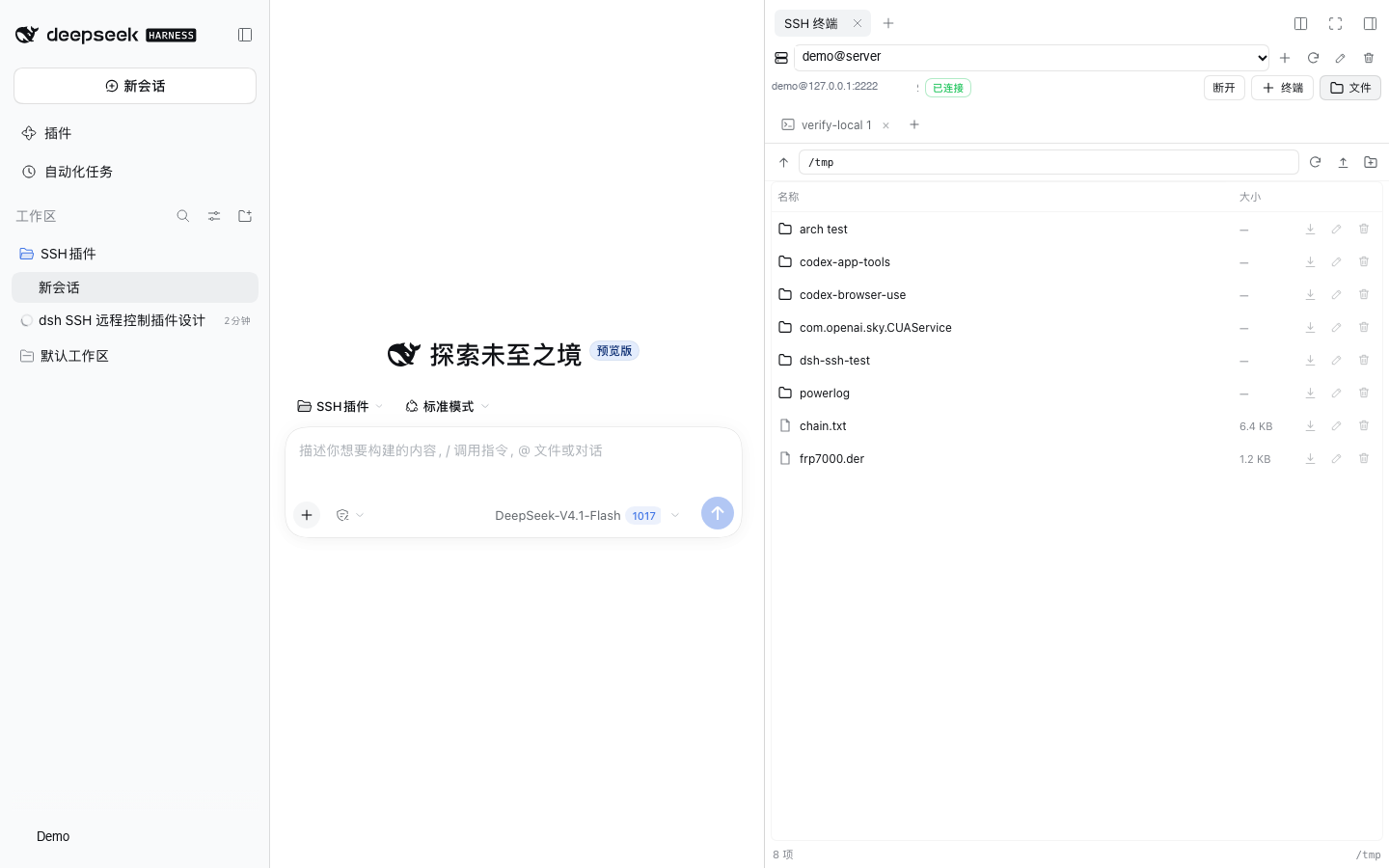
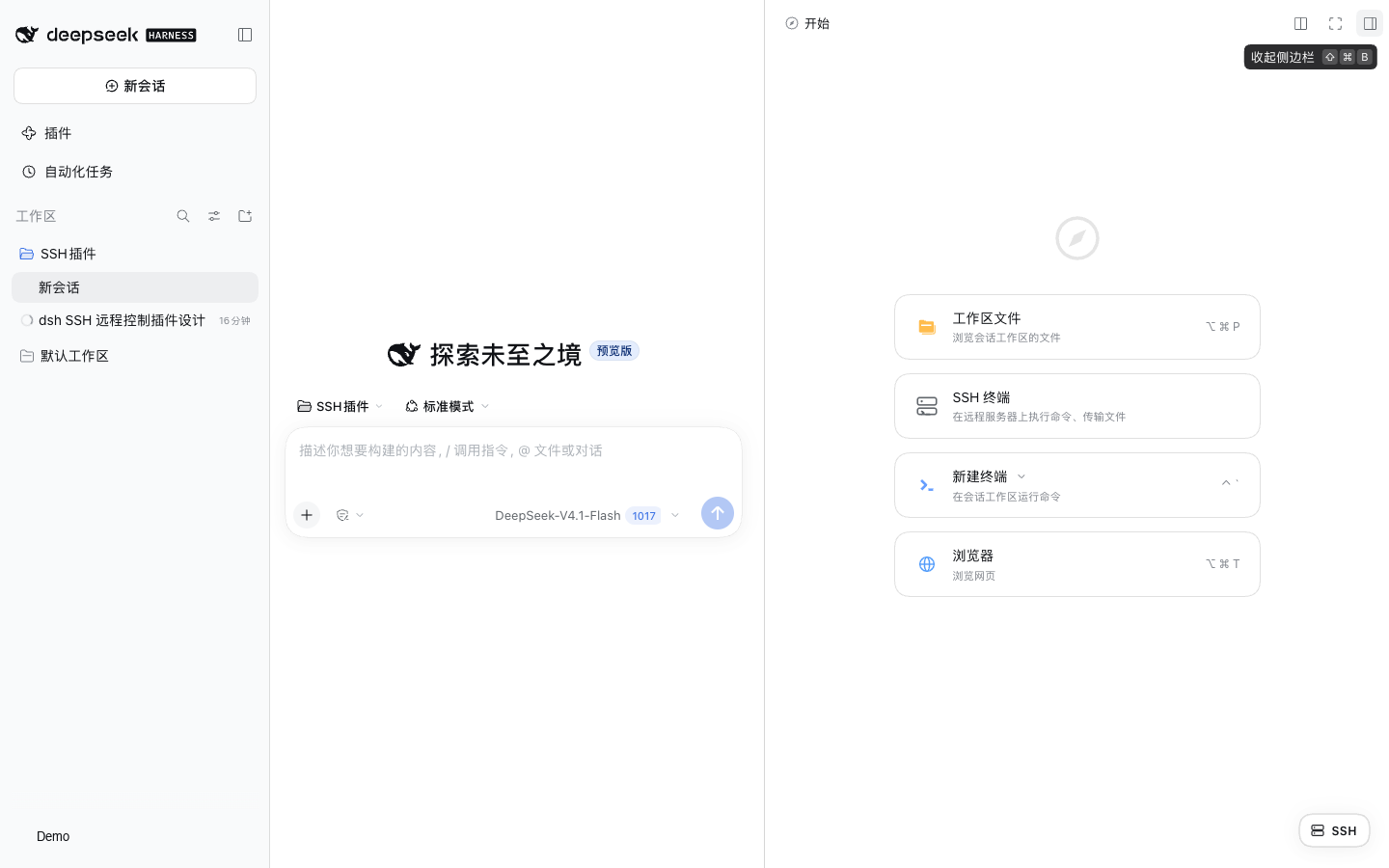
- 侧栏入口:右下角浮动 SSH 按钮,或右侧栏的 + → SSH 终端 指南卡片。文件入口是 + 终端 右侧带“文件”文字的文件夹按钮。
- 远程指标:约每 2 秒采样远端 CPU、内存和网卡计数,换算成下行/上行速率;仅在终端可见时轮询。
- Agent 远程控制:
ssh_list/ssh_connect/ssh_exec/ssh_files/ssh_upload/ssh_download六个工具。 - SFTP 文件管理:目录浏览、上传(多选/拖拽)、下载、新建目录、重命名、删除;文件夹可一键打包为
.tar.gz下载。 - 传输进度:上传/下载显示实时进度条与已传输大小,支持取消;文件夹打包下载在没有
Content-Length时显示不确定进度。 - 安全边界:主机密钥首次连接固定;浏览器 API 走 DSH 已认证的
/api通道;连接凭据只保存在 Host 本地(0600),且永远不会回传给浏览器。 - 中英双语:跟随 DSH 的语言设置(Settings → General)实时切换,不需要刷新页面或改配置。
| 终端(左侧对话始终可见) | 文件管理 |
|---|---|
 |  |
下载
最新发行版:GitHub Releases。发布包是本地 DSH bundle 的 .tgz,不是 npm 包。
下载 dsh-ssh-0.1.0.tgz 后,可以把它的绝对路径作为 plugin_manager install_bundle 的 target;也可以解压后按方式 B 手动链接。
安装
本插件按本地 bundle 开发,包名 @local/dsh-ssh 只是本地作用域,不发布到 npm。先获取源码:
git clone https://github.com/Callay02/dsh-ssh.git
cd dsh-ssh
安装后通过 link: 进入当前 profile。
方式 A:由 Agent 使用 plugin_manager 安装(推荐)
在 Creator 模式(或启用了 tool-plugin-manager 的 profile)中,对 Agent 说:
用 plugin_manager 的 install_bundle 安装这个本地目录:
/absolute/path/to/dsh-ssh
install_bundle 会完成 pnpm 安装与 bundle 选择。安装后刷新页面即可在右下角看到 SSH 按钮,或在右侧栏 + 菜单里选择 SSH 终端。
方式 B:手动链接(无法使用 plugin_manager 时)
DSH Desktop 的 desktop profile 由 Electron 独占,dsh plugin CLI 拒绝操作,因此需要:
-
安装依赖并构建客户端:
pnpm install pnpm run build -
在
$DSH_PROFILE_DIR/package.json中加入依赖(先备份):{ "dependencies": { "@local/dsh-ssh": "link:/absolute/path/to/dsh-ssh" } } -
在 profile 目录执行
pnpm install --ignore-scripts。 -
在
$DSH_PROFILE_DIR/cordis.patch.yml末尾加入:- insert: - id: ssh name: '@local/dsh-ssh' -
重新加载页面(桌面版可重启应用)。HMR 会重组配置并加载 Host 行。
手动编辑 profile 会写入工作区之外的文件。请先备份
package.json、pnpm-lock.yaml与cordis.patch.yml。
使用
人工使用
- 点击右下角 SSH 按钮,或右侧栏 + → SSH 终端,在右侧栏打开 SSH。主对话仍在左侧,可以直接继续聊天。
- 在侧栏顶部选择连接,或点 + 新建连接;填写主机、端口、用户名与认证方式,测试连接 可先验证。
- 选中连接后点 连接;点 + 终端 打开交互式 Shell,或点 文件 管理 SFTP。
- 侧栏可以收起(终端在 Host 侧继续运行)或拖宽/全屏;刷新页面后仍存活的终端会自动恢复。
- 首次连接会记录主机密钥指纹;以后指纹变化会拒绝连接,需在编辑连接中显式“忘记该密钥”。
Agent 使用
工具在插件启用后自动注册。示例对话:
用 ssh_list 看看有哪些服务器;连上 web-1,执行 df -h 和 systemctl status nginx
把本地 dist/ 上传到 web-1 的 /var/www/app/,然后重启服务
把远程 /var/log/nginx/error.log 下载到工作区
| 工具 | 作用 | 关键参数 |
|---|---|---|
ssh_list | 列出连接、状态、指纹 | — |
ssh_connect | 预连接或断开 | connection、disconnect |
ssh_exec | 非交互执行命令 | connection、command、timeoutMs、pty |
ssh_files | SFTP 列目录 | connection、path |
ssh_upload | 本地 → 远程(文件/目录) | connection、localPath、remotePath、recursive |
ssh_download | 远程 → 本地(文件/目录) | connection、remotePath、localPath、recursive |
约束:
- Agent 的本地路径必须位于当前 Session 工作目录内,防止绕过 DSH 文件沙箱读写任意本地文件。
- 远程路径不受本地沙箱限制;连接本身由用户配置,Agent 不能创建连接或读取/修改凭据。
- 目录传输默认跳过
.git和node_modules,单次最多 1000 个文件。
配置
在 cordis.patch.yml 的 ssh 行上提供 config(全部可省略):
- id: ssh
  config:
    dataDir: ~/.dsh/ssh
    connectTimeoutMs: 20000
    execTimeoutMs: 120000
    maxOutputChars: 131072
    maxTerminalChars: 524288
    maxTerminals: 8
    keepaliveIntervalMs: 15000
| 字段 | 默认 | 说明 |
|---|---|---|
dataDir | $DSH_HOME/ssh | connections.json 所在目录 |
connectTimeoutMs | 20000 | SSH 握手超时 |
execTimeoutMs | 120000 | ssh_exec 默认超时 |
maxOutputChars | 131072 | 单条命令每个输出流的上限 |
maxTerminalChars | 524288 | 每个终端保留的滚动回看字符数 |
maxTerminals | 8 | 同时存活的交互终端上限 |
keepaliveIntervalMs | 15000 | SSH keepalive 间隔 |
安全模型
- 凭据:连接配置保存在
$DSH_HOME/ssh/connections.json,目录0700、文件0600。密码/私钥口令目前是明文(仅靠文件权限保护)。优先使用私钥或 SSH Agent;如果使用密码,请确保磁盘加密与账号安全。 - 主机密钥:首次成功连接采用 TOFU 固定 SHA256 指纹;后续不匹配会拒绝连接并提示重置。
- 浏览器 API:所有路由挂在 DSH 的
/api之后,沿用浏览器的签名 Cookie 认证与 Host/Origin 校验;不额外开端口、不加未认证路由。 - 数据回传:列表接口只返回
hasPassword/hasPassphrase布尔值,不返回密钥内容。 - Agent 权限:Agent 能对已配置连接执行任意远程命令。请只添加确实要交给 Agent 的服务器,并按需使用受限账号。
隐私与提交检查
仓库不保存真实连接、凭据或个人标识。提交前会运行本地 Git hook 和 GitHub Actions 隐私检查;新增或修改截图必须先打码,并登记到 privacy/approved-images.txt。
git config core.hooksPath .githooks
sh scripts/check-privacy.sh --all
详见 PRIVACY.md。
已知限制
- 终端传输使用长轮询(最长 8 秒一次挂起请求),不是 WebSocket;交互延迟通常在几十毫秒,但不适合高帧率全屏程序。
- 指标采集支持 Linux(
/proc)和 macOS(sysctl、vm_stat、top/ps、netstat);其它 Unix 可能只显示部分指标或—。每 2 秒一次,终端不可见时暂停。 - SSH 是右侧栏标签页,依赖当前打开的 DSH 会话;首页没有会话时浮动按钮会隐藏。对话使用的是 DSH 主对话,而不是插件内另建的一套聊天窗口。
- DSH 在窄窗口(<768px)会自动把右侧栏切换为全屏;此时需要拉宽窗口或收起 SSH 侧栏才能同时看到对话。
- Host 进程重启后终端与连接都会丢失;终端滚动缓冲不持久化。
- UI 现在支持文件夹打包下载;目录上传仍通过 Agent 工具的
recursive完成。 - 为显示进度,浏览器会把下载内容先收进内存再触发保存;超大文件/文件夹可能占用较多内存。文件夹打包依赖远端
tar。 - 暂不支持端口转发、跳板机/ProxyJump、多跳、密钥生成与管理、sudo 密码交互。
- 凭据未接入 macOS Keychain / Windows Credential Manager。
- 删除非空远程目录需要先用其它方式清空(SFTP
rmdir语义)。
开发与测试
pnpm install
pnpm run build          # esbuild 打包 client.js
node test/test-manager.mjs   # Host 管理器(需要本地 sshd)
node test/test-routes.mjs    # HTTP 路由(需要本地 sshd)
node test/test-tools.mjs     # Agent 工具(需要本地 sshd)
node test/test-metrics.mjs   # 指标解析与 CPU/网速差分
node test/test-client.mjs    # jsdom 客户端冒烟
node test/ui-shot.mjs        # Playwright 驱动真实 Web UI(侧栏 + 终端 + 文件 + 收起恢复)
node test/ui-guide.mjs       # 验证右侧栏 + 菜单中的 SSH 指南卡片
本机测试用临时 sshd(仅监听 127.0.0.1:2222):
sh test/setup-local-sshd.sh
macOS 的
sshd在 DSH 文件沙箱内无法初始化自己的 sandbox;启动测试 sshd 时需要在沙箱外执行。
如果系统没有独立的 node,可以使用 Electron 自带的 Node 运行脚本:
ELECTRON_RUN_AS_NODE=1 "/Applications/DeepSeek Harness.app/Contents/MacOS/DeepSeek Harness" test/test-manager.mjs
目录结构
index.js                 Host 插件入口(apply/inject)
host/
  manager.js             连接池、exec、SFTP、交互终端、TOFU
  routes.js              认证的 /api/ssh 路由(JSON、流式上传/下载)
  tools.js               Agent 工具定义
  store.js               connections.json 读写与公开投影
client/src/
  index.jsx              Client 插件入口、样式与 slot 注册
  app.jsx                右侧栏标签、连接选择、终端/文件切换
  terminal.jsx           xterm.js + 长轮询 + resize
  files.jsx              SFTP 文件浏览器
  connection-form.jsx    新建/编辑连接与测试
  ui.jsx / style.js      基础控件与主题样式
client/build.mjs         esbuild → client.js
docs/DESIGN.md           设计说明
test/                    集成测试、UI 测试与本地 sshd 脚本
详细设计(数据模型、API、时序、安全与取舍)见 docs/DESIGN.md。
许可证
MIT,详见 LICENSE。
Comments
Loading…
Similar plugins
SSH session manager for DeepSeek Harness: saved profiles, agent ssh_run, interactive terminals, and SFTP with secrets kept in the DSH credential center.
★ 1
MIT
JavaScript
dsh plugin --profile web add dsh-remote-ssh-toolsby techflag
SSH terminals, SFTP file transfer and text editing inside DeepSeek Harness, with server troubleshooting through host models.
★ 1
↓ 178/wk
MIT
TypeScript
Sep 9, 2026
dsh plugin --profile web add dsh-plugin-sshby UynajGI
SSH remote-execution plugin for DeepSeek Harness: ProxyJump chain, SFTP filesystem, subprocess and PTY over ssh2
★ 13
↓ 175/wk
MIT
TypeScript
Oct 20, 2026
dsh plugin --profile web add dsh-sshby hoshinoick811
MobaXterm-style SSH/SFTP tool plugin for DeepSeek Harness (DSH): saved connection profiles, persistent multiplexed sessions, remote command execution, SFTP file transfer, and a web GUI console with fi
★ 4
MIT
JavaScript
Sep 6, 2026
dsh plugin --profile web add dsh-tool-sshby GooDAnDReaDY
Enterprise Remote Workspace for DeepSeek Harness: SSH, SFTP File Sync & Tunneling
★ 2
↓ 276/wk
MIT
JavaScript
Sep 25, 2026
dsh plugin --profile web add @goodandready/dsh-remote-workspaceby chenqaq123
deepseek harness的remote-ssh插件
★ 0
MIT
JavaScript
Oct 15, 2026
dsh plugin --profile web add dsh-ssh-remote