
ColaMD-themes
Manifest validExtract CSS themes from URLs, DOCX or PDF; generate, validate and export ColaMD contract themes, and export Markdown to standalone HTML or PDF.
ColaMD Themes


Topics: dsh deepseek-harness colamd themes css markdown pdf html ppt slides skill ai-agent
A theme development & export toolkit for ColaMD — the Agent-native Markdown editor. Extract visual formatting from web pages, Word documents, and PDFs (optionally with PPT slide styling), convert them into validated CSS theme files, convert Markdown documents into slide-deck Markdown, and export Markdown to standalone HTML or PDF with any theme applied.
Related Projects
ColaMD-extend — Desktop Editor & Rendering Engine
ColaMD-extend is the upstream cross-platform Markdown desktop editor and rendering engine used by this toolkit. It offers distraction-free WYSIWYG editing, live file synchronization, KaTeX math, Mermaid diagrams, built-in and custom themes, and PDF/HTML/Word export on macOS, Windows, and Linux.
Create or validate a CSS theme with this toolkit, then import it into ColaMD through Theme → Import Theme to use it in the desktop editor.
vscode-colaview — ColaMD Preview for VS Code
vscode-colaview brings the ColaMD rendering experience to VS Code. The ColaView MD extension provides live rich Markdown preview, KaTeX and Mermaid rendering, theme switching and custom theme imports, plus HTML, PDF, and Word export.
After installation, open a .md file and run ColaView MD: Show Preview from the Command Palette (Ctrl+Shift+P). Themes generated here can be imported with ColaView MD: Import Custom Theme... or placed in the workspace .themes/ directory.
Features
Theme Extraction
- URL — fetch a web page, parse its CSS rules (via
css-tree), resolve inline styles with specificity calculation, and derive a coherent theme palette - Local HTML template (
from-html, v0.6.1+) — extract from a local.htmlfile; a siblingtemplate.json(when present) supplies authoritative metadata (name, tagline, fonts, scheme, mood, density). Colors come from the template's:rootcustom properties via semantic-name matching with luminance/saturation heuristics as fallback; the palette is sanitized to satisfy the paradigm's luminance ordering (SL-04) and contrast rules (CR-02) - DOCX — read Word document styles (H1–H6, tables, code blocks) via mammoth, map to theme variables
- PDF — extract typography metadata from PDF text using multi-layer heuristic analysis
- Auto‑detect —
extractcommand automatically routes to the right extractor (local HTML, URL, DOCX, PDF) - PPT styling (
--ppt, v0.6.0+, optional) — extraction can also emit the--slide-*token section (ColaMD 2.7.13 slide layouts) into the generated theme. Presets mirror upstream voices:serif(magazine default),sans(Notion-like),mono(Writer-like). Since v0.6.1,from-htmlauto-detects the preset from the template's display font and, when the source provides design hints, derives a full per-layout token set (24 tokens): cover/section/closing title ladder from the template's own type scale, page title / KPI / quote / kicker / chrome / page padding tuned by mood (bold/quiet/tech), density, formality and scheme. Themes without design hints keep the brand-voice-only output
Markdown → PPT Markdown (v0.6.0+)
to-slides— convert a plain Markdown document into slide-deck Markdown: pages split with upstream pagination semantics (---via@lezer/markdown, the same parser family as the app), all eleven built-in layouts inferred from content structure (cover / section / agenda / kpi / timeline / steps / matrix / two-col / figure / quote / closing), deck chrome and per-page header blocks emitted with chapter tracking- Self-checked output — the generated deck is validated against the directive contract (page-first placement, layout-name syntax, field-key whitelists,
slide-csssafety subset) before writing - Full slide directive syntax and layout table: see
skills/colamd-themes/SKILL.md(幻灯片版式 chapter)
HTML / PDF Export
export-html— render Markdown to a standalone HTML document with theme CSS embedded, Mermaid diagrams and KaTeX math fully renderedexport-pdf— render Markdown to PDF via Puppeteer (Chromium); theme colors are preserved withprint-color-adjust: exact. Every export is content-checked afterwards (v0.6.2) — paper size, page count, blank pages and deck chrome (PDF-01…05) — and a standalonecheck-pdfcommand inspects any existing PDF; slide decks enforce 16:9 paper (960×540pt) and deck-page-count parityexport— batch export multiple files or entire directories to HTML, PDF, or both at once (--format html,pdfrenders both artifacts in a single renderer/browser lifecycle)- Token-saving exports (v0.5.8+, default on) — when the source markdown contains no math (
$$,$...$,\(..\),\begin{..}), the inlined base64 KaTeX math fonts (≈96% of the embedded CSS) are stripped from the export artifact, shrinking a typical export from ~1.5 MB (~400k tokens) to ~57 KB (~15k tokens) — ideal when an AI/LLM agent reads the output back. Math documents keep their fonts automatically;--keep-fontsforces full font embedding. Money mentions like$1.5Mare correctly ignored by the math detector - Powered by
@bytechain.cn/colamd/renderer(2.x library build, requires@bytechain.cn/colamd@^2.7.13) — the same CM6 editor as the app runs headless via Puppeteer. Theme CSS is consumed directly as:rootdeclarations,buildExportHTML({ title })serializes only contract live variables, and mermaid diagrams (Pele SVG) / KaTeX math stay fully rendered offline. Built-in theme names resolve their local contract CSS first. Generated themes target the 2.7.13 contract, so they carry over unchanged.
Theme Management
set-theme— configure default export theme, register custom CSS themes, switch between built-in themes- Built-in themes:
light,dark,elegant,newsprint - Custom themes: any
.cssfile registered by name, referenced in exports - Using themes in the ColaMD 2.7.7+ app — import via Theme > Import Theme or drop the
.cssinto~/.colamd/themes/. The app ships its own built-inelegant; rename ourelegant.css(e.g.elegant-brick.css) before importing to avoid a name clash.
Validation & Color Systems
- Contrast Engine — WCAG 2.1 relative luminance & contrast ratio calculations
- Paradigm Validator — 15+ design constraint rules (CR, HR, SL, NT, BD, MP, FP, FS, SH) with auto-fix suggestions
- Color System Library — 15 predefined seed palettes across 5 families (Morandi, Macaron, Nordic, Vintage, Mint)
- 2.7.13 CSS Contract Validator — flags dead selectors (
#write,.ProseMirror,body.theme-custom), dead variables (--mermaid-*,--radius-*,--font-size-root…),ptunits, and vertical padding on quote/code lines - Slide rule validators (v0.6.0+) — theme side: unknown
--slide-*tokens (SLIDE-01), structure selectors must live underbody.presenting/body.slides-printing(SLIDE-02), CJK + generic title font stacks (SLIDE-03); deck side (validate <deck.md>): page-first directive placement (SLIDES-01), layout-name syntax (SLIDES-02), unknown-layout warning (SLIDES-03), field-key whitelists (SLIDES-04/05),slide-csssafety subset rejectingposition: absolute/fixed/z-index/ pseudo-protocol URLs (SLIDES-06) - Contract verified — all 16 shipped themes audited against the frozen live-variable set (contract unchanged through 2.7.13) and smoke-tested on the 2.7.13 export pipeline: zero
.cm-md-*hook drift, all:rootlive variables and--pele-*overrides consumed, exports carry exactly the 27 contract live variables - Pele Diagram Colors — 9
--pele-*variables derived from--code-block-bg/--code-block-text/--link-color, replacing the 20 Mermaid variables - Platform backward compatibility (v0.5.3+, single contract v0.6.0+) —
src/compat.tsprobes the installed@bytechain.cn/colamdversion and itsthemes/contract.jsonfor contract drift (only2.7.13is accepted — the live/dead variable set is identical to the previous anchor, themes carry over unchanged), and detects the slide layout system (slidesSupported: version ≥2.7.13-rc.1or rc.2-specific CSS markers);validateprints a "平台兼容" report line including 幻灯片版式 support, and the renderer verifies the export API surface (applyTheme/setMarkdown/ensureAllPluginsRendered/buildExportHTML) before rendering. Platform upgrades produce actionable diagnostics (version + fix command) instead of cryptic mid-render failures
Security & Performance (v0.4.0+)
- SSRF Protection — URL extractor validates against protocol whitelist and blocks private network access to prevent Server-Side Request Forgery attacks
- Input Validation — CSS files validated for extension, size limit (1MB max), and content validity to prevent OOM attacks
- Async I/O — Non-blocking file operations for improved responsiveness during batch exports
- Template Caching — LRU-style cache (max 10 templates) with TTL expiration (30min) and mtime-based auto-invalidation for stable memory usage
- Unified Error Handling — Structured error codes (
CLIError+ErrorCode) across all commands for consistent debugging experience - Resource Cleanup — Explicit Puppeteer page cleanup prevents zombie processes and resource leaks
CSS Template Engine
Handlebars-powered template produces ColaMD 2.7.13 contract CSS (≤300 lines):
| Section | Content |
|---|---|
| 1 | Design Tokens — :root seed palette (11 vars), 14 semantic colors, fonts, metrics, 9 --pele-* |
| 1.5 | PPT / Slides (optional, --ppt) — --slide-* tokens (2.7.13), preset voice + brand fonts |
| 2 | Editor DOM — #editor .cm-content + .cm-md-* (headings, inline, quote, code block, table, indent) |
| 3 | Exported HTML — .colamd-document color layer for semantic tags |
| 4 | @media print — print-color fidelity only (screen rules already apply) |
MCP Server (Model Context Protocol)
Full MCP server for AI-native integration — connect ColaMD-themes to Chatbox, Cursor, Claude Desktop, Continue, and all MCP-compatible clients.
- 14 MCP tools covering theme extraction, export, validation, and management
- Stdio transport — zero network config, direct process communication
- Chinese theme name support — non-ASCII names handled via smart path resolution
| Category | Tool | Description |
|---|---|---|
| Extraction | extract_from_url | Theme from web page |
extract_from_docx | Theme from Word doc | |
extract_from_pdf | Theme from PDF | |
extract_auto | Auto-detect source | |
| Management | list_themes | List all themes |
validate_theme | Validate theme rules | |
check_fonts | Check font availability | |
set_theme | Register custom theme | |
| Color | list_color_systems | 15 built-in palettes |
list_mermaid_presets | 3 Mermaid presets | |
| Export | export_html | Markdown to HTML |
export_pdf | Markdown to PDF | |
export_batch | Batch export |
Multi-Agent Skill
Universal skill definitions for 6 AI coding agents (7 outputs — Trae gets both workspace rules and a project skill), auto-generated from a single source:
| Agent | Skill Path | Frontmatter |
|---|---|---|
| Claude Code | .claude/skills/colamd-themes.skill.md | name, description |
| OpenCode | .opencode/skills/colamd-themes/SKILL.md | name, version, user-invocable, allowed-tools, hooks |
| OpenClaw | .openclaw/skills/colamd-themes/SKILL.md | id, name, version, icon, author, homepage, metadata.openclaw.os |
| Hermes | .hermes/skills/tools/colamd-themes/SKILL.md | name, version, author, license, metadata.hermes.tags, prerequisites |
| Trae (rules) | .trae/rules/colamd-themes.md | Plain Markdown (no frontmatter) |
| Trae (skill) | .trae/skills/colamd-themes/SKILL.md | name, description (single-line plain scalar) |
| DeepSeek Harness | .dsh/skills/colamd-themes/SKILL.md | name, version, description, metadata.dsh.tags, prerequisites |
Architecture:
skills/colamd-themes/SKILL.md       ← Canonical source (single source of truth)
        │
        ▼
skills/build-skills.js              ← Cross-platform launcher (bash passthrough)
        │
        ├──→ .claude/skills/colamd-themes.skill.md
        ├──→ .opencode/skills/colamd-themes/SKILL.md
        ├──→ .openclaw/skills/colamd-themes/SKILL.md
        ├──→ .hermes/skills/tools/colamd-themes/SKILL.md
        ├──→ .trae/rules/colamd-themes.md
        ├──→ .trae/skills/colamd-themes/SKILL.md
        └──→ .dsh/skills/colamd-themes/SKILL.md
Regenerate all agent skills:
npm run build:skills            # generate all (cross-platform, works without bash on PATH)

# Or generate for a single agent:
npm run build:skills -- claude
npm run build:skills -- opencode
npm run build:skills -- openclaw
npm run build:skills -- hermes
npm run build:skills -- trae
npm run build:skills -- trae-skill
npm run build:skills -- dsh
To customize: edit skills/colamd-themes/SKILL.md, then run npm run build:skills.
DSH Plugin (dsh-market)
The package is also a DSH (DeepSeek Harness) plugin bundle installable from dsh-market:
- Plugin contract —
package.jsondeclaresdsh.bundle.patchpointing tocordis.patch.yml, which inserts thecolamd-themesCordis entry into the profile's composition - Host entry —
src/dsh-plugin.tsexports the Cordis protocol (name/inject: ["skills"]/apply) and registers the bundledskills/colamd-themes/SKILL.mdwith the Harnessskillsservice viactx.skills.registerProvider(same provider protocol as the bundled dsh-ppt plugin) - CLI bins —
colamd-themes/cthemesship with the package and become available to profile agents after install - Runtime compatibility —
@deepseek-ai/dsh-skillis declared as an optional peer (^0.1.5-rc.1 || ^0.2.0-rc || ^0.2.1-rc || ^0.3.0-rc || ^0.4.0-rc; semver's prerelease rule forces per-patch enumeration — append a comparator when a new rc line ships): the market checks it against the DSH runtime version, while standalonenpm installis unaffected - Backward compatibility — the runtime consumes only the stable
BUNDLED_SKILL_RANKconstant, and the host entry'sapply()tolerates skills-service protocol drift (warning instead of a broken profile load) - Platform compat layer —
src/compat.tsprobes the installed@bytechain.cn/colamdversion and itsthemes/contract.jsonfor contract drift, and the renderer verifies the export API surface at init; platform upgrades are diagnosed clearly atcthemes validate/export time instead of failing cryptically - Bundle contents —
dist/(CLI + host entry),themes/(16 contract CSS themes),skills/(bundled skill),cordis.patch.yml
Install from a DSH profile (once published to npm): add @bytechain.cn/colamd-themes through the dsh-market UI or dsh plugin --profile <name> add @bytechain.cn/colamd-themes.
Installation
git clone git@github.com:byteuser1977/ColaMD-themes.git
cd ColaMD-themes
npm install
npm run build
For development with hot‑reload:
npx tsx src/cli.ts <command>
Usage
The package provides two equivalent CLI commands:
colamd-themes— full command namecthemes— short alias (recommended for frequent use)
Examples below use the short alias cthemes, but you can substitute colamd-themes interchangeably.
Extract a theme from a URL
cthemes from-url "https://example.com" --name my-theme
Extract from a Word document
cthemes from-docx report.docx --name corporate-theme
Extract from a PDF
cthemes from-pdf paper.pdf --name academic-theme
Extract from a local HTML template (v0.6.1+)
# A sibling template.json (name/tagline/typography/scheme/mood) is used when present
cthemes from-html templates/vellum/template.html -n vellum --ppt -o themes/vellum.css

# Batch: extract every template in a directory (--ppt with no value trusts the
# preset auto-detected from each template's display font)
Get-ChildItem templates -Directory | ForEach-Object {
  cthemes from-html "$($_.FullName)\template.html" -n $_.Name --ppt -o "themes/$($_.Name).css"
}
Extract with PPT slide styling (optional, off by default)
# Also emit --slide-* tokens with the sans preset (serif | sans | mono)
cthemes from-url "https://example.com" --name my-brand --ppt sans

# --ppt with no preset: keep the extractor's auto-detected preset (from-html templates)
cthemes from-html template.html --ppt
Convert Markdown into slide-deck Markdown
# Auto-infer all 11 layouts + deck chrome, self-checked output
cthemes to-slides report.md -o report.slides.md

# With deck chrome fields
cthemes to-slides report.md --deck-brand "ColaMD" --deck-title "Q4 Review" --deck-meta "2026.11"

# Validate a generated (or hand-written) deck against the directive contract
cthemes validate report.slides.md
Auto‑detect source type
cthemes extract source.docx --name auto-theme
Validate a theme (or a slide deck)
# Theme CSS: 2.7 contract + paradigm rules + slide token rules
cthemes validate themes/my-theme.css

# Slides markdown: directive contract checks (page-first, layout names, field keys, slide-css safety)
cthemes validate report.slides.md
List themes and color systems
cthemes list
cthemes color-systems
Export to HTML
# Single file with a built-in theme
cthemes export-html document.md -t elegant -o output.html

# With a custom theme
cthemes export-html document.md -t my-brand -o output.html
Export to PDF
# Single file
cthemes export-pdf document.md -t dark -o output.pdf

# With page format
cthemes export-pdf document.md -t elegant --format Letter -o output.pdf
Batch export
# Multiple files to HTML
cthemes export docs/*.md --format html -t light -d output/

# Directory of Markdown files to PDF
cthemes export docs/ --format pdf -t elegant -d output/

# Both formats in one pass (shared renderer/browser startup)
cthemes export docs/ --format html,pdf -t elegant -d output/
Theme management
# Set a built-in theme as default
cthemes set-theme elegant --default

# Register a custom theme from a CSS file
cthemes set-theme my-brand --css themes/swiss-design.css

# Register and set as default
cthemes set-theme my-brand --css themes/swiss-design.css --default

# Unregister a custom theme
cthemes set-theme my-brand --remove
All commands
| Command | Description |
|---|---|
from-url <url> | Extract theme from a web page URL |
from-docx <file> | Extract theme from a .docx document |
from-html <file> | Extract theme from a local HTML file (sibling template.json used as metadata when present) |
from-pdf <file> | Extract theme from a PDF document |
extract <source> | Auto-detect source type (local HTML / URL / .docx / .pdf) and extract theme |
to-slides <input> | Convert a Markdown document into slide-deck Markdown (auto-inferred layouts) |
color-systems | List 15 built-in color systems |
list | List all generated themes |
validate <file> | Validate a theme CSS (2.7 contract + paradigm + slide token rules) or a slides markdown file (directive contract); with a platform compat report |
check-pdf <file> | Content-check an exported PDF: paper size, page count, blank pages, deck chrome (PDF-01…05); -d <deck.md> enables slide parity checks |
set-theme <name> | Set, register, or remove export themes |
export-html <input> | Export Markdown → standalone HTML |
export-pdf <input> | Export Markdown → PDF |
export <inputs...> | Batch export multiple files or directories |
Extract options
| Flag | Description |
|---|---|
-n, --name | Theme name (derived from source by default) |
-o, --output | Output CSS file path |
-d, --themes-dir | Themes directory (default: themes/) |
-c, --color-system | Force a color system |
-A, --auto-match | Auto-match a color system from the extracted palette |
--ppt [style] | Also emit PPT --slide-* tokens (2.7.13 slides); optional preset serif (default) / sans / mono. Off by default. A valueless --ppt keeps the preset auto-detected by the extractor (from-html templates) |
to-slides options
| Flag | Description |
|---|---|
-o, --output | Output .md path (default: <input>.slides.md) |
--deck-brand | Deck chrome brand (footer-left serif text) |
--deck-title | Deck chrome title (overrides frontmatter / first h1) |
--deck-meta | Deck chrome meta (chrome-right fallback, e.g. date) |
--deck-logo | Deck chrome logo path (relative to the output file) |
Export options
| Flag | Description |
|---|---|
-t, --theme | Theme name (built-in, custom, or CSS file path) |
-o, --output | Output file path |
-d, --output-dir | Output directory for batch export |
--format | Batch format: html, pdf, or a comma-separated combo like html,pdf (default: html) |
--format | PDF page size: A4, Letter, A3 (default: A4) |
--keep-fonts | Keep inlined base64 math fonts (default strips them when the source has no math) |
How It Works
Theme Extraction Pipeline
Source (URL / .docx / .pdf)
    │
    ▼
┌─────────────────────┐
│  Extractor          │  Parse → raw ThemeStyle
└──────────┬──────────┘
           │
           ▼
┌─────────────────────┐
│  Color System       │  Match → 15 built-in palettes
│  Validators         │  WCAG contrast + paradigm + 2.7.13 contract
└──────────┬──────────┘
           │
           ▼
┌─────────────────────┐
│  Template Engine    │  Handlebars → 2.7.13 CSS (≤300 lines)
└──────────┬──────────┘
           │
           ▼
  themes/<name>.css
Export Pipeline
Markdown file
    │
    ▼
┌─────────────────────────────────────────────┐
│  Puppeteer (headless Chromium)              │
│  ┌───────────────────────────────────────┐  │
│  │  Local HTTP Server                    │  │
│  │  serves @bytechain.cn/colamd/renderer │  │
│  │  (same-origin, no CORS)              │  │
│  └──────────────┬────────────────────────┘  │
│                 │                            │
│  createColaMDEditor({ editable: false })     │
│  applyTheme(name, customCSS?)                │
│  setMarkdown(content)                        │
│  ensureAllPluginsRendered()  ← mermaid/KaTeX │
│                 │                            │
│  ┌──────────────┴──────────────┐             │
│  │  buildExportHTML({title}) → .html │       │
│  │  page.pdf()        → .pdf   │             │
│  └─────────────────────────────┘             │
└─────────────────────────────────────────────┘
Design Paradigm (2.7.13 contract)
Full specification: templates/theme-paradigm.md.
Core Principles
| Principle | Description |
|---|---|
| Variable-first | All colors, fonts, sizes, spacing as CSS custom properties. No raw values in selectors |
| Modular | Theme = variables + minimal selector tweaks. Built-in systems inherit automatically |
| Semantic | --link-color not --color-blue; --font-body not --font-sans |
| Derivable | Full theme from 11 seed tokens + 3 font stacks. AI agents modify only Section 1 |
| Print-faithful | Export prints the current window, so screen rules apply as-is; @media print only adds print-color-adjust |
| No dead rules | CodeMirror 6 has no #write, .ProseMirror, <h1> or <blockquote> elements — only .cm-md-* line classes |
Contrast Requirements (WCAG 2.1)
| Rule ID | Level | Requirement | Threshold |
|---|---|---|---|
| CR-01 | MUST | Body text vs background | ≥ 7:1 (AAA) |
| CR-02 | MUST | Secondary text vs background | ≥ 4.5:1 (AA) |
| CR-03 | MUST | Dimmed text vs background | ≥ 3:1 (AA large) |
| CR-04 | MUST | Accent color vs background | ≥ 4.5:1 (AA) |
| CR-05 | SHOULD | Inline code bg vs background | ≥ 1.5:1 |
Project Structure
ColaMD-themes/
├── skills/
│   ├── colamd-themes/SKILL.md              # Canonical skill source
│   └── build-skills.js                     # Cross-platform launcher (generates agent files)
├── .claude/skills/colamd-themes.skill.md   # Claude Code skill
├── .opencode/skills/colamd-themes/SKILL.md # OpenCode skill
├── .openclaw/skills/colamd-themes/SKILL.md # OpenClaw skill
├── .hermes/skills/tools/colamd-themes/     # Hermes skill
├── .trae/rules/colamd-themes.md           # Trae rules
├── .trae/skills/colamd-themes/            # Trae project skill
├── cordis.patch.yml                        # DSH plugin bundle patch (dsh-market)
├── package.json
├── tsconfig.json
├── themes/                                  # Generated CSS themes
├── src/
│   ├── cli.ts                               # CLI entry point
│   ├── index.ts                             # Public API exports
│   ├── models.ts                            # ThemeStyle / SeedPalette types
│   ├── generator.ts                         # Handlebars → CSS pipeline
│   ├── renderer.ts                          # Puppeteer HTML/PDF export engine
│   ├── export-cli.ts                        # Export CLI commands
│   ├── theme-store.ts                       # Theme config persistence (async API)
│   ├── dsh-plugin.ts                        # DSH host entry (Cordis skill provider)
│   ├── compat.ts                            # Platform compat layer (dual contract + slides probe + renderer API probe)
│   ├── slides.ts                            # PPT --slide-* tokens, presets & brand derivation (2.7.13)
│   ├── slides-markdown.ts                   # Markdown → slide-deck conversion + directive contract validation
│   ├── utils/
│   │   └── cli-utils.ts                     # Shared utilities & error handling
│   ├── color-utils.ts                       # Color manipulation utilities
│   ├── contrast.ts                          # WCAG 2.1 luminance & contrast
│   ├── validators.ts                        # Paradigm validation engine
│   ├── color-systems.ts                     # 15 predefined seed palettes
│   ├── docx-style-paradigm.ts              # Document style specification
│   ├── extractors/
│   │   ├── base.ts                          # Extractor interface
│   │   ├── url-extractor.ts                 # URL → ThemeStyle
│   │   ├── docx-extractor.ts                # DOCX → ThemeStyle
│   │   └── pdf-extractor.ts                 # PDF → ThemeStyle
│   └── templates/
│       ├── template.css                     # Paradigm companion CSS
│       ├── theme-paradigm.md               # v4.0 design specification (2.7.13 contract)
│       └── theme-template.hbs              # Handlebars CSS template
└── tests/
Tech Stack
| Component | Library | Purpose |
|---|---|---|
| Runtime | Node.js + TypeScript | ESM modules, strict typing |
| CLI framework | Commander.js | Argument parsing, subcommands |
| CSS templating | Handlebars | 2.7.13 contract CSS generation |
| HTML parsing | Cheerio | DOM traversal for URL extraction |
| CSS parsing | css-tree | CSS rule AST parsing |
| DOCX parsing | Mammoth | Word → HTML conversion |
| PDF parsing | pdf-parse | PDF text extraction |
| HTTP client | Axios | Web page fetching |
| Browser engine | Puppeteer | Headless Chromium for HTML/PDF export |
| Editor engine | @bytechain.cn/colamd | CM6-based Markdown renderer (2.7.13 anchor; slide layouts stable) |
| Slide parsing | @lezer/markdown | Markdown → slide-deck conversion (same parser family as upstream) |
| Terminal output | Chalk + Ora | Colored text + spinners |
License
MIT
Comments
Loading…
Similar plugins
by AnakinCao
DSH web plugin (dsh-better-sidebar companion): adds an export button to the markdown editor toolbar — one-click export of the current .md file to standalone HTML (with mermaid diagrams inlined) or PDF (via browser print dialog)
★ 7
MIT
JavaScript
Aug 26, 2026
dsh plugin --profile web add dsh-md-exportby genusamblyrhynchusbrunooftoul602
Codex-style attachment format expansion for the DeepSeek Harness Web GUI: PDF text-layer extraction (pymupdf4llm / pdfjs), Office text extraction, long-document spill + index cards, scanned-PDF OCR (tesseract.js), and browser-decodable images to PNG.
★ 0
Apache-2.0
JavaScript
Oct 8, 2026
dsh plugin --profile web add dsh-attachment-formatsby YrracOwl
EN: Usability-first cyber-editorial themes for DSH Web. 中文:面向 DSH Web、重视可用性的赛博编辑主题。
★ 0
MIT
JavaScript
Sep 10, 2026
dsh plugin --profile web add dsh-theme-acid-noir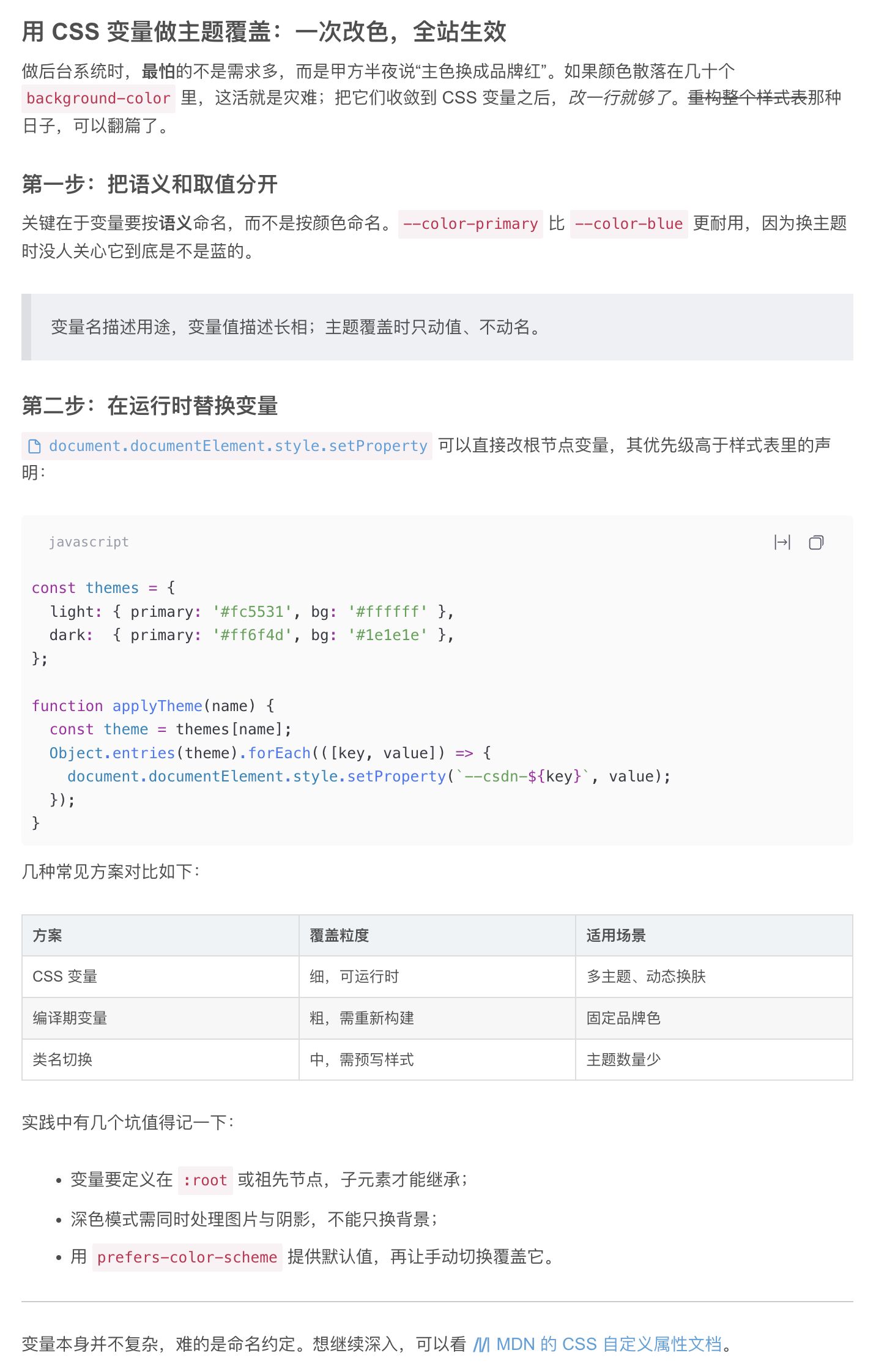 2
No screenshots
by d0ublecl1ck
CSDN 风格的 DSH Web 主题:CSDN 品牌色与博文正文排版(加粗/下划线/引用/表格/代码等)双层接入,浅色与深色各一套。
★ 0
MIT
JavaScript
Oct 3, 2026
dsh plugin --profile web add dsh-csdn-theme 2
No screenshots
by Lxd-Ashe
Codex 主题外观插件 for DeepSeek Harness(DSH):把 Codex 主题配置(codex-theme-v1,80 款浅/深色主题)做成可在 DSH 中直接切换、可自定义的外观插件。
★ 3
↓ 504/wk
MIT
JavaScript
Sep 7, 2026
dsh plugin --profile web add dsh-codex-themeby linkingoscar
Codex-style attachment formats for the DeepSeek Harness Web GUI: PDF text-layer extraction, Office text extraction, scanned-PDF OCR, long-document spill + index cards, image-to-PNG.
★ 4
Apache-2.0
JavaScript
Sep 30, 2026
dsh plugin --profile web add dsh-attachment-formats