

dsh-annotate
Manifest valid★ 13Visual browser element annotation for DeepSeek Harness, capturing DOM, styles, accessibility data, comments, and viewport screenshots. DeepSeek Harness browser element annotation plugin, capturing DOM, styles, accessibility data, comments, and viewport screenshots.
dsh-annotate





English | 中文
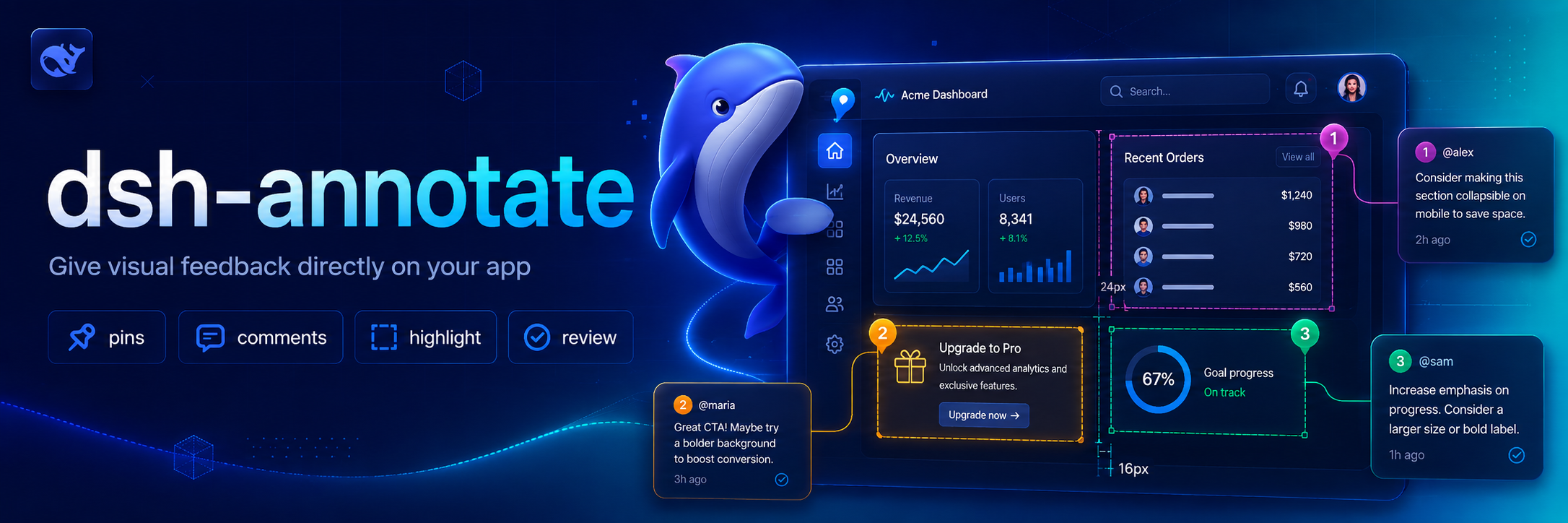
Visual browser feedback for DeepSeek Harness. /annotate asks the companion Chrome extension to enter selection mode; each selected element contributes a selector, DOM facts, computed style highlights, accessibility data, a comment, and an optional viewport screenshot to the agent's next turn.
Why this exists 💡
Browser UI problems are difficult to describe precisely through plain text. dsh-annotate lets you point at the relevant element and send the Agent the surrounding browser facts, so visual feedback stays attached to the page element instead of becoming a vague description or a copied screenshot.
Features ✨
- Select elements directly in Chrome or Chromium through
/annotate. - Capture selectors, DOM facts, computed-style highlights, accessibility data, comments, and optional viewport screenshots.
- Send structured annotations to the Agent through a local loopback WebSocket bridge.
- Restrict browser connections by loopback host, extension origin, and optional extension ID.
Install 📦
Add the plugin project to a Harness profile:
dsh plugin --profile demo add ./dsh-annotate
Then install the companion extension:
- Open
chrome://extensionsin Chrome or Chromium. - Enable Developer mode.
- Choose Load unpacked and select this project's
browser-extensiondirectory. - Open the extension popup and keep the default bridge endpoint.
For tighter local authorization, copy the extension ID shown in the popup into allowedExtensionId in a later Harness patch layer.
Use 🚀
/annotate
/annotate http://localhost:3000
Click an element, enter its comment, and repeat as needed. Submit sends all captured facts and the visible-tab screenshot to the agent. Escape cancels.
Configure ⚙️
- id: dsh-annotate
  name: dsh-annotate
  config:
    host: 127.0.0.1
    port: 43119
    allowedExtensionId: abcdefghijklmnopqrstuvwxyzabcdef
    requestTimeoutMs: 300000
    maxPayloadBytes: 16777216
    includeScreenshot: true
The server refuses non-loopback hosts and browser connections whose origin is not chrome-extension://. An empty allowedExtensionId accepts any locally installed Chrome extension; set the exact ID for stricter isolation.
Develop 🧑💻
pnpm install
pnpm run check
Reload the unpacked browser extension after editing its files.
Scope 🎯
Version 0.1 targets one local Chrome/Chromium browser, one active tab, and visible-viewport screenshots. Remote browsers, full-page capture, edit recording, and inline draggable note cards are deferred.
License 📄
MIT
Credits 🙏
The interaction is inspired by pi-annotate. This implementation is built around Harness's human-command, attachment, and Agent APIs and uses a small loopback WebSocket bridge instead of a native-messaging host.
Compatibility
Versions
| Latest version | Published | Size |
|---|---|---|
| 0.1.1 | — | — |
| 0.1.2 | — | — |
| 0.1.0 | — | — |
| 0.1.3 | — | — |
| 0.1.4 | — | — |
| 0.1.5 | — | — |
| 0.1.6 | — | — |
| 0.1.7 | — | — |
| 0.1.8 | — | — |
| 0.1.9 | — | — |
| 0.1.10 | — | — |
| 0.1.11 | — | — |
| 0.1.13 | — | — |
| 0.1.14 | — | — |
| 0.1.15 | — | — |
Comments
Loading…
Similar plugins
by TheYoungChen
Annotate any web element — local or online — with DOM facts and your comments, straight into your DeepSeek Harness chat. Built-in sidebar browser, Codex-style review, no X-Frame-Options pain. / 直接在DeepSeek Harness中用“标记DOM”和你的“评论”来标注任何网页元素——无论是本地的还是在线的。内置侧边栏浏览器,无需担心X-Frame-Options
★ 3
↓ 331/wk
MIT
JavaScript
Oct 12, 2026
dsh plugin --profile web add dsh-annotateby Cheyeah
DeepSeek Harness (DSH) Web 插件:拖放文件预览 / Markdown 渲染 / 文件盒 / 智能桌面截图(全屏·区域·窗口)/ 外挂识图与识别文本入库。完整开发历史含 21 个快照标签。
★ 0
NOASSERTION
JavaScript
Aug 28, 2026
dsh plugin --profile web add dsh-drop-previewby Nono-neko
An AI-native browser workspace for DeepSeek Harness (DSH), combining multi-tab browsing, live page annotations, lightweight code editing, workspace previews, and Agent-assisted iteration across Web an
★ 13
↓ 254/wk
Apache-2.0
TypeScript
Oct 29, 2026
dsh plugin --profile web add @nono-neko/dsh-browserby zhxnix
Codex-style DSH right-sidebar browser preview, element annotations, context notes, and debugging tools.
★ 0
MIT
JavaScript
Sep 22, 2026
dsh plugin --profile web add dsh-sidebar-annotationsby cslkkl
Annotate pages and ask questions inside the existing DeepSeek Harness Browser.
★ 0
MIT
TypeScript
Oct 3, 2026
dsh plugin --profile web add dsh-web-annotatorby zengxiaolou
Annotation browser in the DSH sidebar: a real Chrome page streamed over CDP with input forwarded, where picking an element or selecting text attaches its source location, component stack, styles and a
★ 1
MIT
JavaScript
Oct 26, 2026
dsh plugin --profile web add dsh-annotate-browser