
dsh-session-menu
Manifest validAdds mark-unread, copy session info, reveal in Finder or open with your IDE, and permanent delete (with child sessions) to the DSH sidebar session menu, plus error and unread status dots, hover-card d

dsh-session-menu
Adds mark-unread, copy session info, reveal in Finder or open with your IDE, and permanent delete to the DSH (DeepSeek Harness) sidebar session menu — plus status dots, hover-card details and one-click delete for archived rows.



UI · Install · Uninstall · Settings · Configuration
UI
| Session menu | Status dots |
|---|---|
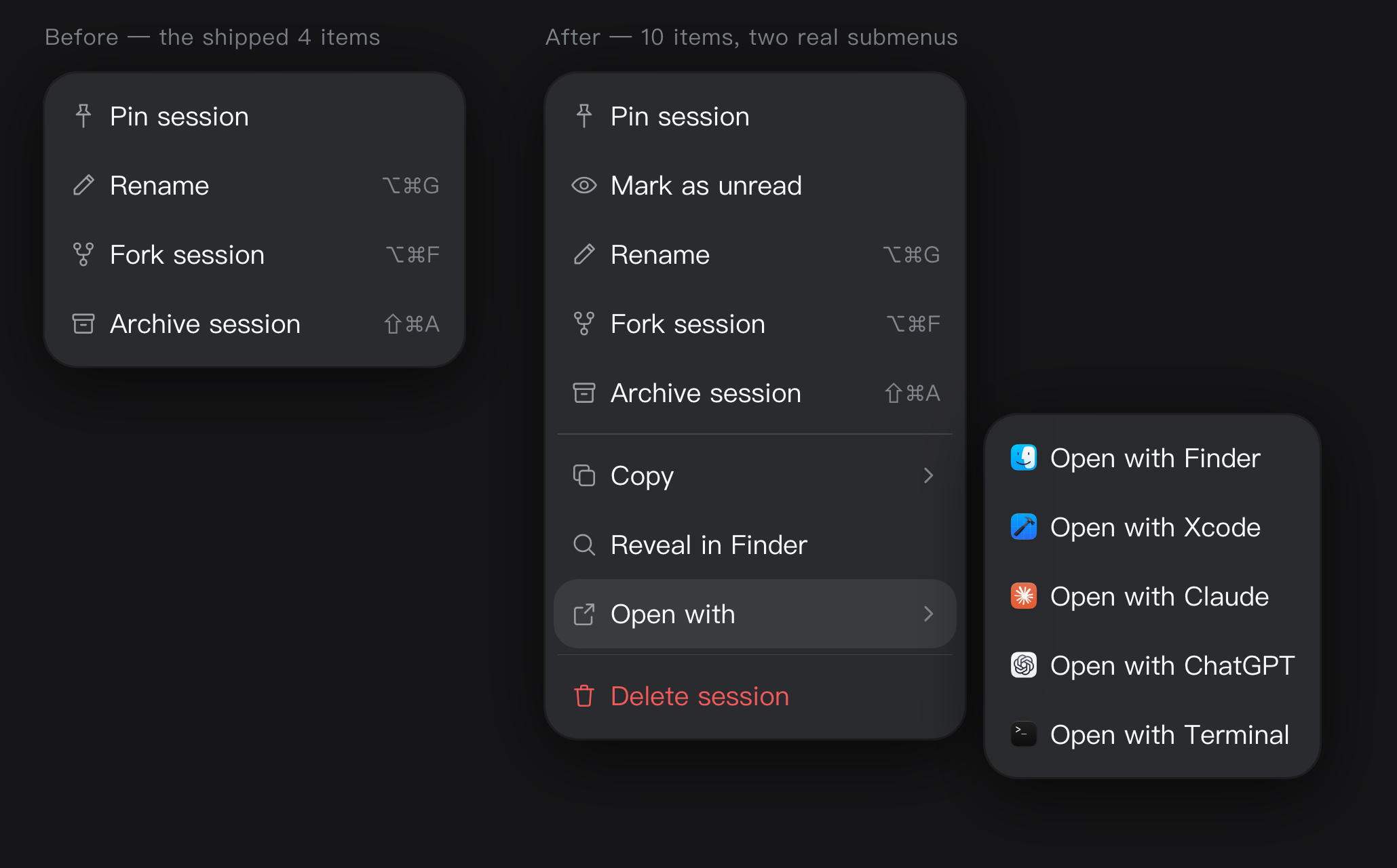 | 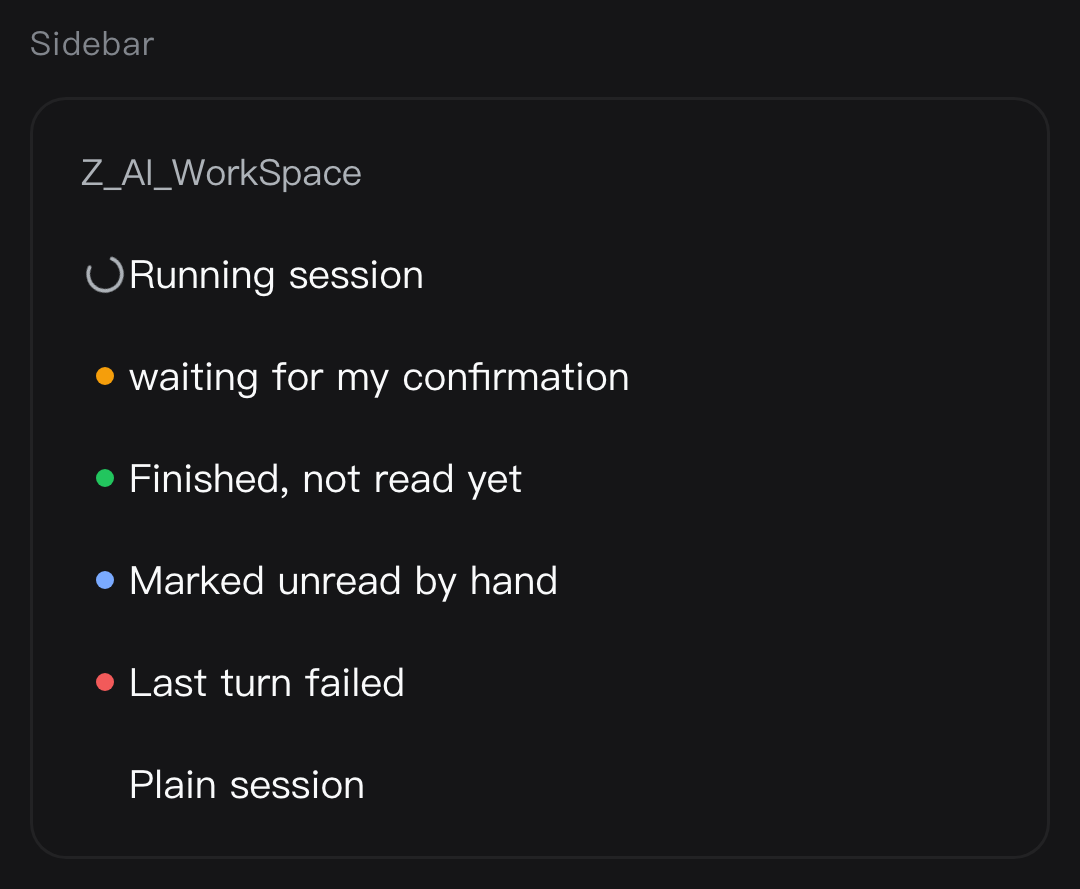 |
| Hover card | Archived rows: one-click delete + bulk entry |
|---|---|
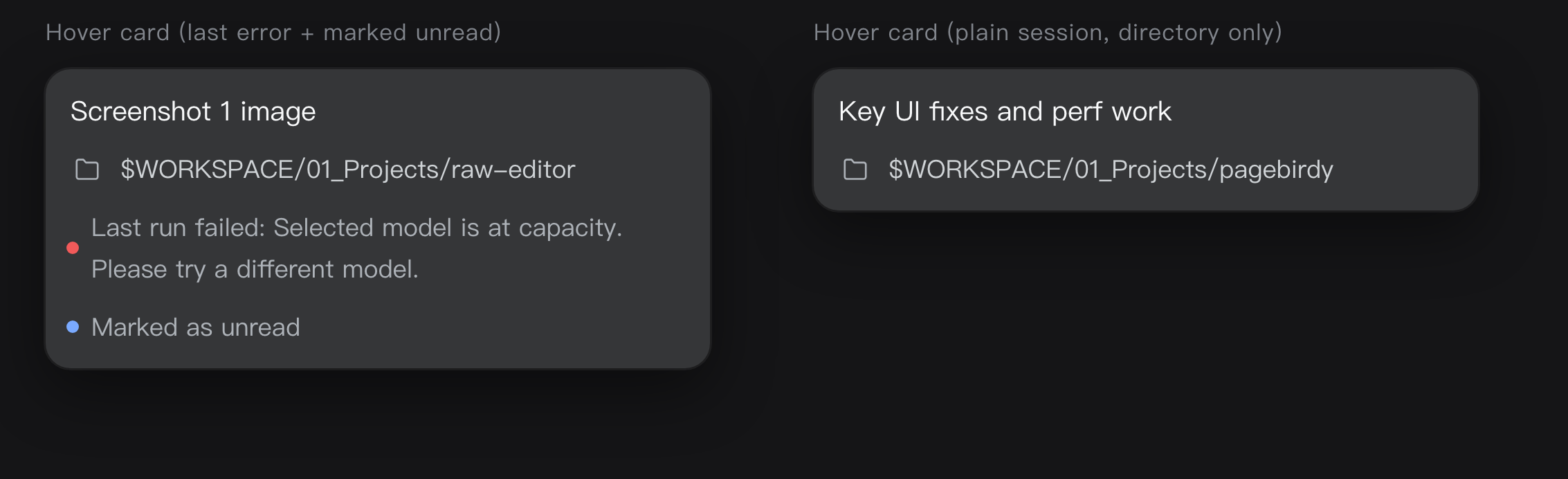 | 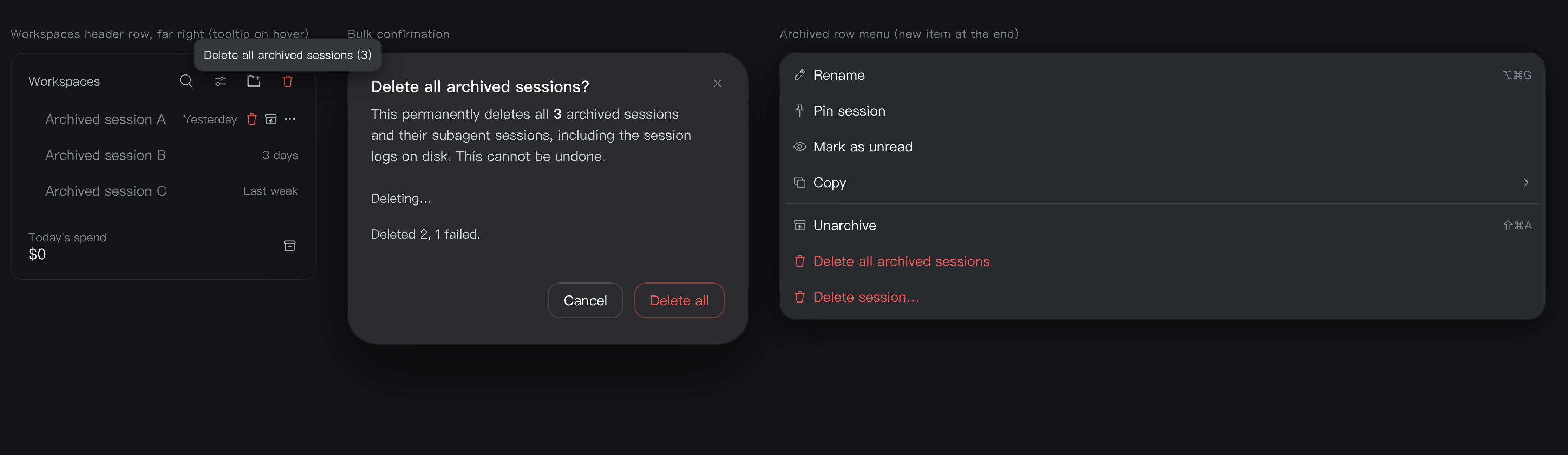 |
| Delete confirmation | Archived row menu |
|---|---|
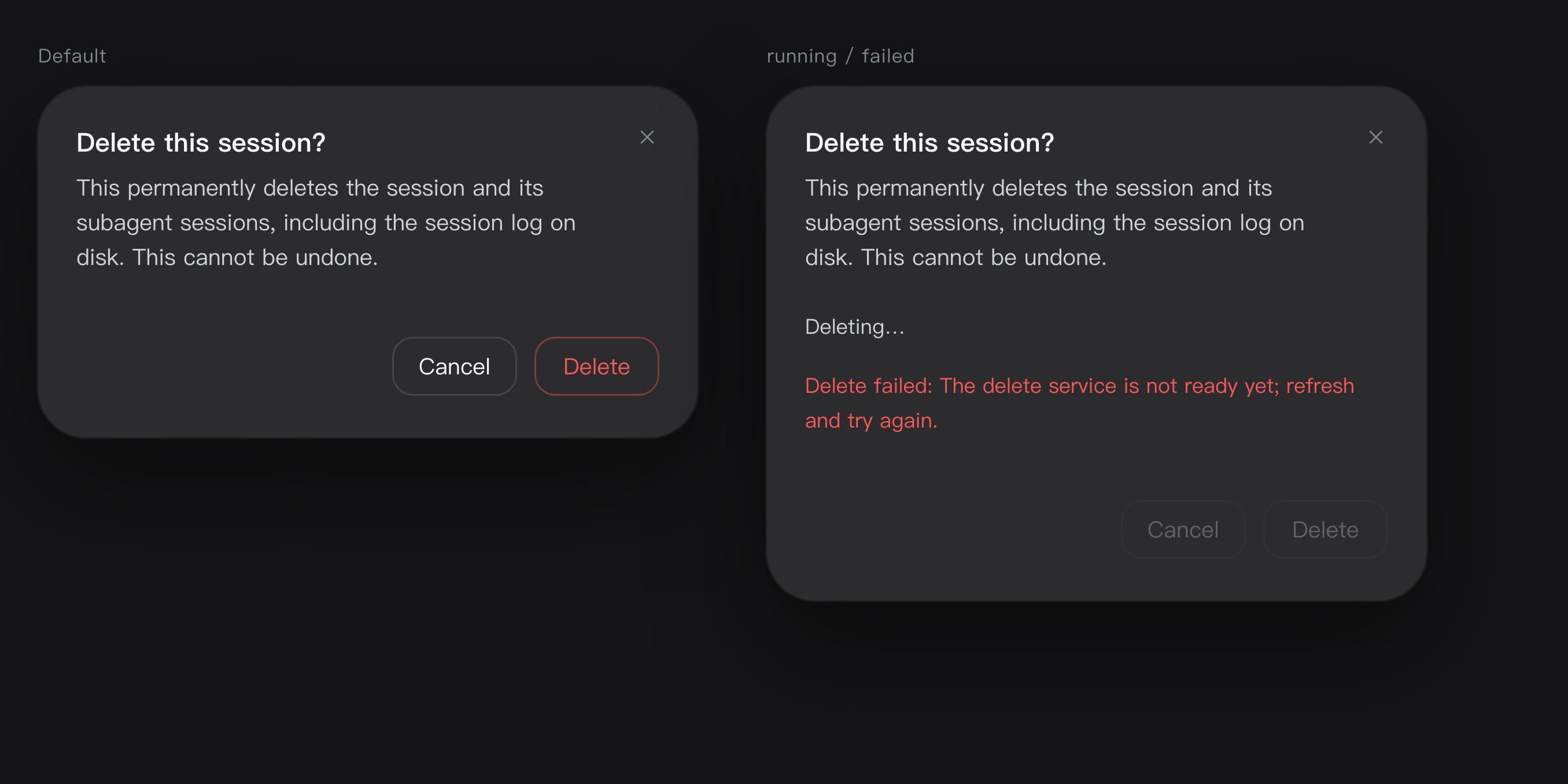 | 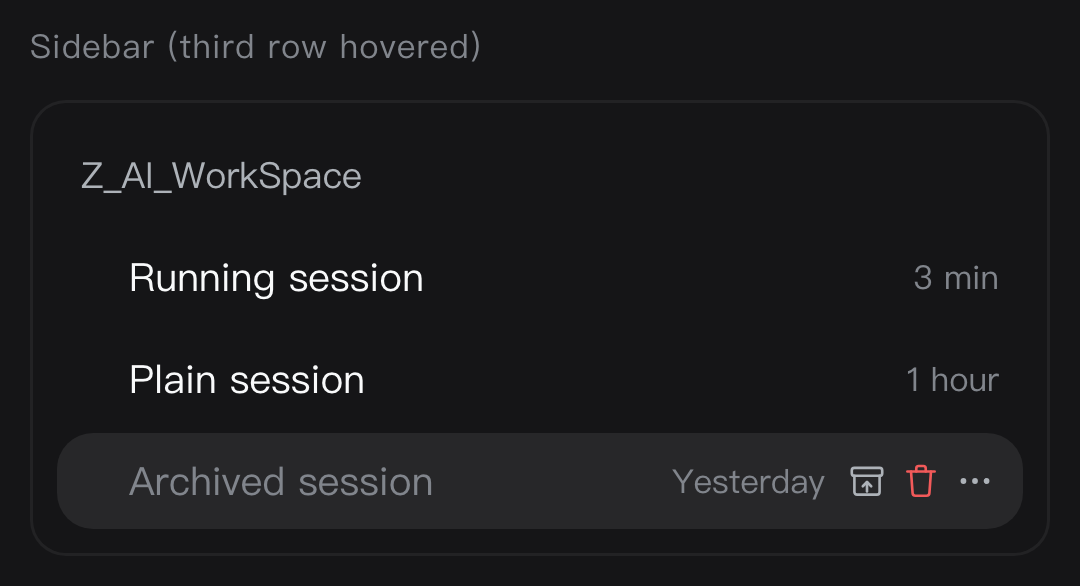 |
Once installed, it looks like this under Settings → Plugins → Installed:

Install
All three ways install the dsh-session-menu package from npm.
Option 1 — install it inside DSH (recommended)
- Open DSH and click Plugins in the left sidebar
- Click Add plugin in the top right
- Type
dsh-session-menuand click Install - Restart the DSH app
Option 2 — let the Agent install it
Send this to the Agent inside DSH:
Install the plugin dsh-session-menu with the plugin manager, then remind me to restart DSH.
Option 3 — install it from the terminal
If you are comfortable with a command line: open macOS's Terminal app (⌘ + Space, search
"Terminal"), paste this line and press Enter.
dsh plugin --profile desktop add dsh-session-menu
Replace desktop with your own profile name (ls ~/.dsh/profiles lists them; desktop and web
are the common ones). Either way, restart the DSH app afterwards.
Uninstall
Settings → Plugins → Installed, click the trash icon on the dsh-session-menu row and confirm.
Settings
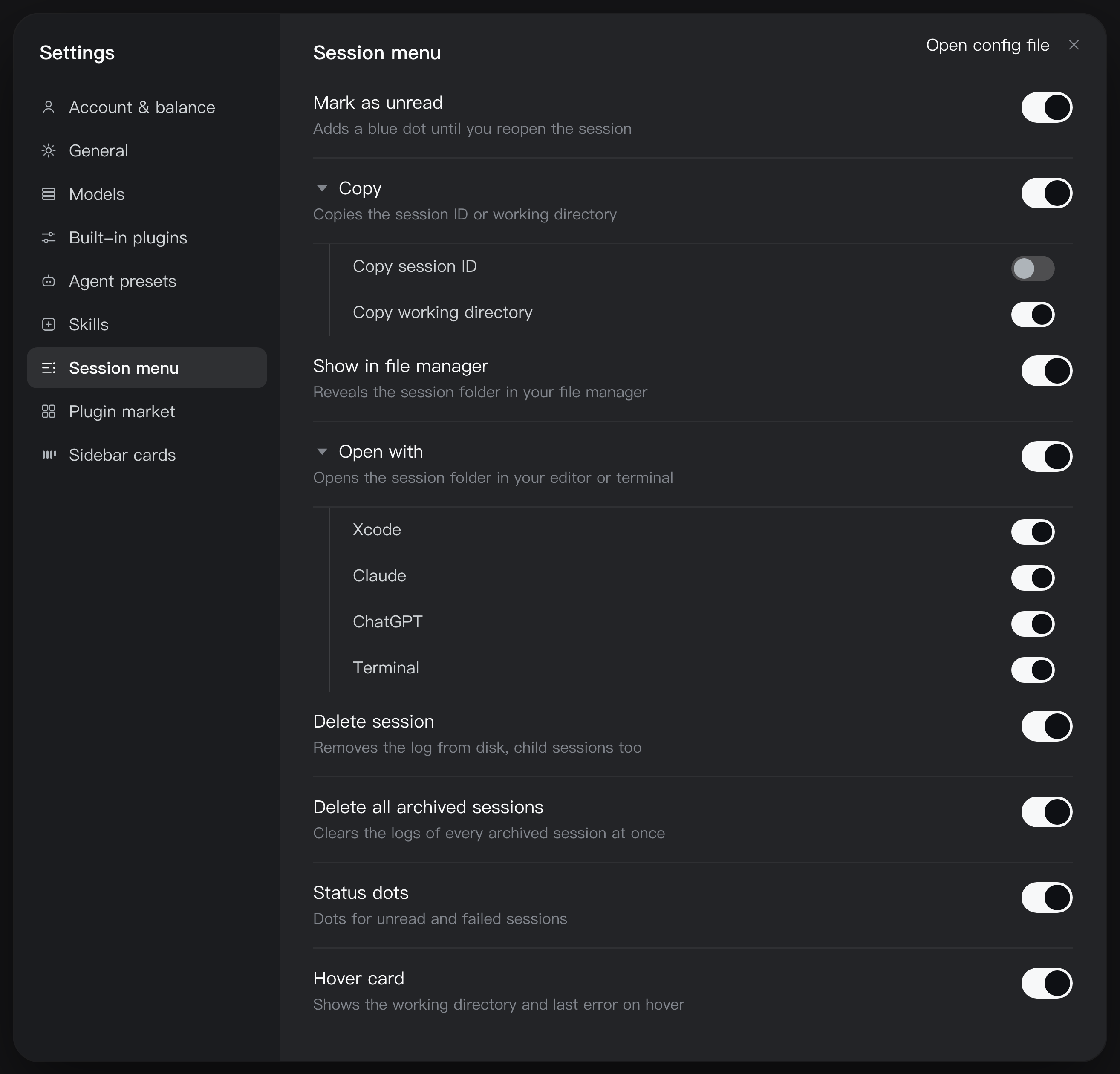
Once installed, the plugin adds a Session menu section under Settings with 8 switches:
Mark as unread · Copy · Show in file manager · Open with · Delete session · Delete all archived sessions · Status dots · Hover card
Turning one off hides it from the context menu and the session rows immediately — no restart. The switches live in this browser.
The triangle next to Copy and Open with expands them, so every sub-item can be switched on its own; turning a parent off greys its children out.
Copy Session ID is newer than this plugin in the kernel itself: when the kernel already ships that row, our identical sub-item starts switched off and Copy collapses into a single row. Switch it back on to keep both.
Running a community build that already ships some of these? Turn the duplicates off here.
Configuration
The apps inside the Open with › submenu are configurable. Add a block to your profile's
cordis.patch.yml:
config:
  applications:
    - kind: editor
      paths:
        - /Applications/Visual Studio Code.app
    - kind: terminal
      paths:
        - /System/Applications/Utilities/Terminal.app
Each entry takes the first path that exists, and only the matching one shows up in the menu.
config replaces the whole list, it does not append. Restart DSH after editing.
License
Comments
Loading…
Similar plugins
Permanently delete a DSH session from the sidebar session row menu (danger-styled) with a confirm modal and a seven-stage, independently-degrading deletion pipeline (validate → running guard → workspace ledger → archive set → on-disk logs → in-memory drop → broadcast).
★ 0
dsh plugin --profile web add dsh-session-deleteby mcf171
Permanently delete a session from the session row menu — archives the id, removes the log directory and drops the row at once, with a Delete shortcut; built only on shipped extension points, and a ses
★ 0
MIT
JavaScript
Oct 16, 2026
dsh plugin --profile web add @mcf171/dsh-session-deleteAdds a permanent-delete row to the sidebar menu of archived sessions, removing the session log, its projection cache and its workspace registration.
★ 0
dsh plugin --profile web add dsh-session-purgeAdds Pin/Unpin to the sidebar session-row menu and a collapsible Pinned Sessions group above the session list, with host-side persistence, hover quick-unpin, collapse memory, and live running-state do
★ 0
dsh plugin --profile web add dsh-plugin-pin-sessionby txlznbzsdj-collab
Adds a "Delete" item to the sidebar session menu with a confirmation dialog, then hard-deletes the session.
★ 0
↓ 283/wk
JavaScript
Aug 18, 2026
dsh plugin --profile web add dsh-session-deleteby shuiqian520
DSH plugin: permanently delete a session from the sidebar menu, and retry a user message or an assistant reply.
★ 3
↓ 277/wk
MIT
JavaScript
Oct 17, 2026
dsh plugin --profile web add dsh-session-delete