
dsh-agent-chat
Manifest validMulti-agent group chat and structured discussion inside DSH: a sidebar panel reusing the local workbench UI, five zero-lifecycle agent tools, and an auto-started local engine (bundled or first-run dow
dsh-agent-chat
把 Super Agent 的群聊与讨论接入 DSH(DeepSeek Harness)的 cordis 插件。
薄插件:不嵌引擎源码、不改 Super Agent 架构;宿主半侧是本机 workbench 的
代理 + 可选模型工具面,UI 经 /wb 通道整体复用。
开发者向的仓库结构 / 本地部署 / 发布流程 / 故障排查见 DEVELOPMENT.md。
功能
- 侧栏板面(主体):DSH 侧边栏 Agent Chat 图标 → 单一 iframe 指向插件自持的
/dsh-agent-chat-598/shell容器页(tab 栏 + 群聊|讨论 两个常驻内层 iframe,经 /wb 代理复用 workbench 完整 UI);面板切换停靠保活(选中/滚动/草稿/轮询全保留), tab 态记 localStorage。板面内即完整工作台能力:群聊室的成员档位(模型/思考强度/ 读写模式)、拉人/归队、讨论的阶段流水线 + 预算账本 + 决策导出 - 安装/登录引导:应用下拉区分已安装/未安装(registry 驱动)——选中未安装项出现 精确版本一键安装卡,装完出现登录窗口(可见终端,OAuth 在终端完成);群聊与讨论 两处表单同款
- 连接自愈:workbench 死亡/重启时面板自动退避重连(1s→15s),恢复后自动回到 原状态 + 绿横幅;常驻 iframe 切走时轮询降频 30s
- 原生目录对话框:
选择目录…经 DSH 顶层主帧桥(插件 client 直调 preload 暴露的__DSH_DIRECTORY_PICKER__→ Electron 主进程 dialog)弹系统对话框;桌面版走自身 host hook,独立浏览器形态回退网页选择器 - 模型工具面(默认关):
config.tools: true时注册 5 个零生命周期 agent 工具 (super_groups_list/post/board+super_disc_list/detail)并同步 agent-chat skill; 默认关闭——先满足 UI 面板使用,工具面后续迭代;关闭时自动回收历史同步的 skill agentChatApicordis 服务:其他插件可在宿主半侧ctx.get('agentChatApi')复用同一客户端
安装
- npm 渠道:包
dsh-agent-chat(npmjs)—— 包 = 插件壳(~47kB),引擎不在包里,首次打开面板自动从 GitHub Releases 下载(SHA256 校验, 面板显示进度);市场按下载量展示(repository 字段已指回本仓库,关联自动采集) - GitHub 源码:clone 后
npm run build(构建需同级私有仓库super-agent-zcode,缺失时 自动跳过引擎 bundle → 走首启下载),经dsh plugin add安装 - 引擎生命周期决策顺序:
| 顺序 | 条件 | 动作 |
|---|---|---|
| 1 | 探测到存活实例(桌面版 / CLI / 先前引擎,portfile + pid 存活校验) | 直接复用,不重复拉起 |
| 2 | 无存活实例且有捆绑副本(开发/离线形态) | 自动拉起捆绑引擎(DSH 自带 node,动态端口 + portfile 握手) |
| 3 | 无捆绑副本(npm/CI 形态) | 首启下载:Releases artifact → SHA256 → ~/.dsh/cache/dsh-agent-chat/<version>/ 后拉起 |
| 4 | 下载失败 | 引导横幅给出原因与桌面版安装建议 |
- 引擎随 DSH 生命周期:DSH 关闭时自动回收(数据落盘无损);引擎进程是子进程, 崩溃不连坐;与桌面版/CLI 经 portfile pid 校验互斥共存
- 真适配器(codex-acp / codebuddy 等)不随插件分发:需要用户自己的账号认证(业界 惯例,同 Zed)。未安装的在应用下拉分组展示,选中可一键安装(npm 精确版本),装完 引导登录
上游发现(Super Agent workbench 在哪)
按顺序取第一个命中的:
- 环境变量
SUPER_WORKBENCH_UPSTREAM(如http://127.0.0.1:7980) - portfile:
<SuperAgent 数据目录>/workbench.port(workbench 启动时写入 JSON{port, pid, version, startedAt},pid 存活才采信;数据目录默认%USERPROFILE%\Documents\SuperAgent) - 插件配置
upstream - 默认
http://127.0.0.1:7980
HTTP 路由前缀 /dsh-agent-chat-598:后缀 598 是个人命名空间标记(与 ~/.dsh 的
whale598 / persona-presets-598 同一约定);cordis bundle id 全局唯一,前缀本不会撞。
架构(两个仓库)
DSH 桌面版(cordis 宿主)
 └─ dsh-agent-chat 插件(本仓库,公开)
     ├─ host: /shell 容器页 + /wb UI 复用代理 + /api 反代(同源防线)+ 引擎拉起/首启下载
     │        + 模型工具面(默认关)+ native-pick 顶层主帧桥
     └─ client: 单一 iframe + 停靠保活 + 目录对话框桥
          │  HTTP(portfile 发现)
          ▼
Super Agent(私有仓库 super-agent-zcode)
 ├─ packages/orchestrator   ← 群聊引擎 + 讨论引擎(全部业务逻辑)
 ├─ packages/workbench      ← HTTP API + 全部 UI
 └─ apps/desktop            ← Electron 桌面版(同一套 workbench)
耦合面只有 HTTP 契约(REST API 形状 + 页面 DOM 结构);改产品去私有仓库, 改"怎么嵌进 DSH"去本仓库。
截图
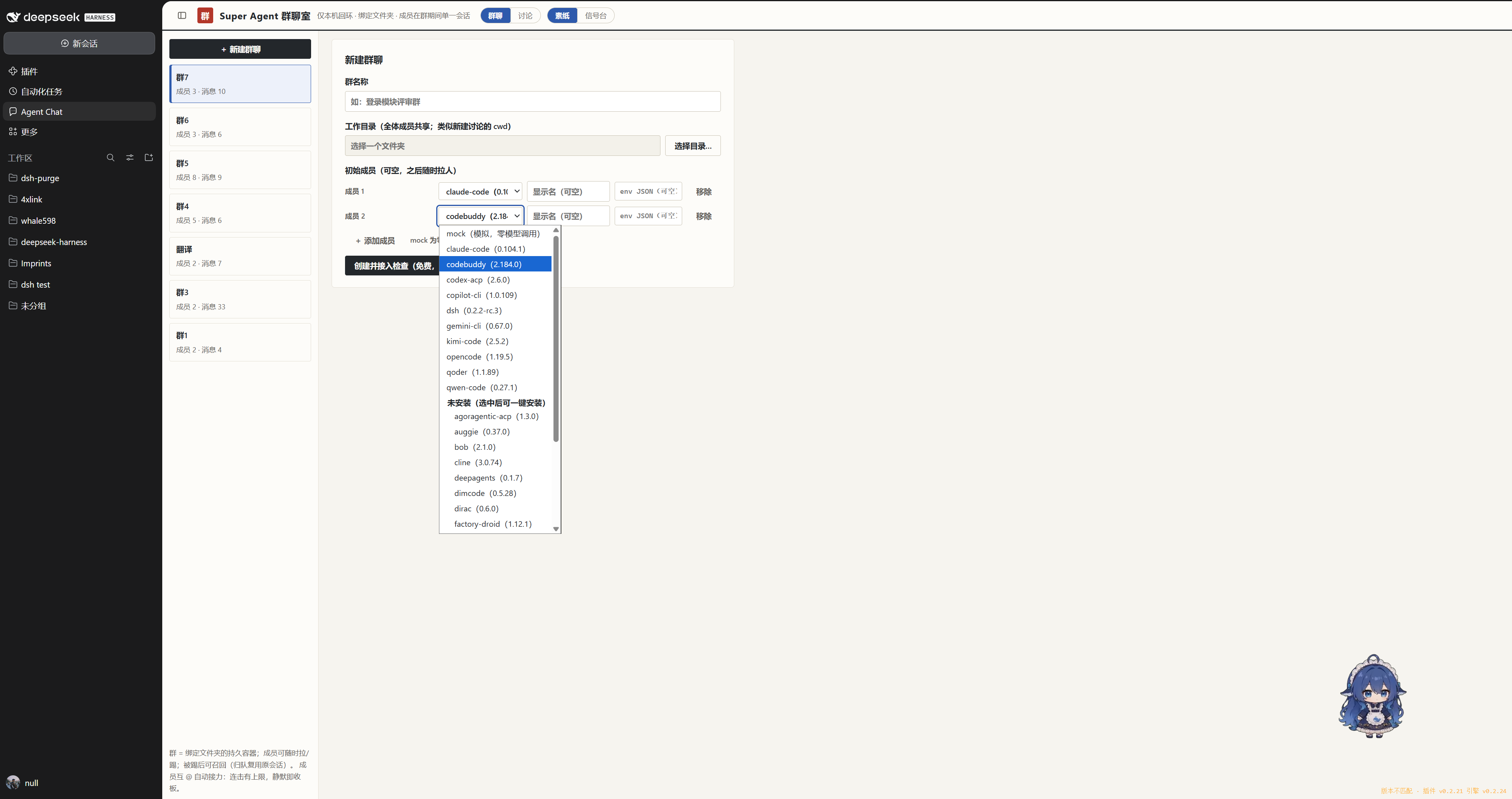 | 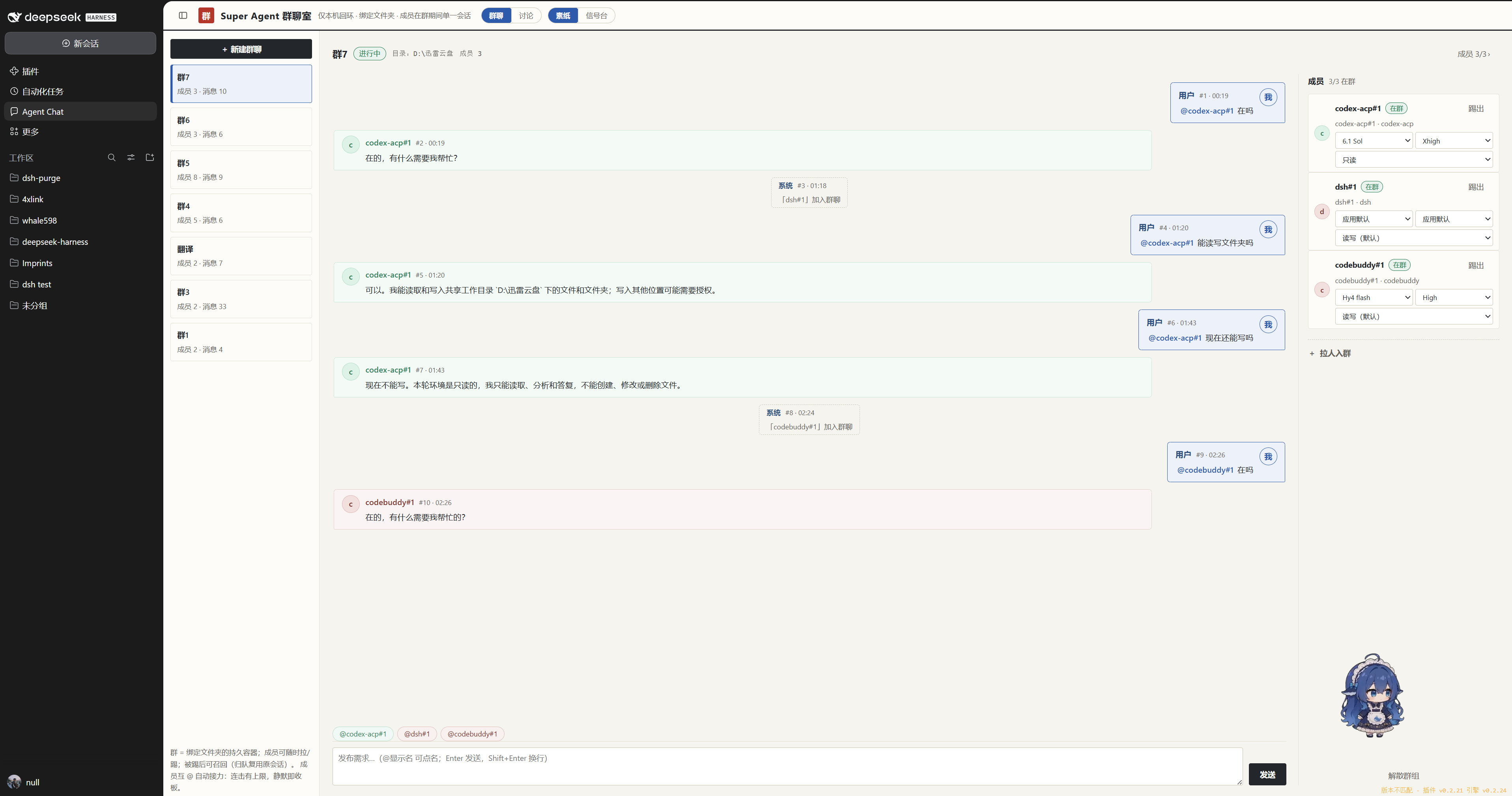 |
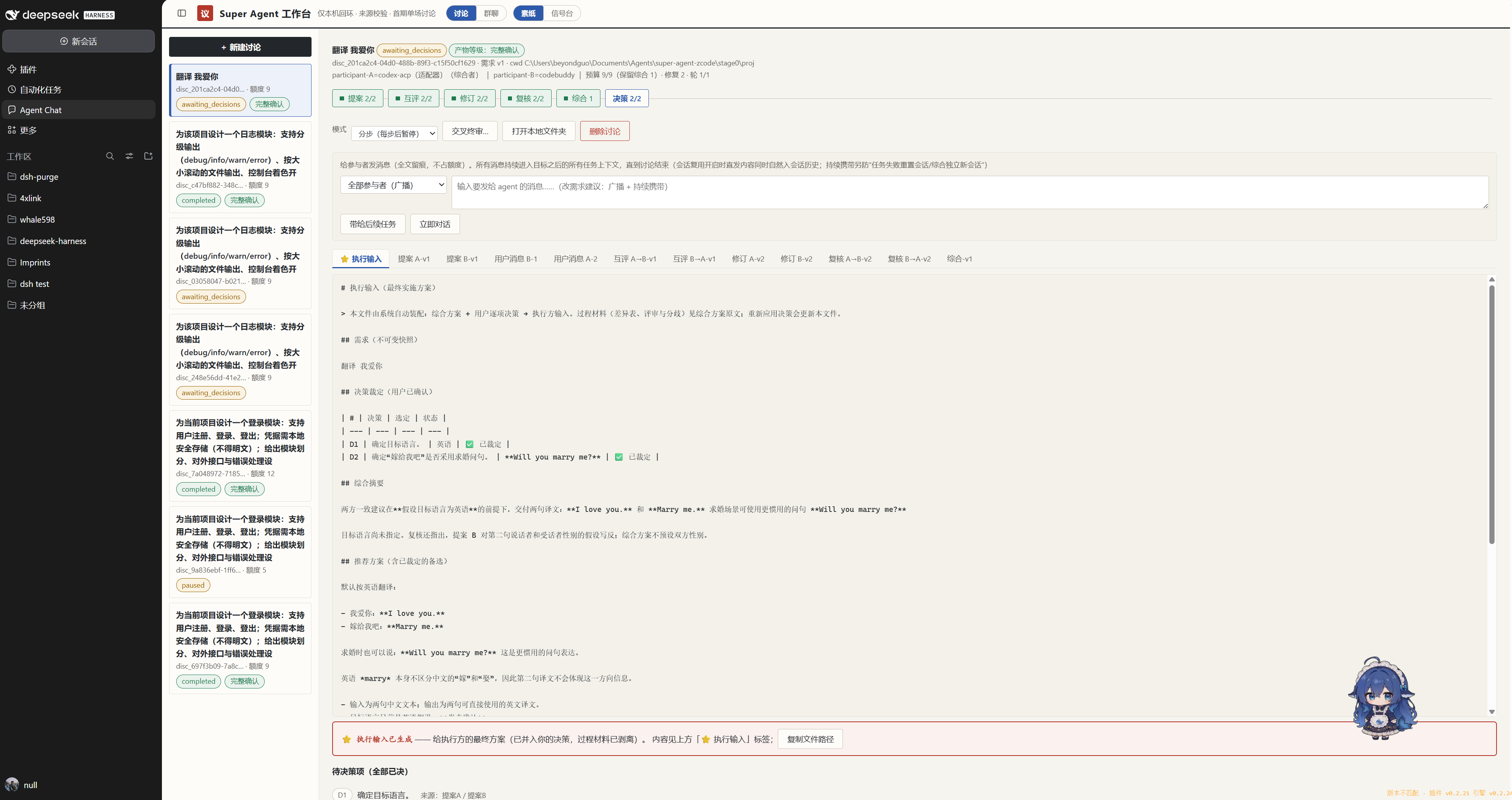 | 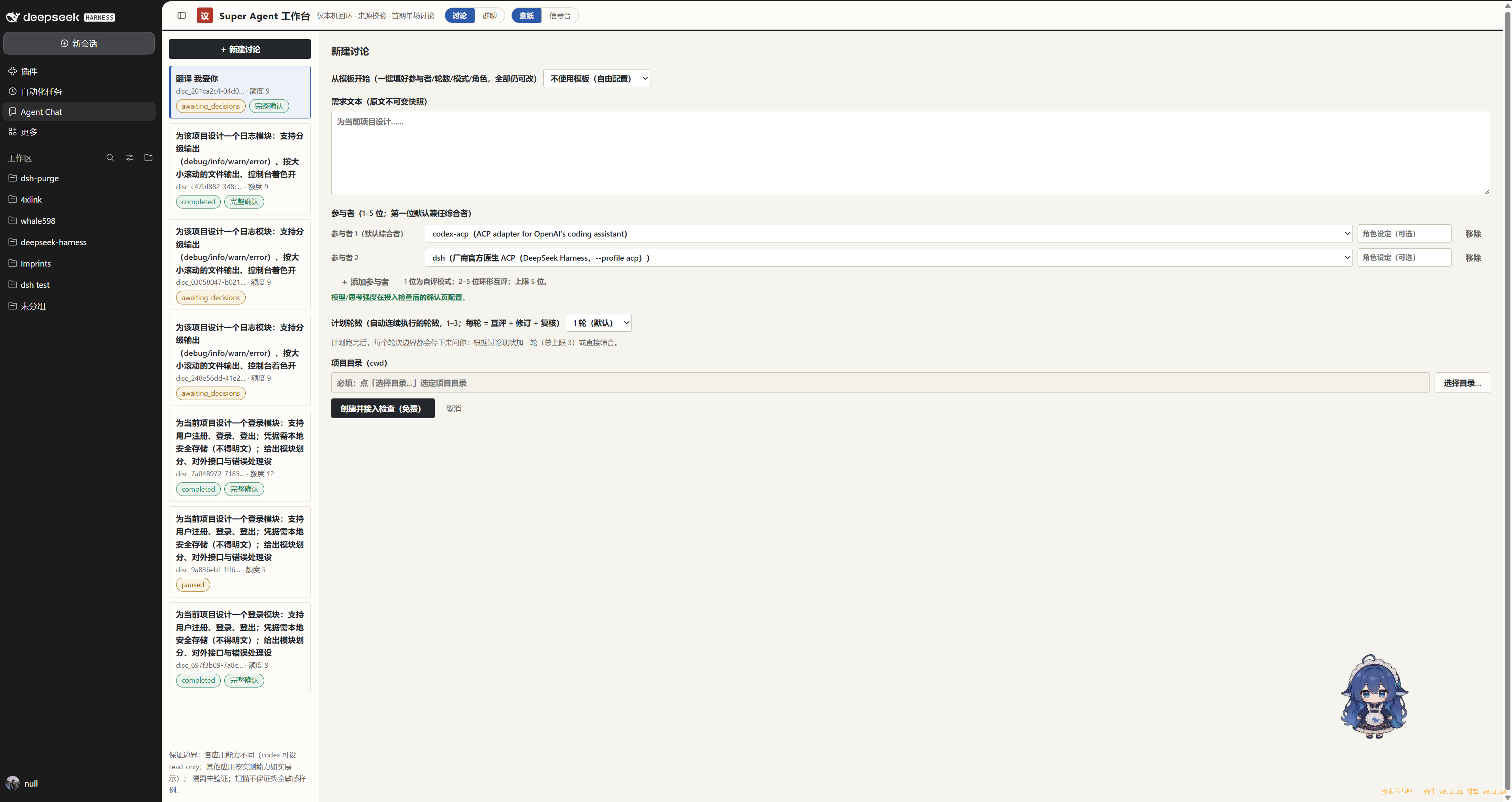 |
开发
npm install
npm run build          # tsdown(host ESM + client IIFE)+ esbuild 引擎 bundle + public/ 拷贝
npm test               # node --test(上游发现 / apply 冒烟 / 路由 / 引擎 / 下载校验)
npm run typecheck      # tsc --noEmit
npm run deploy         # typecheck + test + build + verify-deploy(profile 副本字节比对+硬链接自愈)
npm run pack:artifact  # dist/engine-artifact.zip + SHA256 清单(引擎发布产物)
npm run publish-engine # gh release create/upload(发布引擎二进制;源码仍私有)
- 引擎 bundle 打包需要私有仓库
super-agent-zcode在同级目录(构建机);缺失时 自动跳过引擎部分(CI 形态:公开仓库只构建/测试插件本体) - 本地部署:
npm run deploy后重开 DSH 生效;workbench 静态资源改动热部署后整页 F5 - npm 发布走 CI(
.github/workflows/publish.yml,需 NPM_TOKEN secret)——流程与坑见 DEVELOPMENT.md §4.3
收录与分发
- awesome-dsh-plugin 收录 PR #16034(workflow 分类, 双语条目 + 截图条目)
- npm:
dsh-agent-chat@0.2.26(latest);引擎 artifact 随版本发布(v0.2.24/25/26) - 引擎分发 = PyLance 模式:公开插件壳 + 私有引擎源码 + Releases 二进制产物
当前状态(v0.2.26 · npm latest)
- 已实测:双适配器(codex-acp + codebuddy)创建群 ~30s 接入;引擎自动拉起、portfile 握手、面板自愈、首启下载(真实 Releases E2E);成员读写模式档位(协议级硬护栏 + 提示词软边界,中途可切、切回自动回设);原生目录对话框(顶层主帧桥);npm 上架 + CI 发布通道就绪
- 已知边界:
- 真适配器冷启动 25~30s 属正常(创建请求超时已放宽到 90s)
- npm 包不含引擎:首次打开面板需联网下载(离线机器建议 Super Agent 桌面版,插件会 经 portfile 自动发现)
- npm 已发布的 0.2.26 仍注入工具面;GitHub main 已默认关,下一版本(0.2.27)对齐
- 模型工具面默认关(
config.tools: true开启),当前先满足 UI 使用 - dsh 的 ACP 侧未广播 modes → dsh 成员的只读档位为提示词软约束(诚实标注; 发现是动态的,dsh 未来实现 modes 会自动升级为硬护栏)
- npm 版本列表中的
0.0.0-stage是首次发布的 staged 占位残留(无害,待清理)
Comments
Loading…
Similar plugins
Group-chat multi-agent orchestration console for DSH: autonomous decision-making, task dispatch, verification and iterative optimization for long tasks; bundles its own backend, installs with `dsh plu
★ 0
dsh plugin --profile web add dsh-agent-hubAdds a Branch Chat tab to dsh-better-sidebar that opens independent archived sessions with a head/middle/tail context digest and the same tools as the main agent.
★ 0
dsh plugin --profile web add @kuanfu0430/dsh-sidebar-branch-chatby Tikzen
Interactive multi-agent collaboration, meetings, group chats, and task execution for DeepSeek Harness.
★ 12
MIT
TypeScript
Oct 7, 2026
dsh plugin --profile web add dsh-agent-arenaby usersx
Schedules workspace Agent runs in fresh Result Sessions with persistent audit history, using a stock DSH Conversation tab or a global Shell page when its slots are available.
★ 0
MIT
JavaScript
Sep 6, 2026
dsh plugin --profile web add dsh-automation-centerby MoYu-CN
Chat room for DSH agents: shared room timeline, member roster, and task dispatch across agent sessions.
★ 0
MIT
JavaScript
Oct 13, 2026
dsh plugin --profile web add dsh-team-chatKeeps a panel of what you must do, what you can apply for and what is worth knowing, distilled from your WeChat and QQ chat logs by one resident agent session that re-reads them on a schedule or when
★ 0
dsh plugin --profile web add dsh-chat-digest