
dsh-yingma-canvas
Manifest validOpens the Xiaoyingma AI video canvas in a DSH sidebar and dock tab; agents read and edit canvas nodes through the bundled yingma CLI and MCP tools. Needs a Xiaoyingma account. Its HTTP routes have no
dsh-yingma-canvas
小影马无限画布的 DeepSeek Harness 插件。
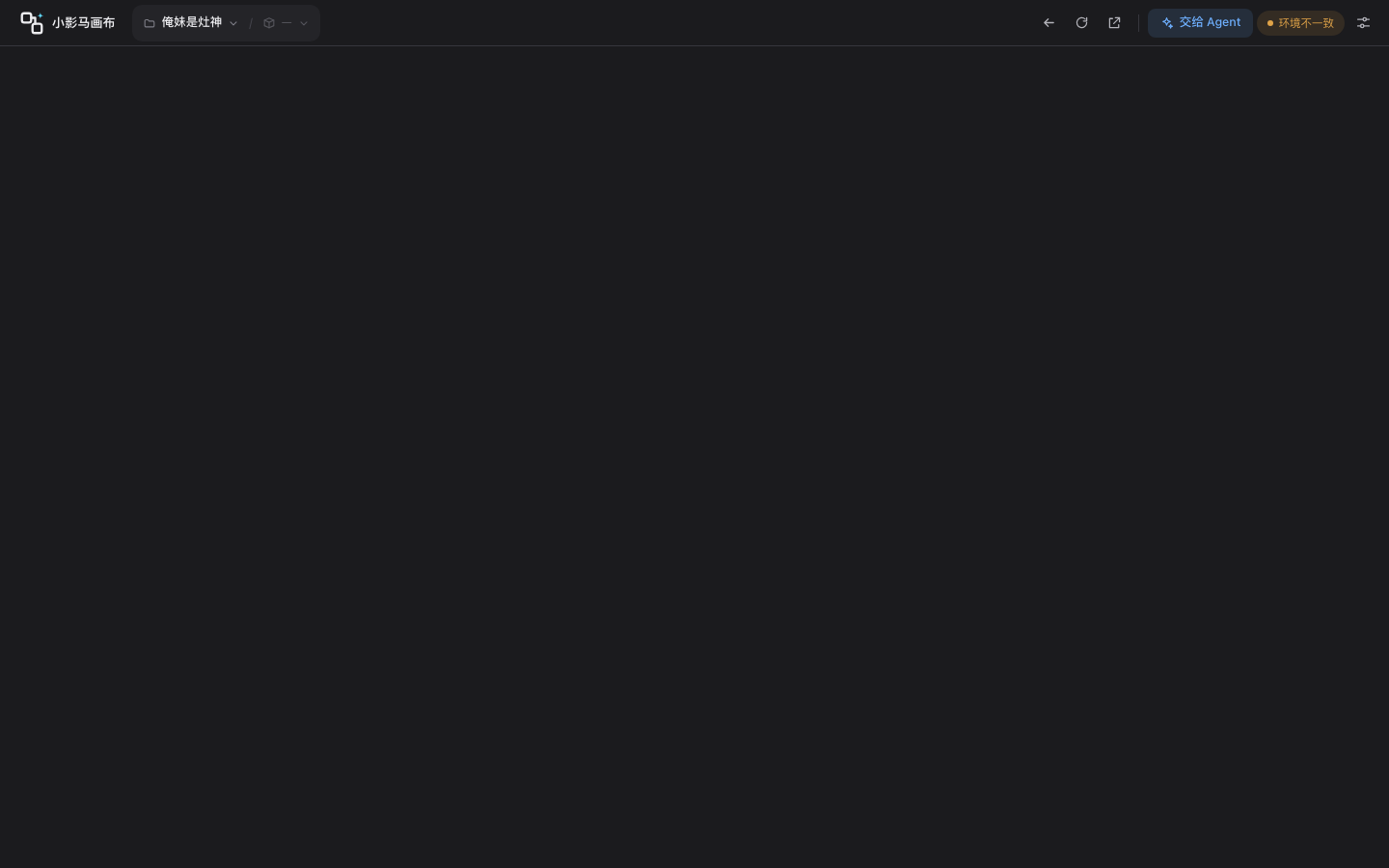
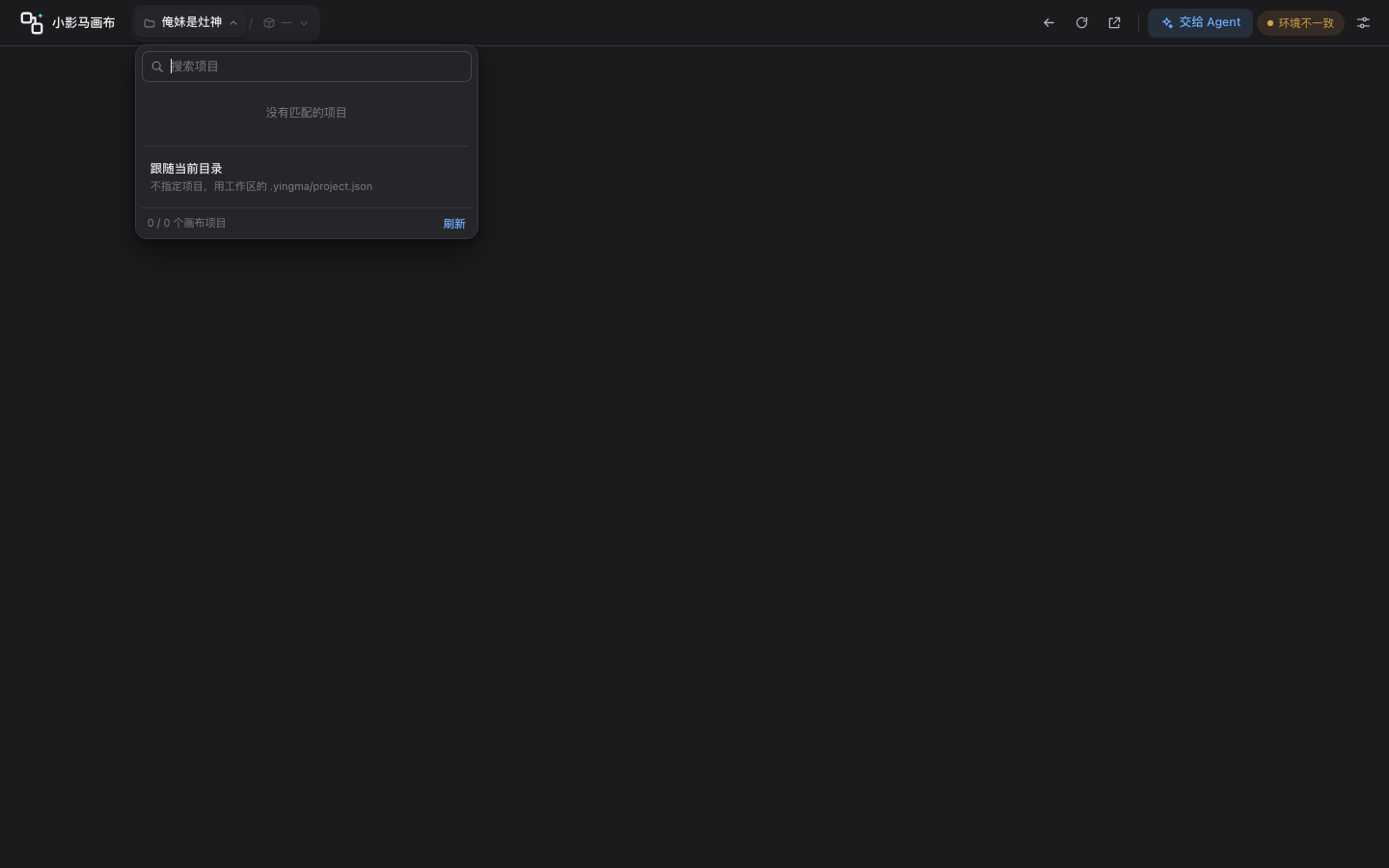
顶栏:项目 / 画布下拉(项目菜单带搜索)、回到画布、刷新、在影马打开、交给 Agent、登录态、设置。
功能
- 侧栏「小影马画布」:登录小影马、选画布项目/画布,在面板里打开影马自己的画布页(跨域 iframe,手动操作全保真)。
- Agent:
yingma_run工具在宿主进程执行 yingma CLI,读写画布节点、连线、生成任务;随包注册yingma-cliskill。 - 项目解析:
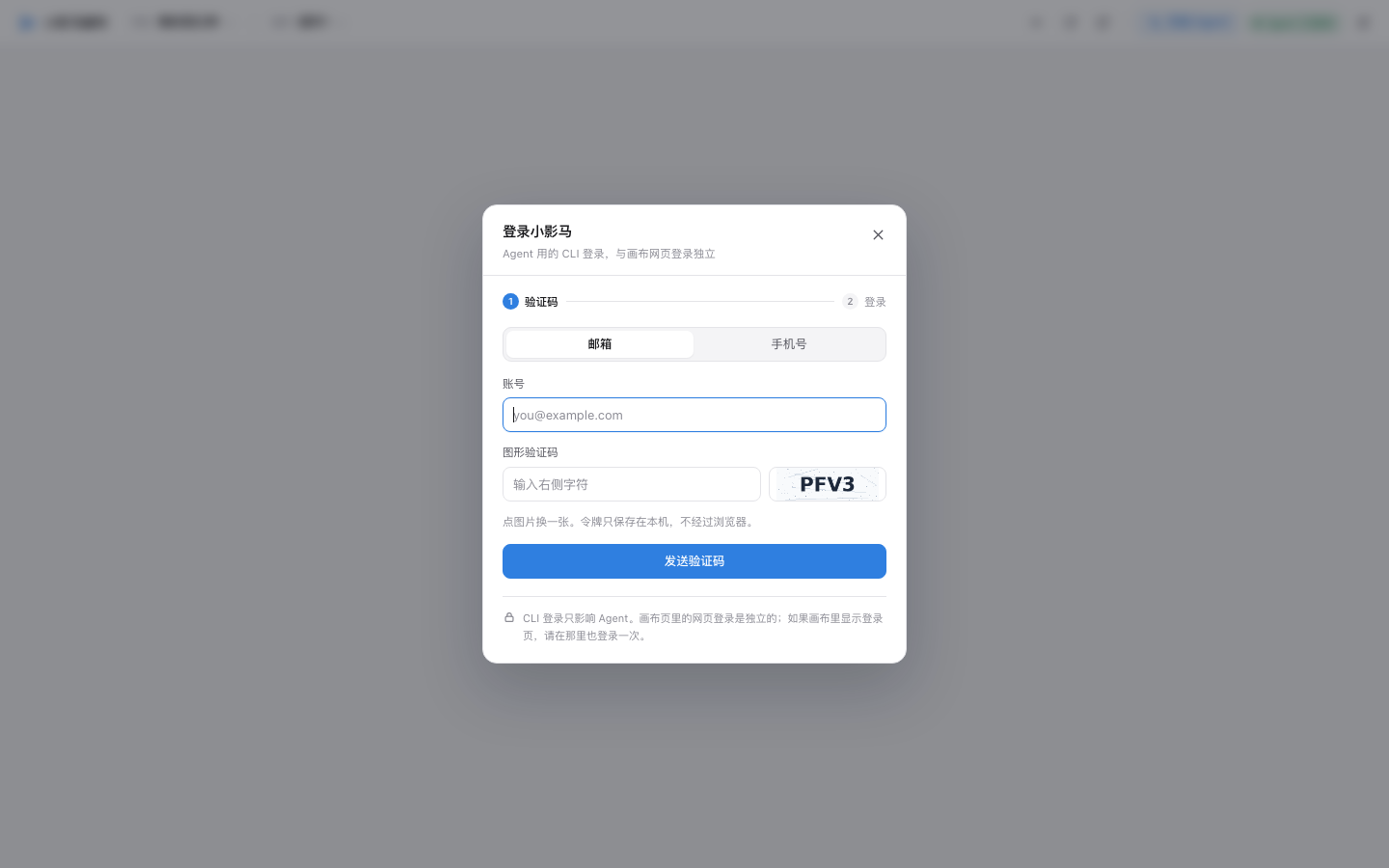
--project按「显式参数 > 侧栏选的项目 > 当前目录(含上级).yingma/project.json」补齐;侧栏项目菜单里的「跟随当前目录」就是清空选择、交给目录绑定。目录绑定只读、插件从不写它,所以终端里yingma project use过的仓库能被沿用而不会被插件改写;显式参数和侧栏选择不一致时工具返回 warning,多项目来回切时不会静默打错项目。 - 登录:插件里走 CLI 的三步登录(图形验证码 → 邮箱/短信验证码),令牌只写入
~/.yingma/config.json,不经过浏览器。 - 免二次登录(P2):打开画布时 Host 向影马申请一次性登录码(
yingma auth handoff,90 秒、只能用一次),iframe 加载/embed/canvas/{id}#code=…;嵌入页兑换后把 token 存进自己的 localStorage,码从地址栏抹掉,不走 Referer。 - 软刷新(P2):Agent 改完画布,壳页给嵌入页发
yingma:refresh-canvas,画布拉一次增量合回;嵌入页回yingma:canvas-refreshed,壳页收起「画布有更新」。 - 旧版兼容:影马还没部署 embed 时,
/api/embed自动退回普通画布页 + CLI 登录;没有软刷新时,更新提示保留,手动刷新。 - 版本:设置里显示插件 / CLI 随包 / CLI 系统的版本;「检查更新」对比 npm 上的插件版本和仓库/系统里的 CLI 版本。
画布放在对话旁边(DSH 0.2 起)
插件把画布注册成 DSH 右侧停靠栏的一个标签页(类型 yingma-canvas):对话在中间,画布在右边,可以拖宽、全屏或浮成独立窗口。
- 主面板里的画布点「Agent 对话」「添加到Chat」「交给 Agent」:开一个新会话,并自动把画布标签页放到这个会话右边。
- 已经停靠在会话旁边的画布再点这些入口:草稿直接插进旁边这个会话的输入框,不另开会话(插不进去时退回开新会话)。
- 也可以在停靠栏的「+」引导页里选「小影马画布」手动打开。
- 老版本 DSH 没有右侧停靠栏时,只保留侧栏入口,行为和以前一样。
小影马工具(MCP)
插件通过 cordis.patch.yml 自动接入 yingma mcp(@deepseek-ai/dsh-mcp-client,stdio)。Agent 会看到 mcp__yingma__* 工具,按当前项目类型提供画布 / 流水线 / 互动影游工具:
- 写之前必须先读(防止覆盖别人刚改的内容);写操作返回
op_id,可用undo撤销。 - 删除、扣费类操作进入「待确认」,在小影马页面右下角的卡片上确认后才执行;Agent 用
action_status查结果。 - 工具跟着侧栏选的项目走,也可以用
yingma_project_use切换。
同一个命令也能接到别的 Agent:claude mcp add yingma -- yingma mcp。
设置里「画布里的 Agent」默认是 DeepSeek Harness:画布上的「画布助手」「加入对话」会在 DSH 里开新对话并带上选中的节点;可以切回小影马自带的画布助手。
使用
- 侧栏点「小影马画布」。
- 顶栏显示的是 Agent 的 CLI 登录态;未登录时点「Agent 未登录」,插件会在浏览器打开小影马授权页(
/cli/authorize),用任意方式登录、核对确认码后点「授权」即可。画布页用同一个令牌换一次性码自动登录,不用再登一次。 - 选项目(只列画布项目)、选画布,画布在面板里打开。
- 让 Agent 操作画布:在对话里说「用 yingma 读一下当前画布」,或点壳页顶栏的「交给 Agent」。
- Agent 改完画布:embed 生效时自动软刷新;否则点「刷新」。
- 在画布 iframe 里点链接跳到了别的影马页面:点顶栏「回到画布」就回来(embed 生效后,这类链接会改成新标签打开)。
- 退出 Agent 登录:设置 → Agent 登录 → 退出登录。它只清 CLI 令牌,不会清画布里的网页登录;画布网页登录请用画布页自己的退出。
CLI 登录只影响 Agent。embed 生效后,打开画布不再需要网页登录;embed 没部署时,画布页里仍可能要单独登录一次。
结构
lib/index.js    Host:skill provider、yingma_run、/yingma-canvas/ 路由、/api/embed 登录码
lib/cli.js      node 解析、CLI 串行执行、读写判断、项目注入、auth handoff
lib/tools.js    yingma_run 工具(--yes 必须配 confirm:true;文件参数只能在会话目录里)
lib/skills.js   把随包的 skills/yingma-cli 注册进 DSH
lib/store.js    $DSH_HOME/yingma-canvas/state.json(项目、画布地址、最近改动)
lib/client.js   侧栏入口 + main 面板 + 同源壳页 iframe
web/            壳页(原生 HTML/CSS/JS):顶栏、项目/画布、登录向导、设置、软刷新协议
skills/yingma-cli/   CLI 脚本 + 命令参考(随包快照;含 yingma mcp)
test/           node --test:参数解析、文件路径限制、接口安全、MCP 协议
影马侧改动(P2)
| 位置 | 改动 |
|---|---|
backend/services/auth_handoff.py | 一次性登录码:Redis 只存 sha256 摘要,90 秒,兑换即删 |
backend/api/routes/auth.py | POST /api/auth/embed/handoff(需登录)、POST /api/auth/embed/redeem(公开) |
backend/middleware/auth.py | redeem 加进公开名单(码本身即凭证) |
frontend/src/app/embed/canvas/[id]/page.tsx | 兑换码、存 token、抹 hash、渲染画布、接软刷新协议 |
frontend/src/features/projectCanvas/components/ProjectCanvasPage.tsx | 监听 yingma:canvas-refresh,拉增量合回后回 yingma:canvas-refreshed |
frontend/next.config.ts | /embed/:path* 加 Referrer-Policy: no-referrer、X-Robots-Tag: noindex |
skills/yingma-cli/scripts/yingma.js | 新增 yingma auth handoff |
上线顺序
- 先发前端:
/embed/canvas页面、画布页的刷新监听、next.config 的头。 - 再发后端:两个 embed 接口。
反过来会有一个窗口:接口有了、页面还没上,/api/embed 会返回 embed 地址但 iframe 404。当前插件在接口 404 时会回退,但接口成功而页面缺失时没有跨域探测。
已验证
- 单测:
test_auth_handoff.py5 条(一次性、坏码、字节值、多码隔离、截断码);test_auth_embed_routes.py3 条(handoff → redeem、重复兑换 401、未登录 401)。 tsc --noEmit通过;Next dev 的/embed/canvas/...返回 200,带Referrer-Policy: no-referrer/X-Robots-Tag。- 嵌入页失败态(坏码/未登录)在无头 Chrome 里渲染正常。
- 插件
/api/embed在 production API 还没有 handoff 接口时正确回落(fallback: true),壳页 iframe 用普通画布 URL。 - 插件 reload 后
/api/status仍正常(CLI 0.5.3、已登录)。
已知边界
- 软刷新要影马前端部署后才生效;现在生产上仍是「更新提示 + 手动刷新」。
- embed 没上线前,网页登录和 CLI 登录仍是两套。
- token 存在 iframe 的 localStorage(浏览器分区),不进 DSH 页面;插件不读取
~/.yingma/config.json。 - 测试环境:壳页设置里改画布地址;CLI 的 API 地址用环境变量
YINGMA_API_BASE。 - DSH 桌面版折叠左栏时,主面板会伸到窗口左上角;壳页会给 macOS 的窗口按钮预留左侧安全区(按 iframe 在父页面里的位置计算,浏览器版/Windows 不预留)。
Comments
Loading…
Similar plugins
by 1314521gjy
Adds a 无界画布 page to the DSH left sidebar with a bundled front-end, local workbench status/start, and DSH Agent tools that read and edit the open canvas; the canvas has no built-in Agent. Requires a lo
★ 2
MIT
JavaScript
Nov 18, 2026
dsh plugin --profile web add dsh-wujie-canvasby xindong
A persistent shared canvas for DSH Web and its agent, with a browser UI and tools to organize media, nodes, and connections.
★ 3
MIT
JavaScript
Oct 29, 2026
dsh plugin --profile web add @xindong/dsh-client-canvas为模型展示交付成果和下达精细微调指示的dsh desktop面板
★ 0
MIT
JavaScript
dsh plugin --profile web add dsh-plugin-middle-panelby liuzwZYW
Gives an installed dsh web app a native-looking window caption through Window Controls Overlay - the manifest route is served with display_override, the app's own sidebar brand row and session header
★ 0
MIT
JavaScript
Oct 13, 2026
dsh plugin --profile web add @liuzw/dsh-pwa-uiDouyin operator for DSH: drives your own Chrome to read the feed, comments and DMs, reply in-thread, and upload a local video through the creator center - every write passes a policy gate and publishi
★ 0
dsh plugin --profile web add dsh-douyinxiaoqiA Codex-style right side panel for the DSH Web UI — session artifacts browser (live file tree, scan include, preview, reveal) plus a side chat that forks the current session with a model picker, human
★ 0
dsh plugin --profile web add dsh-sidepanel