
dsh-plugin-wallpaper-machine
IdentifiedUse your local WallpaperMachine library as the DeepSeek Harness background on macOS, with live Scene wallpapers rendered by WebWallGL and Video or Image wallpapers played directly behind the chat. Its
dsh-plugin-wallpaper-machine
Use your local WallpaperMachine library as the DeepSeek Harness background on macOS — no Wallpaper Engine, no Steam, no conversion step.
Open Settings → Wallpaper Machine, pick a wallpaper, and it is applied immediately behind the chat:
Scene wallpapers render live through WebWallGL, Video wallpapers play with loop, Image wallpapers are
shown as a still background, and Web wallpapers run in a sandboxed iframe.

Features
- Reads the real WallpaperMachine library (
project.json,scene.pkg, preview image, video file). - Scene wallpapers are rendered live by the vendored WebWallGL 3.0.1 runtime (MIT), parsed in the browser; the host only serves bytes with HTTP Range support.
- Video wallpapers use a native
<video>(hardware decode, no WebGL texture upload). - Fit (cover / contain / stretch), wallpaper opacity, dim overlay, frame rate, mute, pause.
- State is local (
localStorage), so the wallpaper comes back on the next launch. - Read-only: the plugin never writes to the WallpaperMachine folder or the user's library.
- Coexists with full-window skins: while a wallpaper is active, the plugin clears only the skin's painted stage so the wallpaper shows through, and keeps the skin's chrome and character cut-outs.
Requirements
- macOS.
- DeepSeek Harness
0.2.0-rc.1or newer (tested with0.2.2-rc.5). - WallpaperMachine installed, with at least one wallpaper downloaded.
The plugin finds the library automatically:
$WALLPAPER_MACHINE_HOME/LibrarywhenWALLPAPER_MACHINE_HOMEis set.- The library moved through WallpaperMachine's own storage settings, recorded in
~/Library/Application Support/WallpaperMachine/StorageLocation.json(validated by the.WallpaperMachineStoragemarker file). ~/Library/Application Support/WallpaperMachine/Libraryby default.
Install
From the DSH desktop app
- Open Plugins in the sidebar.
- Click Add plugin and enter
dsh-plugin-wallpaper-machine. - Wait for the install to finish, then restart DeepSeek Harness if the app asks for it.
- Open the account menu at the bottom-left → Settings → Wallpaper Machine.
From the CLI
dsh plugin --profile desktop add dsh-plugin-wallpaper-machine
The dsh CLI prints the profile it changed. Restart DeepSeek Harness afterwards.
From a local checkout (development)
cd ~/.dsh/profiles/desktop
pnpm add link:/absolute/path/to/dsh-plugin-wallpaper-machine
Add "dsh-plugin-wallpaper-machine" to dsh.profile.bundles in that profile's package.json, run
pnpm install, then restart DSH. A separate test profile works the same way:
dsh plugin --profile wmt add link:/absolute/path/to/dsh-plugin-wallpaper-machine
dsh --profile wmt --port 50599 --no-open
Use
- Choose a wallpaper card to apply it. The setting takes effect immediately.
- Pause stops scene/video frames without unloading the wallpaper; Turn off hides the layer.
- Dim overlay is the readability knob: raise it for bright scenes, lower it for dark ones.
- Scene frame rate defaults to 60; 30 or 45 reduces GPU load on laptops.
- The wallpaper layer is behind the whole app, including the sidebar, when the active theme uses transparent surfaces. Full-window skins keep their own sidebar color by design.
How it works
client.js                    body-level wallpaper layer + Settings page (React, slots)
index.js                     host: resolve library → scan → HTTP routes
scene-live/                  WebWallGL adapter page loaded in the layer iframe
vendor/webwallgl/            pinned WebWallGL 3.0.1 runtime (MIT)
Host routes under /wallpaper-machine:
| Route | Purpose |
|---|---|
/api/library | scanned inventory (id, title, kind, preview URL, scene URL) |
/api/status | resolved root, source, existence, count |
/files/<id>/<path> | wallpaper bytes, ETag + Range (206/416), path-fenced |
/scene-live/ | transparent WebWallGL page for one scene |
/engine/webwallgl.global.min.js | vendored engine |
Video and image payloads go straight to the browser; scene.pkg is fetched with Range requests and
decoded by WebWallGL. Nothing leaves the machine.
Development
# standalone host + scene page, no DSH needed
node scripts/serve.mjs        # http://127.0.0.1:7799

# syntax check
node --check index.js
node --check client.js
node --check scene-live/renderer.js
scripts/serve.mjs uses the same createWallpaperHandler() as production. To test the client against a
running DSH, use a separate profile as shown above and open the printed ?token= URL.
Known limitations
- macOS only; the library paths and WallpaperMachine itself are macOS-specific.
- Scene rendering depends on WebGL2. If the GPU refuses a context, the plugin keeps the preview image and reports the error in the console.
- Web wallpapers are third-party HTML; they run sandboxed but are not otherwise audited.
- The plugin does not download wallpapers; manage the library in WallpaperMachine.
License
MIT. WebWallGL is MIT and is redistributed under vendor/webwallgl/ with its license.
Comments
Loading…
Similar plugins
✦
No screenshots
Wallpaper backgrounds for the DSH web GUI. Windows: reads your Wallpaper Engine (Steam) library and plays video/web wallpapers behind the chat. macOS: scans the WaifuX download folder and loose media
★ 0
dsh plugin --profile web add dsh-plugin-wallpaper-engineby woshishujiedegou
Full-window still and live wallpapers for the DeepSeek Harness Web GUI, with an importer that probes what each local Wallpaper Engine project really contains.
★ 0
MIT
JavaScript
Oct 25, 2026
dsh plugin --profile web add dsh-plugin-wallpaper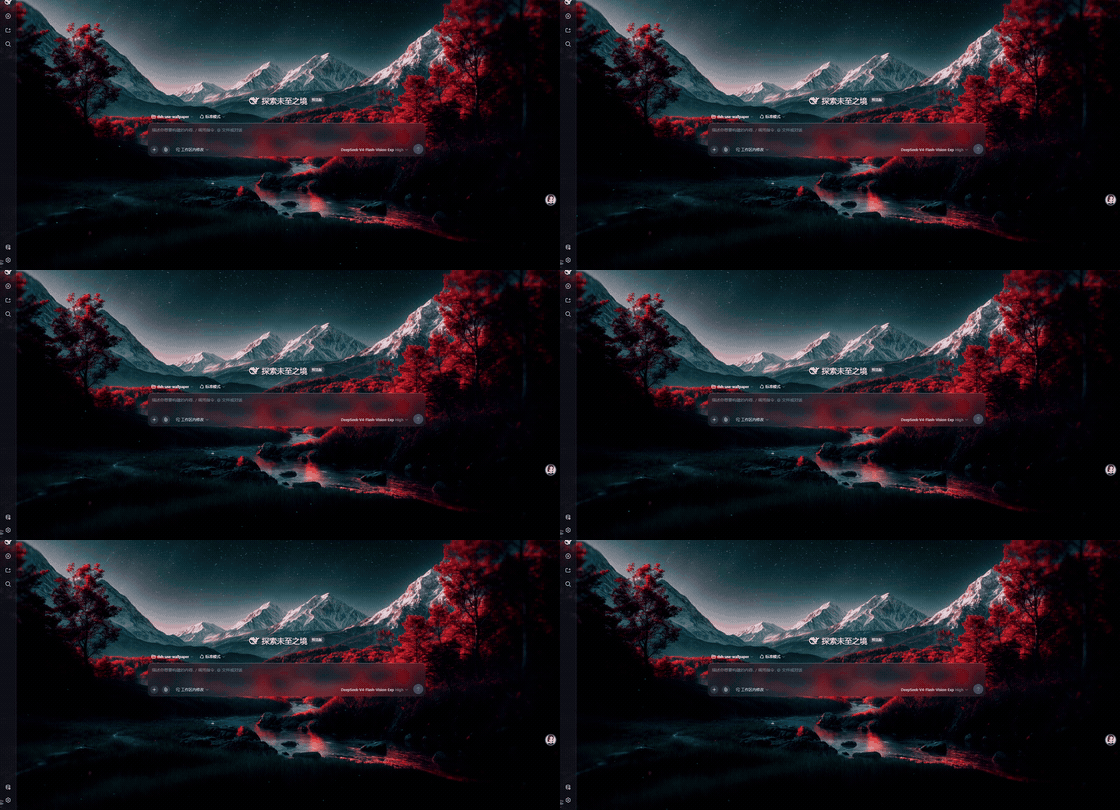 2
No screenshots
by yu502950715yang
把 Wallpaper Engine 动态壁纸搬进 DeepSeek Harness 的 Web GUI:浏览器内实时渲染 scene 壁纸(three.js + Rust/WASM 粒子模拟),支持视频与 web 壁纸,无需 Wallpaper Engine 运行时。
★ 16
↓ 1.6k/wk
MIT
TypeScript
Nov 23, 2026
dsh plugin --profile web add @dsh-use/wallpaper-engineby youzhoujiMrLiu
Wallpaper Engine–style wallpaper for the DeepSeek Harness web GUI: custom images, GIFs, and videos as your app background|仿 Wallpaper Engine 的壁纸插件,支持图片 / GIF / 视频自定义背景
★ 3
MIT
TypeScript
Aug 18, 2026
dsh plugin --profile web add dsh-ui-wallpaperby william-godric-han
Wallpaper for the DeepSeek Harness Web UI: use your own images or videos as the app background, with veil, blur, fill and per-surface opacity controls.
★ 0
MIT
JavaScript
Nov 6, 2026
dsh plugin --profile web add dsh-plugin-wallpaperby nishuoyang
DeepSeek Harness Web UI Standalone Wallpaper Background Plugin: Three sources including built-in wallpapers, custom uploads, and Wallpaper Engine library (read-only). Supports image, video, and scene
★ 11
↓ 2.5k/wk
MIT
JavaScript
Nov 20, 2026
dsh plugin --profile web add dsh-wallpaper-bg