

dsh-cursor-theme
Manifest validPer-state mouse cursor theme plugin for DeepSeek Harness (DSH). 18 original preset themes covering 14 UI states, ZIP image pack import/export, hotspot/size editing, and one-click system-level cursor a
dsh-cursor-theme
🖱️ Per-state mouse cursor customization for DeepSeek Harness — give every UI state (default, pointer, text, wait, not-allowed, …) its own PNG/CUR cursor, applied live and persisted across restarts.
中文文档 · Requirements · Feasibility · Published on npm · Listed on DSH 1024Store · Listed on dshfind · Release SOP

Every cell above shows all 14 mouse states of one theme. The last cell (dashed border + Personal badge) is a personal theme — fork the repo, add your own pack, and it joins the lineup with its own style.
✨ Features
- 🎯 Per-UI-state overrides — 14 mouse states (default, pointer, text, wait, help, not-allowed, grab, grabbing, progress, cell, copy, move, resize-ew, resize-ns), each with its own image, hotspot and size
- 🎨 18 original preset themes — every theme covers all 14 states with baked PNGs:
- 6 color palettes: Aurora, Honey, Mint, Sunset, Graphite, High Contrast
- 12 creative themes: Paw 🐾 · Energy ⚡ · Neon 🌃 · Emoji 😀 · Pixel 👾 · Weather ⛅ · Origami 📐 · Astro 🧑🚀 · Candy 🍬 · Ghost 👻 · Hi-Vis XL 🔍 (48px) · Pop 🎈
- One click to apply; every theme is also downloadable as a ZIP image pack
- 🖼️ Built-in SVG template library (25 hand-drawn shapes) + upload your own PNG/CUR (≤128×128, ≤5 MB validated)
- 📦 Image pack import/export — one ZIP (a PNG per state +
manifest.json), inspect/edit/share real image files, or generate with an AI - 🪟 Apply to system (Windows) — one click writes the theme into the OS cursor scheme (registry +
SPI_SETCURSORS), visible in Explorer and every app; macOS: experimental Swift overlay + Accessibility guidance - 📍 Hotspot editor (X/Y) for pixel-accurate clicks · 🔍 size steps 16/24/32/48
- 👁️ Per-row finished-cursor preview (right) + system-default icon (left) so you always know what you are replacing
- ♿ Accessibility — every rule carries a fallback keyword; failed images degrade to the system cursor, never
none - 💾 Persisted to the profile (dsh-settings), survives restarts
- 🌐 Bilingual (locale-driven zh/en)
📦 Install
# DSH Desktop (the GUI runs the `desktop` profile) — also installable from the Community Market (1024Store)
dsh plugin --profile desktop add dsh-cursor-theme

# Plain dsh web / browser (optional)
dsh plugin --profile web add dsh-cursor-theme
Restart DSH Desktop (or reload dsh web), then open Settings → Cursor Theme.
🎯 Usage
| Action | How |
|---|---|
| Apply a preset theme | Settings → Cursor Theme → click a theme pill |
| Download a theme as ZIP | Click the download icon next to a theme |
| Customize one state | Edit next to a state row → upload PNG/CUR or pick a built-in shape → set hotspot/size |
| Import a ZIP pack | Image pack → Import (e.g. a pack generated by an AI) |
| Apply to the whole OS (Windows) | Apply to system → one click |
| Reset everything | Restore system default |
🎨 Personal Theme — fork your own
The cell with the Personal badge (dashed border, listed last) is your theme — the bundled cat-sitiao is an example. Two ways to make your theme permanent:
Option A — ZIP pack (no code)
- In DSH: Settings → Cursor Theme → Import any ZIP image pack (PNGs +
manifest.json— export one of the built-ins as a starting template, or generate one with the included AI prompt) - Keep the ZIP in your own notes / repo to re-import anywhere
Option B — Fork the repo (recommended for contributors)
- Fork this repository (a fork is your own copy — you manage it independently)
- In
scripts/theme-art.mjsadd your theme entry (copy an existing one, change the palette or SVG art), or drop your own pack atdata/themes-personal.jsonwith{ "schema": 1, "name": "...", "states": { ... } } - Run
node scripts/generate-theme-packs.mjs && node scripts/generate-assets.mjsto bake it - Apply it in Settings → Cursor Theme, or publish your fork / open a PR to share it
Your fork is yours — customize freely, keep your own palette and icons, and don't worry about upstream changes (your fork is independent).
🛠️ Development
npm install
npm run check    # typecheck + build + test
npm run build    # host lib/ + client client/client.js
Asset pipeline
scripts/theme-art.mjs— original hand-drawn art for the 12 creative themes (per-state SVG + decorators: glow / gloss / dots)scripts/generate-theme-packs.mjs— renders every theme into 32×32 (or 48×48) PNGs via@resvg/resvg-js, emitsdata/theme-packs/<id>.zip(image packs) +data/themes-<id>.jsonscripts/generate-assets.mjs— merges packs intodata/assets.json(built-in preset catalog)- Client is bundled by esbuild into a single file (
client/client.js), with react and@deepseek-ai/*kept external (injected by the host__ModuleLoader__)
Market catalog
docs/catalog/manifest.json+docs/catalog/v1/plugins.json— standard DSH Community Market catalog source (v1 contract), deployable to any host that serves JSON with the right content-type (e.g. Cloudflare Pages / Vercel)- npm publishing:
npm publish(requires a public npm token with bypass 2FA for publishing)
📁 Layout
├── package.json            # dsh.bundle + dsh.client declarations
├── cordis.patch.yml        # layer insertion patch
├── docs/
│   ├── feasibility.md      # feasibility analysis
│   ├── requirements.md     # requirements (draft)
│   └── catalog/            # standard market catalog source
├── src/
│   ├── index.ts            # host entry (settings namespace registration)
│   ├── schema.ts           # config schema (dsh-settings)
│   ├── system.ts           # Windows registry apply / macOS Swift overlay
│   ├── cur.ts              # PNG → .cur encoding
│   └── client/             # client (esbuild → single-file client/client.js)
│       ├── index.ts        # client entry (style injection + settings.section)
│       ├── section.tsx     # settings UI (states/assets/themes/hotspot/size/preview/reset)
│       ├── style.ts        # cursor CSS generator
│       ├── states.ts       # state → CSS selector mapping
│       ├── assets.ts       # built-in asset catalog
│       ├── themes.ts       # built-in theme catalog
│       ├── pack.ts         # theme pack export/import + validation
│       ├── locales.ts      # zh/en dictionaries
│       └── types.ts        # client-local structural types
├── scripts/
│   ├── build-client.mjs    # esbuild bundle + __ModuleLoader__ banner
│   ├── theme-art.mjs       # original creative theme art
│   ├── generate-theme-packs.mjs # PNG rendering → packs + built-in data
│   └── generate-assets.mjs # merge packs into data/assets.json
├── data/                   # generated assets (theme packs, built-in catalog)
└── tests/                  # unit tests (34)
📄 License
MIT
Versions
| Latest version | Published | Size |
|---|---|---|
| 0.1.0 | — | — |
| 0.2.0 | — | — |
Comments
Loading…
Similar plugins
 8
8No screenshots
by mykeura
18 minimalist color themes for DeepSeek Harness. Pick one with a single click — it's just another plugin.
★ 1
MIT
TypeScript
Sep 17, 2026
dsh plugin --profile web add @mykeura/dsh-minimalist-themes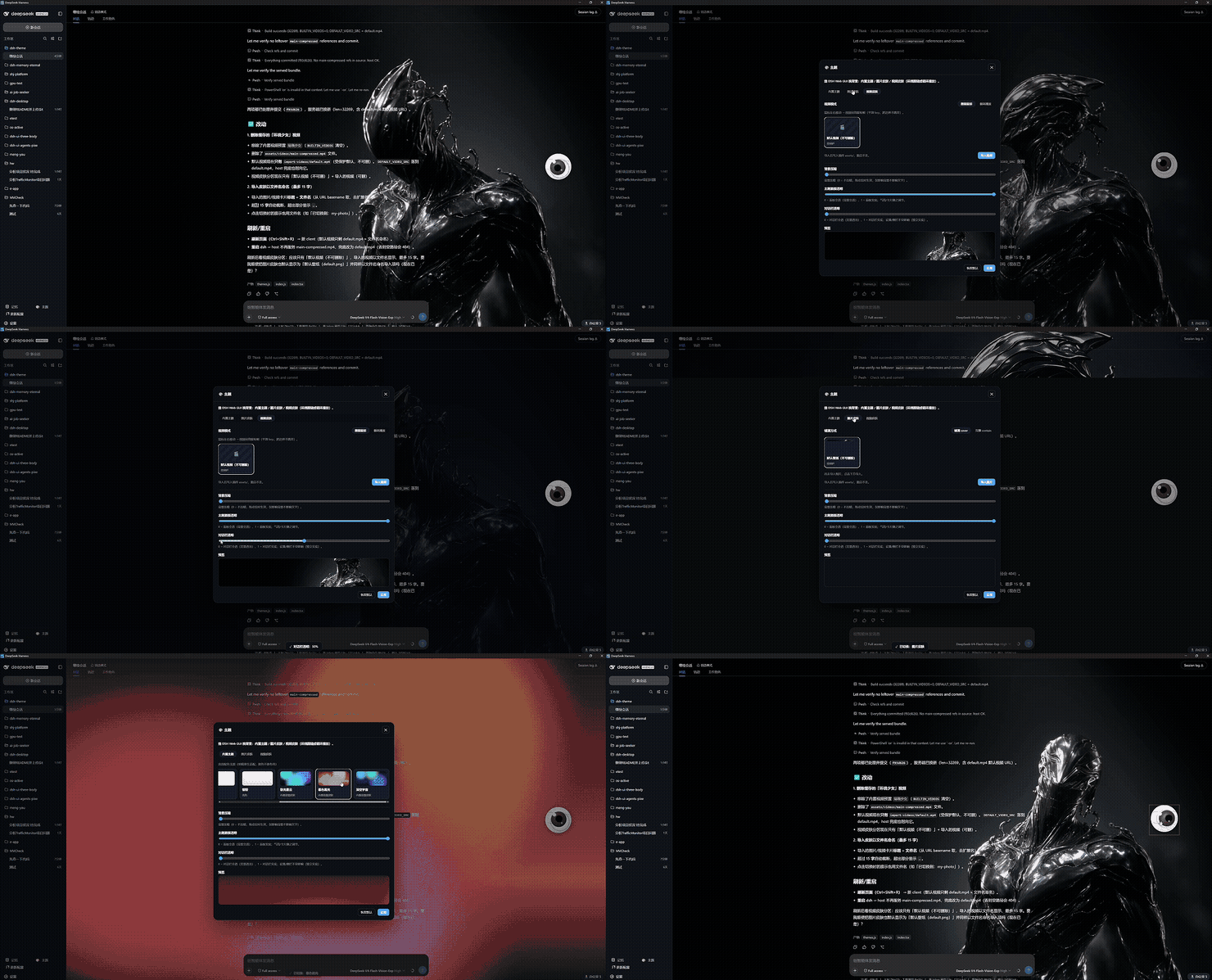 2
2No screenshots
by EternalNight996
Theme skin plugin for DeepSeek Harness — built-in themes / static image / dynamic 360°-follow video, one-click from the sidebar & Settings; imports persist, default skins protected.
★ 3
↓ 174/wk
MIT
TypeScript
Sep 3, 2026
dsh plugin --profile web add @eternalnight/dsh-themeby kun2-5code
A starter template for DeepSeek Harness (dsh) plugins: six plugin shapes, fourteen browser UI surfaces, and demo slash commands in one installable bundle.
★ 8
MIT
TypeScript
Sep 28, 2026
dsh plugin --profile web add dsh-plugin-template✦
No screenshots
Theme studio for the DeepSeek Harness web GUI: eight switchable preset styles, accent and panel-translucency fine-tuning, host-side wallpapers painted on the first frame, and a one-click fix when the
★ 0
dsh plugin --profile web add dsh-style-hub✦
No screenshots
by mux9056-bot
DeepSeek Harness 主题插件 · 30 款即插即用主题(零依赖 DSH 客户端插件 + 独立 CSS)/ 30-theme pack for DeepSeek Harness web UI
★ 3
↓ 152/wk
Apache-2.0
CSS
Aug 18, 2026
dsh plugin --profile web add dsh-themeby JoukoPuro
一个 DeepSeek Harness(DSH)插件: 在 Web 输入框的工具行中添加一个 ✨ 图标按钮。点击后选择打磨风格,已接入的大模型 会把你草稿中的提示词改写得更专业、更易被 AI 理解 。A DeepSeek Harness plugin: icon-only composer button that rewrites your prompt via the connected LLM
★ 6
↓ 116/wk
MIT
JavaScript
Aug 14, 2026
dsh plugin --profile web add dsh-prompt-polish