
@ljwei-stak/dsh-boot-animation
Manifest valid鲸鱼娘启动加载动画:点击进入(Esc/空格放行)、多片随机、启动进度可见、失败有兜底。不改 DSH 本体源码。
dsh-boot-animation

Replaces the DSH startup page with a chosen or random local video, then transitions into the app, with configurable playback and fallback controls. It does not modify DSH core source; future compatibility is not guaranteed.
Language: English | 简体中文
This is a community plugin, not affiliated with or endorsed by DeepSeek.
- Package:
@ljwei-stak/dsh-boot-animation - Release: 0.4.0
- Repository: Alice-Marx/dsh-boot-animation
- Topic:
dsh-plugin - Directory category: UI & Experience (用户界面与体验), following the DSH Plugin Hub submission categories. A category choice is not a claim of listing acceptance.
Screenshots
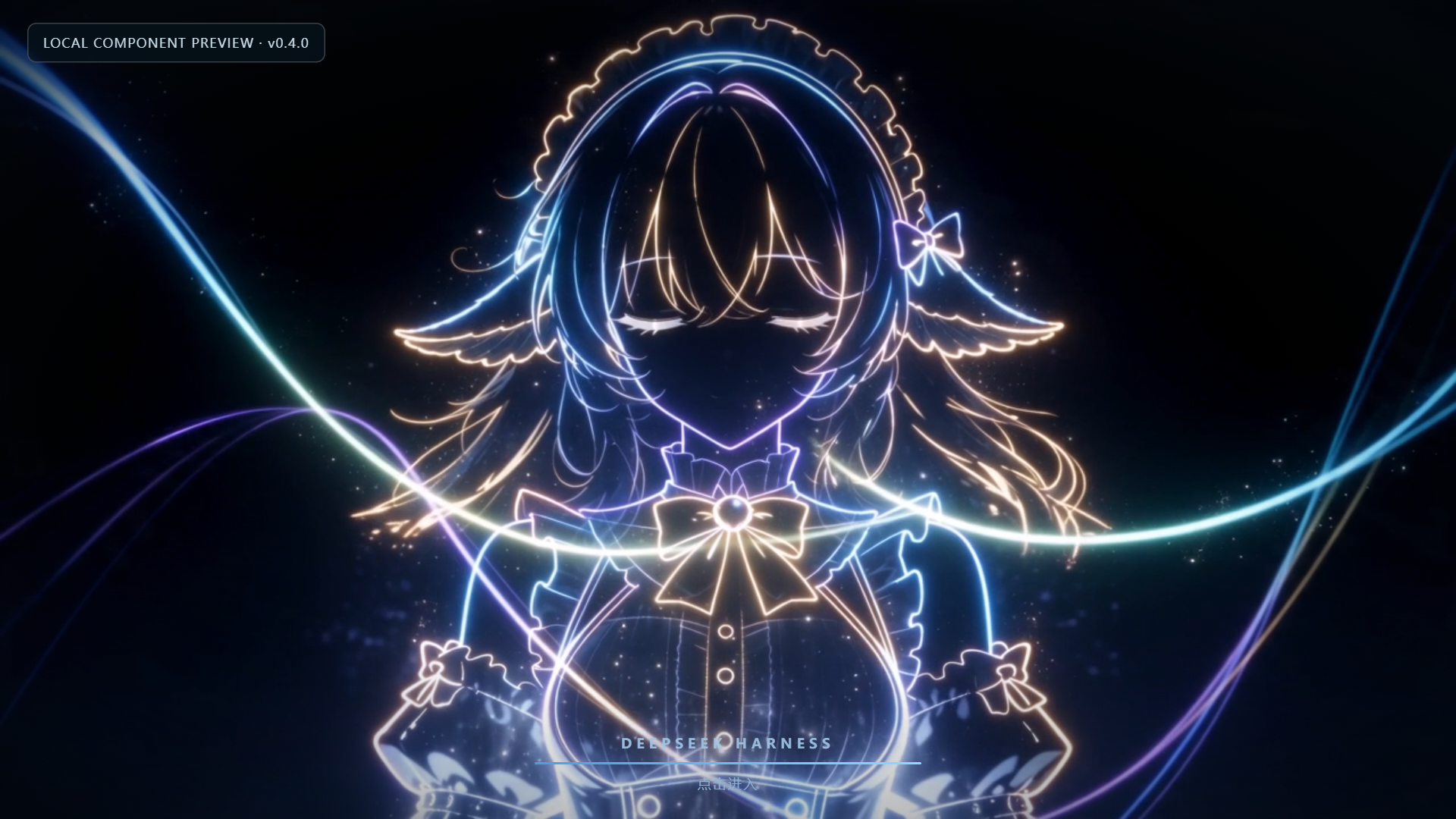
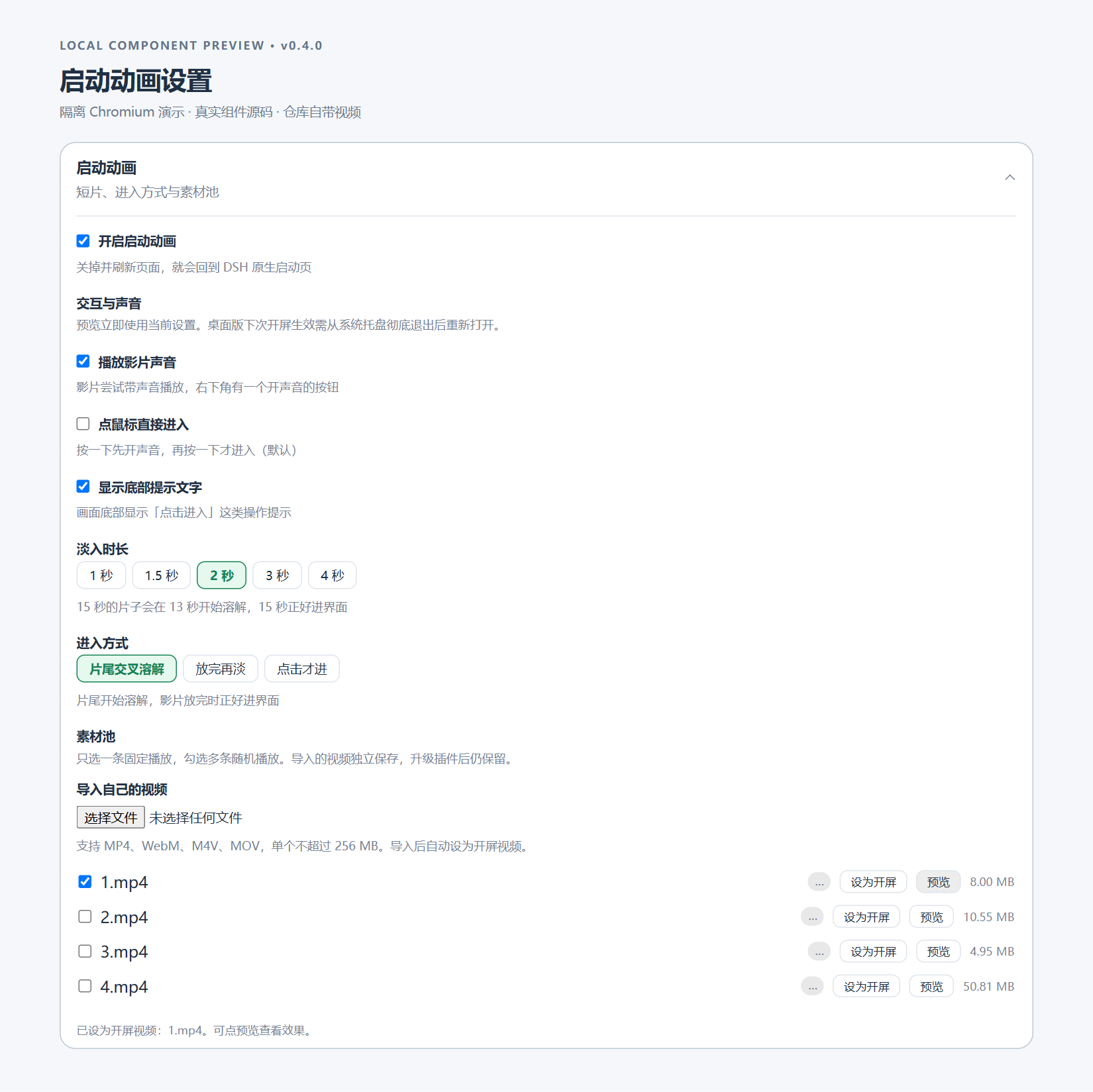
Local Chromium demo host rendering the actual 0.4.0 boot and card source with sample profile data. These are not screenshots of a signed-in live DSH profile and are not a cross-platform certification.
Install
Web
dsh plugin --profile web add @ljwei-stak/dsh-boot-animation@0.4.0 --save-exact
Host and Node requirements must already be met.
Desktop
Open Settings -> Plugins -> Add plugin, paste @ljwei-stak/dsh-boot-animation@0.4.0, then quit and reopen from the tray as prompted.
For Desktop upgrades where the live install API reports the package as already installed, fully quit from the tray first and use the official Desktop bundled wrapper — not an older global dsh binary.
Windows default-location copyable offline command:
& "$env:LOCALAPPDATA\Programs\DeepSeek Harness\resources\runtime\cli\bin\dsh.cmd" plugin --profile desktop add '@ljwei-stak/dsh-boot-animation@0.4.0' --save-exact
Adjust the wrapper path if DeepSeek Harness is installed elsewhere. If you use a custom DSH_HOME, retain it when running this command. Do not use this exact Windows path on Linux or macOS.
Uninstall
Web:
dsh plugin --profile web remove @ljwei-stak/dsh-boot-animation
Desktop: use the official plugin UI. Existing custom videos are separate data; review and back them up before manual deletion. A fresh package install auto-registers the scoped bundle; do not manually insert a second bundle entry.
Configuration
The plugin uses the host profile configuration and a plugin patch file. There is no separate .env, INI, or JSON settings loader.
| File | Role |
|---|---|
<DSH_HOME>/profiles/<profile>/cordis.yml | Host base configuration. |
<DSH_HOME>/profiles/<profile>/cordis.patch.yml | Plugin configuration edits. The shipped patch mounts id boot-animation with name @ljwei-stak/dsh-boot-animation. |
Profile package.json | Tracks dependency and dsh.profile.bundles via the installer. |
An example fragment is provided as a config-object reference only; it is not a standalone autoloaded config file.
Settings namespace: boot-animation. Prefer the existing settings UI. Preview uses current settings immediately. Reload the Web page for the next startup; on Desktop, fully quit from the tray and reopen for the next startup. Host entry upgrades also require a full process restart.
| Key | Default | Notes |
|---|---|---|
enabled | true | Master switch. |
fadeMs | 2000 | Schema range 300–5000 ms; UI presets 1000, 1500, 2000, 3000, 4000. |
enterMode | tail | tail dissolves at clip end; end fades after playback; click loops until entry. |
disabledClips | [] | Opaque filenames disabled in the pool. |
sound | true | Subject to browser gesture policy. |
clickToEnter | false | When enabled, the first pointer press enters immediately; otherwise a press may first unlock audio. |
showHint | true | Display entry hint. |
Media
Imported videos are copied to <DSH_HOME>/profiles/<profile>/data/dsh-boot-animation/videos. The original selected file is untouched. Legacy bundled assets under assets/videos may be replaced by package upgrades; UI import is preferred.
In the UI, open Settings -> Plugins -> 启动动画 to import a video up to 256 MiB, set one clip as startup or enable several for random selection, preview current effects, and remove custom clips after confirmation.
Compatibility
- DSH: minimum
>=0.2.0-rc.2; integration verified against Windows Desktop runtime0.2.0-rc.2and0.2.1-rc.2. - Node:
^22.19.0 || >=24.0.0; ESM. - Runtime dependency:
@deepseek-ai/schemastery^3.18.4(declared as a dependency, not a peer dependency). - Browsers: Chromium, Chrome, and Edge targeted; Firefox is unverified.
- Platforms: macOS and Linux script paths exist but were not independently tested in this acceptance.
- Codecs: browser-supported codecs are required. H.264/AAC MP4 is preferred. MP4, WebM, M4V, and MOV containers do not guarantee codec decoding.
Permissions and trust
This Node plugin runs with host OS privileges; there is no per-plugin sandbox.
- Reads: shipped scripts and videos.
- Writes/removes: imported video copies in the profile data directory.
- Optimize: explicitly rewrites a bundled MP4 using Node APIs, with
originals/backups and.faststart-work/scratch space. The runtime does not execute shell commands orffmpeg. - Credentials/network: no model or provider API keys, telemetry, or remote services are used in the plugin runtime. Browser HTTP calls are same-origin.
npmand GitHub network access are required by the installer and are distinct from runtime behavior.
HTTP boundary
Custom import, read, and delete routes enforce DSH connection.requestRejection authentication and path checks. Bundled clip manifest/video and Optimize routes do not enforce that same hook themselves. Do not assume every route is authenticated.
Use only in a trusted local environment. Remote or reverse-proxy operators must enforce access control for the entire /plugins/dsh-boot-animation/ prefix. Imported media is not published to GitHub or npm. Videos are served no-store, so repeated loads transfer clip data again.
License
Code is under MIT. The LICENSE declares the bundled MP4 work under the same MIT terms. User-imported media retains its own rights; installing the plugin does not relicense it.
Reference repositories
- Original code / upstream:
lxj5820/dsh-boot-animation - Official DSH host:
deepseek-ai/deepseek-harness - Current maintained distribution:
Alice-Marx/dsh-boot-animation
No endorsement by the upstream or host projects is implied.
Developer notes
Validation commands present in this repository:
node build-client.mjs      # only if client source changes
node verify/verify-entry.mjs
node verify/verify-degraded.mjs
node verify/verify-options.mjs
node verify/verify-custom-clips.mjs
The 0.4.0 release passed 243 checks; this does not imply every Desktop release or operating system was fully end-to-end tested.
See AGENTS.md, MANUAL.md, and INSTALL.md for development and setup detail. Archived historical notes are kept at docs/DEVELOPMENT_NOTES.md and are non-authoritative.
Directory submission
A ready-to-copy submission draft follows the hub template. The badge confirms the plugin is listed in the community directory; it does not imply official endorsement or a quality guarantee.
Comments
Loading…
From the same category
by ccch1mneyyy
DSH 官方公众号收录的 TUI 补位插件:Claude Code 风,鲸鱼顶栏/实时状态/流式思考/双击 Esc 回滚/上下文进度+TPS。npm 一键装。 DSH official WeChat featured TUI plugin — Claude Code style: whale bar, live status, streaming thoughts, double-Esc rol
★ 5.3k
↓ 10.4k/wk
MIT
TypeScript
Oct 23, 2026
dsh plugin --profile terminal add @deepseek-harness-tui/dsh-tuiby strukto-ai
The World's First Virtual Terminal for AI Agents
★ 3.7k
↓ 152/wk
Apache-2.0
TypeScript
Oct 23, 2026
dsh plugin --profile agent add @struktoai/mirage-dshby bowenliang123
The best DeepSeek Harness plugin for context insight and management, with context dashboard / browser / sidebar and context command, for context statistics, composition, breakdown, evolution details,
★ 3.4k
↓ 43.4k/wk
Apache-2.0
TypeScript
Oct 23, 2026
dsh plugin --profile web add dsh-contextby mmparko
DeepSeek Harness 破甲 (mirror of YuJunZhiXue/dsh-purge) — 上游即将删库,此为本仓库全量镜像:含全部分支/73 个 tag/完整提交历史。原作者署名与二开要求见 README 署名章节。
★ 1.8k
MIT
JavaScript
Oct 13, 2026
dsh plugin --profile web add dsh-purgeby c1overzz
DSH 插件:每天替你刷一轮 B站,读字幕挑出值得的、写一份日报,值得的 @ 你
★ 458
↓ 5.3k/wk
MIT
JavaScript
Oct 22, 2026
dsh plugin --profile web add dsh-bili-scrollby c3cvld7aag
富江DSH完美破甲|富江破甲 DSH 本地插件,内置提示词规则,支持 Windows 一键安装、环境自动准备与一键卸载,全中文使用说明。
★ 290
JavaScript
Oct 3, 2026
dsh plugin --profile web add fujiang-armor