
dsh-edit-question
IdentifiedAdds an "edit question" action to every user message: editing re-sends the prompt from that turn, re-attaches the original images (extra ones can be pasted in), and optionally archives the original se
dsh-edit-question —— 编辑提问并重发
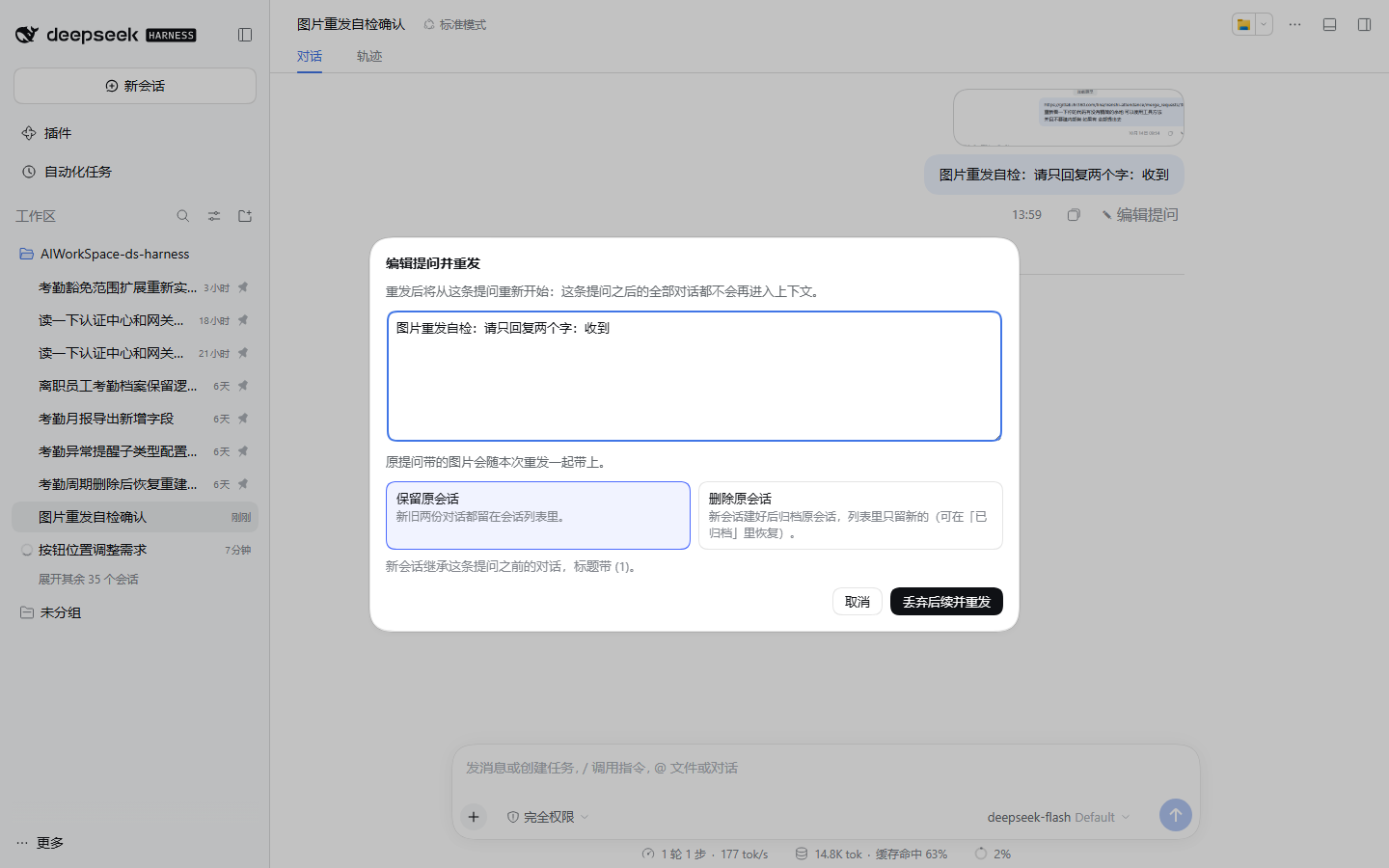
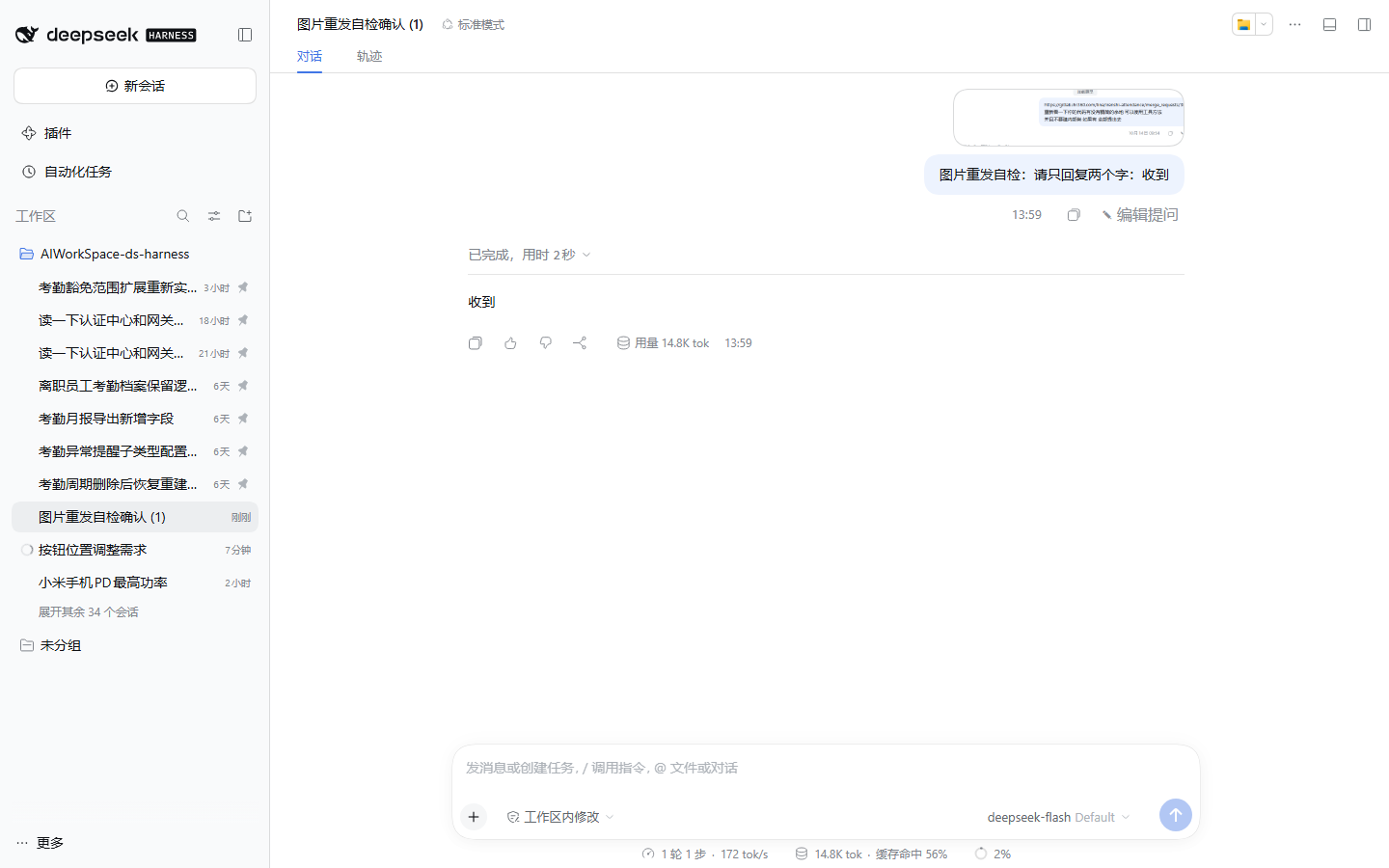
在 DeepSeek Harness Web GUI 的每条用户提问旁加一个「✎ 编辑提问」入口:改完原文后从这条提问重新开始, 该提问之后的对话不再进入新会话的上下文,界面直接切到新会话。
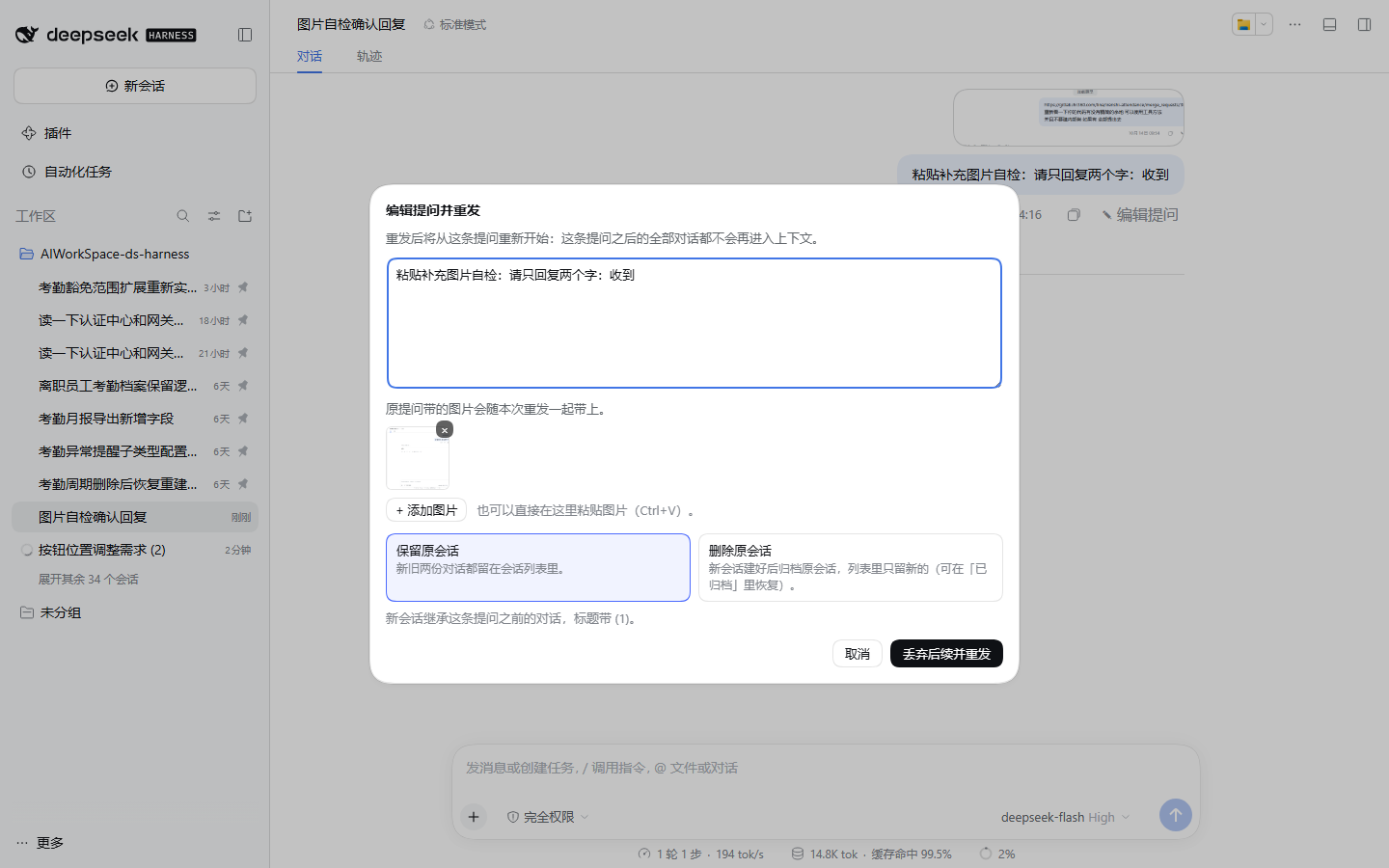
- 图片兼容:原提问里的图片会随重发一起带上(内容寻址复用同一个附件,不重复占空间);也可以在编辑框里直接粘贴补充图片。
- 两个出口:对话框里二选一——保留原会话(新旧并存)或删除原会话(新会话建好后归档原会话,列表里只留新的)。
为什么是 fork 而不是原地截断
DSH 没有「删除会话中某段历史」的官方能力:会话文件是多帧拼接的 zstd 追加日志(带内核写租约),外部改写会破坏
租约与 seq 连续性;surfaceOp: replace 只能让模型「看不见」,记录仍在界面上。所以本插件用官方唯一的「从某点重开」语义
ctx.sessions.fork({ sessionId, atSeq }) 复制前缀生成子会话,再在子会话里重发编辑后的提问。
切点取上一轮的 turn/end:第 1 轮用 0(原提问自己的 agent/inbox/spliced 在 turn/start 之前,从它之后开始会把旧提问带进新会话),
第 N>1 轮用第 N-1 轮结束的 seq。
安装
从 npm(尚未发布)
这个包还没发布到 npm(计划中)。发布之后一行即可:
dsh plugin --profile <profile> add dsh-edit-question
在那之前请用下面的手工挂载方式。
手工挂载(源码)
# 1) 让 profile 能解析到这个包:目录联接(junction,不需要管理员权限)
New-Item -ItemType Junction -Path "$HOME\.dsh\profiles\desktop\node_modules\dsh-edit-question" `
  -Target "<本仓库路径>"
# 2) 在 profile 的 cordis.patch.yml 末尾追加
- insert:
    - id: edit-question
      name: dsh-edit-question
cordis.patch.yml 受 HMR 监视:改完即热重组,不需要重启应用;浏览器端代码在刷新页面后生效。
⚠️ 不要同时使用两种方式:
package.json里的dsh.bundle.patch(供dsh plugin add用)与 profile 里的手工insert行 会用同一个 id 挂载两次,启动时报错。迁移到 bundle 安装前,先删掉 profile 里那行- id: edit-question。
用法
- 把鼠标移到任意一轮的提问气泡上,动作行里点「✎ 编辑提问」;
- 修改文本,可选:粘贴图片补充、或删掉已补的图;
- 选择「保留原会话」或「删除原会话」;
- 点「丢弃后续并重发」,界面切换到新会话。
已知限制
- 「删除原会话」实际调用的是 DSH 原生归档(
uiWorkspace.archiveSession,没有物理删除会话的接口),可在「已归档」里恢复; 要彻底删掉得自己清理~/.dsh/sessions/下对应目录。 - 文件类附件(非图片)不重发:它的上传回执(
receiptId)只对原会话有效,对话框会单独提示。 - 当前模型需支持图片输入,否则宿主会在 prompt 准入时拒绝并给出提示。
- 入口位置依赖宿主 DOM 契约(
data-chat-flow-kind/data-chat-turn/data-clock),宿主改版时会自动退回轮尾一行(功能不受影响)。
开发
docs/DEVELOPMENT.md:实现细节、宿主 API 依据、验证工具清单与实测记录。tools/:Playwright 端到端脚本(e2e-image-edit.py、e2e-paste-image.py)、会话日志读取(read-session.mjs)、 DOM 探测(probe-*.py)等,都不参与插件运行。
许可
MIT
Comments
Loading…
Similar plugins
Message and attachment editing with save-only updates, forked regeneration, and a version timeline for DSH desktop.
★ 0
dsh plugin --profile web add @sh1robana/dsh-plugin-message-editby lxl8182
DSH Web 用户消息编辑重发插件:改掉某一轮提问重发,该轮之后的内容丢弃,原会话归档(新会话继承逐字节相同前缀以保住 prompt 缓存)。
★ 0
MIT
JavaScript
Sep 30, 2026
dsh plugin --profile web add dsh-message-editQuestion index: an ordered, collapsible list of your asked questions floating on the right side of the conversation; click a question to jump the session to that point. Auto-indexes each session's ful
★ 0
↓ 65/wk
dsh plugin --profile web add @lijinhao315/dsh-question-indexby Yebeimu
A DSH plugin: collect pending ask_user_question prompts from other sessions and answer them without leaving the current one.
★ 0
MIT
JavaScript
Oct 17, 2026
dsh plugin --profile web add dsh-sideaskby Arbeiter-bit
Double-click any of your own messages to rewrite it and resend from that point; the original conversation is untouched.
★ 1
MIT
JavaScript
Oct 10, 2026
dsh plugin --profile web add dsh-reeditby SZMY-haruhi
Sidebar archive directory for DSH Web: restore a session to its original workspace slot, delete the session log, or edit-and-branch a user message into a new conversation.
★ 2
↓ 205/wk
MIT
TypeScript
Oct 12, 2026
dsh plugin --profile web add dsh-session-plus