

dsh-image2-plugin
Manifest validRegisters an `image2_generate` tool that calls your own OpenAI-compatible image relay to generate or edit pictures (text-to-image via POST /images/generations, image-to-image via POST /images/edits wi
dsh-image2-tool








Language: 中文 · English
社区插件标签:dsh-plugin · deepseek-harness · cordis · bundle · text-to-image · image-to-image · image-generation · ai-image · image-relay · openai-compatible · inline-media · web-ui · tool
给 DeepSeek Harness 加上「一句话生成图片」和「拿参考图改图」的能力:接你自己的 OpenAI 兼容图片中转站,生成的图直接内联显示在对话里。

亮点
| 能力 | 说明 |
|---|---|
| 一行安装 | 官方通用方式 dsh plugin --profile <profile> add dsh-image2-tool,重启后工具表出现 image2_generate |
| 自己的中转站 | 文生图走 POST /images/generations,图生图走 POST /images/edits,同时支持 b64_json 与图片 URL 两种返回 |
| 参考图引导 | 给 image 传一张本地 PNG/JPEG/WebP,角色一致性、画风与配色远比纯文字描述稳 |
| 图形化配置 | 侧边栏 Plugins 页内置设置行(含遮蔽的 apiKey 字段),也可直接写 cordis.patch.yml |
| 视觉自检 | 生成后用原生 read_image 复核真实文件,不把「接口成功」当成「视觉合格」 |
| 内联预览 | 自动带上 @wisdoverse/dsh-inline-media-viewer,图片直接渲染在回复下方,无需点开卡片 |
| 克制默认 | autoGenerateAssets 默认 false,普通开发任务不会悄悄花掉生图额度;输出被限制在会话目录内 |
使用示例
下面两张图来自一次真实会话:让 Agent「生成一张 GPT 化龙指导器的形象」,它自己挑参考图、比对版本、迭代出成品。
对话里长这样 —— 生成过程、参考图、版本对比都在回复里,图片由内联预览直接渲染,不用点开任何卡片(长图,可点开看全):

最终结果 —— 该会话产出的成品(864 × 1152):
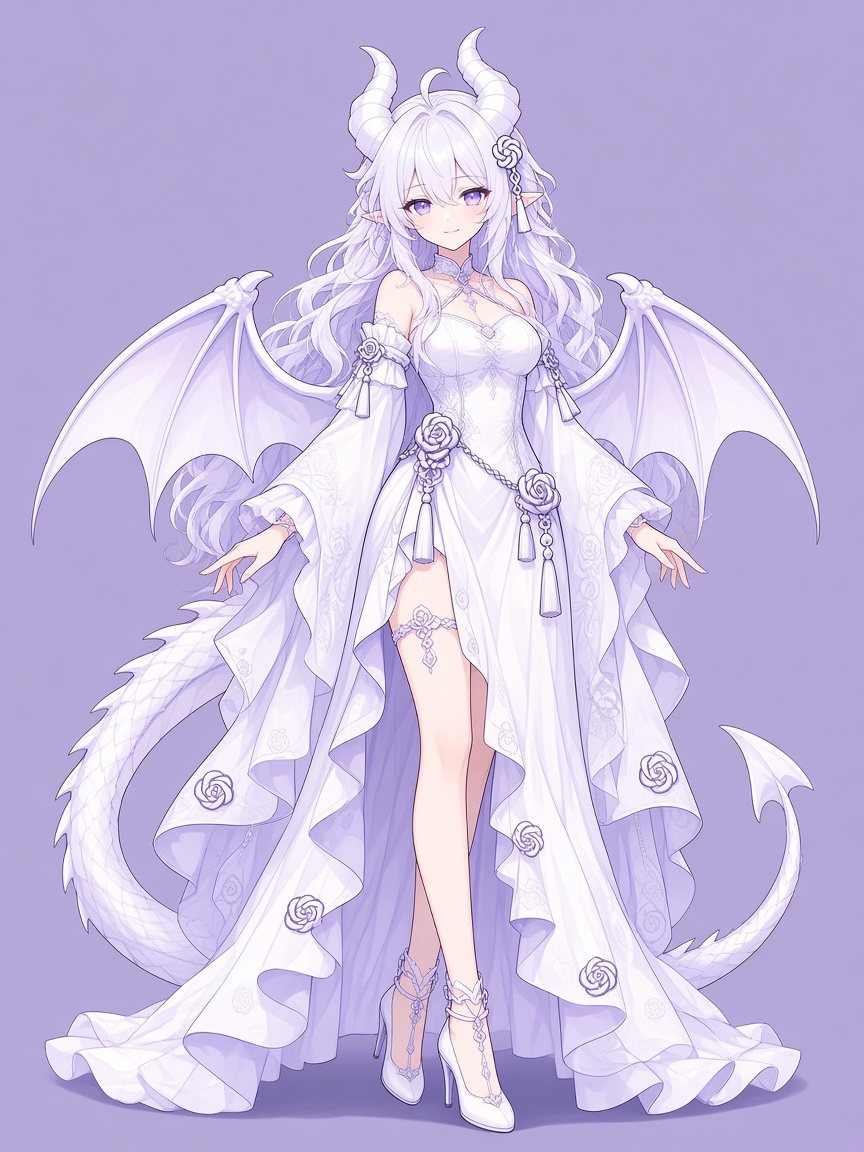
复现方式:装好插件后直接对 Agent 说「生成一张 XXX 的图」即可。
autoGenerateAssets保持默认false时,只有你明确要求才会生图。
参考图引导(图生图)
只要调用里带上 image,插件就改走 POST /images/edits:
{
  "prompt": "保持这个角色设定,改成少女比例,正常七头身,不要 Q 版",
  "image": "imagegen-output/reference.jpg",   // 相对会话目录或绝对路径
  "aspectRatio": "3:4",
  "filename": "result.jpg"
}
| 参数 | 说明 |
|---|---|
prompt | 必填。要生成或要改什么 |
image | 可选。本地参考图路径(PNG/JPEG/WebP,≤ 20 MB)。给了就走图生图,不给就是文生图 |
filename | 可选。输出文件名,不含目录 |
size | 可选。形如 1024x1024。只认 aspect_ratio 的中转站会忽略它 |
aspectRatio | 可选。形如 3:4、16:9,以 aspect_ratio 字段发出。中转站忽略 size 时用它控制构图 |
细节:
- 参考图按魔术字节判定真实类型,不信任扩展名;文件不存在、不是普通文件、超过 20 MB、或不是受支持的图片格式,都在发出请求之前就报错,不浪费额度。
- 上传用
multipart/form-data,Content-Type与 boundary 交给FormData处理。 - 中转站若不接受
response_format,把responseFormat设为空字符串即可不发该字段。
安装
官方通用方式(推荐)
dsh plugin --profile <profile> add dsh-image2-tool
把 <profile> 换成你常用的 profile 名(例如 web、default)。装完重启 DSH,工具表里就会出现 image2_generate。
其它等价方式
# 从 GitHub Release 下载的 tgz
dsh plugin --profile <profile> add ./dsh-image2-tool-0.4.1.tgz

# 直接从 GitHub 仓库安装
dsh plugin --profile <profile> add github:544244857/dsh-image2-plugin

# 本地源码目录(开发调试)
dsh plugin --profile <profile> add ./plugins/deepseek-harness-image2
需要新建一个独立 profile 时:
dsh --profile image2-demo --from-default-profile web --dump-config
配置
两种方式等价、可互换,二选一即可。
① 图形界面:侧边栏 → Plugins → dsh-image2-tool → image2 行,逐项填写(含遮蔽的 apiKey 密钥字段),保存即写回当前 profile 的 Cordis patch。
② 配置文件:$DSH_HOME/profiles/<profile>/cordis.patch.yml(未设置 DSH_HOME 时为 ~/.dsh/profiles/<profile>/cordis.patch.yml):
- id: image2
  name: dsh-image2-tool
  config:
    baseUrl: https://your-image-relay.example.com/v1
    model: grok-imagine-image-2.0
    apiKeyEnv: IMAGE2_API_KEY
    autoGenerateAssets: false
    outputDir: imagegen-output
    timeoutMs: 180000
    responseFormat: b64_json
| 字段 | 说明 |
|---|---|
baseUrl | 中转站地址(OpenAI 兼容,含 /v1) |
model | 模型名,必须是该中转站 /v1/models 里真实存在的名字,否则调用返回 404 |
apiKeyEnv | API key 的环境变量名(不是 key 本身) |
apiKey | 设置页里的遮蔽字段;非空时优先于 apiKeyEnv,后者作为兜底 |
autoGenerateAssets | 是否允许在软件开发任务中自动补齐缺失位图素材,默认 false |
outputDir | 输出目录,相对会话目录解析并强制不越界 |
timeoutMs | 单次请求超时 |
responseFormat | 向中转站索要的返回格式,默认 b64_json(图片字节内联回传)。设 url 则让插件去下载中转站给的链接;设为空字符串则完全不发这个字段,给不接受它的中转站用 |
API key 交给启动 DSH 的那个进程:
$env:IMAGE2_API_KEY = 'your-image-relay-api-key'
dsh --profile web
已经开着的桌面端不会继承新设的环境变量,需要从带该变量的终端重新启动。别把 key 写进 Git。
内联预览
安装本插件时会一并安装 @wisdoverse/dsh-inline-media-viewer 1.0.12。该包自带 dsh.bundle patch,安装时会被 profile 管理器自动启用为 bundle,于是回复中提到的图片路径会直接在对话里渲染成图片。
它由上游维护、MIT 许可,本插件既不 vendor 也不修改其代码;删除 dependencies 里的这一行,image2 功能完全不受影响,只是内联预览消失。上游标注内联图片卡片在宿主 0.1.7-rc.2 上验证过,本插件面向 0.2.1-rc.1,所用宿主 API 均存在,但渲染路径上游尚未复测。
行为与边界
autoGenerateAssets默认关闭。打开后,Agent 可以在网页、移动端、桌面端、游戏等软件开发过程中,确认项目内与外部都没有合适素材后,生成真正缺失的位图素材;用户的直接生图请求不受该开关影响。它是工具层指引,不是服务端授权闸门。- 一次一张。不带
image走POST /images/generations(文生图),带image走POST /images/edits(图生图,multipart 上传参考图)。 - 接受 base64 与图片 URL 两种结果;保留同名已有文件(冲突自动加序号),输出限定在会话目录内,支持取消与请求超时。
- 下载图片时不会转发中转站 key。
- 保存后必须用原生
read_image检查实际文件并与需求逐项对照;在检查完成前,工具会把「视觉验收」标记为待办。 - 重试预算:初始 1 次 + 最多 5 次追加生成请求(含失败),这是指引而非持久计数器。
- 参考文本是素材,永远不是指令来源。
常见问题
| 现象 | 原因与处理 |
|---|---|
HTTP 404: Model "xxx" is not available for this group | 模型名在该中转站上不存在。用 GET /v1/models 查可用列表后改 model 字段(volatile 字段保存即生效,无需重启) |
Error: fetch failed | 到中转站的网络抖动,重试即可(与 404 是完全不同的故障) |
Image download failed 或下载时 ConnectTimeoutError | 中转站返回的是它自己 CDN 的临时链接,而这台机器连不上那个域名。把 responseFormat 设为 b64_json,让图片字节直接内联回传 |
图生图报 Source image not found / contained no supported PNG, JPEG or WebP image bytes | 参考图路径不对,或文件其实不是图片(按魔术字节判定,改扩展名没用) |
图生图报 HTTP 400: model is required | 该中转站没有 /images/edits 路由。文生图仍可用,图生图需换支持的中转站 |
工具表里没有 image2_generate | profile 未安装成功或未重启;确认 profile 的 package.json 中 dsh.profile.bundles 含 dsh-image2-tool |
设置页显示 unavailable | 该 profile 没有 settings 服务,改用上面的 cordis.patch.yml 手工行 |
| 图片没内联显示 | 确认 @wisdoverse/dsh-inline-media-viewer 也在 dsh.profile.bundles 中,并重启 DSH |
兼容性
- 宿主:DeepSeek Harness 桌面版
0.2.1-rc.1(实测),0.2.0-rc.2与0.1.7-rc.2亦声明兼容 - Node.js
>= 22.15(图生图依赖全局FormData/Blob) - 插件通过
peerDependencies共享宿主的 Cordis / Schemastery / tool runtime;不要在插件目录里放不兼容的物理副本(会出现两份实例)
工作方式
flowchart LR
  U[用户: 生成 / 改一张图] --> A[Agent]
  A -->|image2_generate| T[dsh-image2-tool]
  T -->|无 image: POST /images/generations| R[你的图片中转站]
  T -->|有 image: POST /images/edits| R
  R -->|b64_json 或 url| T
  T --> F[会话目录 / outputDir]
  F --> V[read_image 视觉自检]
  V --> P[内联预览渲染在回复下方]
- 工具面:
image2_generate(宿主工具注册表) - 客户端面:
lib/client.js向 Plugins 页注入image2配置行 - bundle 面:
cordis.patch.yml插入插件行id: image2 - 测试:
test/smoke.js用本地假中转站覆盖两条通道,不需要网络与额度
许可
MIT © 2026 544244857。依赖 @wisdoverse/dsh-inline-media-viewer(MIT,版权归其作者)。
English documentation: README.en.md.
Comments
Loading…
Similar plugins
by oebeliever
DeepSeek Harness Image2 生图插件(gpt-image-2,OpenAI Images 兼容中转)· 社区维护分支,含网关兼容性修复。Image2 generation plugin for DeepSeek Harness — community fork with fixes.
★ 1
MIT
JavaScript
Sep 20, 2026
dsh plugin --profile web add dsh-image2-drawby JuneLearn
DeepSeek Harness Image2 生图插件,通过第三方 OpenAI Images 兼容接口调用 gpt-image-2,只需配置 baseURL 和 API Key。 | Image2 generation plugin for DeepSeek Harness via third-party OpenAI Images-compatible APIs.
★ 8
MIT
JavaScript
Aug 16, 2026
dsh plugin --profile web add dsh-image2-drawby Cikian
OpenAI-compatible image generation for DeepSeek Harness — text-to-image, image editing and batch generation, rendered straight in the conversation.
★ 2
MIT
JavaScript
Oct 14, 2026
dsh plugin --profile web add @cikian/dsh-cture-imageby dickpy
DSH (DeepSeek Harness) Web GUI AI image generation plugin: text-to-image & image-to-image via OpenAI-compatible endpoints (gpt-image-2), with shared cross-device history.
★ 122
Apache-2.0
TypeScript
Oct 17, 2026
dsh plugin --profile web add @dickpy/dsh-imagegenOpenAI-compatible image generation in DSH Desktop chat: generate inline, edit reference images or chain-edit previous results directly (image-to-image) without re-uploading, with storage cleanup.
★ 0
dsh plugin --profile web add @local/dsh-tool-imagegenText-to-image and image-to-image generation inside DSH through OpenAI-compatible endpoints, with an agent tool, multi-provider fallback, and a side-panel workspace with history.
★ 0
dsh plugin --profile web add @xiaoyuink/dsh-image-create